CISA: the full course
All five domains in study order. Arrow keys or space to move, F for full screen, or jump to a domain or topic below.
Certified Information Systems Auditor
Domain 1: Information System Auditing Process · Domain 2: Governance and Management of IT · Domain 3: Information Systems Acquisition, Development and Implementation · Domain 4: Information Systems Operations and Business Resilience · Domain 5: Protection of Information Assets
CISAInformation System Auditing Process
Standards and ethics · Audit basics · Planning · Evidence and testing · Controls · Reporting and quality
ISACA Code of Professional Ethics
The seven principles every CISA holder signs up to, what each one means in everyday audit work, and how the exam turns them into 'what should the auditor do?' questions.
Why auditors need a code
People rely on an auditor's word. A board approves budgets, a regulator closes an inquiry, a customer signs a contract, all because an auditor said "this is sound". That only works if auditors are honest, careful and discreet.
ISACA's Code of Professional Ethics sets out what that means. Every member and every CISA holder agrees to it, and breaking it can cost the certification.
Seven principles on one page
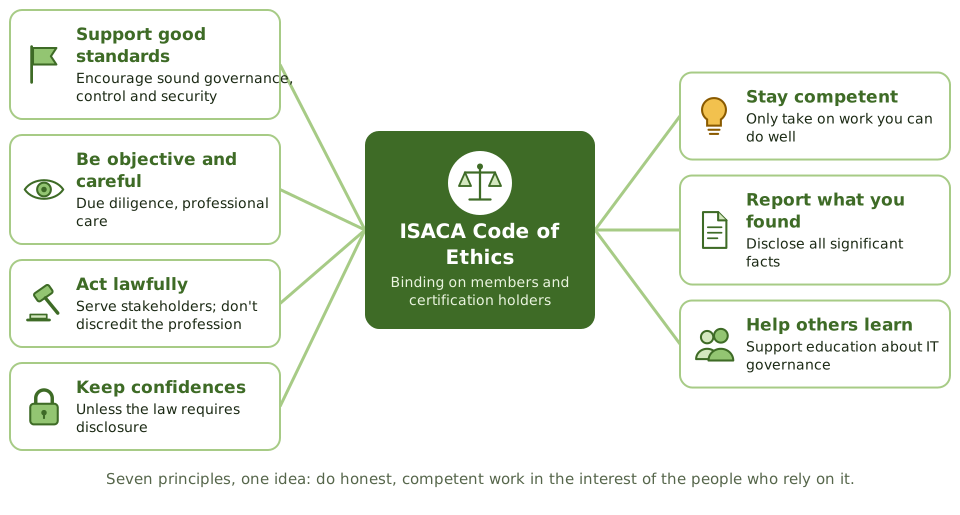
The code has seven principles. They're easier to remember as one idea: do honest, competent work in the interest of the people who rely on it.
Objectivity and due care
Members perform their duties objectively, with due diligence and professional care, following professional standards. In plain words: no favouritism, no shortcuts, and do the job properly even when nobody is checking.
Confidentiality, and its limit
Information gathered during audits stays private. It isn't shared with people who shouldn't have it, and it's never used for personal benefit. The one exception: when a legal authority requires disclosure.
Competence
Members only take on work they can reasonably complete with the skills, knowledge and competence they have, and they keep those skills current.
Report everything significant
Members inform the appropriate parties of the results of their work, including every significant fact they know about. Leaving out an important fact can mislead just as much as stating something false.
The other three
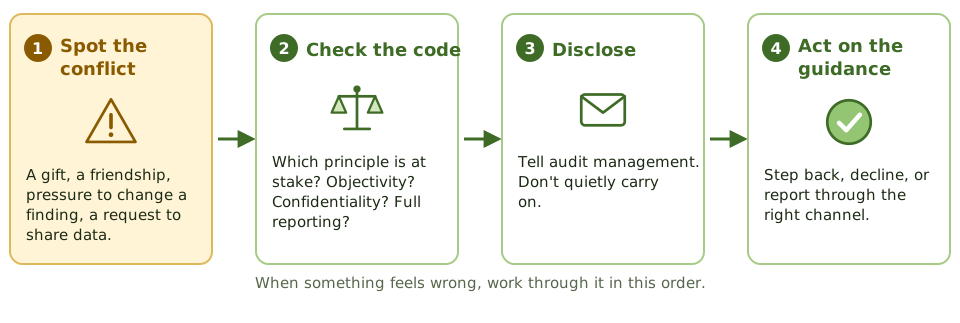
When something feels wrong
How the exam asks about it
| Scenario | What the code expects |
|---|---|
| Regulator legally demands audit working papers | Disclose: legal requirement overrides confidentiality |
| Asked to audit something you have no skills in | Get training or expert help, or decline |
| Management asks you to drop a significant finding | Report it; include management's view if they disagree |
| You learn something that would help you invest | Don't use it: confidentiality and integrity |
| Close friend runs the area you're auditing | Disclose the conflict; you may be reassigned |
Key takeaways
- ✓The Code of Professional Ethics applies to all ISACA members and certification holders. Breaking it can lead to an investigation and disciplinary action, including losing the certification.
- ✓There are seven principles: support good standards, act with objectivity and due care, serve stakeholders lawfully, keep information confidential, stay competent, report all significant findings, and support education.
- ✓Confidentiality has a limit: information can be disclosed when a legal authority requires it.
- ✓Competence means only taking on work you can complete with the skills you have, or can get.
- ✓Reporting means disclosing every significant fact you know, because leaving something out can mislead as much as a false statement.
- ✓When the code and an instruction from management conflict, the code wins.
Exam traps
- !Confidentiality isn't absolute. A legal requirement, such as a court order, overrides it.
- !Taking on an engagement you aren't qualified for breaks the code, even if the result turns out fine. The fix is training, help from an expert, or declining.
- !Leaving a significant finding out of a report because management asked breaks the 'inform appropriate parties' principle.
- !Using audit information for personal gain (such as trading shares on it) breaks confidentiality, even if nobody else finds out.
- !The code is binding for members and certification holders. It's not just guidance.
ITAF: The Standards Framework
ISACA's rulebook for IS auditors: what's mandatory, what's guidance, and the handful of standards the exam turns into scenarios.
What ITAF is
Every profession has a rulebook. Accountants have accounting standards; IS auditors have ITAF, the IT Assurance Framework, published by ISACA.
It tells an IS auditor what they must do on every audit, gives guidance on how to do it, and points to practical tools. The exam rarely asks about ITAF directly. Instead it describes a situation and expects you to know which rule applies.
Three layers, from must to might
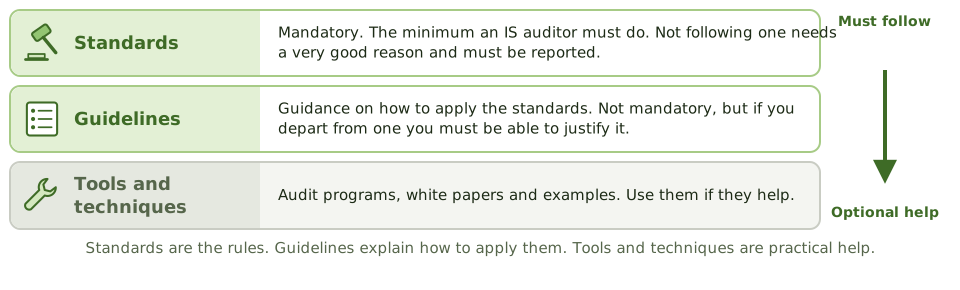
Three groups of standards
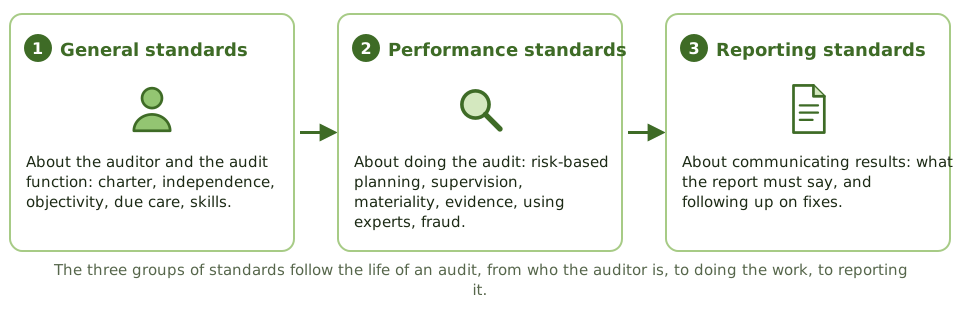
The standards themselves are organised in three groups that follow the life of an audit.
The general standards, in plain words
| Standard | What it means |
|---|---|
| Audit charter | Audit's purpose, authority and responsibility are written down and approved by the board or audit committee |
| Independence | The audit function isn't controlled by the people it audits |
| Objectivity | Each auditor is unbiased, and looks unbiased, on each job |
| Reasonable expectation | Only accept work that can be done properly, with the access and scope needed |
| Due professional care | Be careful and sceptical, like a competent auditor would |
| Proficiency | Have the skills for the job, or get them |
| Assertions and criteria | Judge things against clear, suitable yardsticks such as a policy or framework |
The performance and reporting standards
| Standard | What it means |
|---|---|
| Risk-based planning | Spend audit effort where the risks are highest |
| Planning and supervision | Plan each audit; supervise staff and review their work |
| Materiality | Focus on what's big or important enough to matter |
| Evidence | Get enough reliable evidence to back up conclusions |
| Using others' work | Check an expert is competent and independent before relying on them |
| Irregularities | Watch for fraud; document and report it to the right people |
| Reporting and follow-up | Report findings and limits; check fixes were made |
Spot the standard
Exam questions describe a situation. Your job is to recognise which standard is involved and what it requires.
| Situation | Standard | What to do |
|---|---|---|
| You helped design the system you're now auditing | Objectivity | Disclose; someone else should audit it |
| Access to key data is refused halfway through | Reasonable expectation | Escalate; report the scope limitation |
| Only evidence is a manager saying 'it's fine' | Evidence | Get documentary or system evidence |
| A consultant's penetration test is offered as evidence | Using others' work | Check their competence, independence and scope |
| You find signs of fraud | Irregularities | Document; report to appropriate management |
Key takeaways
- ✓ITAF (the IT Assurance Framework) is ISACA's framework for IS audit and assurance work.
- ✓It has three layers: standards (mandatory), guidelines (how to apply the standards) and tools and techniques (practical help).
- ✓Standards come in three groups: general (the auditor and the function), performance (doing the work) and reporting (communicating results).
- ✓Departing from a guideline is allowed if the auditor can justify it; not following a standard is a serious matter.
- ✓Key standards to recognise in scenarios: charter, independence, objectivity, reasonable expectation, due care, proficiency, risk-based planning, evidence, using others' work, irregularities, reporting and follow-up.
- ✓The exam tests what each standard requires, not its number.
Exam traps
- !Don't memorise standard numbers. Learn what each standard asks the auditor to do.
- !Guidelines aren't mandatory, but the auditor must be able to justify not following one.
- !Reasonable expectation means only accepting work that can be completed to the standards. It doesn't mean finding every problem.
- !Fraud indicators are reported to an appropriate level of management or the audit committee, not to the press or the police by the auditor alone.
Standards vs. Guidelines vs. Tools
A short one: which of ISACA's documents you must follow, which you should follow, and which are just there to help.
Must, should, may
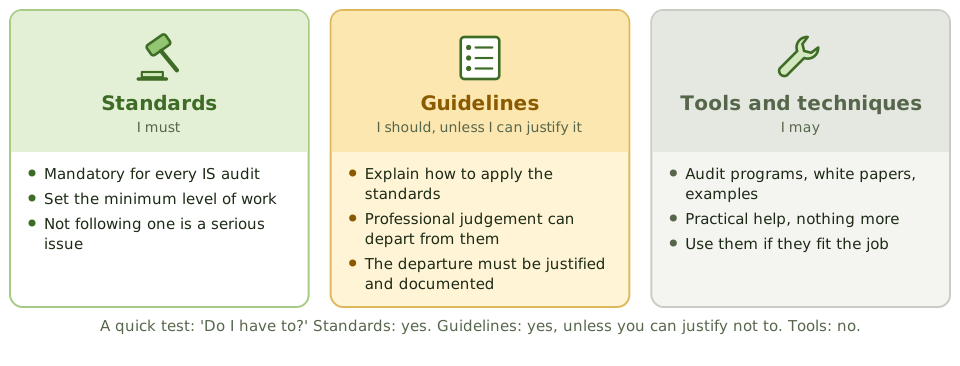
ISACA publishes three kinds of material for IS auditors. The difference is simply how much you're obliged to follow them.
An everyday comparison
How the exam asks about it
| If the question asks… | Answer |
|---|---|
| What is mandatory for an IS auditor? | Standards (and the Code of Ethics) |
| Can the auditor depart from a guideline? | Yes, if the departure is justified |
| An ISACA audit program is… | A tool or technique: optional |
Key takeaways
- ✓Standards are mandatory. They set the minimum an IS auditor must do.
- ✓Guidelines explain how to apply the standards. They aren't mandatory, but a departure must be justified.
- ✓Tools and techniques are practical aids such as audit programs and white papers. They're optional.
- ✓When a question asks what is MANDATORY for an IS auditor, the answer is the standards (and the Code of Ethics).
Exam traps
- !Guidelines aren't mandatory, but 'ignore them freely' is also wrong: the auditor needs a justification.
- !Audit programs published by ISACA are tools, not requirements.
- !The Code of Professional Ethics is mandatory too, alongside the standards.
Auditor Independence and Objectivity
Why an auditor's opinion is only worth something if they're free from influence, the difference between independence and objectivity, and what to do when either is at risk.
Why it matters
An audit opinion is only valuable if the auditor is free to say what they found. If the auditor works for the person they're auditing, or audits their own work, nobody can be sure the opinion is honest, even if it is.
So the standards demand two things: an independent audit function, and objective auditors.
Two related ideas
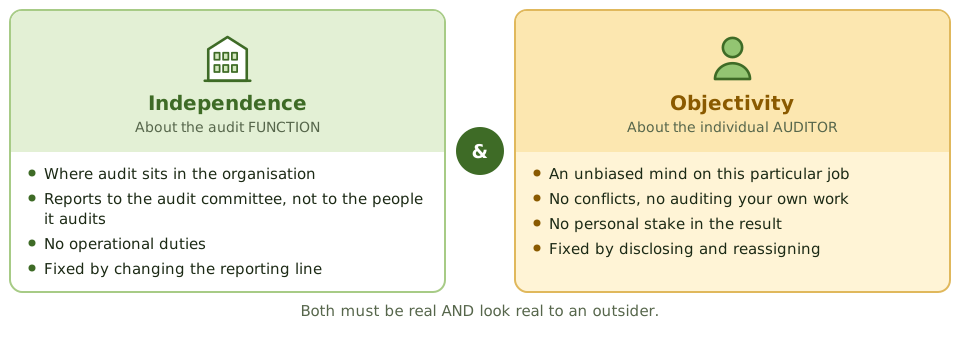
Who audit reports to
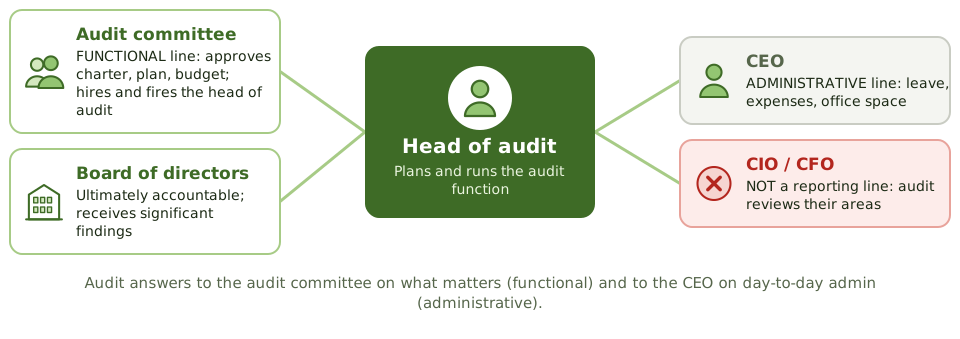
The standard arrangement splits audit's reporting into two lines. The audit committee handles everything that affects audit's freedom; the CEO handles day-to-day administration.
Five threats to an auditor's objectivity
| Threat | Everyday example |
|---|---|
| Self-review | Auditing a system you designed, or a process you used to run |
| Self-interest | Owning shares in a vendor you're reviewing |
| Familiarity | Auditing your best friend's department, or the same area for years |
| Intimidation | A manager hinting your career will suffer if a finding stays in |
| Management participation | Approving transactions or making decisions for the auditee |
Auditors on projects
Auditors are encouraged to get involved early in projects, because fixing a missing control in design is cheap. The line is between advising and doing.
What to do when objectivity is at risk
- 1 Spot it Before or during the audit.
- 2 Disclose it Tell audit management (and the audit committee if needed).
- 3 Resolve it Reassign the work, or decline it.
- 4 Report it If it affected the work, say so in the report.
How the exam asks about it
| If the question asks… | Answer |
|---|---|
| Best way to protect audit's independence | Functional reporting to the audit committee |
| Auditor previously designed the system under review | Disclose; another auditor should do it |
| Auditor joins a development project | OK as an adviser, not in design or approval |
| Greatest threat to independence | Audit reporting to, or controlled by, the area it audits |
| Auditee offers expensive gifts | Decline or disclose: objectivity in appearance |
Key takeaways
- ✓Independence is about the audit FUNCTION: where it sits and who controls it. Objectivity is about the individual AUDITOR's state of mind on a job.
- ✓Both must exist in fact and in appearance. If an outsider would doubt it, there's a problem.
- ✓Audit reports functionally to the audit committee (charter, plan, budget, hiring) and administratively to senior management (day-to-day admin).
- ✓An auditor must not audit work they designed, built or ran, or an area they recently worked in.
- ✓Advising a project on controls is fine. Designing, approving or running the controls is not.
- ✓When objectivity or independence is at risk: disclose it, and normally reassign the work.
Exam traps
- !'I'm sure I can stay objective' doesn't solve anything if it doesn't LOOK objective.
- !Audit reporting to the CIO or CFO is an independence problem when it audits their areas.
- !Rotating auditors helps with familiarity. It doesn't fix a bad reporting line.
- !The fix for an impaired auditor is disclosure and reassignment, not 'being extra careful'.
- !An auditor on a project steering committee should be an adviser or observer, not a voting member.
Audit Charter: Purpose and Contents
The document that gives the audit function its authority: what it contains, who approves it, and how it differs from an engagement letter.
The question the charter answers
"Who says you're allowed to look at our systems?"
Sooner or later every auditor hears this. The answer is the audit charter: a short, formal document, approved by the board or audit committee, that creates the audit function and gives it the right to see what it needs.
What's in it
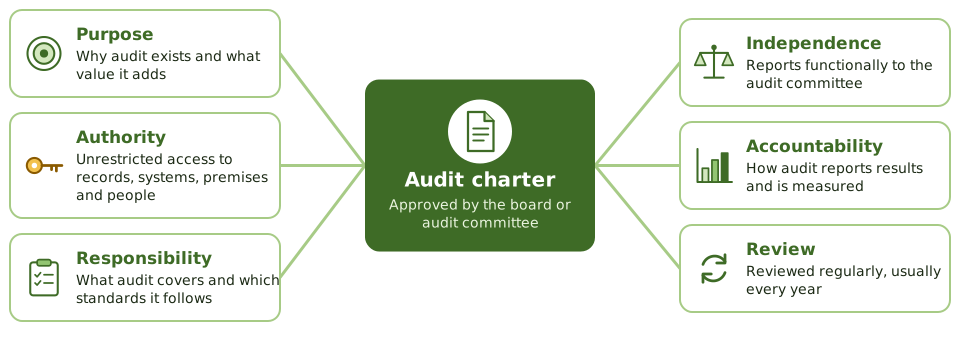
What's NOT in it
The charter is about principles, so it stays short and changes rarely. Anything that changes every year or every audit lives somewhere else.
Charter, plan, engagement letter
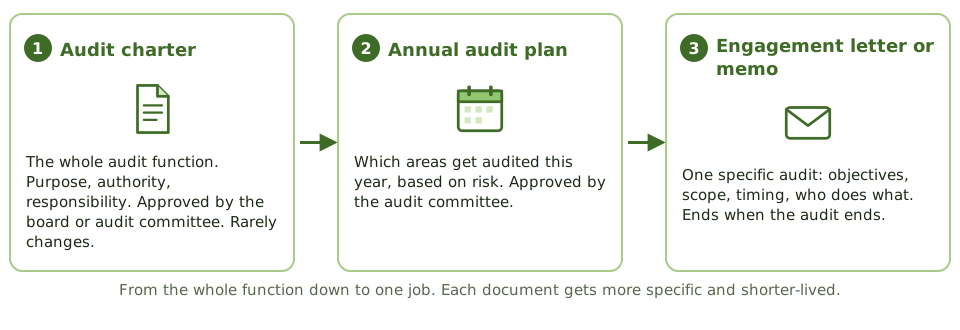
Charter vs engagement letter
| Audit charter | Engagement letter | |
|---|---|---|
| Covers | The whole audit function | One specific audit |
| Approved by | Board or audit committee | Client management and the audit provider |
| Lasts | Ongoing; reviewed periodically | Until the audit ends |
| Typical use | Internal audit | External or outsourced audit work |
Using the charter in real life
The database team refuses to give the auditor read access, saying 'audit isn't allowed in production'. The auditor shows them the charter's access clause. If they still refuse, the matter goes to the audit committee, which approved the charter.
How the exam asks about it
| If the question asks… | Answer |
|---|---|
| Which document gives the auditor authority? | The audit charter |
| Who approves the charter? | The board or audit committee |
| Auditee refuses access: first step? | Refer to the charter; escalate if needed |
| Where is an outsourced audit's scope defined? | The engagement letter |
Key takeaways
- ✓The audit charter is the document that sets up the audit function: its purpose, authority, responsibility and accountability.
- ✓It's approved by the board or audit committee. That approval is where audit's authority comes from.
- ✓It gives audit unrestricted access to records, systems, premises and people needed for audits.
- ✓It sets the reporting lines: functional to the audit committee, administrative to senior management.
- ✓It's short and high level, and should be reviewed regularly (usually annually).
- ✓An engagement letter covers one specific audit, often by an external or outsourced provider. The charter covers the whole audit function.
Exam traps
- !The charter does NOT contain the annual audit plan or detailed test steps.
- !If an auditee refuses access, the auditor points to the charter first, then escalates.
- !IT management or the CIO doesn't approve the charter. The board or audit committee does.
- !A charter that hasn't been reviewed for years is a finding in itself.
Audit Testing: Compliance vs. Substantive
The two kinds of audit test: checking that controls work, and checking that the data itself is right. How one decides how much of the other you need.
Two questions an auditor can ask
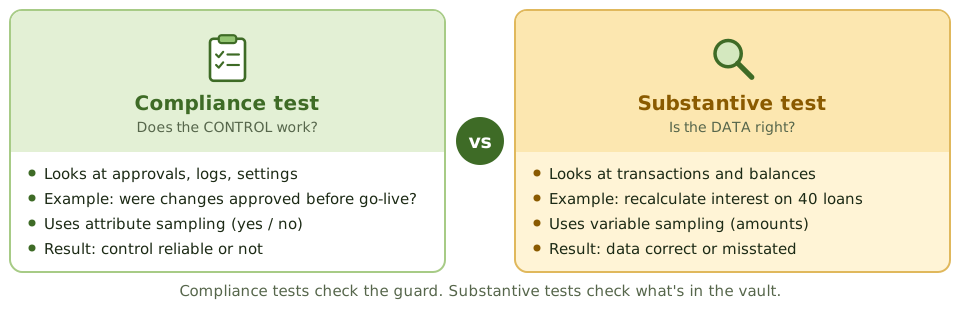
Imagine checking whether a bank's vault is safe. You could watch the guards: are they checking ID, locking the door, logging visitors? Or you could open the vault and count the money.
Auditors do both. Checking the guards is a compliance test. Counting the money is a substantive test.
Compliance vs substantive
Which comes first?
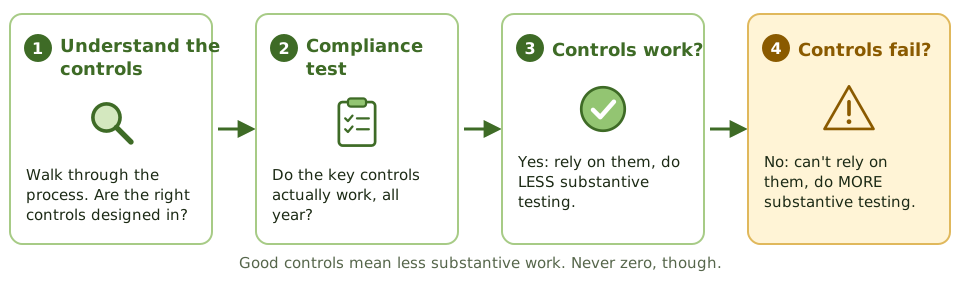
The auditor normally tests the controls first, because the result decides how much substantive testing is needed.
Recognising each test
Ask yourself: is this procedure checking whether a CONTROL works, or whether the DATA is right?
| Procedure | Type |
|---|---|
| Check sampled user accounts had an approved request | Compliance |
| Inspect evidence that backup logs were reviewed daily | Compliance |
| Run test data to see if the system rejects invalid input | Compliance |
| Recalculate interest on a sample of loans | Substantive |
| Confirm account balances directly with customers | Substantive |
| Use data analytics to find duplicate payments | Substantive |
When a control fails
A failed control doesn't prove the numbers are wrong. It means the auditor can't trust the control to have kept them right, so they check the data directly instead.
- 1 Don't rely on it Control risk is high.
- 2 Look for backups Is there a compensating control?
- 3 Test more data Larger substantive samples.
- 4 Report it The control weakness is a finding.
How the exam asks about it
| If the question asks… | Answer |
|---|---|
| Purpose of compliance testing | Check controls operate as designed |
| Purpose of substantive testing | Check the accuracy and integrity of data |
| Controls tested and effective: next step? | Reduce (not eliminate) substantive testing |
| Key control found not working | Increase substantive testing |
| Sampling type for compliance tests | Attribute sampling |
Key takeaways
- ✓A compliance test (test of controls) checks whether a control exists and works as designed throughout the period.
- ✓A substantive test checks whether the data itself (transactions, balances, records) is complete, accurate and valid.
- ✓Compliance testing comes first. Controls that work mean less substantive testing; controls that fail mean more.
- ✓Substantive testing is reduced, never eliminated, even when controls are excellent.
- ✓Compliance tests use attribute sampling (yes/no); substantive tests use variable sampling (amounts).
- ✓A failed control doesn't prove the data is wrong. It means the auditor can't rely on the control and must check the data directly.
Exam traps
- !Checking that changes were approved is a compliance test, even though you're looking at change records.
- !Recalculating interest or confirming balances with customers is substantive.
- !Weak controls mean MORE substantive testing, not stopping the audit.
- !Strong controls let the auditor reduce substantive testing, not skip it.
- !Running test data to see if an edit check rejects bad input is a compliance test: the edit check is a control.
Financial vs. Operational vs. Integrated Audits
The kinds of audit the exam names, the question each one answers, and how to tell from a scenario which one is being described.
Same company, different questions
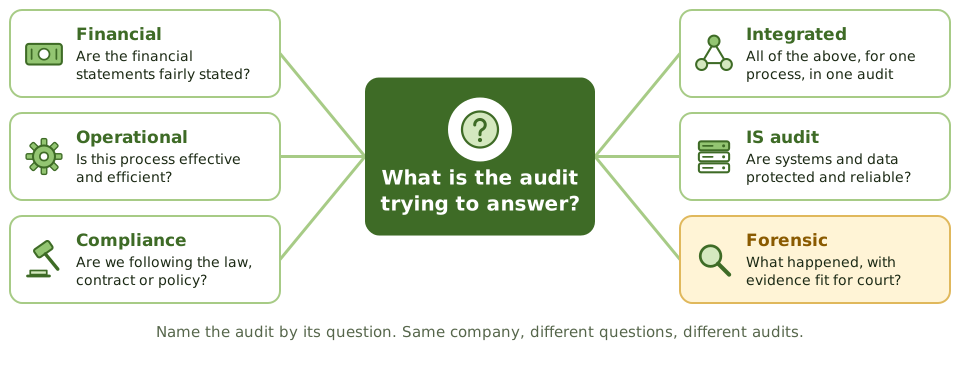
Auditors can look at the same company and ask very different questions. The type of audit is just a name for the question being asked.
The main types
| Type | The question it answers |
|---|---|
| Financial | Are the financial statements fairly presented? |
| Operational | Are processes and controls effective and efficient? |
| Integrated | Combined view of one process: financial, operational and IT |
| Compliance | Are we following this law, regulation, contract or policy? |
| Administrative | Is this function run efficiently and productively? |
| IS audit | Are systems and data protected, reliable and well managed? |
The integrated audit
Instead of three teams auditing the same process separately, an integrated audit puts business and IT auditors together. They look at the business risks and the IT controls they depend on, test once, and write one report.
- 1 Pick a process Such as paying suppliers.
- 2 List the risks Financial, operational and IT together.
- 3 Find the controls Manual checks and the system controls behind them.
- 4 Test once One team, no duplicated work.
- 5 One report A complete picture for management.
Compliance audit vs compliance testing
How the exam asks about it
| If the scenario describes… | It's a… |
|---|---|
| Checking the fairness of financial statements | Financial audit |
| Evaluating whether a process is efficient and achieving its goals | Operational audit |
| Business and IT auditors reviewing one process together | Integrated audit |
| Checking adherence to a regulation or contract | Compliance audit |
| Gathering evidence for possible legal action | Forensic audit |
Key takeaways
- ✓An audit's type is defined by its objective: the question it's trying to answer.
- ✓Financial audit: are the financial statements fairly presented? IT is looked at only as far as it affects them.
- ✓Operational audit: are processes and their controls effective and efficient?
- ✓Integrated audit: financial, operational and IS audit work combined to look at one business process end to end.
- ✓Compliance audit: does the organisation follow a specific law, regulation, contract or policy?
- ✓Administrative audits look at efficiency and productivity; IS audits look at systems, controls and data.
- ✓Forensic audits gather evidence to a legal standard.
Exam traps
- !An integrated audit combines audit TYPES on one process. It doesn't mean auditing the whole company.
- !Compliance AUDIT (a type of audit) and compliance TESTING (testing controls) are different things.
- !A financial audit doesn't assess whether IT is efficient; it only looks at IT as it affects the financial statements.
Forensic and Specialized Audits
What changes when an audit might end up in court, what an auditor should (and shouldn't) do on finding fraud, and how to rely on a service provider's SOC report.
When the audit might end up in court
Most audits end with a report to management. A forensic audit might end in a courtroom or a disciplinary hearing, where the other side's lawyer will try to prove the evidence was tampered with.
So everything about how evidence is collected and handled has to stand up to challenge.
Who is responsible for fraud?
| Job | Whose |
|---|---|
| Preventing and detecting fraud | Management, through internal controls |
| Thinking about fraud risk when planning and testing | The auditor |
| Reporting signs of fraud | The auditor, to an appropriate level |
| Investigating suspected fraud | Authorised, qualified investigators |
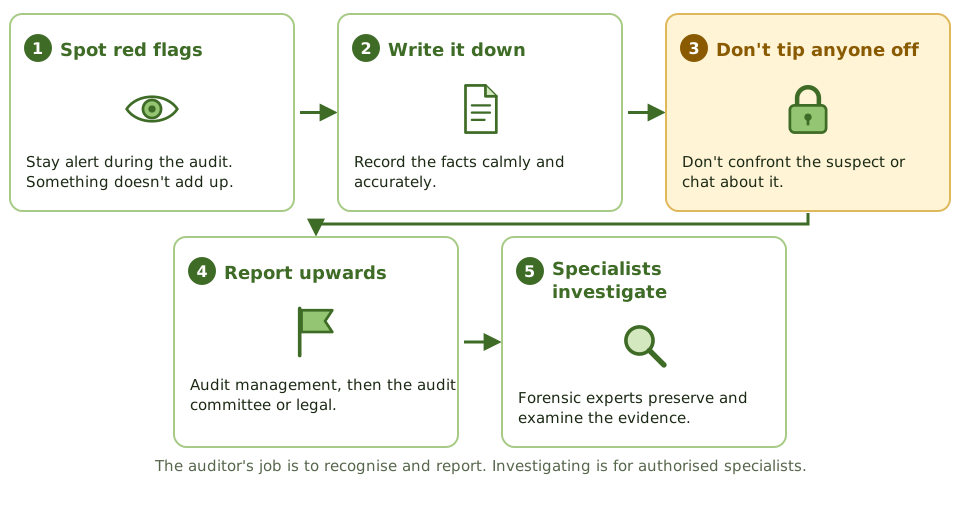
Finding signs of fraud during an audit
Relying on someone else's audit
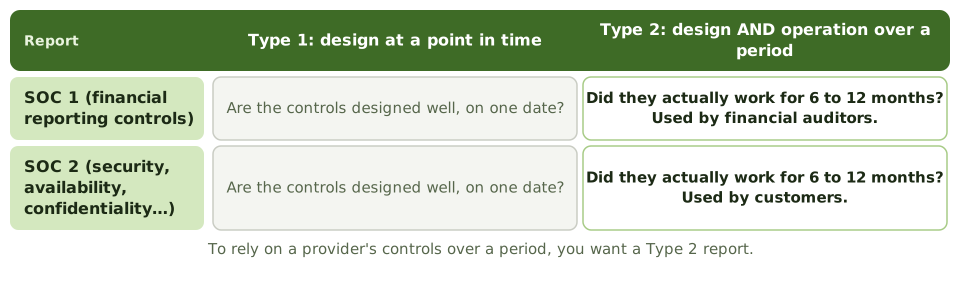
When a company outsources payroll or hosting, its auditors can't visit every provider. Instead, providers hire an independent auditor to write a SOC report, which their customers can rely on.
Before you rely on a SOC report
How the exam asks about it
| If the question asks… | Answer |
|---|---|
| First step with a seized hard drive | Make a verified forensic image; work on the copy |
| What keeps evidence admissible | Chain of custody |
| Auditor suspects fraud | Document and report; don't confront |
| Who is responsible for detecting fraud | Management |
| Report supporting reliance over a period | SOC 1 or SOC 2 Type 2 |
| SOC report ends in September, your year ends in December | Bridge letter plus extra procedures |
Key takeaways
- ✓A forensic audit gathers evidence to a standard that will stand up in legal or disciplinary proceedings.
- ✓Evidence must be preserved before analysis, copied without changing it, and tracked with a chain of custody.
- ✓Preventing and detecting fraud is management's job. The auditor considers fraud risk and reports red flags, but isn't expected to find all fraud.
- ✓On suspecting fraud: document, don't tip anyone off, report to an appropriate level, and leave investigation to authorised specialists.
- ✓SOC reports let you rely on a service provider's controls without auditing them yourself. SOC 1 covers financial reporting controls; SOC 2 covers security and related areas.
- ✓Type 1 reports describe design on one date. Type 2 also tests whether controls worked over a period, so it supports reliance.
- ✓Before relying on a SOC report, check its scope, period, exceptions, sub-service providers and the controls you're expected to run yourself.
Exam traps
- !The auditor shouldn't confront a suspect or start investigating without authority and expertise.
- !Make a verified copy (image) of a seized drive first; never analyse the original.
- !A Type 1 report gives no evidence that controls worked during the year.
- !A SOC report on the provider doesn't cover the controls YOUR organisation is supposed to operate.
- !If the SOC report period doesn't cover your whole year, ask for a bridge letter and consider extra procedures.
Risk-Based Audit Approach
Why auditors spend their limited time where things are most likely to go badly wrong, the steps of a risk-based audit, and the 'what should the auditor do FIRST?' questions.
You can't check everything
An audit team has limited time and people. A company has thousands of processes, systems and transactions. If auditors spread their effort evenly, they'd spend as long checking the stationery cupboard as the payment system.
A risk-based approach fixes that: spend the most effort where a problem would hurt the most.
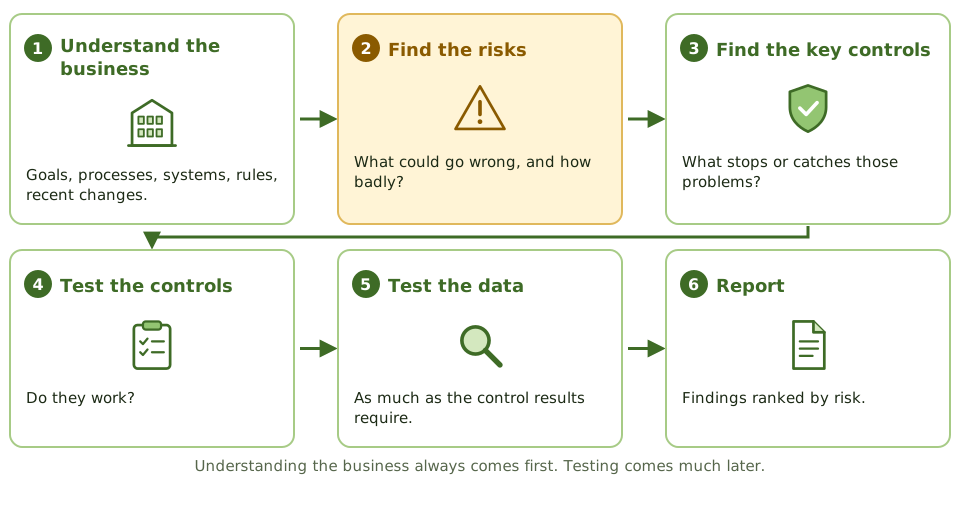
The steps
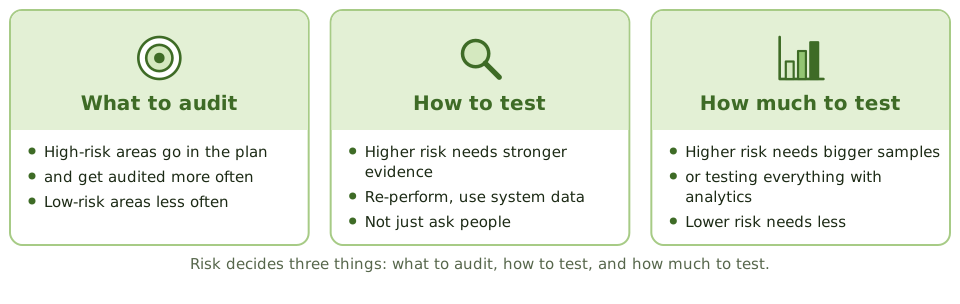
What risk decides
Where the auditor gets risk information
| Source | Why it helps |
|---|---|
| Business strategy and goals | Risk only means something against what the organisation wants to achieve |
| Process and system documents | Show where errors or misuse could happen |
| Management's risk register | A good starting point, but checked, not just copied |
| Previous audits | Known weaknesses, and how fast they get fixed |
| Recent changes | New systems, reorganisations, outsourcing, new laws |
| Industry news and threats | What's hitting similar organisations |
A worked example
An auditor plans a review of a bank's online banking. Rather than testing every control in the security standard equally, they rank the risks first.
How the exam asks about it
| If the question asks… | Answer |
|---|---|
| First step in planning an audit | Understand the business and its risks |
| Main benefit of risk-based auditing | Effort goes to the highest-risk areas |
| What drives the nature, timing and extent of tests | The risk assessment |
| How to treat management's risk assessment | Use it as input; evaluate it independently |
| A big new system arrives mid-year | Reassess risk; update the plan |
Key takeaways
- ✓A risk-based audit focuses effort on the areas where problems would hurt the organisation's objectives most.
- ✓The first step is always understanding the business: its goals, processes, systems and the risks to them.
- ✓Risk decides what gets audited, how it's tested, and how much testing is done.
- ✓The auditor assesses inherent risk and control risk to decide how much testing is needed.
- ✓Management's own risk assessment is a useful input, but the auditor forms an independent view.
- ✓The risk assessment is updated when things change: new systems, incidents, regulations.
Exam traps
- !Reviewing last year's report and interviewing management are useful, but understanding the business and its risks comes FIRST.
- !Auditors don't test every control equally. Key controls over big risks get the most attention.
- !Copying management's risk assessment without evaluating it isn't a risk-based approach.
- !A risk-based plan isn't fixed for the year; it changes when risks change.
Inherent, Control, Detection, and Audit Risk
Why an auditor can still get it wrong, the three things that cause it, and how the auditor decides how hard to look. Explained with a simple 'nets' picture.
Can an auditor get it wrong?
Yes. An auditor tests a sample, not every transaction, and works with limited time. So there's always some chance the auditor says "everything looks fine" when there's actually a significant problem.
That chance is called audit risk. The auditor's job is to keep it acceptably low, not to make it zero.
Three nets, one leak
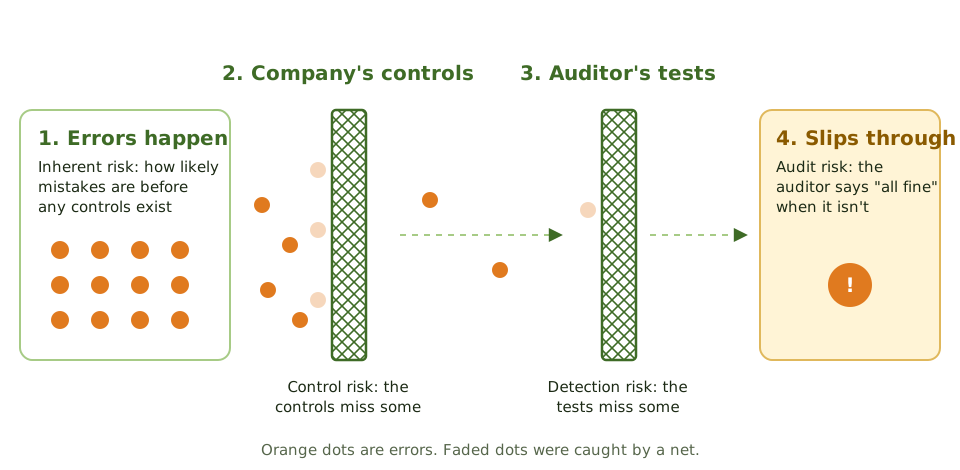
Picture errors as balls rolling towards the financial statements. Some are created in the first place, some are caught by the company's controls, some by the auditor's tests. Whatever slips past both nets is audit risk.
Inherent risk: how easy is it to get wrong?
Inherent risk is the chance of a significant error happening if there were no controls at all. Some things are simply more error-prone than others.
Control risk: will the company's net catch it?
Every company puts controls in place: approvals, reconciliations, system checks. Control risk is the chance those controls fail to prevent or catch a significant error in time. Missing, badly designed or ignored controls mean high control risk.
Detection risk: will the auditor's net catch it?
Detection risk is the chance that the auditor's own testing misses an error that got past the company's controls. It's the only one of the three the auditor controls, by choosing how much, how well and when to test.
Putting it together
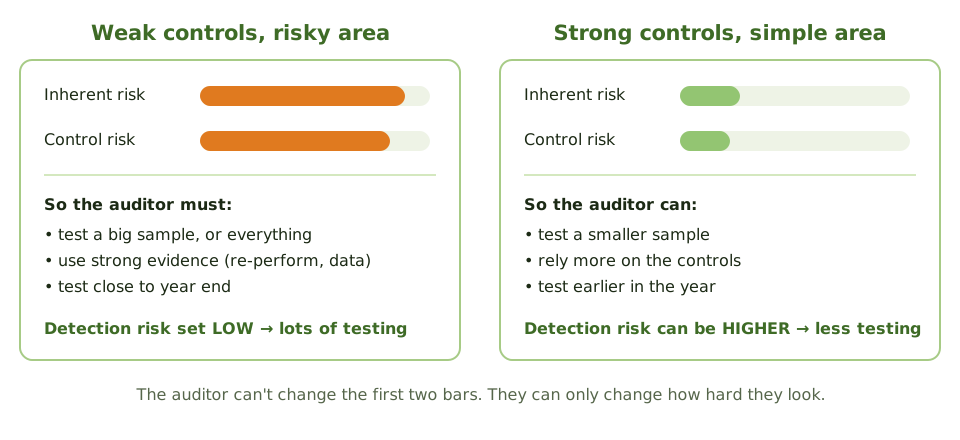
The three multiply: Audit risk = inherent risk × control risk × detection risk. The auditor wants audit risk to stay low. Inherent and control risk are what they are, so detection risk is the dial the auditor turns.
The auditor's dial, step by step
- 1 Assess inherent risk How error-prone is this area?
- 2 Assess control risk Do the company's controls work? Test them.
- 3 Set detection risk High risks above → set it low.
- 4 Plan the testing Low detection risk = more, better, later testing.
How the exam asks about it
| If the question says… | Think… |
|---|---|
| Which risk can the auditor control? | Detection risk |
| Risk assessed without considering controls | Inherent risk |
| Controls might not stop or catch an error | Control risk |
| Inherent and control risk are both high | Set detection risk low: more substantive testing |
| Auditor misread the evidence | Non-sampling risk (part of detection risk) |
Key takeaways
- ✓Audit risk is the risk that the auditor reaches the wrong conclusion, usually saying things are fine when there's a significant problem.
- ✓Inherent risk is how likely errors are in the first place, before any controls. Think: how easy is it to get this wrong?
- ✓Control risk is the chance that the company's own controls fail to stop or catch an error.
- ✓Detection risk is the chance that the auditor's own tests miss an error that got past the controls.
- ✓Audit risk = inherent risk × control risk × detection risk.
- ✓The auditor can't change inherent or control risk, only measure them. The one thing the auditor controls is detection risk: how much, how well and when they test.
- ✓High inherent and control risk mean the auditor must lower detection risk, which means more and better testing.
- ✓Detection risk includes sampling risk (an unlucky sample) and non-sampling risk (the auditor's own mistakes).
Exam traps
- !The auditor ASSESSES inherent and control risk but SETS detection risk. 'Which risk can the auditor control?' → detection risk.
- !Inherent risk is judged as if there were no controls at all.
- !Weak controls mean MORE substantive testing, not less.
- !Choosing the wrong test or misreading evidence is non-sampling risk. A bigger sample won't fix it; training and supervision will.
- !Business risk (the company failing to meet its goals) is not one of the audit risk components.
Audit Universe and Annual Audit Plan
How audit decides what to look at each year: list everything that could be audited, rank it by risk, and build a plan the audit committee approves.
The menu and the order
Think of the audit universe as a restaurant menu: everything audit could possibly look at. The annual plan is this year's order: the dishes audit will actually serve, chosen because they matter most right now.
Audit can't order the whole menu every year, so it picks by risk.
From universe to plan
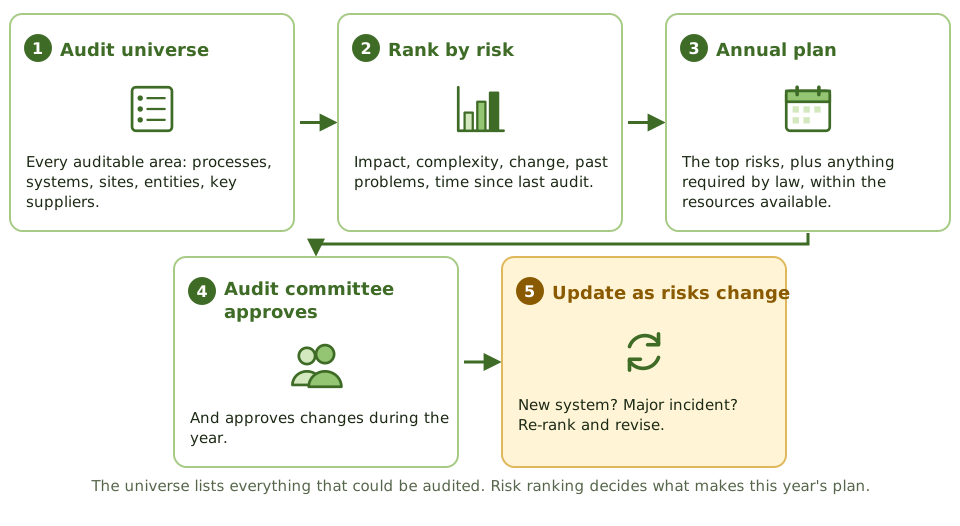
What makes an area high risk?
A plan that bends
The plan is approved at the start of the year, but it isn't fixed. When risks change, audit re-ranks and asks the audit committee to approve the change.
Short-term and long-term planning
| Short-term | Long-term | |
|---|---|---|
| Looks ahead | The coming year | Several years |
| Decides | Which audits, when, who does them | How the whole universe gets covered; skills needed |
| Driven by | Current risk ranking | Strategy and technology direction |
How the exam asks about it
| If the question asks… | Answer |
|---|---|
| Basis for choosing areas for the annual plan | A documented risk assessment |
| Who approves the annual audit plan | The audit committee |
| A major new system appears mid-year | Reassess risk; revise the plan |
| Not enough staff to cover high-risk areas | Report the gap to the audit committee |
| First step in building the annual plan | Define the audit universe and assess risks |
Key takeaways
- ✓The audit universe is the full list of things that could be audited: processes, systems, locations, legal entities, projects and key suppliers.
- ✓The annual audit plan picks from the universe using a documented risk assessment.
- ✓The audit committee approves the plan, and any significant changes to it.
- ✓The plan must be flexible: when risks change, the plan changes.
- ✓Short-term planning covers the coming year; long-term planning looks at covering the universe over several years and at future skills needs.
- ✓If audit can't cover the high-risk areas with its resources, it tells the audit committee rather than quietly dropping them.
Exam traps
- !Auditing everything on a fixed rotation regardless of risk isn't a risk-based plan.
- !The audit committee approves the plan, not the CIO or the areas being audited.
- !Dropping a high-risk area because management asked is an independence problem.
- !A plan never revised during the year may be ignoring new risks.
Audit Objectives, Scope, and the Audit Program
Planning a single audit: deciding what it must conclude, where its boundaries are, and the step-by-step tests in the audit program. Plus what to do when someone blocks the scope.
Planning one audit
The annual plan says WHICH areas get audited this year. Before each audit starts, the auditor plans it in detail.
It's like planning a trip: first decide where you want to end up (objectives), then which roads are in bounds (scope), then the turn-by-turn route (audit program), then who's driving and when (resources and timing).
Four planning decisions
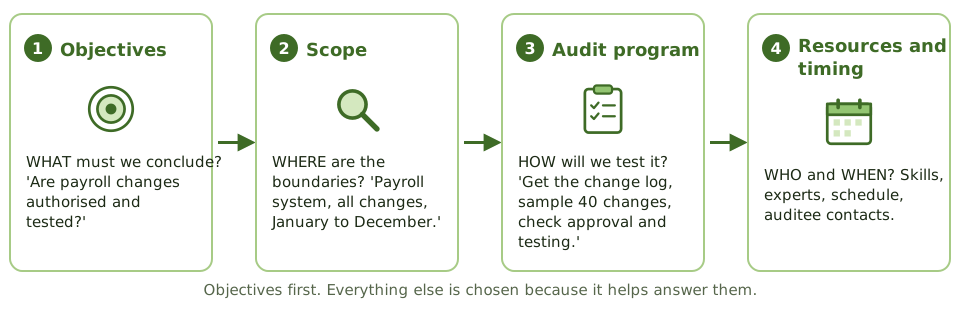
Good objectives
An objective is a question the audit must answer. It comes from the risks found during planning.
What's in an audit program
| Part | Why it's there |
|---|---|
| Objectives and scope | Every test traces back to what must be concluded |
| Test steps | What to check and how: ask, inspect, re-perform, analyse data |
| Evidence needed | What counts as enough, reliable proof |
| Who and when | Responsibility and deadlines |
| Sign-off and review | Shows the work was supervised |
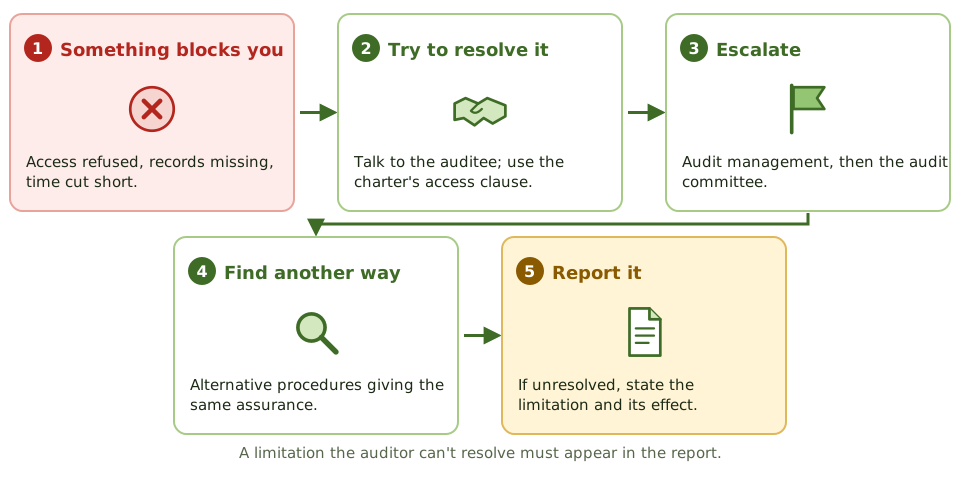
When someone blocks the scope
How the exam asks about it
| If the question asks… | Answer |
|---|---|
| What is set first when planning an audit | The audit objectives |
| Main purpose of an audit program | Set out tests that meet the objectives |
| The auditee restricts the scope | Resolve or escalate; report it if unresolved |
| Using last year's program unchanged | Inappropriate; tailor it to current risks |
| Who sets the scope | The auditor, based on risk and the objectives |
Key takeaways
- ✓Audit objectives say what the audit must conclude. They're set first, before scope, tests or sample sizes.
- ✓Scope sets the boundaries: which systems, processes, locations and time period.
- ✓The audit program is the step-by-step list of tests that meet the objectives. It's also the record of work done.
- ✓Programs are tailored to the current risks; copying last year's without review is a weakness.
- ✓Planning also covers people, skills, experts, timing and communication with the auditee.
- ✓If the scope is restricted and it can't be resolved, the limitation must be reported.
Exam traps
- !Objectives come first. Tests are chosen to meet the objectives, not the other way round.
- !A generic program used without tailoring to the area's risks is a weakness.
- !Management restricting the scope doesn't make the restriction acceptable. Report it.
- !The auditor sets the scope, based on risk, not on what the auditee is comfortable with.
Types and Reliability of Audit Evidence
What counts as good audit evidence, why some evidence is more trustworthy than others, and how to pick the 'most reliable' answer on the exam.
What counts as proof?
An auditor's conclusion is only as good as the proof behind it. "The IT manager told me it's fine" isn't proof. "I pulled the data myself and checked every case" is.
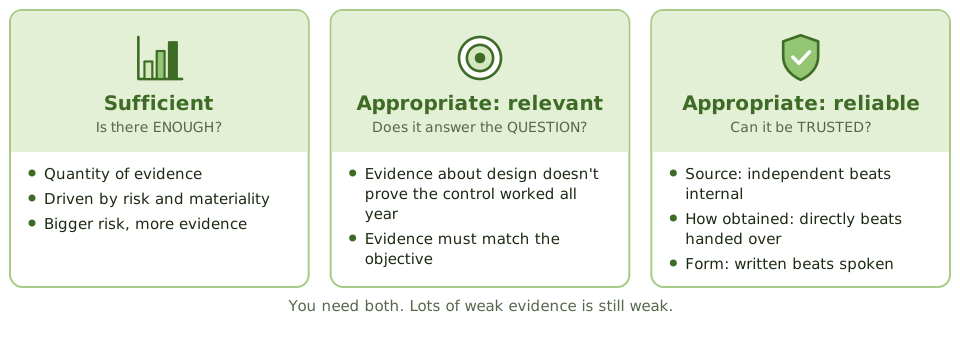
The standards say evidence must be sufficient and appropriate. That sounds dry, but it boils down to three questions.
Ranking evidence
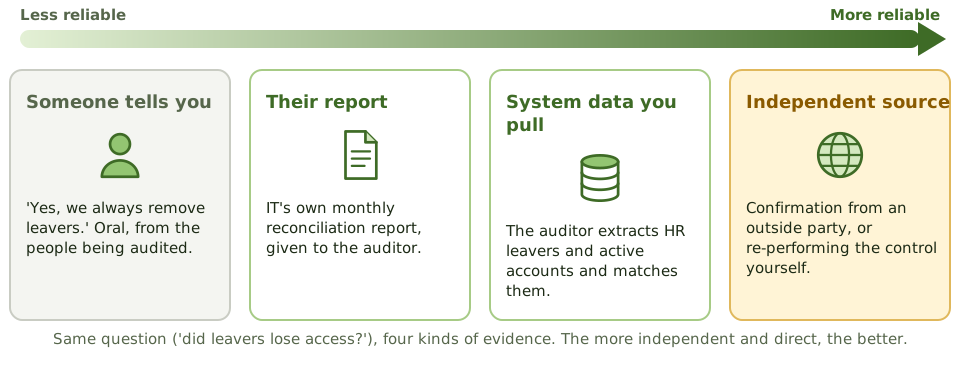
Imagine the question is 'were leavers' accounts removed?'. Here are four kinds of evidence, from weakest to strongest.
The reliability rules
| More reliable | Less reliable |
|---|---|
| From an independent outside source | From inside the auditee |
| Obtained directly by the auditor | Handed over by the auditee |
| Written or system-generated | Spoken |
| Original documents | Copies, printouts, scans |
| Produced where controls are strong | Produced where controls are weak |
| From someone qualified and independent | From someone with a stake in the result |
Ways to gather evidence
Electronic evidence
Most IS audit evidence is electronic: logs, settings, database records. Two cautions.
How the exam asks about it
| If the question asks… | Answer |
|---|---|
| Most reliable evidence | Independent confirmation, or what the auditor obtained directly |
| A manager's verbal assurance | Weak; back it up with other evidence |
| Auditee gives a printout of user access | Less reliable than extracting the data yourself |
| Evidence a control worked all year | A sample across the year, not one observation |
| Can't get enough evidence | Scope limitation; report it |
Key takeaways
- ✓Evidence must be sufficient (enough of it) and appropriate (relevant to the question and reliable).
- ✓Evidence from an independent outside source beats evidence from inside the auditee.
- ✓Evidence the auditor gets directly (observing, re-performing, extracting data) beats evidence handed over by the auditee.
- ✓Written or system-generated evidence beats what people say; spoken answers need backing up.
- ✓Evidence produced where controls are strong is more reliable than where they're weak.
- ✓Before analysing system data, check it's complete: record counts and totals should match the source.
- ✓Work papers record the evidence and link it to the conclusions; they're retained and protected.
Exam traps
- !A management representation letter is evidence, but weak. It never replaces testing.
- !A printout given by the auditee is less reliable than data the auditor extracts directly.
- !More of a weak kind of evidence doesn't make it strong.
- !Interviewing staff alone never proves a control works.
- !Logs and electronic records may be overwritten; request them early.
Sampling: Statistical vs. Non-Statistical
Why auditors test a sample instead of everything, statistical versus judgement sampling, attribute versus variable sampling, and the selection methods the exam names.
Why sample at all?
A company processes 400,000 payments a year. Checking every one by hand would take months. So auditors test a sample, maybe 60, and use it to judge the whole lot.
It works the same way a chef tastes one spoonful to judge the whole pot. The trick is making sure the spoonful is representative, and knowing how much to trust it.
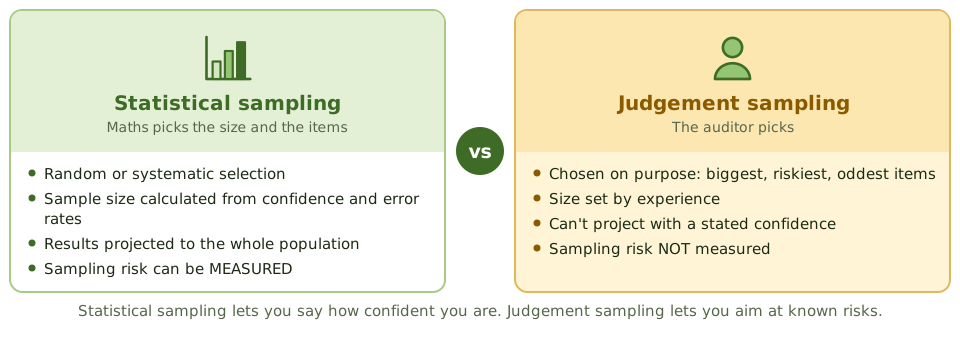
Two ways to pick a sample
How often, or how much?
Sampling also splits by the question you're asking. Counting yes/no results is attribute sampling. Measuring amounts is variable sampling.
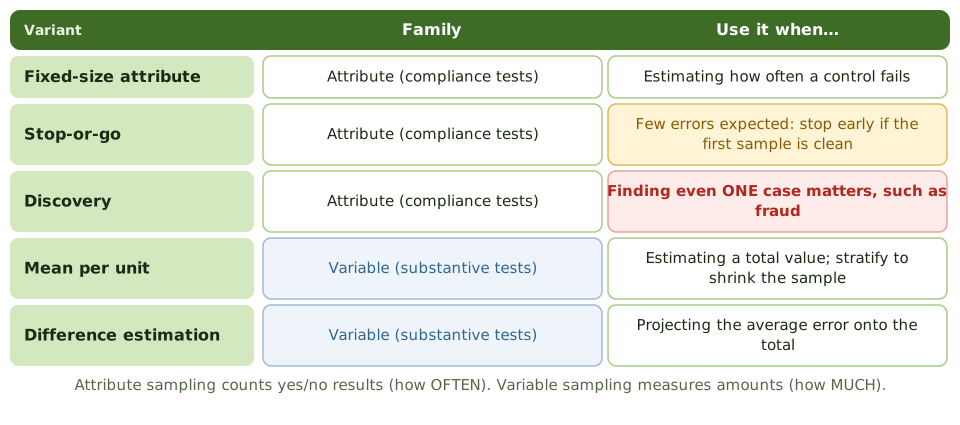
The variants the exam names
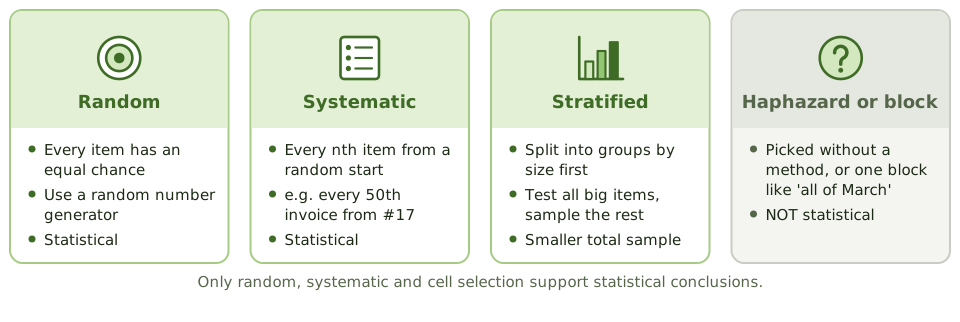
Choosing the items
Sample or test everything?
When data is electronic and the test can be automated, the auditor can often test the whole population with data analytics. That removes sampling risk entirely.
How the exam asks about it
| If the question asks… | Answer |
|---|---|
| Main advantage of statistical sampling | Sampling risk can be measured; objective conclusions |
| Sampling to test a control | Attribute sampling |
| Sampling to estimate a money error | Variable sampling |
| Fraud suspected; one case matters | Discovery sampling |
| Method that avoids over-sampling | Stop-or-go sampling |
| Shrink the sample for a varied population | Stratification |
Key takeaways
- ✓Sampling means testing part of a population to draw a conclusion about all of it.
- ✓Statistical sampling uses random selection and maths to set the sample size and evaluate results, so the risk of a wrong conclusion can be measured.
- ✓Judgement (non-statistical) sampling uses the auditor's experience to pick items; it can target known risks but can't state a measured confidence.
- ✓Attribute sampling asks 'how often?' (a rate of control failures) and suits compliance tests.
- ✓Variable sampling asks 'how much?' (an amount of misstatement) and suits substantive tests.
- ✓Stop-or-go sampling avoids over-testing when few errors are expected; discovery sampling is used when finding even one case (like fraud) matters.
- ✓Stratification splits a varied population into similar groups, which shrinks the sample needed.
Exam traps
- !Discovery sampling is for rare events like fraud, not for estimating an error rate.
- !Stop-or-go sampling exists to prevent excessive sampling, not to find fraud.
- !Judgement sampling isn't wrong; it just can't quantify sampling risk.
- !Attribute sampling gives a rate, not an amount of money.
- !Haphazard selection isn't random selection, so it doesn't support statistical conclusions.
- !If the data is electronic and the test can be automated, testing 100% with analytics is often better than sampling.
Sampling Terms: Confidence Level, Tolerable Error and Friends
The sampling vocabulary in plain words, and the exam favourite: which changes make the sample bigger or smaller.
Why the vocabulary matters
Sampling questions on the exam usually aren't calculations. They describe a change, like "controls are strong" or "more errors are expected", and ask whether the sample gets bigger or smaller.
So the goal here is intuition: what each term means, and which way it pushes the sample size.
The terms in plain words
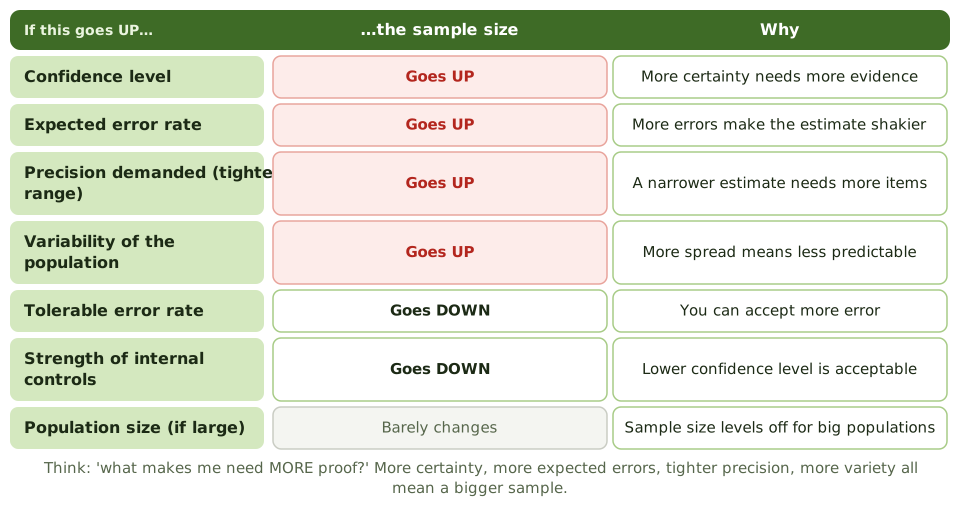
What makes the sample bigger or smaller
A worked example
Last year, testing 60 user access approvals found no problems, and nothing has changed. This year the auditor accepts 90% confidence instead of 95%, keeping tolerable error at 5%. The sample gets smaller.
The two traps
How the exam asks about it
| If the question asks… | Answer |
|---|---|
| Effect of strong internal controls | Lower confidence level; smaller sample |
| Which change REDUCES sample size | Higher tolerable error, lower confidence, looser precision, stratification |
| Which change INCREASES sample size | Higher expected error, higher confidence, tighter precision, more variability |
| Level of risk at 95% confidence | 5% |
| Effect of doubling a large population | Very little |
Key takeaways
- ✓Confidence level (confidence coefficient) is how sure you want to be that the sample reflects the population. Higher confidence needs a bigger sample.
- ✓Level of risk is 100% minus the confidence level: 95% confidence means 5% risk.
- ✓Precision is how close to the true answer the estimate must be. Tighter precision needs a bigger sample.
- ✓Expected error rate is how many errors you expect. More expected errors need a bigger sample.
- ✓Tolerable error rate is the most error you can accept. Accepting more error allows a smaller sample.
- ✓More variety (standard deviation) in the population needs a bigger sample; stratification reduces it.
- ✓Strong internal controls let the auditor use a lower confidence level, so a smaller sample.
- ✓For large populations, population size hardly affects sample size.
Exam traps
- !Strong controls mean a LOWER confidence level and a SMALLER sample, not a higher one.
- !When expected errors get close to tolerable errors, the sample gets very large. If expected is above tolerable, sampling isn't worth it.
- !Doubling a large population doesn't double the sample.
- !Tighter precision means a BIGGER sample.
Interviews, Observation, and Walkthroughs
How auditors learn how things really work: asking, watching, and following one transaction through. What each one proves, and what it doesn't.
Learning how things really work
Before an auditor can test anything, they need to know how the process actually works: who does what, using which system, and where the checks are.
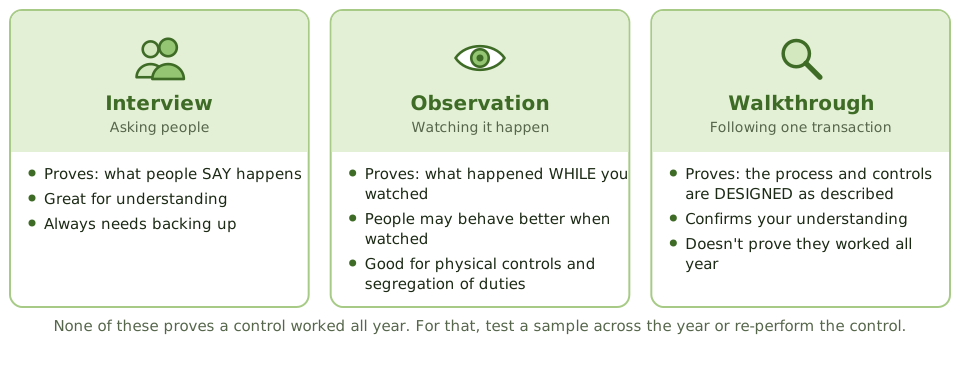
Three techniques help: asking people, watching them, and following one real transaction from start to finish. Each proves something different.
Interviews
Interviews are how auditors understand a process and hear about concerns. But an answer is only someone's word, so important answers are always backed up by documents, system data or observation.
Observation
Watching something happen gives direct evidence, obtained by the auditor personally. But it only proves what happened while you were watching.
Walkthroughs
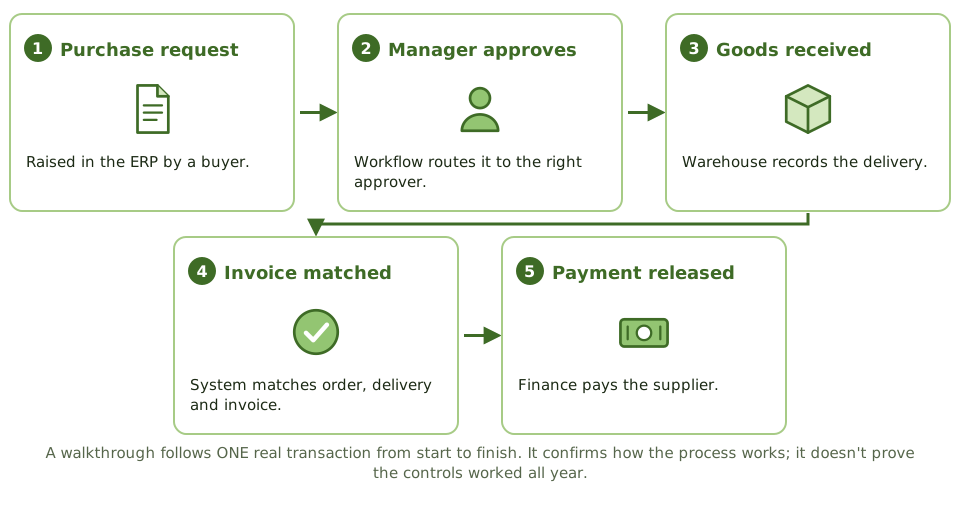
A walkthrough follows one real transaction through every step, using the actual documents and systems, and asking the people involved what they do.
What a walkthrough proves, and what it doesn't
How the exam asks about it
| If the question asks… | Answer |
|---|---|
| Purpose of a walkthrough | Confirm understanding of the process and control design |
| Best way to test segregation of duties in practice | Observe the process and review actual system access |
| Value of interviewing the control owner | Understanding; needs backing up |
| Weakness of observation | Only proves the moment observed |
| Evidence that a control worked all year | Sample testing across the year |
Key takeaways
- ✓Interviews help the auditor understand a process, but answers must be backed up with other evidence.
- ✓Observation is direct evidence that something happened at the moment it was watched, not at other times.
- ✓A walkthrough follows one real transaction from start to end to confirm the auditor understands the process and its controls.
- ✓Walkthroughs confirm design and implementation. They don't prove a control worked throughout the year.
- ✓Questionnaires and checklists are efficient, but they're still just asking.
- ✓Segregation of duties often leaves no paper trail, so observing who actually does each task is a key way to test it.
Exam traps
- !Interviewing the system administrator isn't evidence that access controls work.
- !People may behave differently when they know they're being watched.
- !A walkthrough of one transaction doesn't test operating effectiveness over the year.
- !Process documents from management show how things SHOULD work, not how they DO.
CAATs and Data Analytics
Using computers to audit computers: audit software, test data, integrated test facilities and parallel simulation, explained simply, with when each one fits.
Using computers to audit computers
When a company processes millions of transactions with no paper in sight, the evidence only exists as data. Testing 25 transactions by hand would barely scratch the surface.
CAATs let the auditor use software to read the data directly, often checking every single transaction.
Audit software in action
Generalised audit software (GAS) reads data files and runs audit tests on them. Common tests the exam mentions:
Testing the program itself
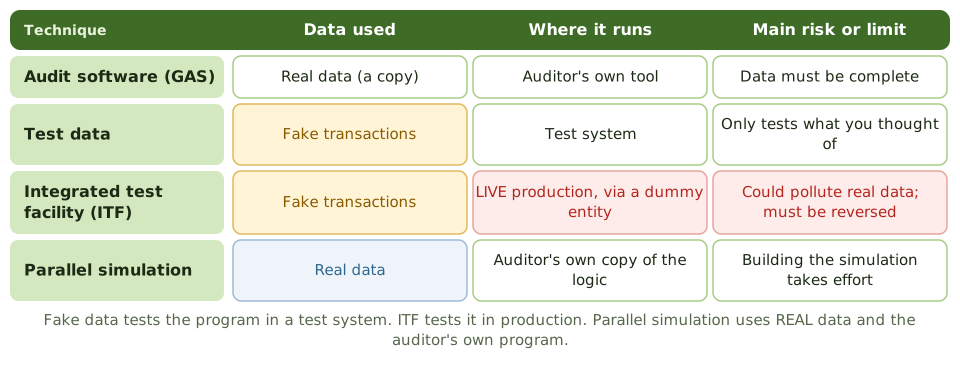
Sometimes the auditor wants to test the program's logic, not the data. Three techniques do that, and the exam loves to mix them up.
ITF: a fake branch in the real system
An integrated test facility creates a dummy entity, such as a fictitious branch or customer, inside the live system. The auditor's fake transactions are processed alongside real ones, and the results are checked.
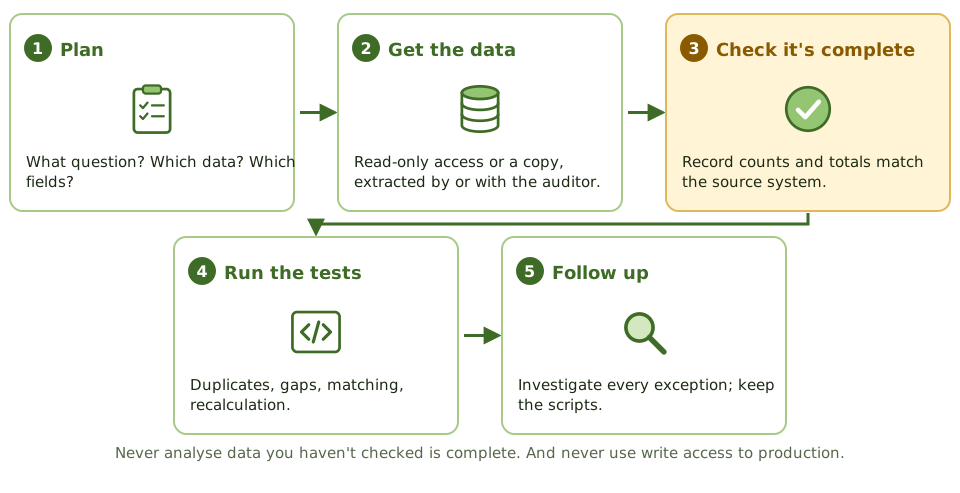
Using CAATs safely
How the exam asks about it
| If the question asks… | Answer |
|---|---|
| Greatest advantage of CAATs | Testing whole populations efficiently and independently |
| Main risk of an ITF | Polluting production data; test transactions must be reversed |
| Technique using real data and the auditor's own program | Parallel simulation |
| Technique using fake transactions in a test system | Test data |
| First step before analysing extracted data | Check it's complete and accurate |
| Tool to find duplicate payments | Generalised audit software |
Key takeaways
- ✓CAATs (computer-assisted audit techniques) let the auditor test large volumes, or every transaction, directly from system data.
- ✓Generalised audit software (GAS), like ACL, IDEA or scripts, reads data to sample, recalculate, match, and find duplicates and gaps.
- ✓Test data: the auditor's fake transactions run through the program, usually in a test system, to check its logic.
- ✓Integrated test facility (ITF): fake transactions for a dummy entity run in LIVE production alongside real ones.
- ✓Parallel simulation: the auditor's own program reprocesses REAL production data and compares results with the real system.
- ✓Before relying on extracted data, check it's complete: record counts and control totals match the source.
- ✓Use read-only access or copies, so the audit can't change production.
Exam traps
- !ITF's main risk: fake transactions polluting real data and reports. They must be clearly marked and reversed.
- !Test data only proves the logic for the cases you thought of, and only for the program version you tested.
- !Parallel simulation uses REAL data; test data uses FAKE data.
- !Don't accept data files prepared by the auditee without checking them.
- !Running CAATs with write access to live production files is never right.
Continuous Auditing and Monitoring
Moving from once-a-year checks to near real-time assurance: the difference between monitoring and auditing, and the online audit techniques (audit hooks, snapshots, SCARF, ITF, CIS).
From yearly check-ups to a heart monitor
A traditional audit is like an annual check-up: thorough, but a problem that starts in February might not be found until next January.
Continuous auditing is more like a heart monitor: automated checks run all the time, and the auditor hears about trouble within days.
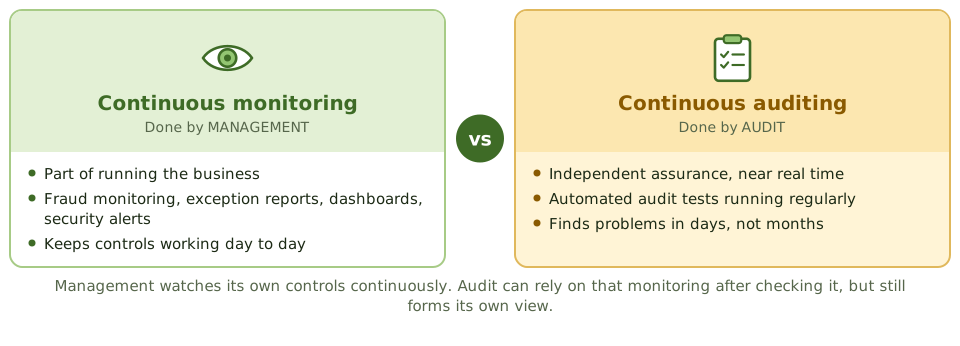
Monitoring vs auditing
The online audit techniques
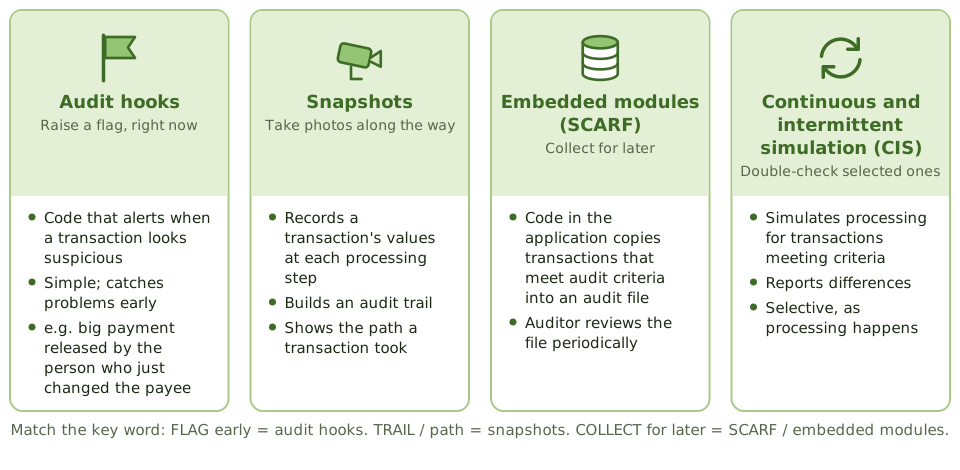
These are pieces of audit logic placed inside, or connected to, the business systems. The exam usually describes what a technique does and asks for its name.
Audit hooks: a real example
A bank sets an audit hook that alerts internal audit whenever a payment over a threshold is released by someone who also changed the beneficiary's details in the previous 24 hours. Auditors review each alert within a day, instead of finding the pattern at year end.
What continuous auditing needs
- 1 Automated systems High volumes processed electronically.
- 2 Reliable controls General controls and data integrity in place.
- 3 Built-in audit tools Audit logic inside or connected to systems.
- 4 Alerts Exceptions reach the auditor quickly.
- 5 Follow-up Someone acts on what's flagged.
How the exam asks about it
| If the question asks… | Answer |
|---|---|
| Main benefit of continuous auditing | Earlier detection; more transactions tested |
| Prerequisite for continuous auditing | Highly automated systems with reliable controls |
| Flag suspicious transactions early, simply | Audit hooks |
| Provide an audit trail of a transaction's path | Snapshots |
| Who owns continuous monitoring | Management |
| Can audit rely on management's monitoring? | Yes, after evaluating it; it reduces but doesn't replace audit testing |
Key takeaways
- ✓Continuous monitoring is done by management as part of running controls. Continuous auditing is done by audit to give ongoing, independent assurance.
- ✓Continuous auditing shortens the gap between something happening and the auditor knowing about it.
- ✓It needs highly automated systems, reliable general controls, and audit tools built into or connected to the systems.
- ✓Audit hooks flag suspicious transactions for immediate attention. They're simple and catch problems early.
- ✓Snapshots record a transaction's values at each step, giving an audit trail.
- ✓Embedded audit modules (SCARF) collect transactions that meet audit criteria into a file for later review.
- ✓Continuous and intermittent simulation (CIS) re-checks selected transactions as they're processed.
Exam traps
- !Management's monitoring can reduce audit's testing, but never replaces the auditor's independent view.
- !'Flag suspicious transactions early, with little complexity' → audit hooks.
- !Snapshot = audit trail of the path. SCARF = collecting transactions for later.
- !Continuous auditing needs automated systems; it doesn't suit manual, paper-based processes.
Preventive, Detective, Corrective Controls
Sorting controls by what they do (put off, block, spot, fix), why prevention usually wins, and how the exam asks you to pick the best control.
What controls are for
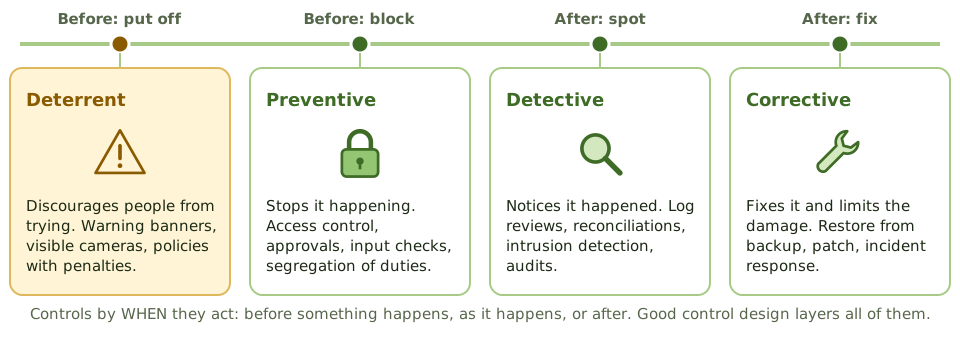
A control is anything that reduces the chance or the damage of something going wrong. Locks, passwords, approvals, reviews and backups are all controls.
The easiest way to sort them is by WHEN they act: before something happens, or after.
An everyday example
Think about protecting your house.
The same idea in IT
| Type | IT examples |
|---|---|
| Preventive | Access controls, segregation of duties, input validation, encryption, approvals, firewalls |
| Detective | Log reviews, reconciliations, hash totals, intrusion detection, exception reports, audits |
| Corrective | Restore from backup, incident response, disaster recovery, fixing root causes |
| Deterrent | Policies with penalties, login warning banners, visible cameras |
| Compensating | Supervisory review where segregation of duties isn't possible |
Which is the BEST control?
A log nobody reads
Logs and reports are detective controls only if someone reviews them and acts on what they find. A log that nobody reads is just a record.
Other ways to sort controls
| By… | Types |
|---|---|
| How they work | Manual, automated, IT-dependent manual (a person reviewing a system report) |
| What they are | Administrative (policies), technical (system settings), physical (locks) |
| Where they apply | General IT controls (everywhere), application controls (one system) |
| How important | Key controls, secondary controls |
How the exam asks about it
| If the question asks… | Answer |
|---|---|
| Best control to stop an unauthorised transaction | A preventive control at the point of entry |
| Type of control: a reconciliation | Detective |
| Type of control: backup and restore | Corrective |
| Logs generated but not reviewed | No effective detective control |
| Why automated controls are preferred | Consistent, if change management is effective |
| Type of control: a login warning banner | Deterrent |
Key takeaways
- ✓Preventive controls stop a problem happening. Detective controls notice it after it happens. Corrective controls fix it and limit the damage.
- ✓Deterrent controls discourage people from trying; compensating controls cover for a missing or weak control.
- ✓Prevention is usually preferred, because stopping a problem is cheaper than finding and fixing it.
- ✓Detective controls are still essential: prevention can fail, and detection proves prevention is working.
- ✓A log is only a detective control if someone reviews it.
- ✓Controls can also be manual or automated, and administrative, technical or physical.
- ✓Automated controls are more consistent than manual ones, as long as change management protects them.
Exam traps
- !Logs nobody reviews don't detect anything.
- !Backups are corrective (recovery), not preventive.
- !When asked for the BEST control, preventive usually beats detective, unless prevention isn't possible.
- !Warning banners are deterrent, not preventive.
- !Supervisory review of a report is detective, even though it may stop the next error.
General vs. Application Controls
The two layers of IT controls: general controls that protect the whole IT environment, and application controls inside individual systems. Why the first must be tested before the second can be trusted.
Two layers
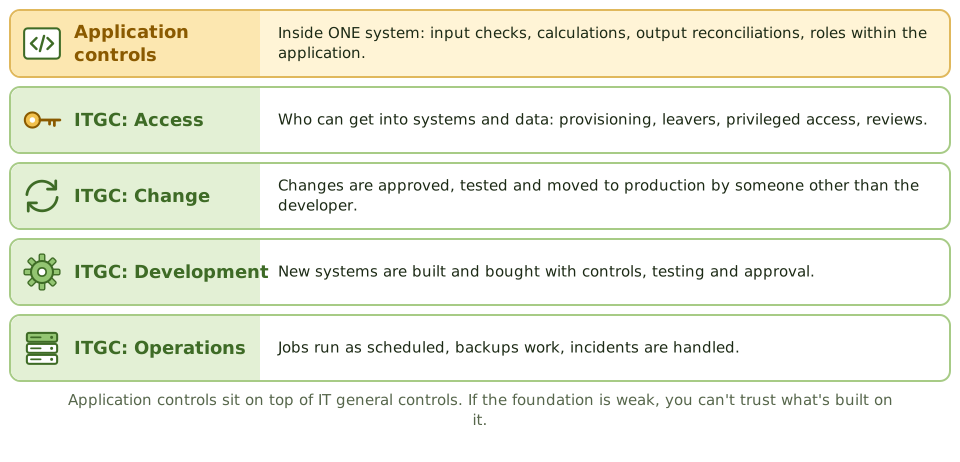
Think of a house. The foundations, walls and roof protect everything inside: those are IT general controls. The locks on individual cupboards and the safe in the bedroom protect specific things: those are application controls.
A great safe is pointless if anyone can walk in and carry it out. In the same way, application controls are only as good as the general controls underneath.
The four ITGC areas
Application controls
| Type | Examples |
|---|---|
| Input | Validation and edit checks, approvals, batch totals |
| Processing | Correct calculations, run-to-run totals, limit and sequence checks |
| Output | Reconciliations, controlled distribution of reports, exception review |
| Application access | Roles and segregation of duties inside the application |
Why ITGCs come first
Application controls depend on ITGCs. Weak ITGCs undermine them in three ways.
The 'test of one'
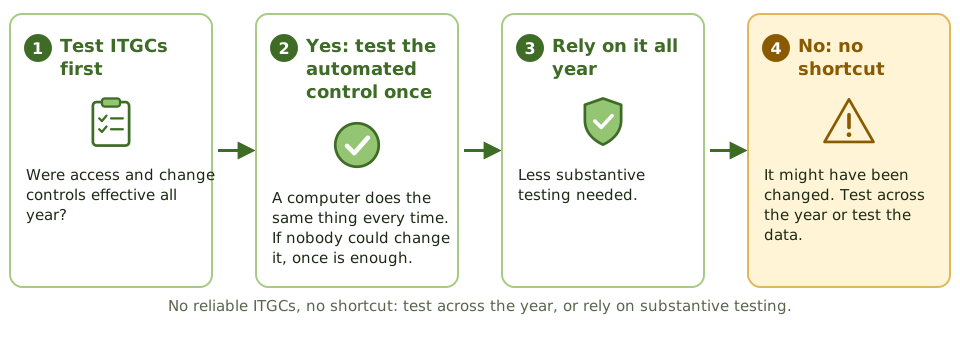
How the exam asks about it
| If the question asks… | Answer |
|---|---|
| Which controls are tested first | IT general controls |
| ITGCs are weak: effect on application controls | Less reliance on automated controls; more substantive testing |
| Example of an ITGC | Change management, user access management, backup |
| Example of an application control | Input validation, run-to-run totals, output reconciliation |
| When is testing one instance of an automated control enough? | When access and change ITGCs were effective all period |
Key takeaways
- ✓IT general controls (ITGCs) apply across the IT environment: access, change management, development and acquisition, and operations.
- ✓Application controls work inside one application: input checks, processing checks, output reconciliations, and roles within the application.
- ✓Application controls depend on ITGCs. If ITGCs are weak, automated application controls can't be trusted.
- ✓Auditors test ITGCs first, then use them to test application controls efficiently.
- ✓An automated control can be tested once and relied on all year, but only if access and change ITGCs were effective.
- ✓Weak ITGCs mean more substantive testing of the application's results.
Exam traps
- !Strong edit checks don't make up for weak change management: the edit could be changed without anyone knowing.
- !Backup, continuity and security management belong to ITGCs, not application controls.
- !Roles inside an application are application controls; the process that gives users access is usually an ITGC.
- !A 'test of one' for an automated control is only valid if ITGCs were effective all year.
Compensating Controls and Segregation of Duties
Why one person shouldn't control a whole process, the four duties to keep apart, how auditors test it, and what to do when a team is too small to split the work.
Why split the work?
If one person can order goods, approve the order, receive the delivery and pay the invoice, they could pay a fake supplier they set up themselves, and nobody would ever notice.
Segregation of duties splits a process between people so that one person's error or fraud gets caught by another. To beat it, two people would have to work together (collude), which is much less likely.
The four duties to keep apart
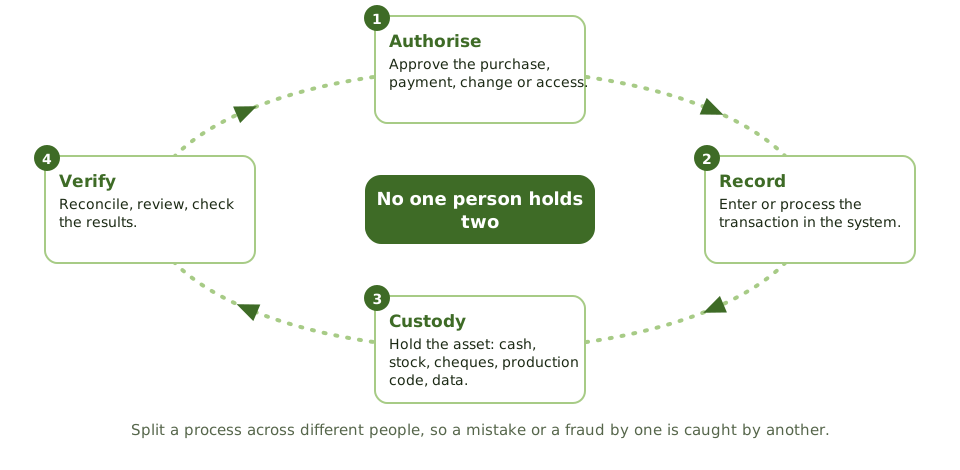
How auditors test SoD
- 1 Conflict matrix List which duties and system rights clash.
- 2 Pull real access Actual roles and permissions, across all systems.
- 3 Find conflicts Users holding clashing rights.
- 4 Watch the work Who really does each task? Shared logins?
- 5 Check cover Where conflicts exist, are there compensating controls?
When the team is too small
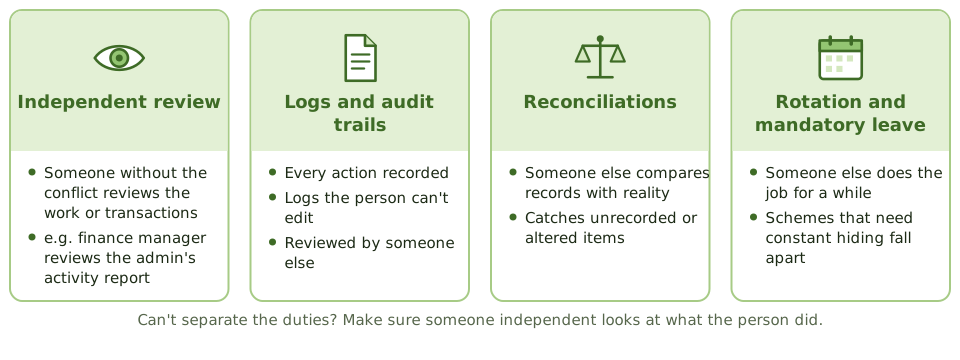
A five-person IT team can't separate every duty. The exam's expected answer isn't 'hire more people'. It's a compensating control: someone independent checks what the person did.
A compensating control in practice
One IT administrator can create users, change settings and access the finance system. Each month, the finance manager receives a system-generated report of every user created, role changed and admin login, checks each against an approved request, and signs it.
How the exam asks about it
| If the question asks… | Answer |
|---|---|
| Purpose of segregation of duties | Stop one person making and hiding errors or fraud |
| Small organisation can't separate duties | Compensating controls, such as independent review of logs |
| Best way to find SoD conflicts in a system | Compare actual access rights with a conflict matrix |
| Control that detects fraud needing constant hiding | Mandatory leave or job rotation |
| Administrator reviews their own log | Not effective; the reviewer must be independent |
Key takeaways
- ✓Segregation of duties (SoD) splits incompatible jobs between people so no one person can both make and hide a mistake or a fraud.
- ✓The four duties to keep apart: authorising, recording, holding the asset (custody), and checking (verification).
- ✓SoD is tested by comparing actual system access with a conflict matrix, reviewing job descriptions, and watching who really does each task.
- ✓When duties can't be separated, compensating controls reduce the risk: independent review, logs reviewed by someone else, reconciliations, job rotation, mandatory leave.
- ✓Most compensating controls are detective: they don't stop the act, but make hiding it hard.
- ✓Check conflicts across systems; access in two applications can add up to a conflict.
Exam traps
- !In small organisations, the expected answer is a compensating control, not hiring more people.
- !Role-based access doesn't guarantee SoD; a role itself can contain a conflict.
- !A review only compensates if the reviewer is independent of the activity.
- !Mandatory leave is a detective control for fraud that needs constant hiding.
- !An administrator reviewing their own activity log is not a compensating control.
Materiality and Evaluating Findings
Deciding what's important enough to matter: why IS materiality is mostly about impact rather than money, why small findings can add up, and how a good finding is written.
What 'material' means
Material simply means important enough to matter. If knowing about it would change what the board, management or a regulator decides, it's material.
In a financial audit that's often a money figure. In an IS audit, a weakness rarely comes with a price tag, so the auditor asks what it could lead to.
Same weakness, different importance
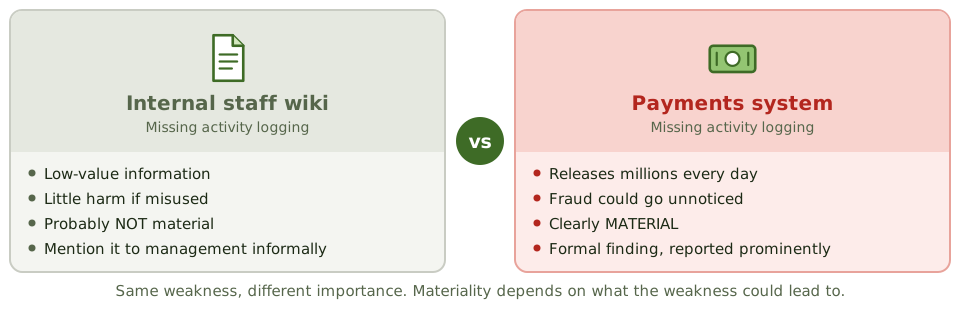
What the auditor weighs up
Small findings can add up
Each finding is first judged on its own, then together with related findings. Several 'medium' issues around the same objective can add up to one serious problem.
Writing a finding
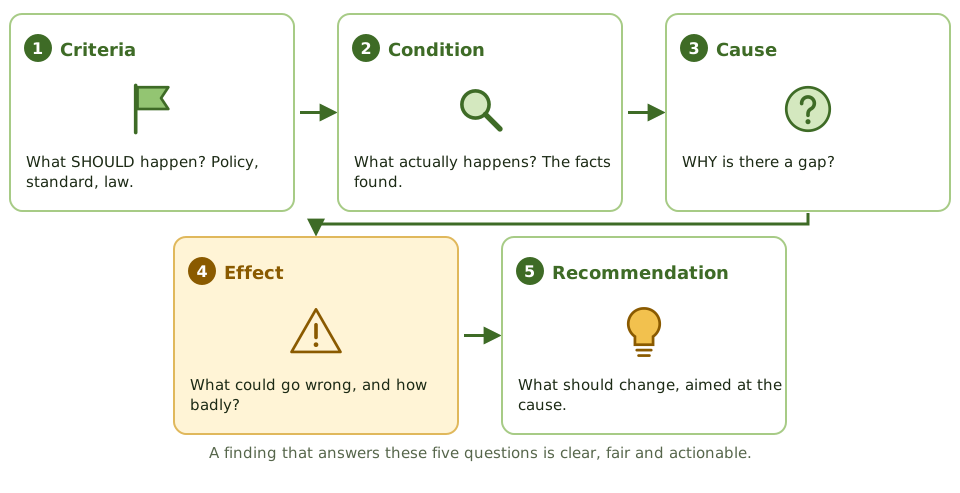
How the exam asks about it
| If the question asks… | Answer |
|---|---|
| How materiality is judged in an IS audit | Mainly by impact: criticality, sensitivity, consequences |
| Several minor weaknesses found | Consider their combined effect before reporting |
| A weakness that hasn't caused a loss yet | Judge by potential impact; it may still be material |
| An immaterial finding | Tell management, usually informally |
| Effect of a lower materiality threshold | More testing |
Key takeaways
- ✓Something is material if it could change the decisions of the people relying on the audit, because of its size or its nature.
- ✓In IS audits, materiality is mostly qualitative: how critical the system is, how sensitive the data is, and what the weakness could lead to.
- ✓A weakness can be material even if no loss has happened yet, if it could allow a significant loss.
- ✓Several small findings can be material together, so the auditor looks at their combined effect.
- ✓Findings are rated by risk: the likelihood and impact of what the weakness could allow.
- ✓A good finding states the criteria, condition, cause, effect and a recommendation that addresses the cause.
Exam traps
- !No loss so far doesn't make a weakness immaterial. Judge the potential impact.
- !Several small weaknesses affecting the same control objective may together be significant.
- !Immaterial findings are still communicated to management, usually informally.
- !IS materiality isn't just a money threshold.
- !Anything involving fraud or deliberate override is significant regardless of the amount.
Audit Report Structure and Communication
What goes in an audit report, how findings are agreed with management before it's issued, and what happens when management disagrees or has already fixed the problem.
The report is the product
All the planning and testing exists to produce one thing: a report that tells the right people what's working, what isn't, and what to do about it.
A good report has no surprises. Findings are discussed with management along the way, so by the time the report arrives everyone already knows what's in it.
From fieldwork to final report
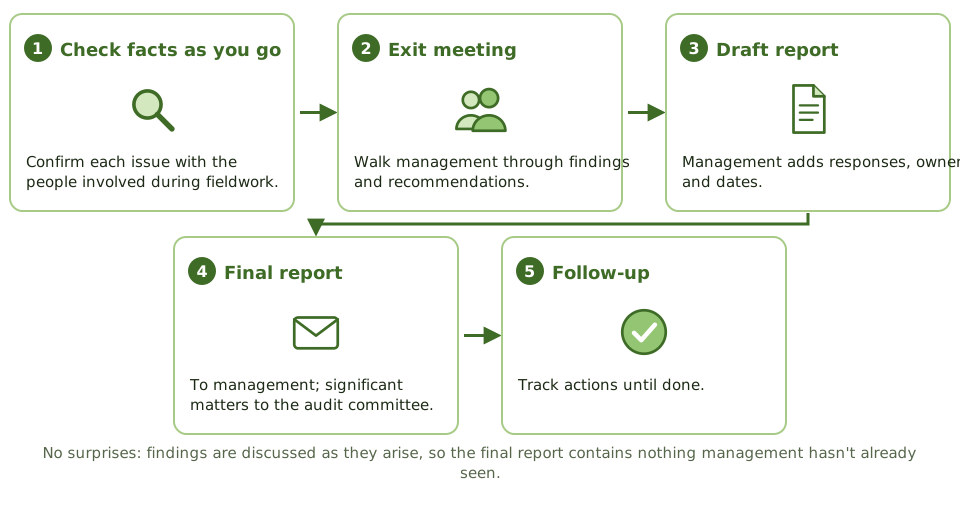
What goes in it
When management disagrees
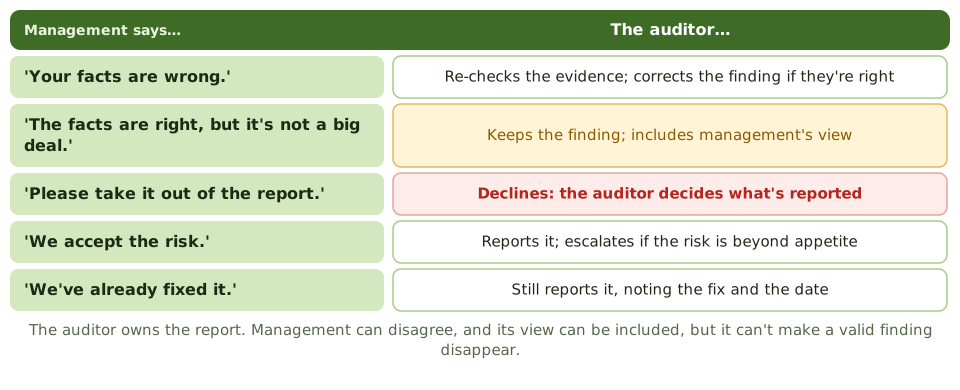
Already fixed? Still reported
If a problem is fixed during the audit, it still goes in the report, with a note of the fix. It existed during the period, and readers need to know.
How the exam asks about it
| If the question asks… | Answer |
|---|---|
| Purpose of the exit meeting | Agree the facts and discuss recommendations |
| Management disagrees with a finding | Report it, with management's response |
| Finding fixed before the report is issued | Still report it, noting the fix |
| Who decides the report's content | The auditor |
| Where significant findings go | Senior management and the audit committee |
| Most important thing about a recommendation | It addresses the root cause |
Key takeaways
- ✓The report states the scope, objectives, period, what work was done, findings, conclusions, recommendations and any limitations.
- ✓Findings are discussed with the auditee before the report is final, to confirm the facts and get management's responses.
- ✓The auditor decides what's in the report. Management can respond, but can't have valid findings removed.
- ✓Management responses include agreed actions, owners and target dates.
- ✓Significant findings go to senior management and the audit committee.
- ✓Problems fixed during the audit are still reported, noting the fix.
Exam traps
- !If management disagrees, the finding isn't dropped. Both views can appear in the report.
- !A problem fixed before the report is issued is still reported, because it existed during the period.
- !The exit meeting confirms facts and discusses recommendations; it's not for negotiating findings away.
- !Don't issue a report based on facts that haven't been checked with the auditee.
Follow-Up and Management Action Plans
After the report: who fixes the problems, how audit checks they're really fixed, and what happens when management decides to live with the risk instead.
The report isn't the end
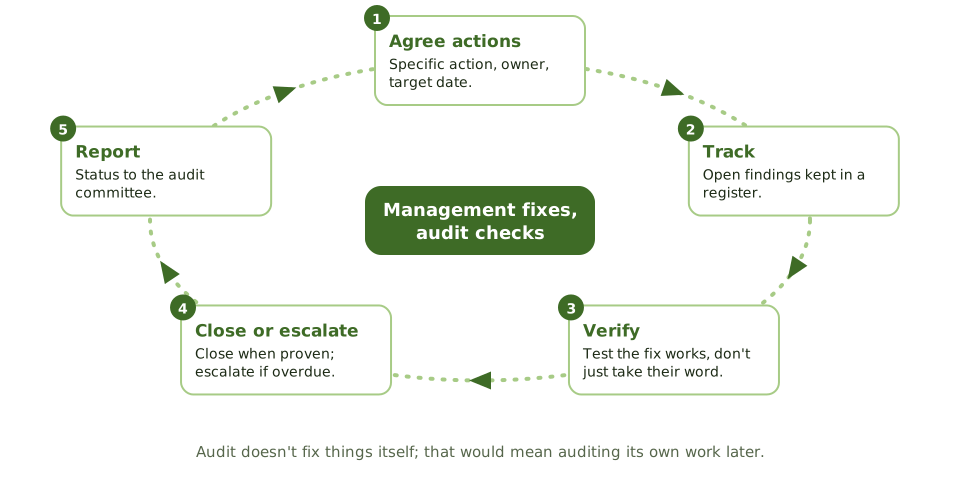
A report full of findings is worthless if nothing changes. Follow-up is how audit makes sure the agreed fixes actually happen.
The split of jobs is simple: management fixes, audit checks.
A good action plan
Verify, don't just ask
For significant findings, the auditor gets evidence that the fix is in place and working. An email saying 'done' isn't enough.
When management accepts the risk
Management may decide not to fix something, perhaps because the fix costs more than the risk. That's their call, if it's within the organisation's risk appetite and decided by someone with the authority.
Overdue actions
A finding on missing MFA for remote access had a March deadline. In June it's still open, and the owner has moved the date twice. Audit reports it as overdue to the audit committee, which asks the CIO to explain at the next meeting.
How the exam asks about it
| If the question asks… | Answer |
|---|---|
| Who implements corrective action | Management |
| Purpose of follow-up | Check management took appropriate, timely action |
| Management says an action is complete | Verify it's in place and working |
| Management accepts a significant risk | Escalate if it's beyond appetite |
| How follow-up is prioritised | By how serious the finding is |
Key takeaways
- ✓Management owns the fixes. Audit monitors and verifies that agreed actions are actually done.
- ✓A good action plan has a specific action, a named owner and a target date.
- ✓Follow-up timing depends on how serious the finding is.
- ✓The auditor checks the fix works, not just that management says it's done.
- ✓Management may accept a risk instead of fixing it; if that risk is beyond appetite, it's escalated to senior management or the audit committee.
- ✓The status of open findings is reported to the audit committee regularly.
Exam traps
- !Audit doesn't implement the fix; that would impair its independence.
- !'It's done' from management isn't enough evidence for a significant finding; verify it.
- !Repeatedly missed deadlines get escalated, not quietly re-dated.
- !A different fix from the one recommended can be fine, if it deals with the risk.
Control Self-Assessment (CSA)
Getting the people who run a process to assess its risks and controls themselves, with the auditor as facilitator. What it's for, its benefits, and the risk of mistaking it for an audit.
Asking the people who know best
The people who run a process every day usually know where it's weak: the workaround everyone uses, the check that's often skipped. Control self-assessment taps into that.
In a CSA, process owners and staff assess their own risks and controls, usually in a workshop guided by an auditor.
CSA vs a traditional audit
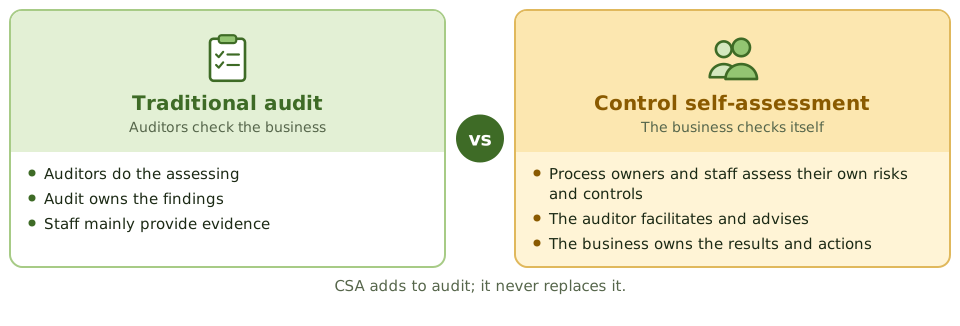
How CSA is done
Benefits and risks
| Benefits | Risks |
|---|---|
| Risks spotted earlier, by those closest | Treated as a substitute for audit |
| The business owns its controls | Staff lack objectivity or skills |
| Better awareness among staff | Ideas raised but never acted on |
| Audit reaches more areas | Extra workload for the business |
| Better communication | Big issues avoided in a group setting |
CSA feeding the audit plan
Instead of auditing 40 branches every year, audit runs yearly CSA workshops with branch managers on cash handling, customer data and access. Five branches give weak answers, and those go into the audit plan for on-site testing.
How the exam asks about it
| If the question asks… | Answer |
|---|---|
| Primary objective of CSA | Shift control monitoring to the business; leverage audit |
| The auditor's role in CSA | Facilitator and adviser |
| Can CSA replace internal audit? | No; it adds to it |
| Main benefit of CSA | Early detection of risks; business ownership of controls |
| Main risk of CSA | Mistaken for audit, or actions not taken |
Key takeaways
- ✓In control self-assessment (CSA), the people who run a process assess its risks and controls themselves, usually in facilitated workshops.
- ✓The main objective is to shift some responsibility for monitoring controls to the business, extending audit's reach.
- ✓The auditor acts as facilitator and adviser; the business owns the conclusions.
- ✓Benefits: risks spotted earlier, ownership of controls by the business, better awareness, wider coverage.
- ✓Risks: being mistaken for a replacement for audit, staff lacking objectivity or skills, and improvements not being made.
- ✓CSA results can guide audit planning, but the auditor still tests key controls independently.
Exam traps
- !CSA does NOT replace internal audit.
- !The primary objective is to leverage audit by shifting control monitoring to the business, not to cut audit costs.
- !In CSA the auditor facilitates; the business owns the assessment.
Audit Quality and Using Other Experts' Work
How the audit function makes sure its own work is good, and what an auditor must check before relying on someone else's work.
Who audits the auditors?
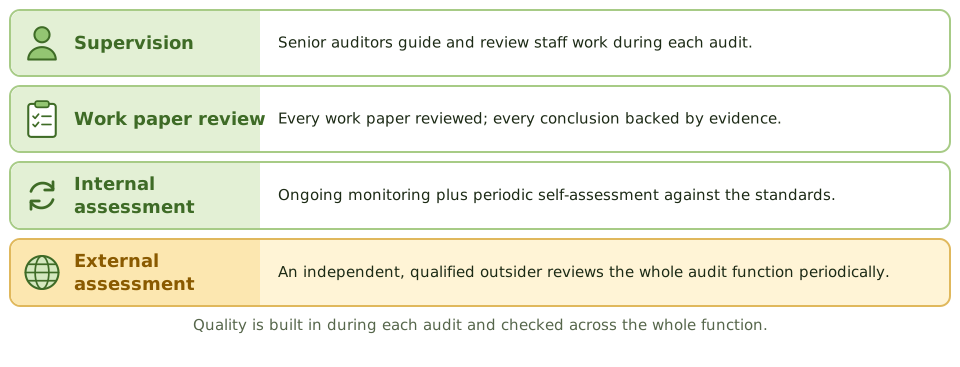
Audit tells everyone else to check their work. So it had better check its own.
Quality is built in during each audit, through supervision and review, and checked across the whole function by internal and external assessments.
Leaning on experts
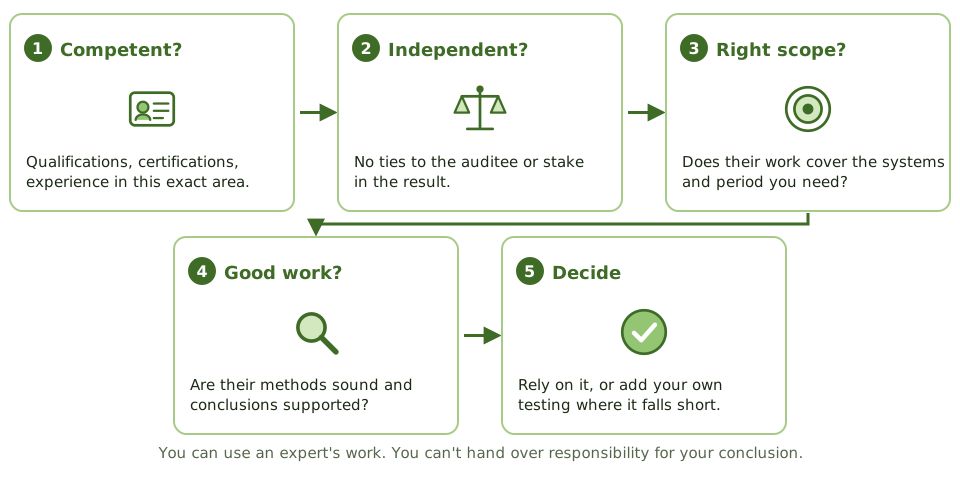
IS auditors often rely on others: a penetration testing firm, a lawyer, an actuary, another audit team, or a provider's SOC report. That's fine, but only after checking them out.
Responsibility doesn't move
Using an expert doesn't hand over responsibility. The IS auditor's name is on the conclusion, so the IS auditor must be satisfied the expert's work is good enough.
How the exam asks about it
| If the question asks… | Answer |
|---|---|
| First thing to check before relying on an expert | Their competence, independence and objectivity |
| Expert's work misses part of the scope | Do additional procedures |
| Who is responsible for conclusions when an expert is used | The IS auditor |
| How quality is ensured during an audit | Supervision and work paper review |
| Purpose of an external quality assessment | Independent check that audit meets the standards |
Key takeaways
- ✓Audit quality comes from supervision, review of work papers, and a quality program with internal and external assessments.
- ✓External assessments are done periodically by an independent, qualified outsider.
- ✓Before relying on an expert's work, the auditor checks their competence, independence and objectivity.
- ✓The auditor also checks the expert's scope, methods and conclusions are good enough for the audit's needs.
- ✓Using an expert doesn't transfer responsibility: the IS auditor still owns the conclusions.
- ✓The same logic applies when external auditors rely on internal audit, or vice versa.
Exam traps
- !The auditor can't rely on an expert's report without reviewing its scope and quality.
- !A vendor's own consultants assessing their product aren't independent.
- !Using an expert doesn't reduce the auditor's responsibility for the opinion.
- !Quality reviews should be done by people who weren't involved in the work.
Governance and Management of IT
Governance · Organization and policy · Risk · Management
IT Governance vs. IT Management
The difference between steering (governance) and rowing (management), what IT governance tries to achieve, and how to spot which one a question is about.
Steering and rowing
Picture a boat. Someone decides where it should go and keeps checking it's on course: that's governance. The crew rows, manages the sails and fixes leaks: that's management.
Both matter. A brilliant crew rowing in the wrong direction gets nowhere useful, and a perfect course is useless if nobody rows.
Governance vs management
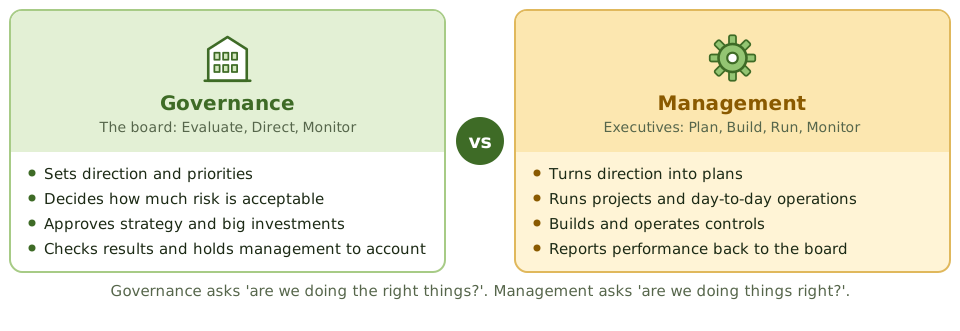
Who sits where
| Body | Level | Role |
|---|---|---|
| Board of directors | Governance | Accountable; sets direction and risk appetite |
| IT strategy committee | Governance (board level) | Advises the board on IT strategy |
| Audit committee | Governance | Oversees audit, risk and control |
| IT steering committee | Management | Prioritises projects, monitors delivery |
| CIO and IT management | Management | Runs IT |
What IT governance tries to get right
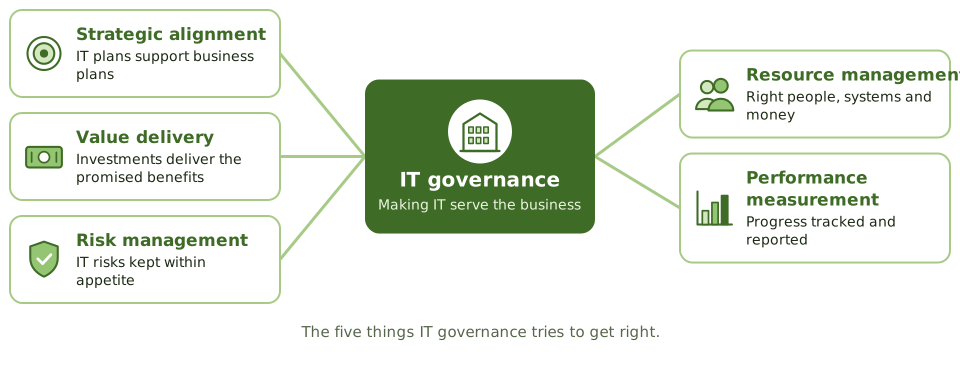
Smooth IT, missing governance
IT runs smoothly and projects finish on time. But the board hasn't discussed IT since approving a budget three years ago, and the CIO alone decides what to invest in.
How the exam asks about it
| If the question asks… | Answer |
|---|---|
| Who is ultimately accountable for IT governance | The board |
| Which activity is governance, not management | Setting direction, approving strategy and appetite, monitoring |
| Main objective of IT governance | Align IT with business goals and deliver value |
| Best sign of effective IT governance | Board and senior management involved in IT direction |
| Which body advises the board on IT strategy | IT strategy committee |
Key takeaways
- ✓Governance evaluates options, sets direction and monitors results (EDM). It's the board's job.
- ✓Management plans, builds, runs and monitors activities within that direction (PBRM). It's executive management's job.
- ✓IT governance is part of corporate governance, not something IT does on its own.
- ✓IT governance focuses on strategic alignment, value delivery, risk management, resource management and performance measurement.
- ✓Governance asks 'are we doing the right things?'; management asks 'are we doing things right?'.
- ✓IT running smoothly day to day doesn't prove IT governance is good.
Exam traps
- !Setting direction and monitoring = governance. Planning and running = management.
- !The CIO is a manager. Accountability for IT governance sits with the board.
- !The IT steering committee supports governance but is a management-level body.
- !Good operations don't prove good governance; ask whether the board is involved in IT direction.
Board and Senior Management Roles
Who's responsible for what in IT governance, from the board down to the data owner, and why 'senior management support' is so often the right answer.
Who's in charge of what?
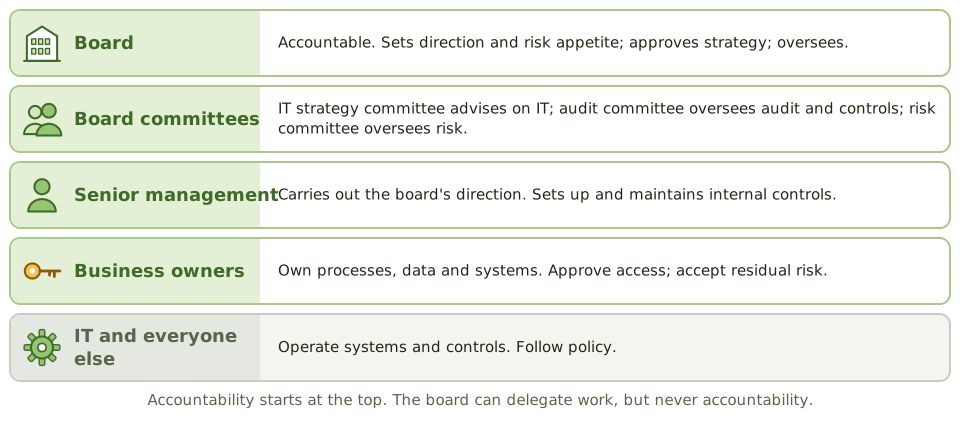
Good governance needs clear answers to 'whose job is this?'. Otherwise everyone assumes someone else is handling it.
The exam tests these roles constantly, usually by describing a decision and asking who should make it.
The board
The board is accountable for the organisation's governance, including IT and security. It can hand activities to committees and managers, but it can't hand away the accountability.
Senior management
Executive management, led by the CEO, turns the board's direction into action. Crucially, management is responsible for internal controls; internal audit only checks them.
Tone at the top
When the exam asks for the MOST important factor in making a governance, risk or security program succeed, the answer is very often senior management commitment and support. Without it, policies have no authority and programs have no money.
Other key roles
| Role | Responsibility |
|---|---|
| CIO | Leads IT; aligns it with the business; manages IT resources |
| CISO | Leads the information security program |
| Process owner | Owns a business process and its controls |
| Data owner | Classifies data, approves access, accepts risk for it |
| Data custodian (often IT) | Stores and protects data as the owner directs |
| Users | Follow policy; use systems as authorised |
How the exam asks about it
| If the question asks… | Answer |
|---|---|
| Who is responsible for setting up internal controls | Management |
| Who sets risk appetite | The board |
| Most important factor in a governance or security program | Senior management commitment and support |
| Who approves access to data | The data owner |
| Role of the audit committee | Oversight of audit and internal control |
Key takeaways
- ✓The board is accountable for governance, including IT and information security, and sets the risk appetite.
- ✓Senior management carries out the board's direction and is responsible for setting up and maintaining internal controls.
- ✓The IT strategy committee advises the board on IT strategy; the IT steering committee oversees delivery at management level.
- ✓The audit committee oversees internal audit, external audit, financial reporting and the control environment.
- ✓Business data owners decide on data classification and access; IT acts as custodian.
- ✓'Tone at the top' (visible senior management support) is the most important factor for governance and security programs.
Exam traps
- !Responsibility for internal controls lies with management, not internal audit.
- !The board can delegate activities but not accountability.
- !The CISO doesn't own business data; data owners do.
- !'Most important factor for success' questions usually point to senior management support.
IT Steering Committee
The group that decides which IT projects go ahead and keeps them on track: who should be on it, what it does, how it differs from the IT strategy committee, and what the auditor checks.
Who decides which projects go ahead?
Every department wants something from IT: a new CRM, a faster website, a payroll upgrade. There's never enough money or people for all of it.
The IT steering committee is where business leaders and IT decide together which projects get done, and then keep an eye on them.
Strategy committee vs steering committee
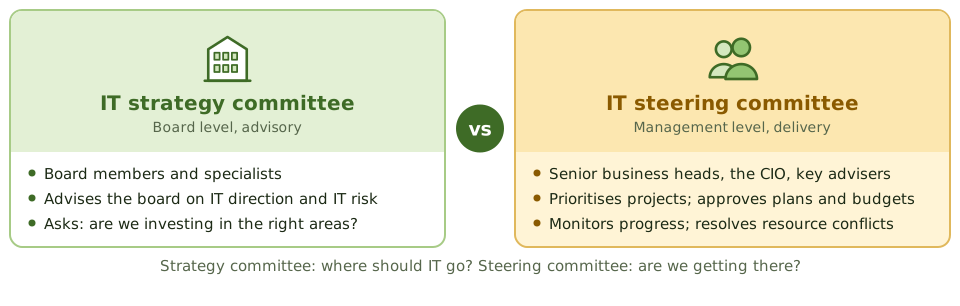
What the steering committee does
Who should be on it
Senior people from the business units that depend on IT, plus the CIO and key advisers such as security, architecture and finance, often chaired by a sponsoring executive. Business representation is the whole point.
What the auditor checks
- 1 Charter Written purpose, authority and membership.
- 2 Members Senior business people, not just IT.
- 3 Meetings Held regularly; minutes kept.
- 4 Decisions Traceable to business strategy.
- 5 Follow-through Actions tracked; projects monitored.
How the exam asks about it
| If the question asks… | Answer |
|---|---|
| Main job of the IT steering committee | Prioritise and oversee IT projects in line with the business |
| Best evidence the committee works | Minutes showing decisions and follow-up |
| Weakness in membership | No senior business representatives |
| How it differs from the IT strategy committee | Steering = management, delivery; strategy = board, advisory |
Key takeaways
- ✓The IT steering committee is a management-level group that prioritises IT investments and oversees major projects and resources.
- ✓It includes senior business representatives, not just IT, so decisions reflect business priorities.
- ✓The IT strategy committee works at board level and advises on strategy; the steering committee works at management level on delivery.
- ✓It should have a written charter setting out its responsibilities, authority and members.
- ✓Minutes and recorded decisions are the best evidence it actually works.
Exam traps
- !A steering committee of only IT managers can't make sure IT matches business priorities.
- !The steering committee oversees and decides; it doesn't do detailed project management.
- !A charter alone doesn't prove the committee works; minutes do.
- !Strategy committee = board, advisory. Steering committee = management, delivery.
IT Strategy and Business Alignment
Why IT strategy must grow out of business strategy, the difference between long-term and yearly IT plans, and how an auditor checks that they actually line up.
Why alignment matters
IT exists to help the business do what it's trying to do. A beautifully run IT department building things the business doesn't need is wasting money.
IT strategic planning makes sure IT is heading the same way as the business. When the exam asks what IT strategic planning is mainly for, the answer is alignment.
From business goals to IT projects
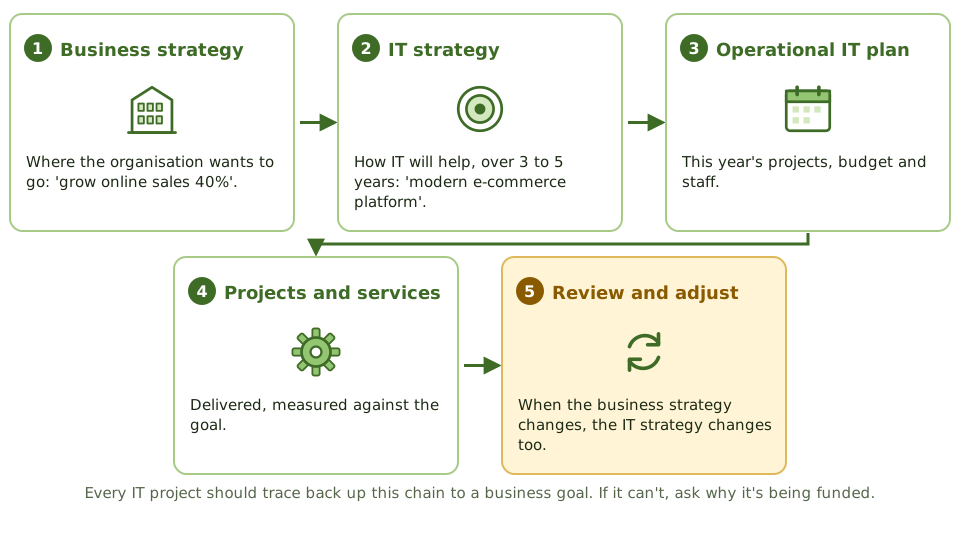
Long-term vs yearly plans
| Strategic (long-term) | Operational (yearly) | |
|---|---|---|
| Looks ahead | Three to five years | One year |
| Contains | Direction, target architecture, major initiatives, sourcing | Projects, budgets, staffing, targets |
| Approved by | Senior management or the board | IT management with the steering committee |
| Reviewed | Regularly and when business strategy changes | Yearly, tracked through the year |
Signs of good alignment
How the auditor checks it
- 1 Business strategy Start here, always.
- 2 IT strategy Written, approved, current?
- 3 Map initiatives Each one to a business goal.
- 4 Check the budget Does spending follow the strategy?
- 5 Check measurement Are benefits tracked?
How the exam asks about it
| If the question asks… | Answer |
|---|---|
| Main goal of IT strategic planning | Align IT with business goals |
| First document to review | The business strategy or business plan |
| Best evidence of alignment | IT projects and budgets traceable to business goals, with business involvement |
| Who approves the IT strategic plan | Senior management or the board |
| Business strategy changed a lot | Review and update the IT strategy |
Key takeaways
- ✓IT strategy should come from, and support, the business strategy. Alignment is the main goal of IT strategic planning.
- ✓Strategic (long-term) IT plans cover three to five years; operational (short-term) plans turn them into this year's projects and budgets.
- ✓Strategic plans are approved by senior management or the board and reviewed regularly, especially when business strategy changes.
- ✓The auditor starts with the business strategy, then checks IT plans, projects and budgets trace back to it.
- ✓Business involvement (sponsors, steering committee) is key evidence of alignment.
- ✓A strategy that exists only in IT, or isn't reflected in budgets and projects, isn't working.
Exam traps
- !The first document to review when assessing IT strategy is the BUSINESS strategy.
- !An IT plan focused on technology refresh with no link to business goals shows poor alignment.
- !This year's projects that don't follow from the strategic plan mean the strategy isn't being implemented.
- !The CIO alone doesn't approve the IT strategy; senior management or the board does.
Balanced Scorecard
Measuring IT from four angles instead of just the budget, and why the board needs more than money figures to judge how IT is doing.
Why money isn't enough
If you only judged a football team by last season's prize money, you'd miss that its best players are leaving and its training is falling apart. Next season will be a disaster, and the money figures won't warn you.
Budget figures are like that: they show what already happened. A balanced scorecard adds measures that show what's coming.
Four views of IT performance
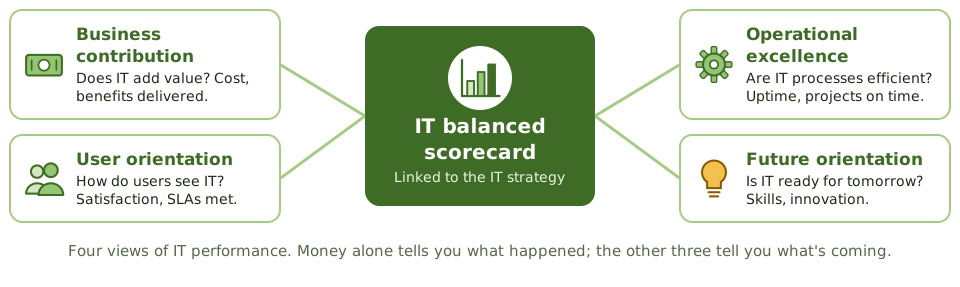
Example measures
| Perspective | Example measures |
|---|---|
| Business contribution | IT cost as a share of revenue; benefits delivered by projects |
| User orientation | User satisfaction; SLAs met; incident fix times |
| Operational excellence | Availability; change success rate; projects on time and budget |
| Future orientation | Training hours; skills coverage; innovation ideas in progress |
Before you build one
A scorecard measures progress against a strategy. If there's no agreed strategy with clear goals, there's nothing to measure against.
How the exam asks about it
| If the question asks… | Answer |
|---|---|
| Purpose of an IT balanced scorecard | Measure IT performance and its contribution to the business |
| What's needed before building one | An agreed strategy and goals |
| Perspective about skills and innovation | Future orientation |
| Weakness of judging IT only on budget | Backward-looking, one-dimensional |
Key takeaways
- ✓A balanced scorecard measures performance from several perspectives, not just money.
- ✓The IT balanced scorecard usually has four: business contribution, user orientation, operational excellence and future orientation.
- ✓In IT governance, it's a tool for measuring and reporting how well IT is performing and contributing to business goals.
- ✓Good scorecards mix lagging measures (results) with leading measures (what drives future results).
- ✓You need an agreed strategy first; the scorecard measures progress against it.
Exam traps
- !The scorecard is a performance measurement tool, not a risk assessment or project planning technique.
- !A scorecard with only financial or only technical measures isn't balanced.
- !Before building a scorecard, the strategy and goals it measures must be defined.
COBIT
ISACA's framework for governing and managing IT: the five domains and what lives in each, the components of a governance system, and how auditors use COBIT as a yardstick.
What COBIT is
COBIT is ISACA's framework for governing and managing IT. Think of it as a very complete checklist of everything an organisation should have in place to run IT well, organised so that it maps to other standards like ITIL and ISO 27001.
For auditors, it's a ready-made source of criteria: 'here's what good looks like'.
Five domains, and what lives where
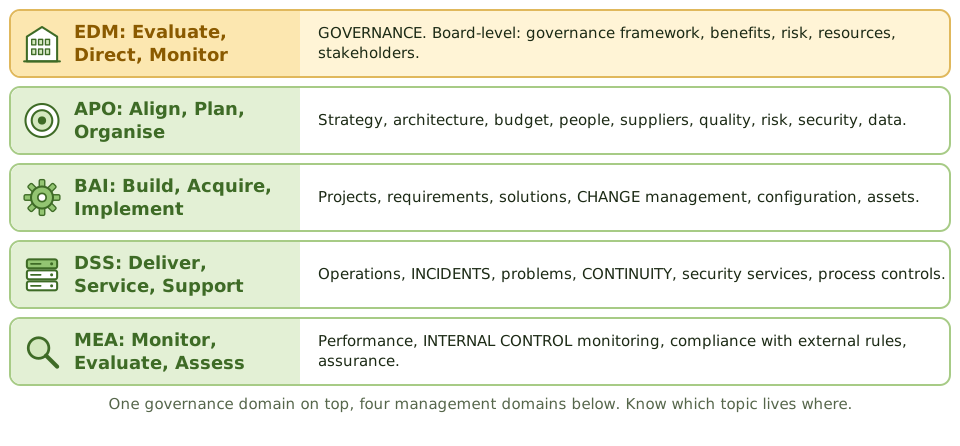
More than processes
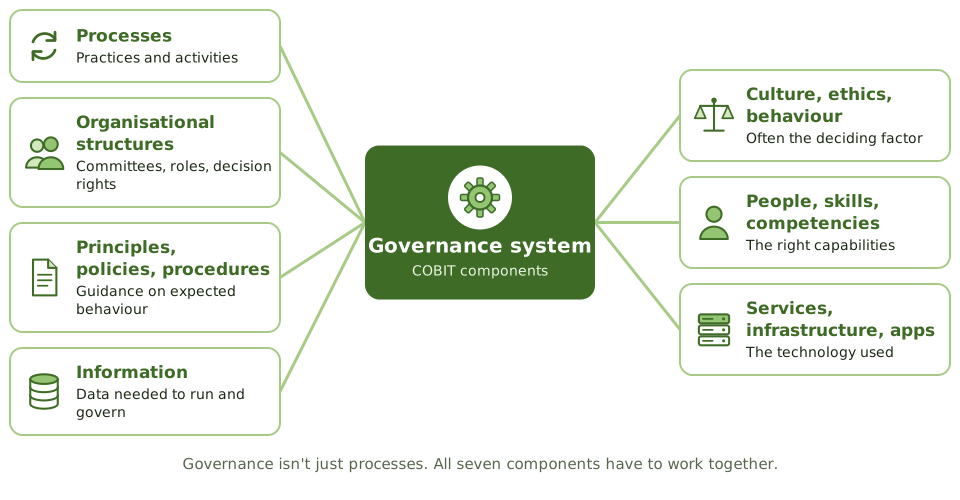
COBIT says a governance system is built from seven kinds of components. Processes alone aren't enough: without the right culture, skills and structures, the best-written process gets ignored.
Tailoring and the goals cascade
Capability levels
Each process can be rated from 0 (incomplete) to 5 (optimising), on a scale based on CMMI. The organisation sets a target level for each one; not everything needs level 5.
How the exam asks about it
| If the question asks… | Answer |
|---|---|
| Which COBIT domain is governance | EDM |
| Where change management sits | BAI |
| Where incidents and continuity sit | DSS |
| Where monitoring of internal control sits | MEA |
| Main use of COBIT for an IS auditor | A source of criteria for governance and management |
Key takeaways
- ✓COBIT is ISACA's framework for the governance and management of enterprise information and technology.
- ✓It separates governance (the EDM domain) from management (APO, BAI, DSS and MEA).
- ✓COBIT 2019 has 40 governance and management objectives in those five domains.
- ✓A governance system is built from components: processes, structures, policies, information, culture, people and technology.
- ✓Design factors (strategy, risk profile, size, threat landscape and so on) tailor COBIT to each organisation.
- ✓Process capability is rated 0 to 5 on a CMMI-based scale; organisations set a target level for each process.
- ✓Auditors use COBIT objectives as criteria for judging governance and management practices.
Exam traps
- !EDM is governance. APO, BAI, DSS and MEA are management.
- !COBIT is a governance framework, not a security standard or a service management manual; it maps to those.
- !MEA is management's monitoring; EDM includes the board's monitoring. Don't mix them.
- !Don't memorise all 40 objectives. Know the five domains and what sits in each.
ITIL
The best-known guide to running IT as a set of services: where it fits next to COBIT and ISO 20000, and the practices (incident, problem, change and others) that keep turning up on the exam.
IT as a service
Users don't care about servers and networks. They care that email works, payroll runs and the website is up. IT service management treats IT as a set of services, each with an agreed level of quality.
ITIL is the most widely used guide to doing that well.
Where ITIL fits
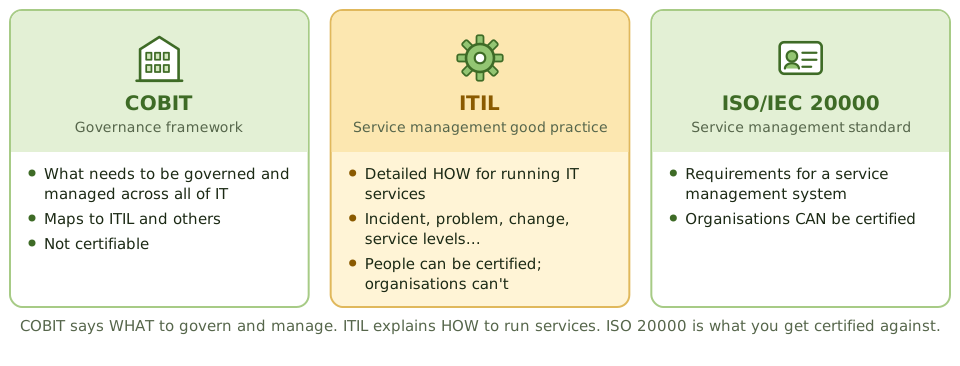
Practices the exam uses
How the practices connect
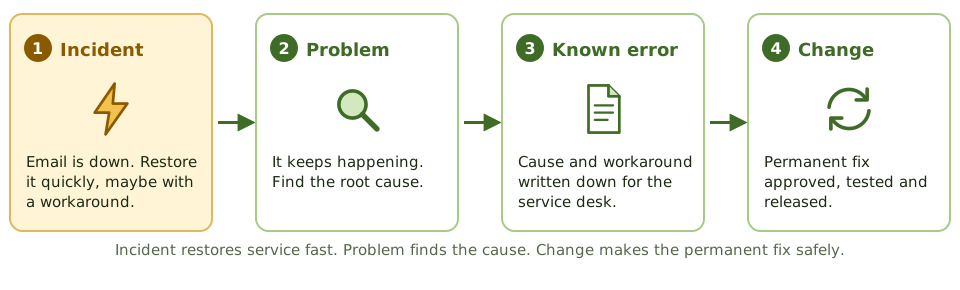
How the exam asks about it
| If the question asks… | Answer |
|---|---|
| Framework focused on IT service management | ITIL |
| Certifiable service management standard | ISO/IEC 20000 |
| Main goal of incident management | Restore service as quickly as possible |
| Main goal of problem management | Find and remove root causes |
| Single point of contact for users | Service desk |
Key takeaways
- ✓ITIL is good-practice guidance for IT service management: running IT as services that deliver value to users.
- ✓COBIT says what to govern and manage; ITIL gives the detailed how for service management.
- ✓ISO/IEC 20000 is the certifiable service management standard; organisations can't be certified to ITIL.
- ✓Practices the exam uses most: service desk, incident, problem, change, service level, configuration and release management.
- ✓Incident management restores service fast; problem management finds and removes root causes.
- ✓The service desk is the single point of contact for users.
Exam traps
- !ITIL isn't a governance framework; COBIT is.
- !Organisations get certified to ISO 20000, not to ITIL.
- !Incident management's goal is fast restoration, not root cause.
- !A workaround keeps things going; the permanent fix goes through change management.
ISO 27001/27002
The international standards for running information security: what an ISMS is, the difference between 27001 and 27002, the Statement of Applicability, and what a certificate does (and doesn't) prove.
A system for managing security
Buying a firewall doesn't make you secure. Security needs to be managed: risks assessed, controls chosen, people trained, results checked, and improvements made, over and over.
ISO/IEC 27001 describes how to run that management system, called an ISMS (information security management system).
27001 vs 27002
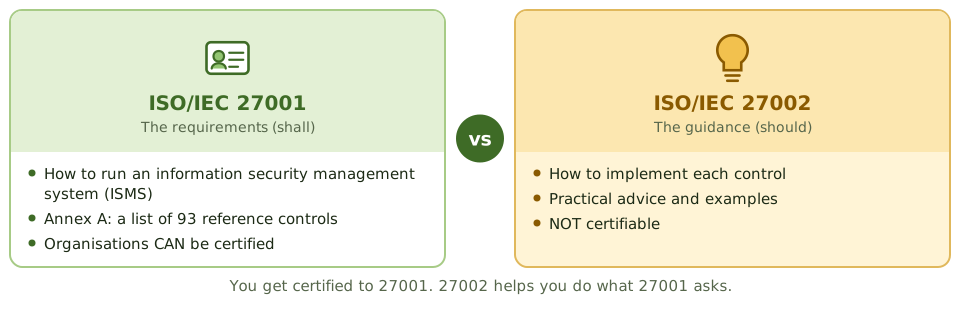
How an ISMS works
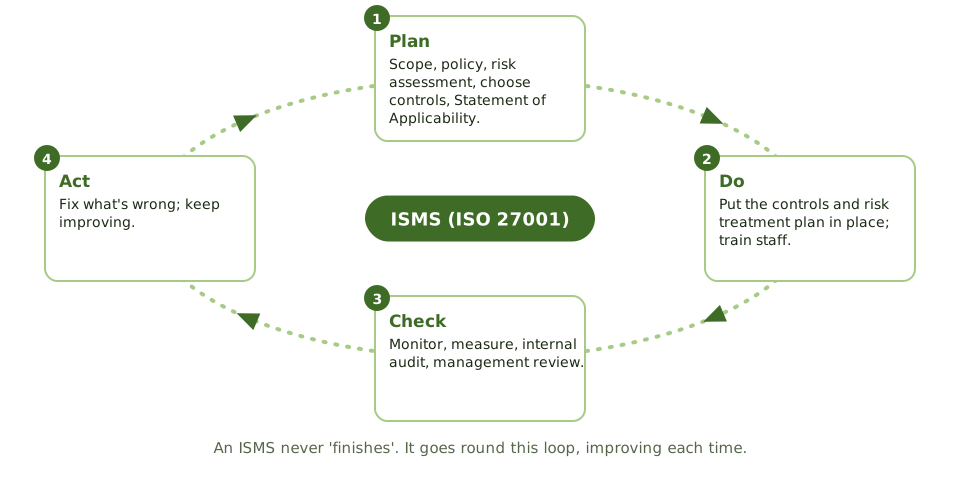
The Statement of Applicability
Annex A lists reference controls, but organisations pick the ones their risk assessment says they need. The Statement of Applicability records every Annex A control with three answers.
What a certificate proves
Certification means the ISMS met 27001's requirements, for the certified scope, when the certification body last checked. Before relying on it, the auditor asks three questions.
How the exam asks about it
| If the question asks… | Answer |
|---|---|
| Standard organisations are certified against | ISO/IEC 27001 |
| Purpose of ISO/IEC 27002 | Guidance on implementing security controls |
| Document listing applicable controls and reasons | Statement of Applicability |
| What drives which controls are chosen | Risk assessment |
| First thing to check about a certificate | Its scope |
Key takeaways
- ✓ISO/IEC 27001 sets out the requirements for an information security management system (ISMS). Organisations can be certified against it.
- ✓ISO/IEC 27002 is guidance on how to implement security controls. It isn't certifiable.
- ✓Annex A of 27001 lists reference controls (93 in the 2022 version, in four themes: organisational, people, physical, technological).
- ✓The Statement of Applicability (SoA) records which Annex A controls apply, whether they're in place, and why any are excluded.
- ✓An ISMS follows Plan-Do-Check-Act: risk assessment drives the choice of controls; internal audits and management reviews drive improvement.
- ✓A certificate shows the ISMS meets 27001 for its certified scope. Always check the scope covers what you care about.
Exam traps
- !You get certified to 27001, not 27002.
- !Certification doesn't mean every control works; it means the management system meets the standard for its scope.
- !Controls are chosen by risk assessment, not by implementing all of Annex A.
- !Every exclusion in the SoA needs a justification.
- !A certified data centre doesn't cover the company's software development, unless that's in scope.
COSO: ERM and Internal Control
The most widely used definition of internal control: its five components, why the control environment comes first, and how COSO's risk framework differs.
What internal control means
COSO defines internal control as a process, run by the board, management and staff, that gives reasonable assurance an organisation will achieve its goals for operations, reporting and compliance.
Note 'reasonable'. Controls can be overridden, people make mistakes, and some controls cost more than they're worth. No system of control is perfect.
Five components
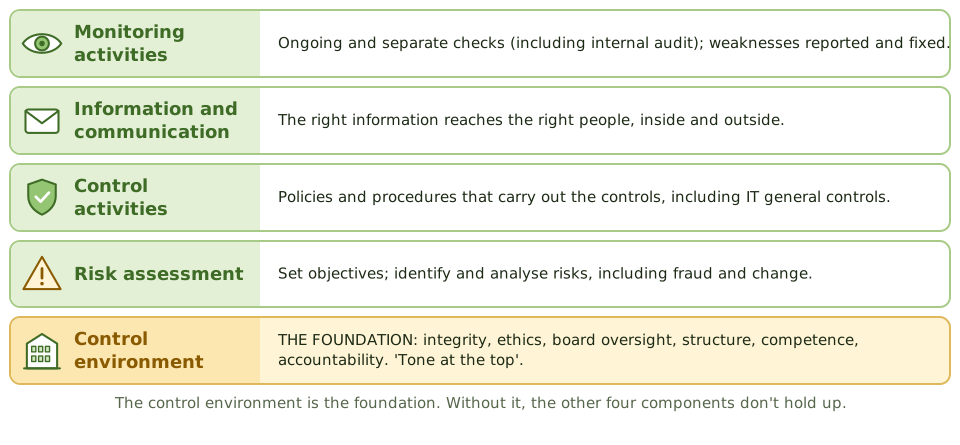
Why the foundation matters
If leaders ignore the rules, the best-written controls fail.
Three kinds of objectives
COSO ERM
COSO also publishes a separate enterprise risk management framework. Its big idea: consider risk when SETTING strategy, not just when carrying it out.
| ERM component | Focus |
|---|---|
| Governance and culture | Board oversight, culture, values |
| Strategy and objective-setting | Risk appetite; strategy chosen with risk in mind |
| Performance | Identify, assess, prioritise and respond to risks |
| Review and revision | Adapt as things change |
| Information, communication, reporting | Risk information shared for decisions |
How the exam asks about it
| If the question asks… | Answer |
|---|---|
| Foundation of internal control in COSO | Control environment |
| Component that includes IT general controls | Control activities |
| Level of assurance internal control gives | Reasonable, not absolute |
| Framework used for SOX reporting | COSO Internal Control - Integrated Framework |
| Framework linking risk to strategy | COSO ERM |
Key takeaways
- ✓COSO's Internal Control framework has five components: control environment, risk assessment, control activities, information and communication, and monitoring activities (with 17 principles).
- ✓The control environment (integrity, ethics, tone at the top) is the foundation for everything else.
- ✓Internal control gives reasonable, not absolute, assurance about operations, reporting and compliance.
- ✓IT general controls fall under the control activities component.
- ✓COSO ERM (2017) is a separate framework that links risk to strategy and performance.
- ✓COSO is the framework most US companies use for Sarbanes-Oxley internal control reporting.
Exam traps
- !The control environment is the foundation; control activities are just one of five components.
- !Internal control gives REASONABLE assurance, never absolute.
- !Monitoring in COSO means ongoing and separate evaluations, including internal audit.
- !COSO Internal Control and COSO ERM are different frameworks with different purposes.
Policies, Standards, Procedures, Guidelines
The four kinds of governance document, from broad intent to step-by-step instructions, who approves each, and how an auditor tells whether they actually work.
From 'why' to 'how'
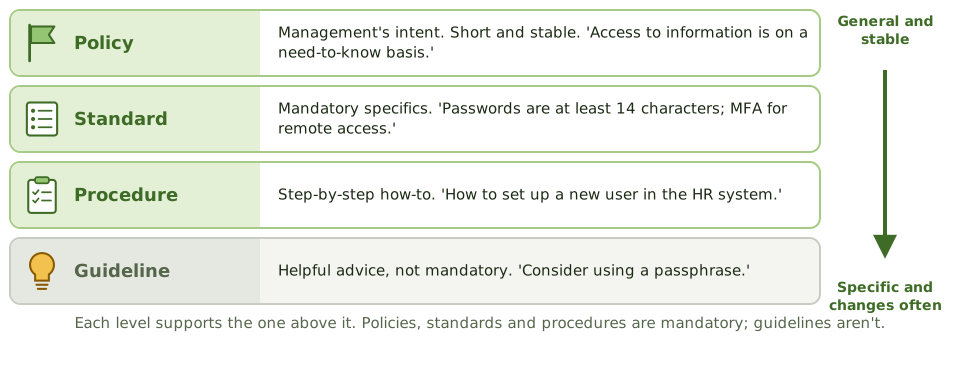
Organisations write down how things should be done at four levels of detail. The higher the level, the shorter and more stable the document; the lower the level, the more specific and the more often it changes.
An everyday example
Who approves what
| Document | Mandatory? | Typical approver / owner |
|---|---|---|
| Policy | Yes | Senior management or board |
| Standard | Yes | Function head (CISO, CIO) |
| Procedure | Yes | Process owner |
| Guideline | No | Subject expert |
Top-down vs bottom-up
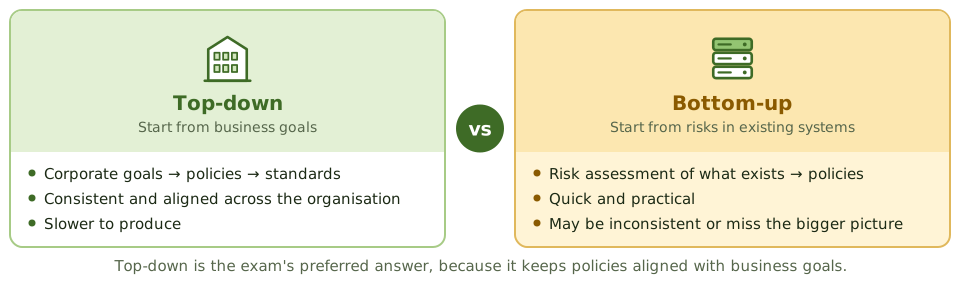
Making policies work
- 1 Approve By the right level.
- 2 Communicate Staff receive it and acknowledge it.
- 3 Enforce Technical controls and consequences.
- 4 Handle exceptions Approved, risk-assessed, time-limited.
- 5 Review Regularly and after big changes.
How the exam asks about it
| If the question asks… | Answer |
|---|---|
| Who approves the information security policy | Senior management (or the board) |
| Which document isn't mandatory | Guideline |
| Benefit of top-down development | Alignment with business goals and consistency |
| Policy exists but staff don't know it | Ineffective; communication and awareness needed |
| Document setting minimum password length | Standard |
Key takeaways
- ✓Policies state management's intent; standards set mandatory specifics; procedures give step-by-step instructions; guidelines offer advice.
- ✓Policies, standards and procedures are mandatory. Guidelines aren't.
- ✓Policies are approved by senior management or the board; procedures are owned by process owners.
- ✓Top-down development starts from business goals; bottom-up starts from risks in existing systems. Top-down ensures alignment.
- ✓Policies must be communicated, acknowledged, enforced, and reviewed regularly.
- ✓Lower-level documents must support the higher ones, with no contradictions.
Exam traps
- !A policy that exists but isn't communicated or enforced is ineffective.
- !Guidelines are optional; standards and procedures are mandatory.
- !Policies don't name products or settings. That's a standard.
- !The security policy is often the first document an auditor reviews in a security audit.
- !Exceptions to policy must be formally approved, risk-assessed and time-limited.
IT Organizational Structure and Key Roles
The IT jobs the exam expects you to know, what each one should and shouldn't do, and why where a role reports matters as much as what it does.
Why the org chart matters
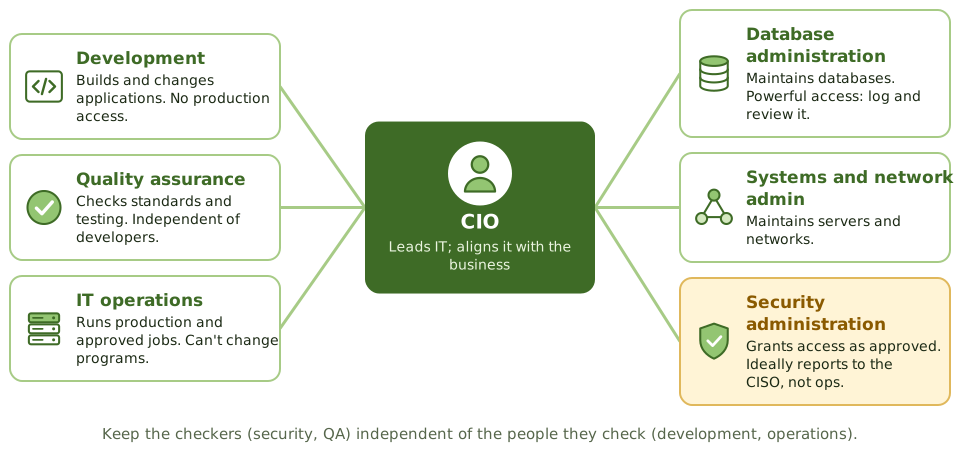
How IT is organised decides who can do what. A good structure keeps incompatible jobs apart, makes it clear who's accountable, and keeps the people who check work independent of the people who do it.
Each role's do's and don'ts
| Role | Should | Shouldn't |
|---|---|---|
| Developer | Build and maintain applications in development | Have access to production |
| Quality assurance | Check standards and testing | Report to the development manager |
| IT operations | Run production systems and approved jobs | Change programs without approval |
| Database administrator | Maintain databases, performance, backups | Approve data changes or grant own access |
| Security administrator | Set up access as approved; monitor violations | Report to operations; do business transactions |
| Data owner (business) | Classify data; approve access | Leave access decisions to IT |
Independence of the checkers
Powerful roles need watching
DBAs, system administrators and network administrators can bypass application controls. The answer isn't to remove them; it's to limit and watch them.
- 1 Least privilege Only the rights the job needs.
- 2 Named accounts No shared admin logins.
- 3 Log everything Privileged actions recorded.
- 4 Independent review Someone else reads the logs.
Paper vs practice
The org chart shows security administration under the CISO. In practice, the operations manager approves all access requests and the security administrator just types them in.
How the exam asks about it
| If the question asks… | Answer |
|---|---|
| Where security administration should report | Independently of operations and development (e.g. CISO) |
| Main concern with DBA access | Changing data directly, bypassing application controls |
| Who approves access to data | The data owner |
| QA reports to the development manager | Independence is compromised |
| Best control over privileged administrators | Logging with independent review |
Key takeaways
- ✓The IT structure should support segregation of duties and clear accountability.
- ✓Key roles: CIO, developers, quality assurance, IT operations, database administrators, systems and network administrators, security administrators, service desk.
- ✓Security administration should be independent of IT operations and development, often reporting to the CISO.
- ✓Quality assurance must be independent of the developers whose work it checks.
- ✓DBAs and system administrators have powerful access; their activity should be logged and reviewed by someone independent.
- ✓Business data owners decide on access; IT acts as custodian.
Exam traps
- !Security administration reporting to the head of development or operations weakens independence.
- !QA reporting to the development manager isn't independent.
- !A DBA approving data changes or granting their own access is a conflict.
- !An organisation chart shows the intended structure; the auditor checks what really happens.
Segregation of Duties in IT
The IT-specific jobs that should never sit with one person, how to find conflicts in real system access, and what to do in a small IT team.
Why IT needs its own SoD rules
The general idea is simple: no one person should be able to both do something wrong and cover it up. IT adds its own twist, because some IT jobs come with enormous power: changing programs, changing data, granting access.
Put two of those powers in one pair of hands and a single person can change anything and erase the evidence.
The dangerous combinations
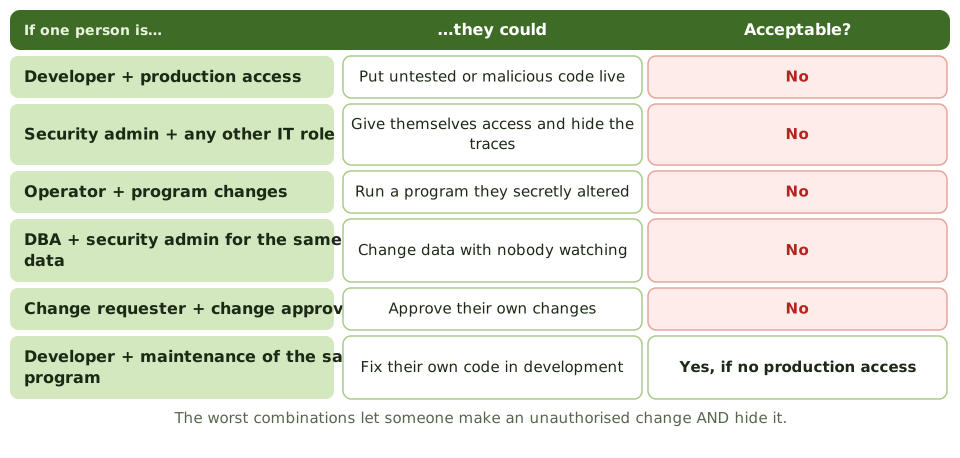
Finding conflicts
- 1 Conflict matrix Which IT roles and rights clash.
- 2 Pull real access Servers, databases, deployment tools, admin consoles, service accounts.
- 3 Analyse Who holds clashing rights? Tools help in ERP.
- 4 Observe Shared admin passwords defeat SoD on paper.
- 5 Fix or cover Remove conflicts, or check compensating controls.
Small IT team? Compensate
A five-person IT team can't split every job. The exam's expected answer is a compensating control, not hiring.
In practice
One engineer manages both Active Directory and the ERP database. Splitting the role isn't possible. Each month, the security monitoring system produces a report of all group changes, schema changes and privilege changes, and the finance controller checks each one against an approved request.
How the exam asks about it
| If the question asks… | Answer |
|---|---|
| Most serious IT SoD conflict | Developer with production access, or security admin plus other duties |
| Who shouldn't have access to production data | Developers |
| SoD not possible in a small IT team | Compensating controls: independent review of logs and changes |
| Best evidence of SoD violations | Actual system access compared with a conflict matrix |
Key takeaways
- ✓In IT, the key separations are between development, operations, security administration and business users.
- ✓Developers shouldn't access production; operators shouldn't change programs; security administrators shouldn't do business transactions.
- ✓The worst conflicts let one person make an unauthorised change and hide it.
- ✓SoD is checked by comparing actual system access with a conflict matrix, reviewing job descriptions, and observing.
- ✓Where separation isn't possible, compensate with independent review of logs, reconciling changes to approvals, and supervisory review.
- ✓Automated SoD tools and careful role design reduce conflicts in ERP systems.
Exam traps
- !A developer maintaining their own code isn't a conflict by itself; production access is.
- !Security administration combined with any other IT role is a serious conflict.
- !The DBA shouldn't also be the security administrator for the same database.
- !End users who can edit production data directly bypass application controls.
- !For small IT teams, the exam wants compensating controls, not reorganisation.
Enterprise Architecture (Zachman, TOGAF)
A map of the organisation's processes, data, applications and technology, used to steer IT investment. Plus the two frameworks the exam names.
A map of the organisation
Imagine a city with no planning office. Everyone builds wherever they like: three hospitals on one street, no roads between neighbourhoods, pipes that don't connect.
Enterprise architecture is IT's planning office. It maps what exists, decides what the city should look like, and checks every new building fits the plan.
Current state to target state
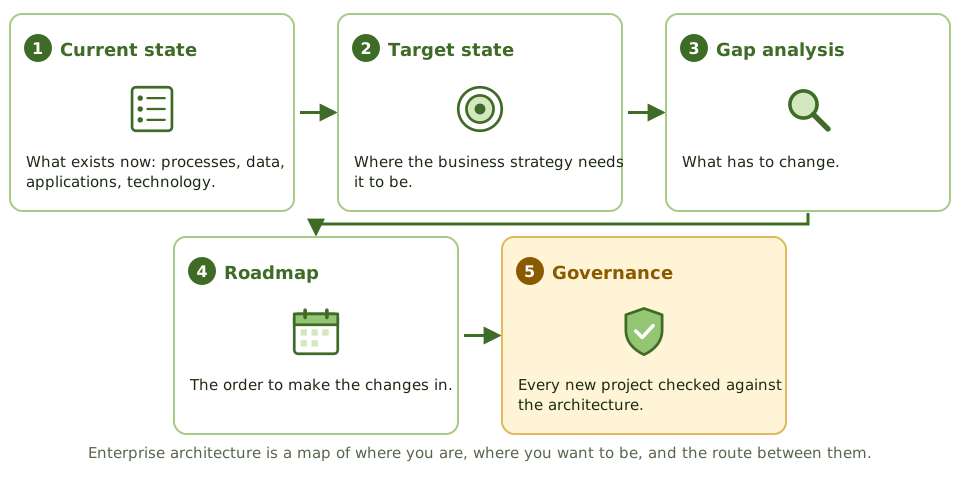
Four layers to map
Zachman and TOGAF
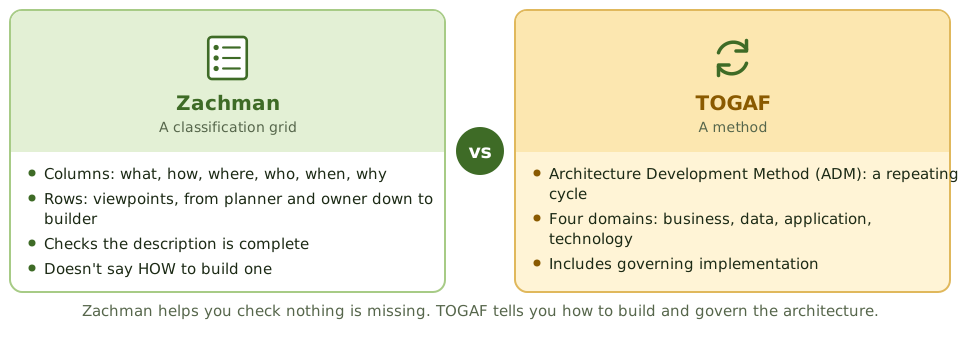
Why it pays off
Three departments each buy their own CRM tool without telling IT. An architecture review, checking new systems against the target architecture, would have spotted the duplication and the integration cost before anyone signed a contract.
How the exam asks about it
| If the question asks… | Answer |
|---|---|
| Main purpose of enterprise architecture | Align IT investment with strategy; manage complexity |
| Framework that is a classification grid | Zachman |
| Framework with a development method (ADM) | TOGAF |
| Best evidence EA is effective | Projects assessed against it before approval |
Key takeaways
- ✓Enterprise architecture (EA) documents how the organisation's processes, information, applications and technology fit together, to guide change.
- ✓It describes the current state, the target state, the gaps, and a roadmap between them.
- ✓Zachman is a grid for classifying architecture descriptions: questions (what, how, where, who, when, why) against viewpoints.
- ✓TOGAF provides a method, the Architecture Development Method (ADM), for building and governing architecture.
- ✓EA supports alignment, reduces duplication and complexity, and gives a basis for judging new investments.
- ✓The auditor checks EA exists, is kept current, and that projects are actually checked against it.
Exam traps
- !Zachman is a classification grid, not a process. TOGAF's ADM is the process.
- !An EA nobody uses in investment decisions has little value.
- !TOGAF's four domains are business, data, application and technology.
Risk Management Process
How organisations find, rank and deal with IT risks, step by step, who owns each part, and the 'what comes first?' questions the exam loves.
What risk actually is
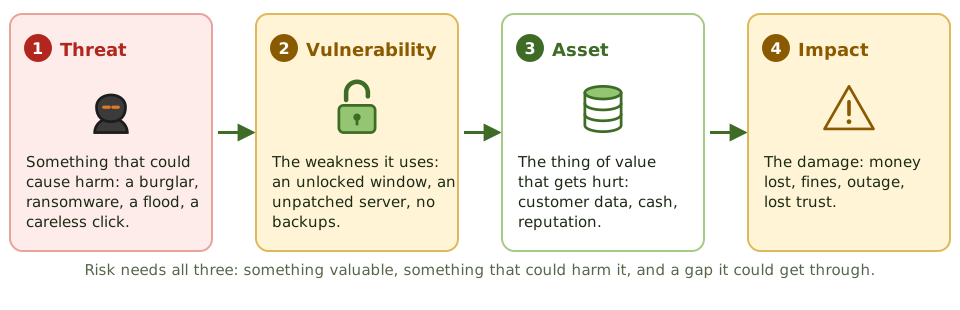
'Risk' gets used loosely. In risk management it has a precise shape: something valuable, something that could harm it, and a weakness that would let the harm happen.
Take away any one of those and the risk shrinks. That's what controls do.
The risk management cycle
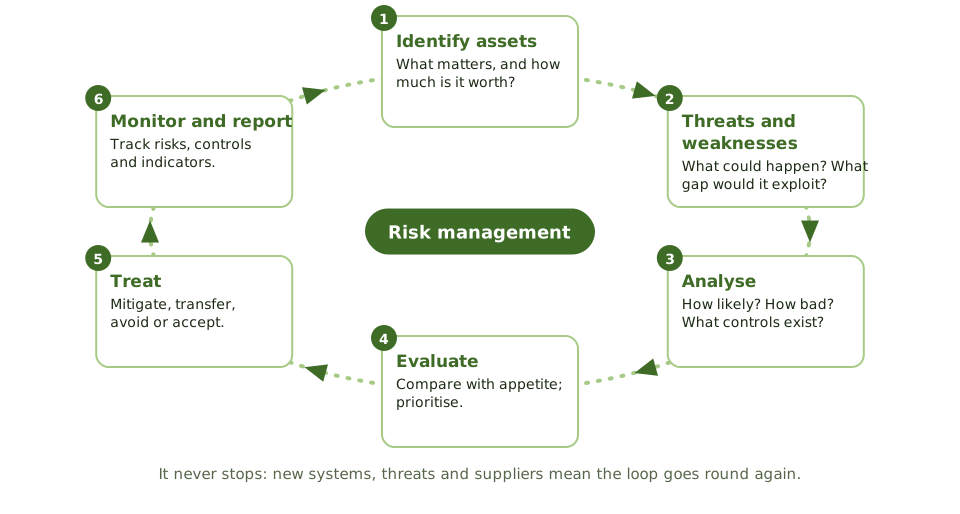
Inherent and residual risk
Who does what
| Role | Responsibility |
|---|---|
| Board | Sets risk appetite; oversees |
| Risk owner (business) | Accountable for the risk; decides treatment; accepts what's left |
| Risk function | Framework, methods, facilitation, reporting |
| Control owner | Runs the controls that treat the risk |
| Internal audit | Independent assurance over the whole process |
Keep it current
Risks change with new systems, threats, suppliers and laws. Reassess regularly AND after significant change. Key risk indicators give early warning in between.
How the exam asks about it
| If the question asks… | Answer |
|---|---|
| First step in a risk assessment | Identify and value assets |
| Who accepts residual risk | The business risk owner / senior management |
| What risk is made of | Threats, vulnerabilities and impact on assets |
| When to reassess risk | Regularly and after significant change |
| Internal audit's role | Independent assurance over the process |
Key takeaways
- ✓Risk management starts with context and assets, then threats and vulnerabilities, then analysing likelihood and impact.
- ✓Risk exists when a threat can exploit a vulnerability to harm an asset.
- ✓Risk evaluation compares each risk with the organisation's appetite to decide what to do.
- ✓Treatment options are mitigate, transfer, avoid or accept; residual risk must be within appetite and accepted by the risk owner.
- ✓Risk management is continuous: risks are monitored and reassessed, especially after changes.
- ✓Business risk owners are accountable for their risks; the risk function facilitates; internal audit gives independent assurance.
- ✓A risk register records each risk, its owner, rating, treatment and status.
Exam traps
- !The first step in a risk assessment is identifying and valuing assets, not picking controls.
- !A vulnerability no threat can exploit (or a threat with nothing to exploit) doesn't create much risk.
- !IT doesn't own business risks. The business owner accepts residual risk.
- !An annual risk assessment isn't enough after a big change; reassess when things change.
- !Audit evaluates the risk management process; it doesn't run it.
Qualitative vs. Quantitative Risk Assessment
Two ways to size up a risk: descriptive ratings like high, medium and low, or money and probabilities. Includes the ALE formulas, worked through with real numbers.
Two ways to size a risk
Ask two people how worried to be about a house fire. One says 'low chance, terrible if it happens'. The other says 'about a 0.3% chance a year, costing about 300,000 if it does'.
The first is a qualitative assessment. The second is quantitative. Both are useful, for different jobs.
Qualitative
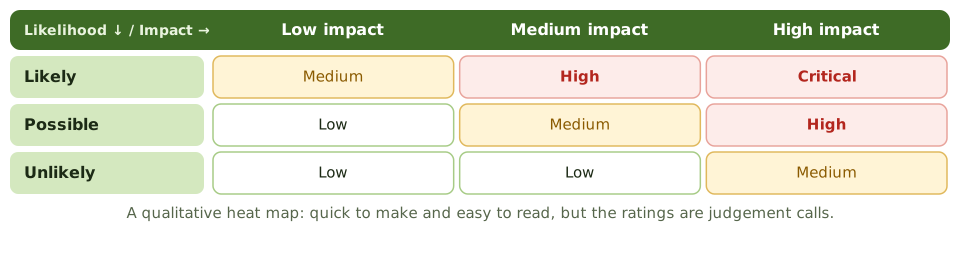
Likelihood and impact are rated on simple scales and often shown as a heat map. Quick, easy to explain, and fine when there's little hard data. The catch: the ratings are judgement calls.
Quantitative, step by step
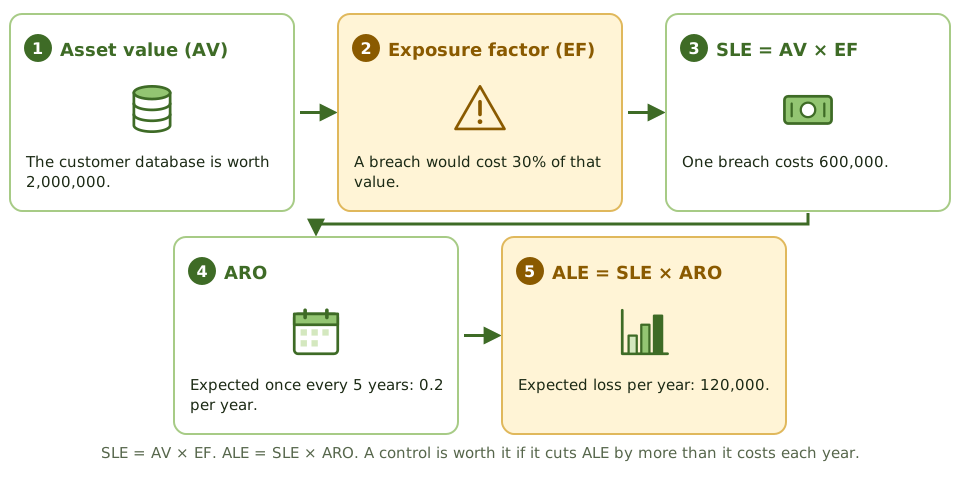
Is the control worth it?
A data loss prevention tool costs 40,000 a year. It would cut breaches from once every 5 years to once every 20 (ARO 0.2 → 0.05).
Choosing an approach
| Qualitative | Semi-quantitative | Quantitative | |
|---|---|---|---|
| Scale | High / medium / low | Scores like 1-5 | Money and probabilities |
| Speed | Fast | Moderate | Slow |
| Data needed | Expert judgement | Judgement with scoring | Historical and financial data |
| Good for | Ranking many risks | Consistent ranking | Cost-benefit of controls |
| Weakness | Subjective | Looks more precise than it is | Data hard to get |
How the exam asks about it
| If the question asks… | Answer |
|---|---|
| Formula for ALE | SLE × ARO |
| Formula for SLE | Asset value × exposure factor |
| Main advantage of quantitative analysis | Supports cost-benefit analysis |
| Main disadvantage of quantitative analysis | Reliable data is hard to get |
| Main disadvantage of qualitative analysis | Subjectivity |
| When a control is cost-justified | ALE reduction exceeds its yearly cost |
Key takeaways
- ✓Qualitative analysis rates likelihood and impact on scales like high, medium and low. Quick and common, but subjective.
- ✓Quantitative analysis uses money and probabilities. It supports cost-benefit decisions but needs reliable data.
- ✓Single loss expectancy: SLE = asset value × exposure factor.
- ✓Annualised loss expectancy: ALE = SLE × annualised rate of occurrence (ARO).
- ✓A control is worth it when the drop in ALE is bigger than the control's yearly cost.
- ✓Semi-quantitative analysis puts numbers on qualitative scales for ranking, without real money values.
Exam traps
- !Exposure factor is the share of the asset's value lost in ONE event, not a probability.
- !ARO is how often per year: 0.1 means once in ten years.
- !Quantitative results look precise but are only as good as the estimates behind them.
- !Qualitative isn't wrong; it's the normal approach when data is scarce.
Risk Responses: Mitigate, Transfer, Avoid, Accept
The four things you can do about a risk, when each makes sense, who gets to decide, and the exam's favourite misunderstandings about insurance and acceptance.
Four ways to respond
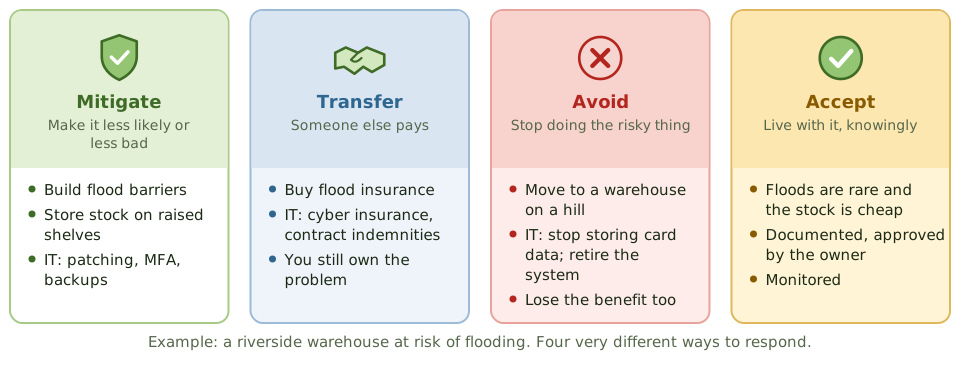
Once a risk is assessed, there are only four basic responses. A riverside warehouse at risk of flooding shows them clearly.
What transfer does and doesn't do
Insurance and contracts move the money. They don't move the responsibility.
| Transfers | Stays with you |
|---|---|
| Financial loss covered by the policy or contract | Accountability for the activity and the data |
| Some work, if outsourced | Reputational damage |
| Regulatory duties and fines (often uninsurable) | |
| Harm to customers |
Acceptance is a decision, not a shrug
Mixing responses
Responses can be combined. A legacy system can't support MFA, and replacing it costs 2 million and takes 18 months.
How the exam asks about it
| If the question asks… | Answer |
|---|---|
| Buying cyber insurance is… | Risk transfer |
| Does insurance transfer responsibility? | No; only financial impact |
| Stopping an activity because the risk is too high | Avoidance |
| Who can accept residual risk | The business risk owner / senior management |
| Requirement for valid acceptance | Informed, documented decision at the right level |
| Response when risk is within appetite | Acceptance, with monitoring |
Key takeaways
- ✓Mitigate: reduce how likely or how bad the risk is, with controls.
- ✓Transfer: shift the financial impact to someone else, through insurance or contracts.
- ✓Avoid: stop doing the activity that creates the risk.
- ✓Accept: knowingly live with the risk, because it's within appetite or fixing it costs more than it saves.
- ✓Transferring risk moves money, not accountability; reputational and regulatory impact stay with you.
- ✓Accepting a risk is a documented decision by someone with authority, not just ignoring it.
Exam traps
- !Insurance transfers financial loss, not responsibility or reputational damage.
- !Ignoring a risk is not acceptance; acceptance is informed, documented and approved.
- !Outsourcing a process doesn't transfer accountability for it.
- !Avoidance is the only response that removes the risk completely, and you lose the activity's benefits too.
- !IT staff can't accept business risk on the business's behalf.
Risk Appetite and Residual Risk
How much risk an organisation is willing to take, how that differs from how much it could survive, and why the goal of controls is 'acceptable', not 'zero'.
How much risk is OK?
No organisation can remove all risk; doing business means taking some. The question is how much is acceptable.
Think of a family deciding how risky their investments should be. Young savers might accept big swings for bigger returns; a family about to retire wants safety. Organisations make the same kind of choice, and it's called risk appetite.
Capacity, appetite, tolerance
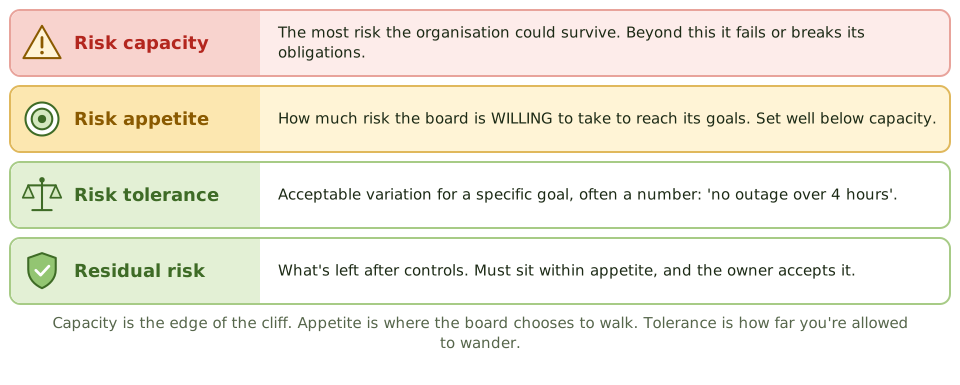
Inherent to residual
- 1 Inherent risk Before any controls.
- 2 Controls Reduce likelihood or impact.
- 3 Residual risk What remains.
- 4 Compare with appetite Within? Owner accepts it. Above? Treat more or escalate.
The auditor's yardstick
| Residual risk compared with appetite | What it means |
|---|---|
| Well below | May be over-controlled; could save money |
| Within | Controls are adequate; owner accepts; monitor |
| Above | Report it; more treatment or higher-level acceptance needed |
| No appetite defined | Nobody can judge if controls are enough: a finding in itself |
How the exam asks about it
| If the question asks… | Answer |
|---|---|
| Who sets risk appetite | The board |
| Risk remaining after controls | Residual risk |
| Goal of controls | Reduce residual risk to an acceptable level |
| Residual risk exceeds appetite | More treatment, or acceptance at a higher level |
| Appetite vs tolerance | Appetite is overall; tolerance is variation for specific goals |
Key takeaways
- ✓Risk appetite is how much risk the organisation is willing to take to achieve its goals. The board sets it.
- ✓Risk tolerance is the acceptable variation around specific goals; risk capacity is the most risk the organisation could bear.
- ✓Inherent risk is the risk before controls; residual risk is what's left after controls.
- ✓Residual risk should be within appetite and formally accepted by the risk owner.
- ✓Residual risk is never zero; the aim is an acceptable level.
- ✓The auditor uses appetite as the yardstick when judging whether controls are adequate.
Exam traps
- !Controls aim for acceptable residual risk, not zero risk.
- !Appetite is set by the board, not by IT or the CISO.
- !If residual risk is above appetite, more treatment or higher-level acceptance is needed.
- !Tolerance is narrower and more specific than appetite.
Maturity Models (CMMI)
Rating how well-run a process is on a scale from chaotic to continuously improving, what each CMMI level means, and why the right target isn't always the top.
How grown-up is this process?
Two kitchens can both serve good food. In one, it depends on the head chef's mood that day. In the other, there are standard recipes, everyone follows them, results are measured, and the recipes keep getting better.
Maturity models put a number on that difference.
The five CMMI levels
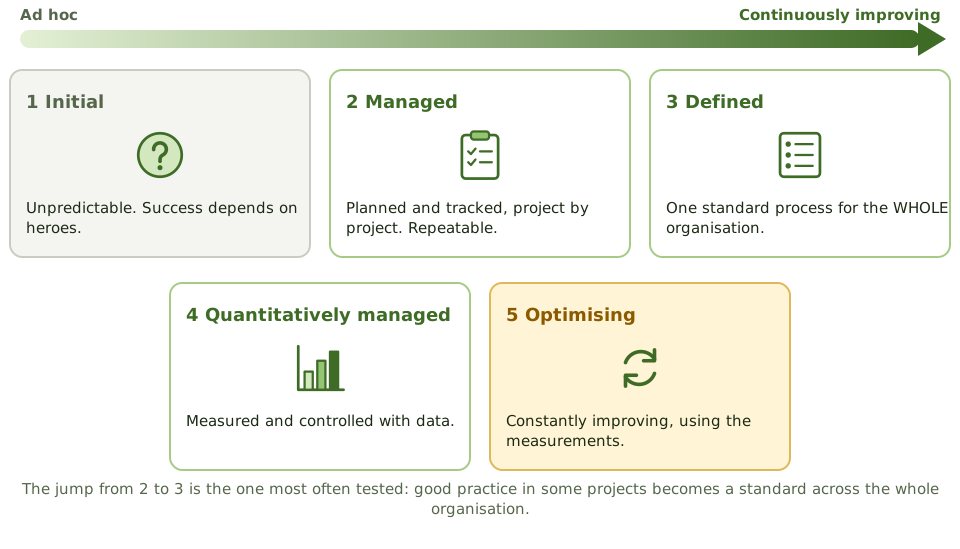
Telling neighbouring levels apart
| Levels | What changes |
|---|---|
| 1 → 2 | Basic planning and tracking; success can be repeated |
| 2 → 3 | Standard processes across the WHOLE organisation, not just some projects |
| 3 → 4 | Processes measured and controlled with data |
| 4 → 5 | Systematic, continuous improvement |
Using a maturity assessment
- 1 Rate today Current level for each key process.
- 2 Set a target Based on business need and risk.
- 3 Find the gap Which practices are missing?
- 4 Plan Prioritise improvements; reassess later.
The right target isn't always 5
A small company doesn't need level 5 change management. A critical regulated process might need level 3 or 4. The auditor compares the current level with the target the organisation set, not with the maximum. And maturity describes discipline; it doesn't prove a particular control worked.
How the exam asks about it
| If the question asks… | Answer |
|---|---|
| Level with organisation-wide standard processes | Level 3, Defined |
| Level focused on continuous improvement | Level 5, Optimising |
| Level using quantitative measurement | Level 4 |
| Main use of a maturity model | Find the gap between current and target maturity |
| The right target level | Based on business need and risk |
Key takeaways
- ✓Maturity models describe how well-defined, managed and improved processes are, on a staged scale.
- ✓CMMI levels: 1 Initial, 2 Managed, 3 Defined, 4 Quantitatively managed, 5 Optimising.
- ✓Level 2 is project-level discipline; level 3 is one standard process across the organisation; level 4 uses measurement; level 5 focuses on continuous improvement.
- ✓COBIT 2019 rates process capability 0 to 5 on a CMMI-based scale.
- ✓Organisations should set a target level based on business need; not every process needs level 5.
- ✓A maturity assessment shows the gap between current and target, which guides improvement.
Exam traps
- !The difference between levels 2 and 3 is whether processes are standardised across the whole organisation.
- !Level 4 is about measurement; level 5 is about continuous improvement.
- !Higher maturity isn't automatically the right recommendation; it depends on need and cost.
- !Maturity doesn't prove a specific control works; it describes process discipline.
KPIs and KGIs
Three kinds of indicator: did we reach the goal (KGI), is the process on track (KPI), and is risk growing (KRI). Plus what makes a metric actually useful.
Three questions, three indicators
Think about a marathon runner. Their finishing time is the result (a goal indicator). Their weekly training distance shows whether they're on track (a performance indicator). A sore knee is an early warning that something could go wrong (a risk indicator).
IT governance uses the same three kinds of measure.
KGI, KPI and KRI
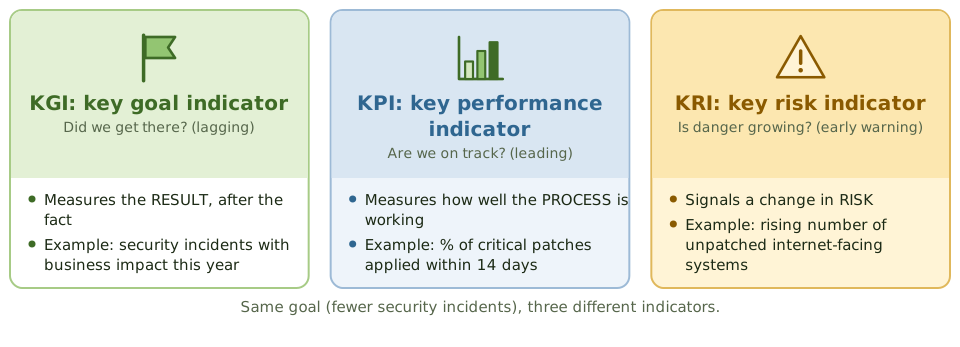
What makes a metric useful
Activity vs outcome
IT reports '500 incidents closed this month' as its headline number. That's just activity: it doesn't say whether services are good.
How the exam asks about it
| If the question asks… | Answer |
|---|---|
| Indicator measuring whether a goal was achieved | KGI |
| Indicator measuring process performance | KPI |
| Indicator giving early warning of rising risk | KRI |
| Best measure of awareness training | A behaviour or outcome measure, not attendance |
| What makes a metric actionable | A target or threshold, an owner, timely reporting |
Key takeaways
- ✓A key goal indicator (KGI) measures whether a goal was achieved: an outcome, measured afterwards (lagging).
- ✓A key performance indicator (KPI) measures how well a process is working, and whether the goal is likely to be met (leading).
- ✓A key risk indicator (KRI) signals that risk exposure is changing, giving early warning.
- ✓Good metrics are specific, measurable, linked to goals, timely, and owned by someone.
- ✓Metrics need targets or thresholds, and someone who acts when they're missed.
Exam traps
- !KGI = did we achieve the goal? KPI = how well is the process working towards it?
- !Counting activity (training sessions delivered) is weaker than measuring outcomes (fewer phishing clicks).
- !A metric with no target or owner rarely leads to action.
- !KRIs need thresholds that trigger escalation.
Outsourcing: Benefits and Risks
Why organisations hand IT work to outside providers, what can go wrong, the controls that keep it safe, and the one rule the exam never lets go of: accountability stays with you.
Hiring someone else to do it
Plenty of organisations hand IT work to specialists: payroll processing, data centres, the service desk, whole applications. Done well, it brings skills and savings. Done badly, it brings outages, breaches and lock-in.
And whichever way it goes, the organisation remains accountable. The exam returns to this again and again.
Benefits and risks
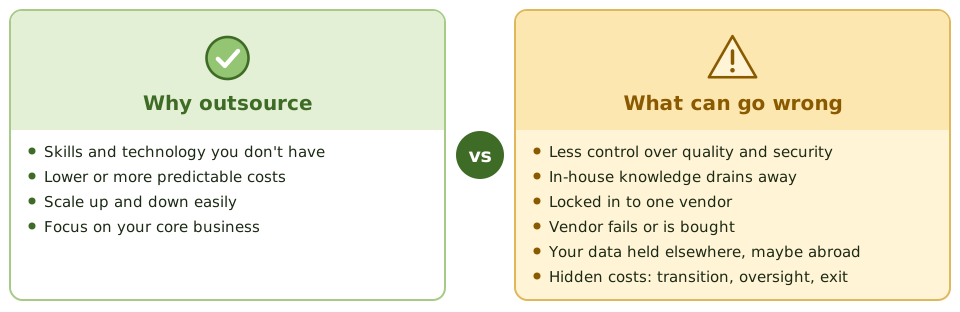
The outsourcing life cycle
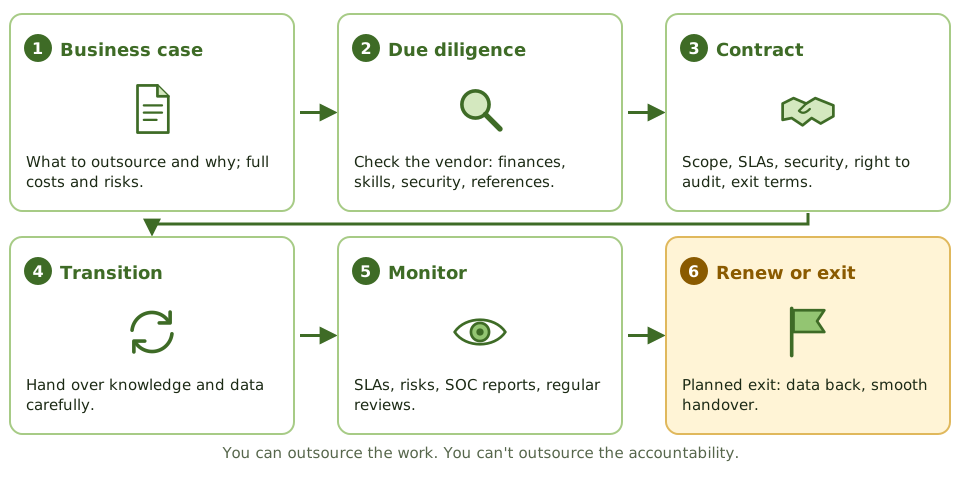
Controls that keep it safe
Accountability in action
A bank outsources card processing. The processor is breached. Regulators fine the bank, which is still accountable for its customers' data. Whether the bank can recover any of its losses depends entirely on what the contract says about liability.
How the exam asks about it
| If the question asks… | Answer |
|---|---|
| Who stays accountable for an outsourced function | The outsourcing organisation |
| Most important contract clause for the auditor | Right to audit |
| What to do before choosing a vendor | Due diligence |
| Greatest risk of outsourcing | Loss of control, with accountability still yours |
| How to get assurance over a vendor | SOC reports, certifications, or a right-to-audit review |
Key takeaways
- ✓Accountability for outsourced functions stays with the organisation; only the work moves.
- ✓Benefits: access to skills, lower or predictable costs, flexibility, and focus on the core business.
- ✓Risks: loss of control and knowledge, vendor lock-in, vendor failure, data protection, and hidden costs.
- ✓Key controls: due diligence before choosing, a strong contract with SLAs and a right to audit, ongoing monitoring, and an exit plan.
- ✓Keep enough in-house skill to manage the vendor and the contract.
- ✓Assurance over the vendor comes from audits, SOC reports, certifications and performance monitoring.
Exam traps
- !Outsourcing doesn't transfer accountability, legal responsibility or regulatory duties.
- !Cost savings aren't guaranteed; count transition, oversight and exit costs.
- !Without a right-to-audit clause, you only get whatever reports the vendor chooses to share.
- !Plan the exit at the start, not when things go wrong.
- !Due diligence happens before signing; monitoring happens throughout.
Vendor Selection, Contracts, SLAs, Right to Audit
Choosing a vendor properly, what a good IT contract contains, how service level agreements work, and why 'right to audit' and 'escrow' matter.
Choosing a vendor
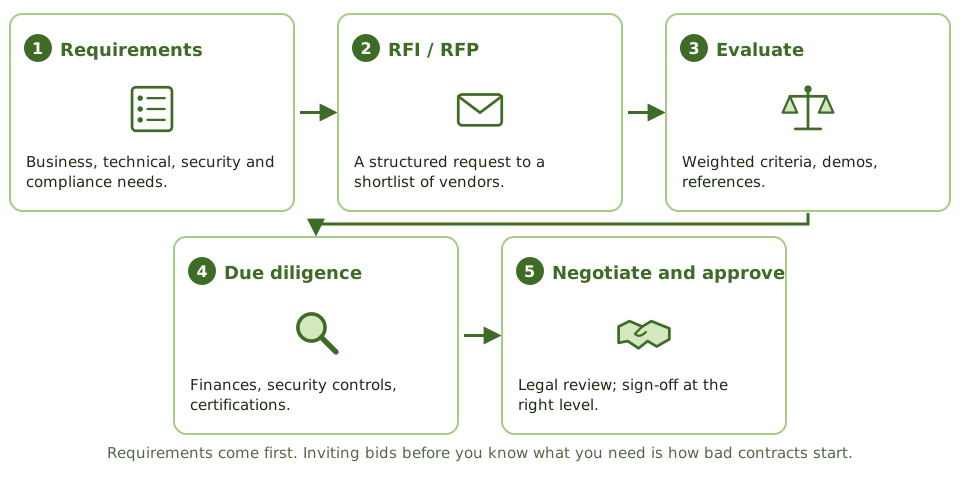
Choosing an IT vendor is like hiring a builder. Get it wrong and you live with the consequences for years. So the process matters: know what you need, compare options fairly, check the vendor out, and get a solid contract.
What a good contract covers
Anatomy of an SLA
| Part | Example |
|---|---|
| Service | Hosting the CRM platform |
| Target | 99.9% availability per month, excluding agreed maintenance |
| Measurement | Vendor monitoring, checked by the customer's own tests |
| Reporting | Monthly report; review meeting |
| Consequence | Service credits; right to end the contract after repeated failures |
Software escrow
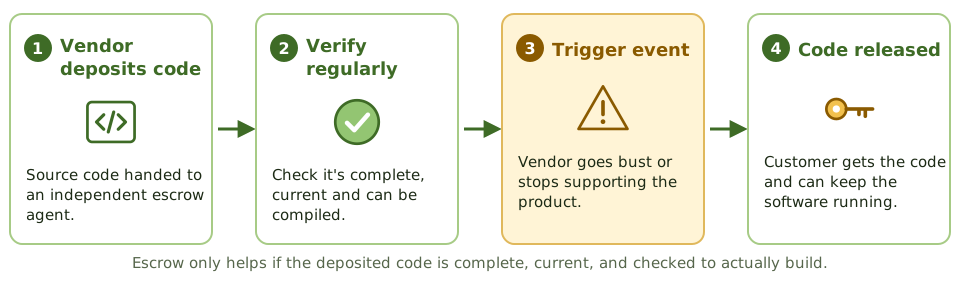
How the exam asks about it
| If the question asks… | Answer |
|---|---|
| First step in choosing a vendor | Define requirements |
| Clause letting the auditor review vendor controls | Right to audit |
| Protection if a software vendor goes bust | Source code escrow |
| SLA has no measurement method | Can't be monitored or enforced |
| Who owns customer data held by a vendor | The customer; the contract should say so |
Key takeaways
- ✓Vendor selection follows a process: requirements, RFI or RFP, evaluation against weighted criteria, due diligence, and approval.
- ✓Contracts should cover scope, service levels, security and privacy duties, confidentiality, data and IP ownership, liability, right to audit, sub-contracting and termination.
- ✓An SLA sets measurable service targets, how they're measured and reported, and what happens if they're missed.
- ✓A right-to-audit clause lets the customer, its auditors and regulators check the vendor's controls.
- ✓Source code escrow protects the customer if a software vendor fails or stops support.
- ✓Legal should review contracts before signing; changing them later is harder and costlier.
Exam traps
- !The first step in choosing a vendor is defining requirements, not inviting bids.
- !An SLA with no defined way to measure it can't be enforced.
- !Escrow only helps if the deposited code is complete, current and verified.
- !Ownership of data must be stated clearly, including its return and destruction on exit.
- !Penalties don't restore service; SLAs must be actively monitored.
Cloud and Offshore Governance
Who's responsible for what in the cloud, why data location matters, how to get assurance over a cloud provider, and the extra risks of offshore outsourcing.
Renting instead of owning
Cloud computing is renting IT instead of owning it. Like renting a home, the landlord looks after some things and you look after others, and arguments start when nobody's sure who fixes what.
The three main models differ in how much the provider handles.
Who looks after what
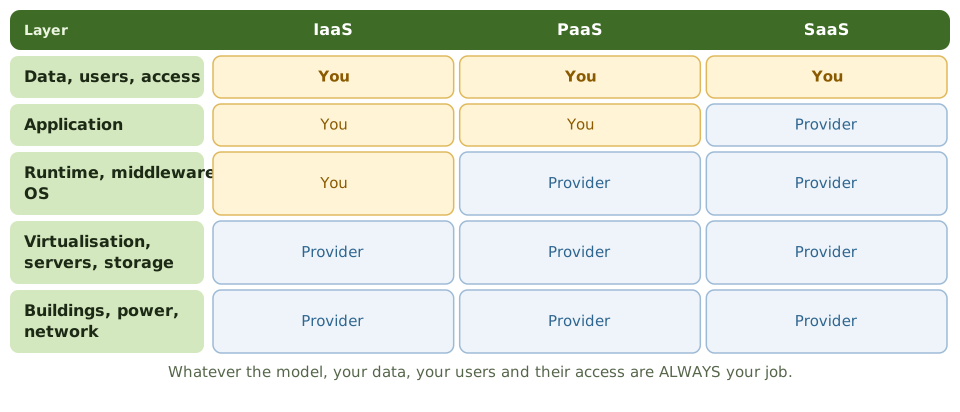
Cloud governance worries
Offshore outsourcing
Outsourcing to another country adds its own risks.
| Risk | How to manage it |
|---|---|
| Different laws, hard to enforce contracts | Contract under home law; legal advice |
| Personal data leaving the country | Legal transfer mechanism; minimise data |
| Political or economic instability | Country risk assessment; continuity plans |
| Language, culture, time zones | Clear SLAs, regular governance meetings |
| Hard to audit on site | Independent reports; remote audits; right to audit |
Shadow IT in action
The marketing team signs up for a cloud analytics tool on a credit card and uploads customer lists. The provider stores data in another region, and nobody checked its security.
How the exam asks about it
| If the question asks… | Answer |
|---|---|
| What the customer is always responsible for | Its data and access management |
| Main concern with data stored abroad | Jurisdiction and privacy law |
| Assurance over a large cloud provider | Independent reports, checked for scope |
| Risk of departments buying cloud directly | Shadow IT bypassing governance |
| Key thing to plan before choosing a provider | Exit strategy and data portability |
Key takeaways
- ✓IaaS, PaaS and SaaS shift different amounts of work to the provider, but the customer always owns its data, its users and their access.
- ✓The shared responsibility split must be understood and written down; gaps appear where each side assumes the other is covering something.
- ✓Where data is stored decides which laws apply, affecting privacy, government access and disputes.
- ✓Assurance over large cloud providers usually comes from independent reports (SOC 2, ISO 27001, CSA STAR), not direct audits.
- ✓Offshore outsourcing adds legal, political, language, time zone and audit-access risks.
- ✓Plan exit and data portability from the start.
Exam traps
- !Moving to the cloud doesn't transfer accountability for protecting data.
- !In SaaS, the customer still manages user access and data classification.
- !A provider's certificate must cover the services and regions you actually use.
- !Data stored in another country may fall under that country's laws.
- !Shadow IT (departments buying cloud services directly) bypasses governance.
Portfolio and Resource Management
Treating IT spending like an investment portfolio: choosing the best mix of projects, stopping the ones that no longer make sense, and managing people, budgets and software licences.
IT spending as an investment portfolio
A sensible investor doesn't put all their money into whichever stock their friend recommends most loudly. They choose a balanced mix, review it regularly, and sell what's no longer working.
IT portfolio management does the same with IT projects and services.
Portfolio, program, project
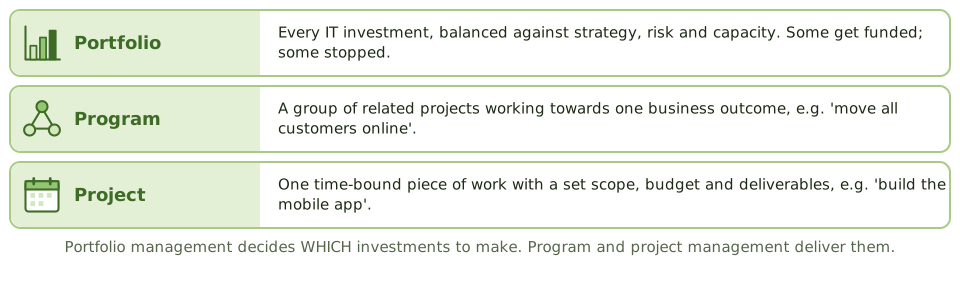
What portfolio management does
- 1 Evaluate Score business cases: value, fit, risk, cost.
- 2 Select Fund the best mix within budget and capacity.
- 3 Balance Keep the lights on, grow, transform.
- 4 Monitor Track benefits, cost and risk.
- 5 Adjust or stop Kill what no longer makes sense.
Managing IT resources
| Resource | Key controls |
|---|---|
| People | Skills planning; avoid relying on one key person |
| Budget | Linked to strategy; variances explained; costs allocated fairly |
| Infrastructure | Capacity planning; asset management |
| Software licences | Inventory; compare licences owned with installs; restrict installation |
Licences in practice
A licence check finds 1,200 copies of a design tool installed, but only 800 licences. Users have admin rights on their laptops and install it themselves.
How the exam asks about it
| If the question asks… | Answer |
|---|---|
| Main purpose of IT portfolio management | Get the most value from IT investment, aligned with strategy |
| Basis for prioritising projects | Business cases: value, alignment, risk, resources |
| Project no longer viable but much spent | Stop or redirect it |
| Best control over licence compliance | Inventory and reconciliation; restrict installation rights |
| Program vs project | A program groups related projects for one outcome |
Key takeaways
- ✓Portfolio management treats IT investments as a portfolio, selected and balanced to deliver the most value for strategy and risk.
- ✓Projects are prioritised using business cases, strategic fit, risk and available resources.
- ✓The portfolio is reviewed regularly; failing investments are changed or stopped.
- ✓IT budgets should follow the strategy; chargeback or showback makes IT costs visible to the business.
- ✓Resource management covers people, infrastructure, applications and information, including software licence compliance.
- ✓Portfolio = all investments; program = related projects with a shared outcome; project = one time-bound piece of work.
Exam traps
- !Approving projects one at a time, with no portfolio view, leads to duplicated and misaligned spending.
- !Continuing a failing project because of money already spent (sunk cost) is a governance failure.
- !Unlicensed software is a legal and financial risk.
- !Chargeback can encourage efficient use, but must be fair and transparent.
HR: Hiring, Training, Termination
The people controls that matter for IT and security: screening new staff, training, job rotation and mandatory leave, and removing access when people move or leave.
People are part of security
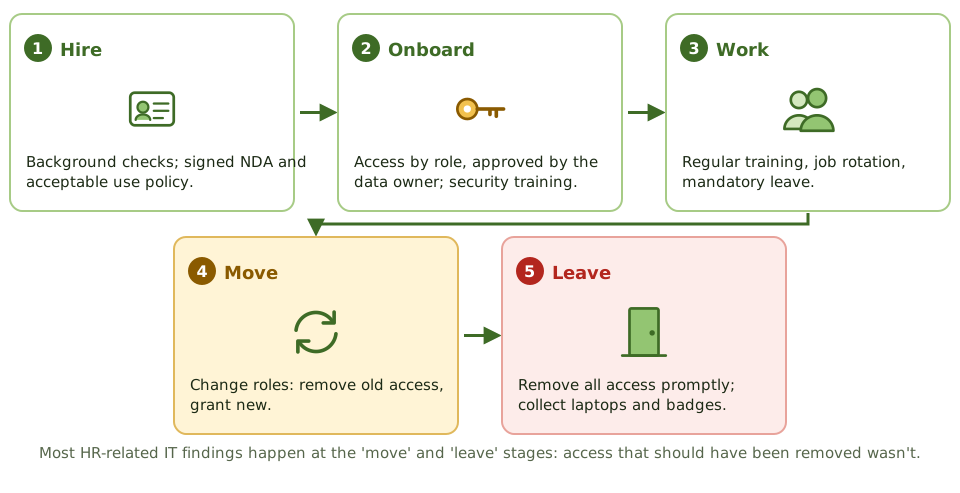
Many IT controls quietly depend on HR. You can't remove a leaver's access if nobody tells IT they've left. You can't trust someone with payroll data if nobody checked their background.
The exam follows the employee from hiring to leaving.
While they work
Leaving done right
When leaver controls fail
The auditor matches HR's leaver list to VPN accounts and finds 14 people who left over a month ago still active, including a dismissed systems administrator. IT finds out about leavers by email, which is often missed.
How the exam asks about it
| If the question asks… | Answer |
|---|---|
| Most important control when someone leaves | Prompt removal of all access |
| Timing for a dismissal | Remove access when the person is told |
| Control that detects fraud needing constant hiding | Mandatory leave or job rotation |
| Best test of leaver controls | Match HR leavers to active accounts |
| Risk when staff change roles | Access creep; remove old access |
Key takeaways
- ✓Hiring controls: background checks suited to the role, references, and signed confidentiality and acceptable use agreements.
- ✓Staff get security awareness training when they join and regularly after.
- ✓Job rotation and mandatory leave help uncover fraud and reduce reliance on one person.
- ✓When people leave, all access must be removed promptly; for dismissals, at the moment they're told.
- ✓Leaving also means collecting laptops, badges and tokens, and removing physical and remote access.
- ✓When people change roles, old access must be removed so it doesn't pile up.
Exam traps
- !For an involuntary termination, access is removed when the person is told, not at the end of their notice.
- !HR telling IT is the trigger. Without a reliable HR-to-IT process, leavers stay active.
- !Contractors and temps need the same leaver process.
- !Access creep happens when people move roles, not just when they leave.
- !Mandatory leave is a detective control, not a perk.
Legal and Regulatory Compliance
How an organisation keeps track of the laws, regulations and contracts that affect its IT, and how an auditor checks it's on top of them.
Rules from every direction
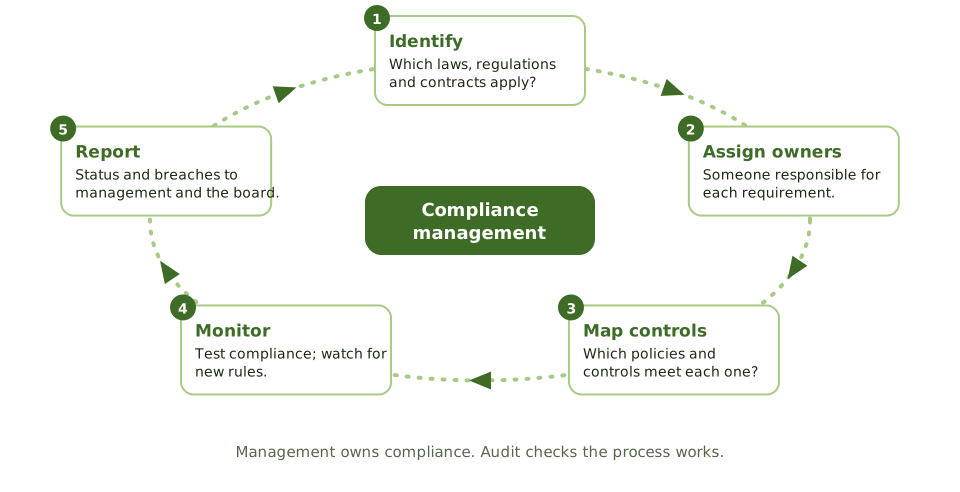
Organisations face rules from many sources: privacy laws, financial regulations, industry rules, contracts with customers and suppliers. Breaking them can mean fines, lawsuits or losing the right to operate.
Keeping track of them all needs a process, not good intentions.
Typical IT-related obligations
The auditor's approach
- 1 Identify Which requirements apply here?
- 2 Review the process How does management track and meet them?
- 3 Test controls The key ones for each requirement.
- 4 Ask the lawyers Legal counsel for interpretation.
- 5 Report Non-compliance to the right level.
A missed obligation
A new HR system stores employees' health information, which privacy law treats as especially sensitive. No privacy impact assessment was done, and the compliance team didn't even know the system existed.
How the exam asks about it
| If the question asks… | Answer |
|---|---|
| First step in a compliance audit | Identify the laws and regulations that apply |
| Who is responsible for compliance | Management |
| Auditor unsure how a law applies | Consult legal counsel |
| Keeping policies in line with new rules | A process for tracking regulatory change |
| Is PCI DSS a law? | No; a contractual obligation treated as a compliance requirement |
Key takeaways
- ✓Management is responsible for knowing which laws and regulations apply and for complying with them.
- ✓A compliance process needs a list of requirements, owners, controls mapped to each requirement, monitoring and reporting.
- ✓IT-related obligations include privacy, financial reporting (such as SOX), sector rules, card data (PCI DSS), licensing and record retention.
- ✓The auditor's first step is identifying which requirements apply, then checking the organisation has a process to meet them.
- ✓The auditor isn't a lawyer; legal questions go to legal counsel.
- ✓Regulatory changes must be tracked so policies and controls stay current.
Exam traps
- !The auditor's first step is understanding which requirements apply, not testing controls.
- !Compliance is management's responsibility, not internal audit's.
- !On suspecting an illegal act, the auditor reports it internally; they don't decide the legal outcome.
- !Contractual obligations, like PCI DSS through card agreements, count as compliance requirements even though they aren't laws.
Quality Management
Making sure IT delivers consistently good results: quality management systems, ISO 9001, and the difference between quality assurance and quality control.
Consistently good, not occasionally good
Quality management is about getting good results every time, not by luck. A quality management system (QMS) sets out the policies, processes and checks that make that happen, and keeps improving them.
ISO 9001 is the certifiable standard for a QMS.
QA vs QC
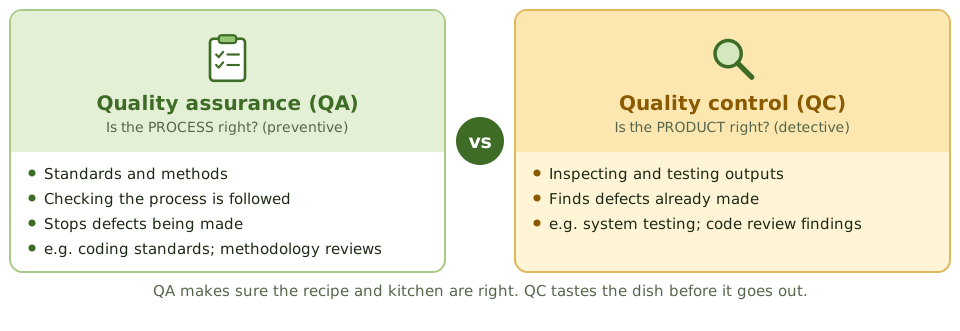
Parts of a QMS
QA in name only
Developers mark their own changes as 'QA passed' in the ticket system. On paper there's a QA step, but it's done by the people who wrote the code.
How the exam asks about it
| If the question asks… | Answer |
|---|---|
| Difference between QA and QC | QA: process, preventive. QC: product, detective |
| Certifiable QMS standard | ISO 9001 |
| Testing completed software is… | Quality control |
| Concern when QA reports to development | Lack of independence |
Key takeaways
- ✓A quality management system (QMS) defines how an organisation makes sure its products and services meet requirements.
- ✓ISO 9001 sets out requirements for a QMS and can be certified.
- ✓Quality assurance (QA) is about the process and prevents defects.
- ✓Quality control (QC) is about the product and detects defects.
- ✓Software quality standards such as ISO/IEC 25010 define qualities like reliability, security and maintainability.
- ✓QA must be independent of the teams whose work it reviews.
Exam traps
- !QA = process, preventive. QC = product, detective.
- !Testing a finished system is QC; setting standards and checking they're followed is QA.
- !ISO 9001 certification shows a QMS meets the standard, not that every product is perfect.
- !QA reporting to the development manager isn't independent.
Information Systems Acquisition, Development and Implementation
Project management · Development · Testing · Implementation · Application controls
Project Roles and Governance
Who does what on an IT project, how a project is kept under control from start to finish, the three ways to organise a project team, and the auditor's place in it.
Everyone has a job
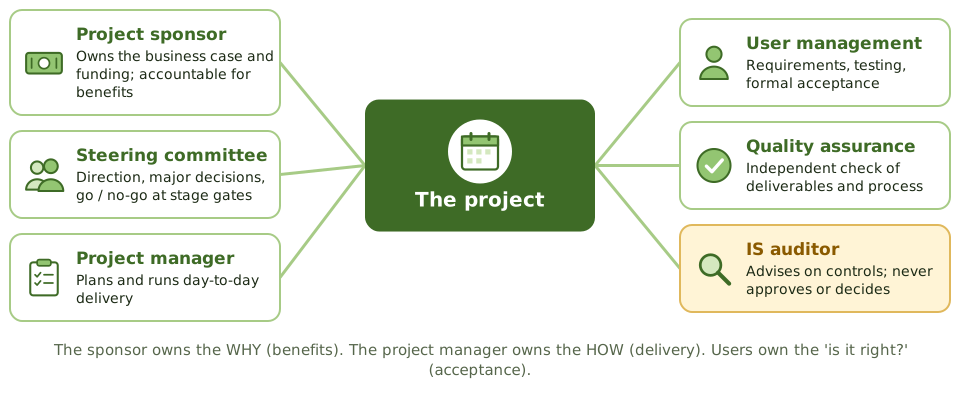
An IT project is like building a house. Someone pays and decides what they want (the sponsor), a site manager runs the work (the project manager), the future residents say what they need and check the result (the users), and an inspector checks it's built properly (QA).
When these roles blur, projects drift, overspend or deliver the wrong thing.
Who decides what
| Decision | Who makes it |
|---|---|
| Should we fund this project? | Senior management / sponsor |
| Approve a big change in scope or budget | Steering committee, with the sponsor |
| Go / no-go at a stage gate | Steering committee |
| Day-to-day scheduling and staffing | Project manager |
| Does the system meet our needs? | User management (acceptance) |
Three ways to organise a project
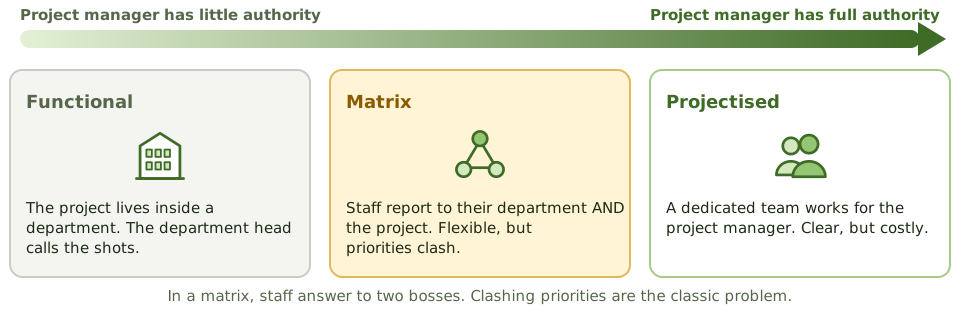
Keeping a project under control
- 1 Business case Approved before real money is spent.
- 2 Stage gates Is the project still worth it? Ready for the next stage?
- 3 Change control Scope, budget and time changes approved at the right level.
- 4 Status reports Honest progress, risks and issues.
- 5 Closure Acceptance, handover, lessons learned.
The auditor on a project
How the exam asks about it
| If the question asks… | Answer |
|---|---|
| Who is accountable for project benefits | The project sponsor |
| Who approves major scope changes | Steering committee, with the sponsor |
| Who accepts the system | User management |
| The auditor's role on a project | Advise and review; never decide |
| Main risk of a matrix structure | Clashing priorities between two bosses |
Key takeaways
- ✓The project sponsor owns the business case and funding, and is accountable for the project delivering its benefits.
- ✓The steering committee gives direction and makes the big decisions: scope, budget, and go or no-go at stage gates.
- ✓The project manager plans and runs day-to-day delivery within the agreed limits.
- ✓User management defines requirements, takes part in testing, and formally accepts the system.
- ✓Quality assurance independently reviews deliverables and process.
- ✓The IS auditor advises on controls and reviews risk, without making management decisions.
- ✓Projects can be organised functionally, as a dedicated team (projectised), or as a matrix; matrix splits authority and causes priority clashes.
Exam traps
- !The sponsor, not the project manager, is accountable for business benefits.
- !The steering committee decides on major changes; the project manager proposes them.
- !Acceptance is the users' decision, not IT's.
- !An auditor who signs off a project deliverable loses independence.
- !In a matrix structure, conflicting priorities between department and project managers are the main risk.
PMBOK Phases
The five groups of project management activity, the scope-time-cost balancing act, and the project documents and controls an auditor looks for.
The shape of every project
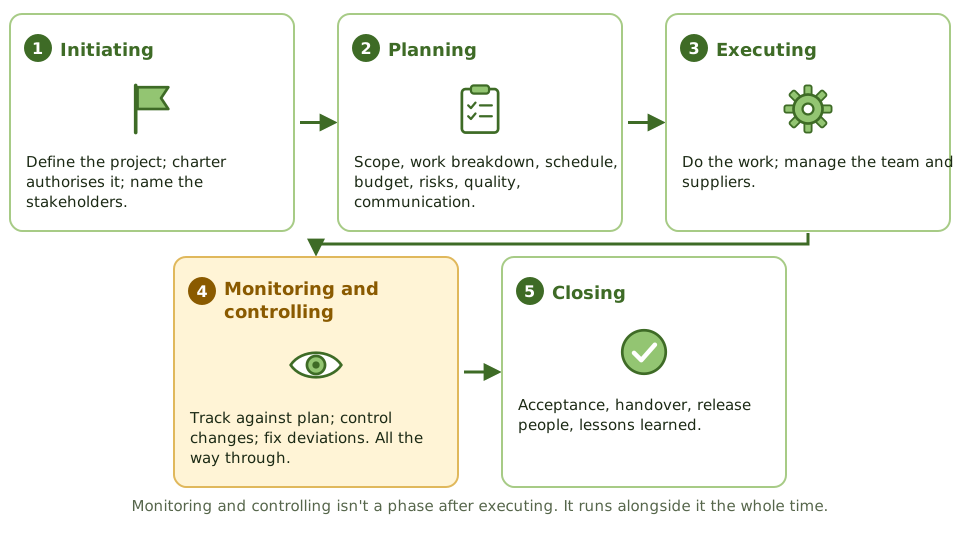
Whether you're building a house, organising a wedding or replacing a payroll system, projects follow the same pattern: decide to do it, plan it, do it while keeping an eye on it, and wrap it up.
The PMBOK (Project Management Body of Knowledge) calls these the five process groups.
The triple constraint
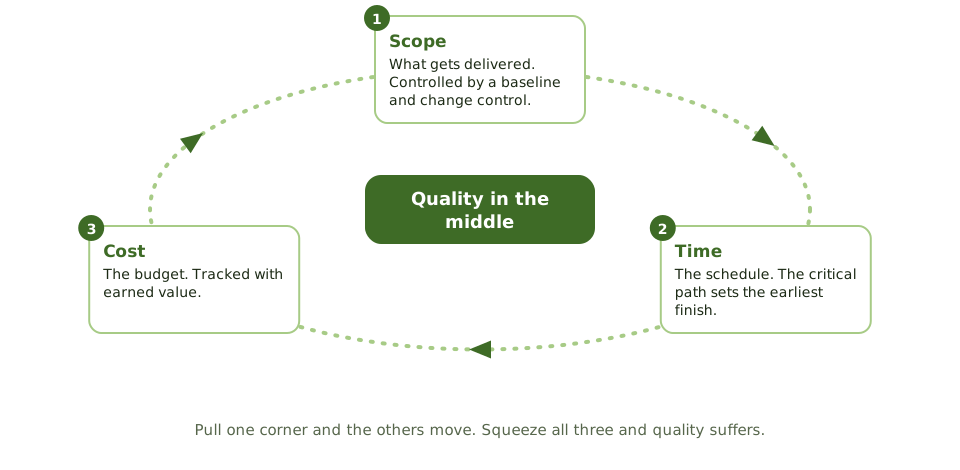
Key project documents
| Document | What it's for |
|---|---|
| Project charter | Formally authorises the project; names sponsor and project manager |
| Scope statement | What's in and out |
| Work breakdown structure | Deliverables broken into manageable work packages |
| Schedule and budget | Baselines for time and money |
| Risk register | Risks, owners, responses |
| Change log | Requested and approved changes |
PRINCE2 in one slide
What the auditor checks
A project shows green status every month, but the auditor finds the baseline schedule was quietly reset three times without steering committee approval.
How the exam asks about it
| If the question asks… | Answer |
|---|---|
| Document that formally authorises a project | Project charter |
| Tool that breaks deliverables into work packages | Work breakdown structure |
| Cause of scope creep | Changes accepted without change control |
| Final project activity | Formal closure, including lessons learned |
| When monitoring and controlling happens | Throughout the project |
Key takeaways
- ✓PMBOK groups project management into initiating, planning, executing, monitoring and controlling, and closing.
- ✓Monitoring and controlling runs alongside execution throughout the project, not after it.
- ✓The triple constraint is scope, time and cost; changing one affects the others, and quality.
- ✓Key planning outputs: the project charter, scope statement, work breakdown structure, schedule, budget, risk and communication plans.
- ✓Proper closure includes formal acceptance, releasing resources, and a lessons-learned review.
- ✓PRINCE2 is an alternative method built on business justification, defined roles and management by stages.
Exam traps
- !The project charter formally authorises the project and names the project manager; it's an initiating output.
- !A work breakdown structure breaks down deliverables; it isn't a timeline.
- !Scope creep happens when changes skip change control.
- !A project isn't properly closed without formal acceptance and lessons learned.
Gantt, PERT, Critical Path
Three scheduling tools explained with one small project: Gantt charts to show the timeline, PERT to estimate uncertain tasks, and the critical path to find which delays really matter.
Scheduling a project
Imagine making Sunday lunch. The roast takes 2 hours; the vegetables take 30 minutes; you can't carve before the roast is done. Some jobs can happen at the same time, some must wait for others, and one long chain decides when lunch is ready.
Project schedules work the same way. Three tools help: Gantt charts, PERT and the critical path.
Gantt charts
A Gantt chart shows each task as a bar along a timeline, often with milestones and how far along each task is. Easy to read and great for tracking progress. Its weakness: you can't easily see which tasks depend on which, so you can't tell which delays will push out the end date.
PERT estimates
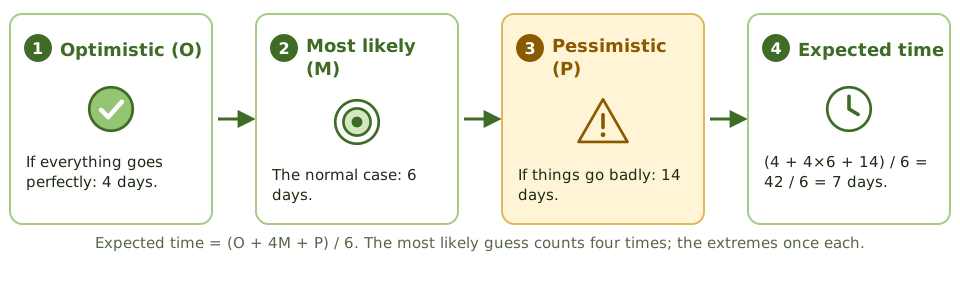
When you're unsure how long a task will take, PERT asks for three guesses and weights them.
The critical path
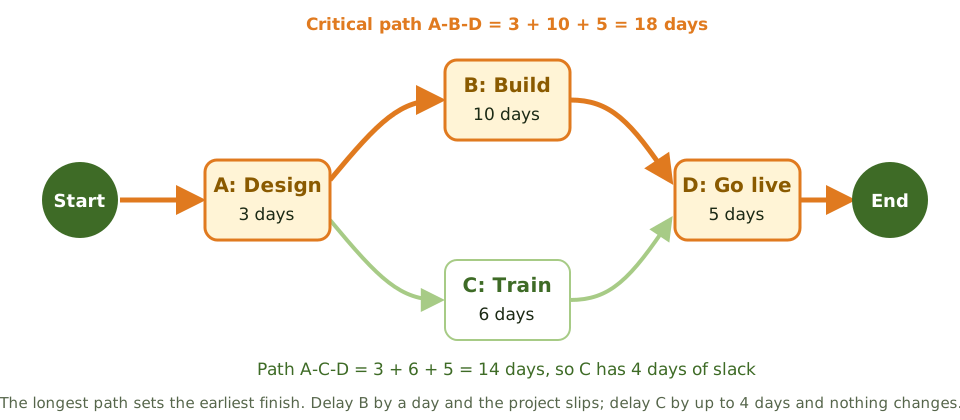
Speeding things up
How the exam asks about it
| If the question asks… | Answer |
|---|---|
| What the critical path is | The longest path; it sets the minimum project duration |
| Slack on critical-path tasks | Zero |
| Technique using three time estimates | PERT |
| Weakness of a Gantt chart | Doesn't clearly show dependencies or the critical path |
| Technique that fixes time and varies scope | Timebox management |
Key takeaways
- ✓A Gantt chart shows tasks as bars on a timeline; good for tracking progress, weak at showing which tasks depend on each other.
- ✓PERT uses three estimates per task (optimistic, most likely, pessimistic): expected time = (O + 4M + P) / 6.
- ✓The critical path is the longest chain of dependent tasks; its length is the shortest possible project duration.
- ✓Tasks on the critical path have zero slack: any delay delays the project.
- ✓Tasks off the critical path have slack (float): they can slip a bit without delaying the project.
- ✓Timeboxing fixes the deadline and adjusts scope to fit, as in agile and RAD.
Exam traps
- !The critical path is the LONGEST path, not the shortest.
- !Speeding up a task that isn't on the critical path doesn't finish the project sooner.
- !PERT handles uncertainty with three estimates; CPM uses one estimate per task.
- !A Gantt chart alone doesn't show which delays matter.
Function Point Analysis
Estimating how big a system is from what it does for users, before any code exists, and why that beats counting lines of code for early estimates.
How big is this system?
Before you can estimate cost and time, you need to know how big the job is. A builder estimates a house by floor area, not by counting bricks after it's built.
Function points are the 'floor area' of software: a measure of how much it does for its users, which you can count from the requirements before any code exists.
The five things you count
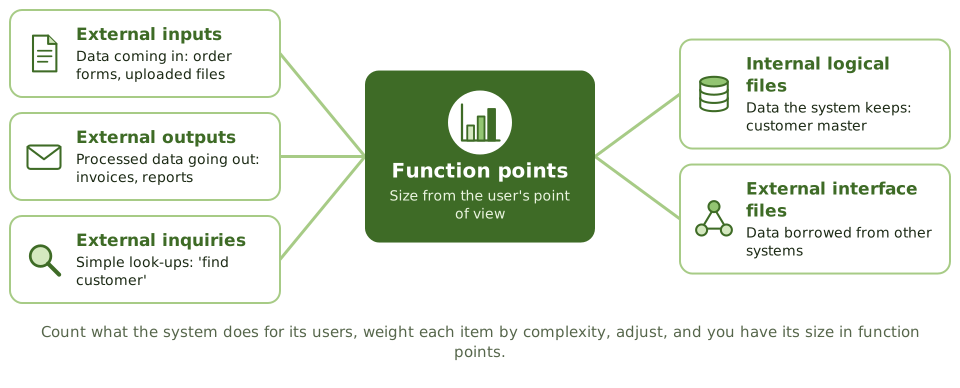
From count to estimate
- 1 Count The five components, from requirements.
- 2 Weight Low, average or high complexity.
- 3 Adjust For things like performance needs or complex processing.
- 4 Function points The system's size.
- 5 Effort and cost Using past productivity, e.g. hours per function point.
Function points vs lines of code
| Function points | Lines of code | |
|---|---|---|
| Measures | What the system does for users | How much code was written |
| Depends on language? | No | Yes |
| Available early? | Yes, from requirements | No, only after coding |
| Best for | Early estimates; comparing productivity | Late-stage sizing; maintenance |
How the exam asks about it
| If the question asks… | Answer |
|---|---|
| Estimation based on user functionality | Function point analysis |
| Main advantage over lines of code | Can be done early; language-independent |
| What FPA counts | Inputs, outputs, inquiries, internal files, interface files |
| Why lines of code is poor early on | No code yet; size depends on the language |
Key takeaways
- ✓Function point analysis (FPA) measures software size by the functionality delivered to users, regardless of programming language.
- ✓It counts five things: external inputs, external outputs, external inquiries, internal logical files and external interface files.
- ✓Each is weighted by complexity, and the total can be adjusted for general system characteristics.
- ✓Function points can be counted from requirements, so FPA supports early estimates.
- ✓Lines of code (SLOC) depends on the language and is only known late, so it's poor for early estimates.
- ✓Size becomes effort and cost using historical productivity data.
Exam traps
- !FPA measures size from the user's perspective, not the code's.
- !You can't count lines of code before the code is written.
- !Function points measure size; turning size into effort needs historical data.
Earned Value and Project Risk
Why 'we've spent half the budget' tells you nothing about progress, how earned value fixes that (with worked numbers), and how project risks are managed.
Spending isn't progress
'We've spent half the budget and we're halfway through the schedule.' Sounds fine. But what if only a third of the work is done?
Earned value management answers the real question: how much work have we actually done, compared with the plan and with what we've spent?
Three numbers

Reading the results
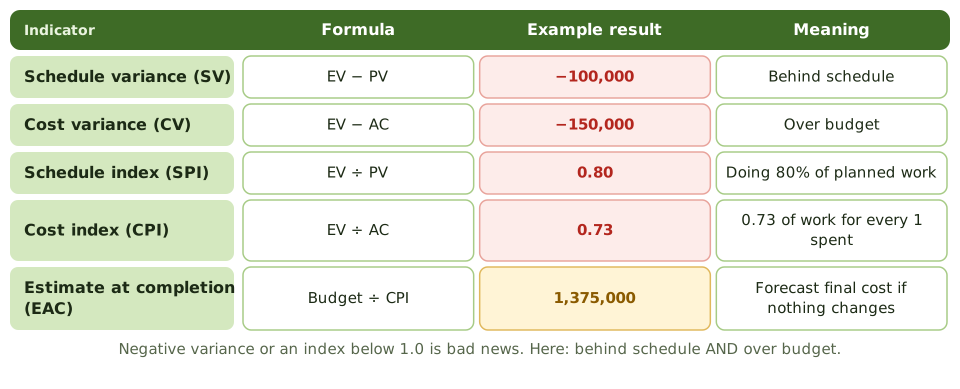
Managing project risk
- 1 Identify Early and often: workshops, past lessons.
- 2 Assess How likely, how bad.
- 3 Respond Avoid, mitigate, transfer, accept; contingency.
- 4 Assign owners Someone responsible for each risk.
- 5 Monitor Risk register reviewed at steering meetings.
Warning signs auditors look for
How the exam asks about it
| If the question asks… | Answer |
|---|---|
| Best measure of project progress | Earned value: work done vs plan and cost |
| SPI of 0.8 means | Behind schedule: 80% of planned work done |
| CPI below 1.0 means | Over budget for the work done |
| Formula for cost variance | EV − AC |
| When project risks are assessed | Throughout the project |
Key takeaways
- ✓Earned value management compares planned value (PV), earned value (EV) and actual cost (AC) to measure schedule and cost performance.
- ✓Schedule variance = EV − PV; cost variance = EV − AC. Negative means behind schedule or over budget.
- ✓SPI = EV ÷ PV and CPI = EV ÷ AC. Below 1.0 is bad.
- ✓Estimate at completion is often budget ÷ CPI: today's cost performance projected to the end.
- ✓Project risks are identified early, rated, given owners and responses, and tracked in a risk register.
- ✓Money spent says nothing about progress; earned value ties spending to work actually done.
Exam traps
- !A project that has spent 50% of its budget isn't necessarily 50% complete.
- !Positive variance is good; an index above 1.0 is good.
- !Earned value is the BUDGETED cost of work done, not the actual cost.
- !Project risk management is continuous, not a one-off at the start.
Business Case and Feasibility
The document that justifies spending money on a project, the five feasibility questions, and why the business case gets checked again at every stage.
Why should we spend this money?
Before buying a car, you'd think about why you need it, what you could afford, the running costs as well as the price, and whether a bike or the bus would do instead.
A business case does the same for an IT project. It's owned by the sponsor and it's the reason the project exists.
The five feasibility questions
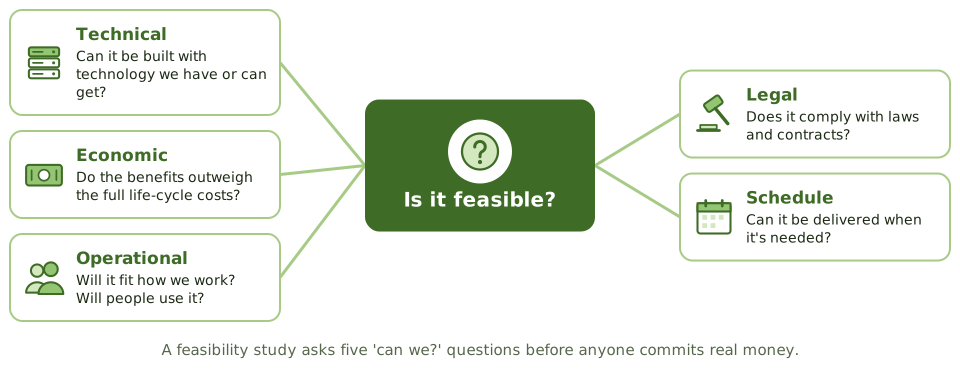
The business case through the project
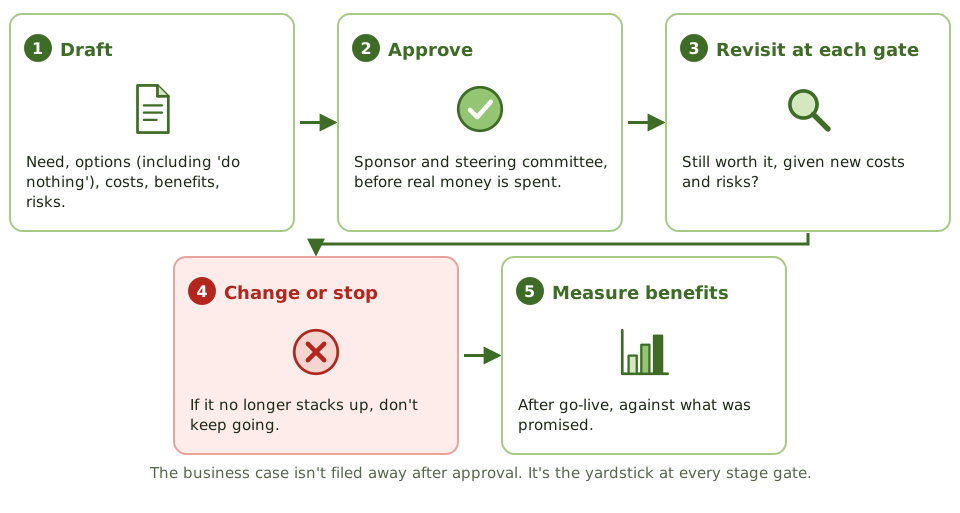
When the case stops adding up
A warehouse system was approved at 1.2 million, promising 400,000 a year in savings. Halfway through, costs are forecast at 2.5 million and half the warehousing has been outsourced, halving the savings.
How the exam asks about it
| If the question asks… | Answer |
|---|---|
| Who owns the business case | The project sponsor |
| When the business case is reviewed | At each stage gate, and when things change |
| Business case no longer valid | Change or stop the project |
| Cost often left out | Running, maintenance and retirement costs |
| Feasibility about fit and user acceptance | Operational feasibility |
Key takeaways
- ✓The business case justifies an investment: the need, the options, costs, benefits, risks, and how benefits will be measured.
- ✓It's approved before significant money is committed and reviewed at each major stage gate.
- ✓A feasibility study checks whether a solution is technically, economically, operationally, legally and schedule feasible.
- ✓Options should include 'do nothing', and alternatives such as buying, building or outsourcing.
- ✓Financial measures include return on investment, net present value, payback period and total cost of ownership.
- ✓If the business case is no longer valid, the project should be changed or stopped.
Exam traps
- !The business case isn't a one-off document; it's revisited throughout the project.
- !Costs must cover the whole life: running, maintaining, training and retiring the system, not just building it.
- !Intangible benefits still need a way to be measured or evidenced.
- !The sponsor owns the business case, not the project manager or IT.
Benefits Realization
Making sure a project actually delivers the value its business case promised, not just a working system: owners, baselines, measurement after go-live.
A working system isn't the goal
Buying a gym membership doesn't make you fit. Going to the gym does. In the same way, a new system working perfectly doesn't deliver value until people use it and the business changes how it works.
Benefits realisation is about making sure the promised value actually shows up.
From promise to proof
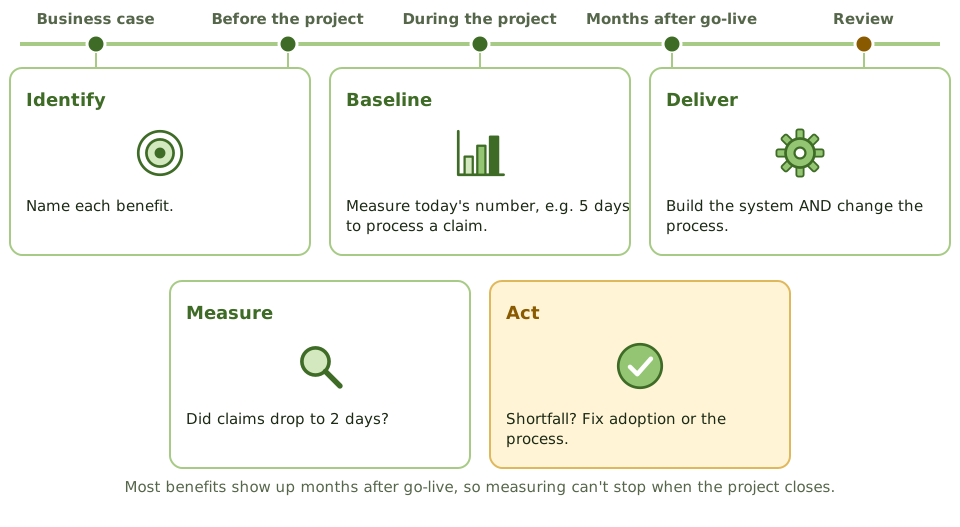
What makes a benefit measurable
Why benefits go missing
| Cause | Example |
|---|---|
| Scope cut during the project | Automatic matching dropped to hit the deadline |
| Low adoption | Staff keep working in spreadsheets |
| Process didn't change | The old manual approvals kept alongside the new workflow |
| Nobody owns it | No one tracks or pushes the benefit after go-live |
How the exam asks about it
| If the question asks… | Answer |
|---|---|
| Who is responsible for realising benefits | Business owners / the sponsor |
| What's needed to measure a benefit | A baseline, a target and an agreed measure |
| When benefits are assessed | After implementation, often in a post-implementation review |
| On time and budget, but no value | Benefits weren't realised: check adoption and process change |
Key takeaways
- ✓Benefits realisation makes sure the benefits in the business case are actually achieved after implementation.
- ✓Each benefit needs a business owner, a baseline, a measurable target and a date.
- ✓Many benefits arrive after the project closes, so measurement continues beyond go-live.
- ✓The post-implementation review compares actual benefits with those promised.
- ✓Benefits are lost through scope cuts, poor adoption, or the old process carrying on.
Exam traps
- !On time and on budget isn't the same as benefits delivered.
- !IT doesn't own business benefits; business owners do.
- !Without a baseline measured before the change, nobody can prove an improvement.
SDLC Phases Overview
The life of a system from idea to review: the phases of the system development life cycle, the key control in each, and why controls belong at the very start.
The life of a system
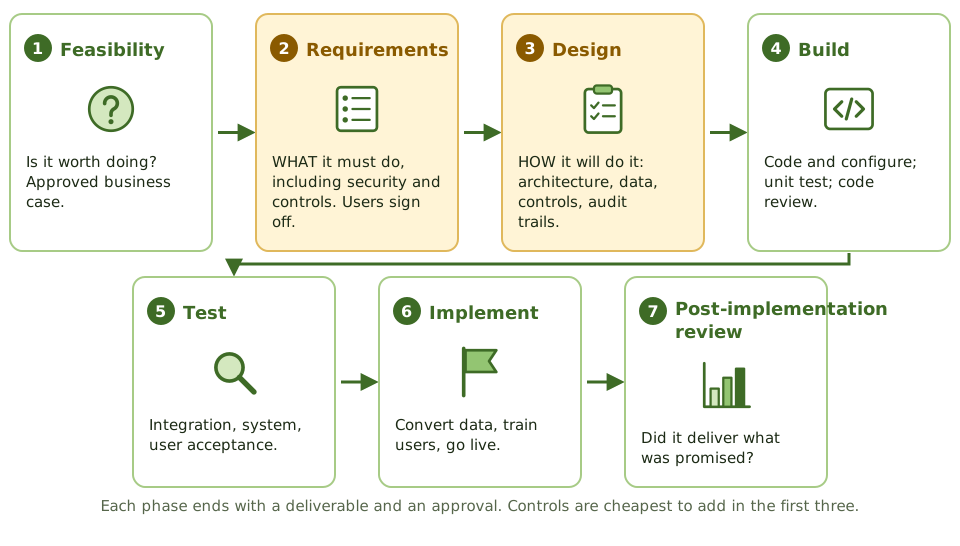
Building a system is like building a house: you decide if it's worth it, agree what rooms you need, draw the plans, build, inspect, move in, and later check it's what you wanted.
The system development life cycle (SDLC) is that same sequence for software.
The key control in each phase
| Phase | Key control or output |
|---|---|
| Feasibility | Approved business case |
| Requirements | User-approved requirements, including security and control needs |
| Design | Design review; controls and audit trails specified |
| Build | Coding standards, code review, version control |
| Test | Test plans, independent testing, user acceptance sign-off |
| Implement | Data conversion reconciled, go-live approved, rollback plan |
| Post-implementation review | Results compared with objectives and the business case |
Why early is cheaper
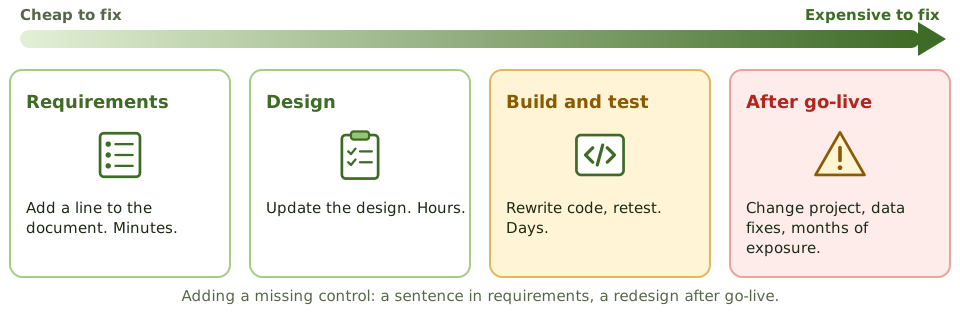
The auditor at each phase
How the exam asks about it
| If the question asks… | Answer |
|---|---|
| Cheapest phase to build in controls | Requirements / design |
| Phase where user involvement matters most | Requirements (and acceptance testing) |
| Risk if users don't approve requirements | The system won't meet business needs |
| Phase that checks benefits were achieved | Post-implementation review |
| Best time for the auditor to get involved | Early, from requirements |
Key takeaways
- ✓A typical SDLC: feasibility, requirements, design, build, test, implement, and post-implementation review.
- ✓Controls and security should be built in from the requirements phase, because adding them later costs far more.
- ✓In traditional models each phase ends with a deliverable and an approval before the next starts.
- ✓User involvement matters most in requirements and acceptance testing.
- ✓The auditor reviews controls at each phase; getting involved early is most cost-effective.
- ✓Errors found in requirements cost far less to fix than errors found after go-live.
Exam traps
- !The cheapest time to build in controls and audit trails is the requirements and design phases.
- !Requirements without user sign-off are a major project risk.
- !Testing doesn't create quality; it confirms quality that was designed in.
- !The post-implementation review is part of the SDLC, not optional.
Requirements Definition
Writing down what a system must do and how well, making sure security and controls aren't forgotten, getting users to sign off, and tracing every requirement to a test.
Agreeing what to build
If you ask a builder for 'a nice kitchen', you'll get their idea of nice. Ask for 'a 4-metre worktop, a double sink under the window, and space for a dishwasher', and you'll get what you want.
Requirements are that precise list for a system. Most failed projects trace back to requirements that were vague, incomplete or never really agreed.
Four kinds of requirement
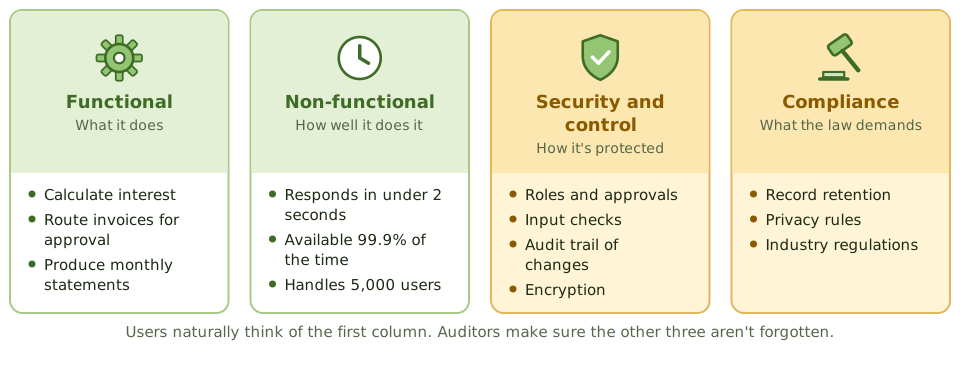
Vague vs testable
Gathering and approving
- 1 Find stakeholders Users, owners, security, compliance, operations.
- 2 Gather Interviews, workshops, observation, prototypes.
- 3 Write down Clear, testable statements or user stories.
- 4 Check with users Complete and accurate?
- 5 Sign off and baseline Later changes through change control.
Tracing requirements to tests
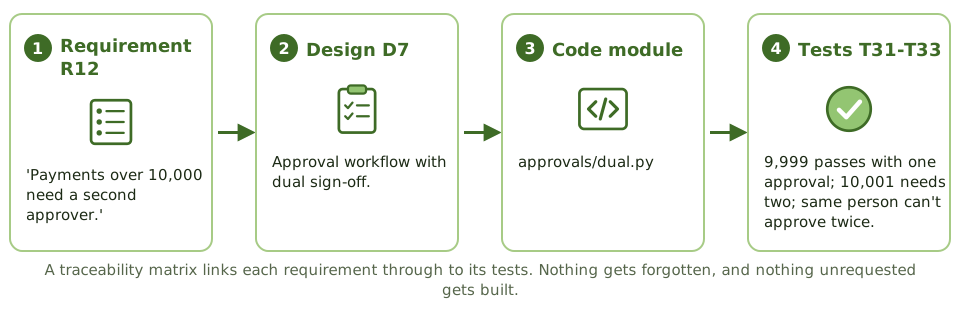
How the exam asks about it
| If the question asks… | Answer |
|---|---|
| Most common cause of project failure | Poorly defined or changing requirements |
| Who approves requirements | User / business management |
| Tool linking requirements to tests | Requirements traceability matrix |
| Requirements missing security controls | Add them now; it's cheapest at this stage |
| What makes a requirement verifiable | It's specific and testable |
Key takeaways
- ✓Requirements describe what the system must do (functional) and how well (non-functional: speed, security, availability, usability).
- ✓Security, control, audit trail and regulatory requirements must be included explicitly.
- ✓Users and business owners define and approve requirements; IT helps document and analyse them.
- ✓Good requirements are clear, complete, consistent, testable and traceable.
- ✓A requirements traceability matrix links each requirement to design, code and test cases.
- ✓Changes to approved requirements go through change control.
Exam traps
- !Unclear or incomplete requirements are the most common cause of project failure and overruns.
- !A requirement that can't be tested can't be verified.
- !Users approve requirements, not developers.
- !Leaving security requirements until design or build is too late.
System Design
Turning agreed requirements into a blueprint: what design produces, why controls must be specified here, design reviews, and how design works when you buy software instead.
From wish list to blueprint
Requirements are the wish list: 'three bedrooms, a big kitchen'. Design is the architect's blueprint: where every wall, pipe and socket goes.
Builders follow the blueprint. If it doesn't show a smoke alarm, nobody fits one. Software is the same: if the design doesn't specify a control, developers won't build it.
What design produces
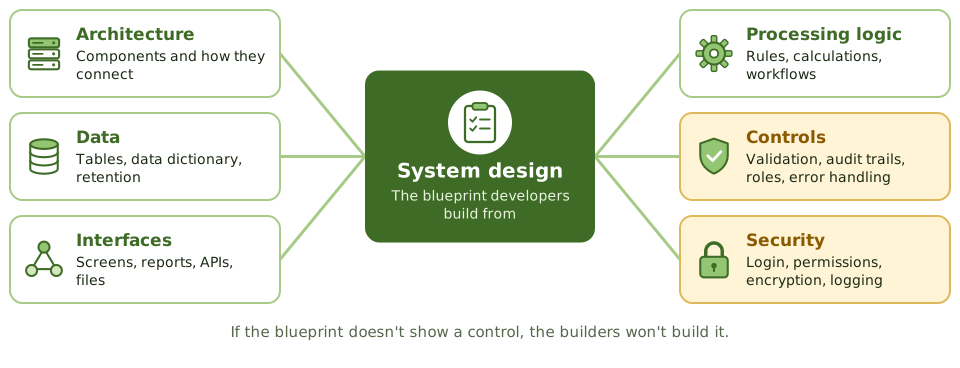
Controls the auditor looks for in design
- 1Input, processing and output controls for critical data.
- 2Audit trails: who did what and when, with before and after values for sensitive changes.
- 3Access roles that support segregation of duties.
- 4Error handling and exception reports.
- 5Interface controls such as record counts and control totals.
The design review
Before coding starts, users, QA, security, operations and sometimes the auditor review the design against the requirements.
Gaps found here cost a meeting. Once approved, the design becomes a baseline, and later changes go through change control.
When you buy instead of build
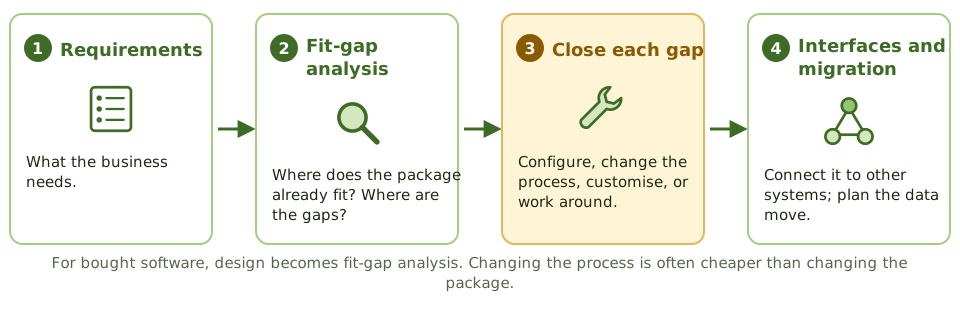
How the exam asks about it
| If the question asks… | Answer |
|---|---|
| When audit trails should be designed | During system design |
| Main purpose of a design review | Confirm the design meets requirements, including controls |
| Risk of heavily customising a package | Higher maintenance cost and hard upgrades |
| Design work for purchased software | Fit-gap analysis and configuration design |
Key takeaways
- ✓Design translates requirements into a technical solution: architecture, data structures, interfaces, processing logic and controls.
- ✓Controls such as input validation, processing checks, audit trails and access roles are specified during design.
- ✓A formal design review, with users, QA, security and possibly the auditor, catches gaps before coding.
- ✓The design should be traceable to requirements; anything unmet is identified before build.
- ✓For purchased software, the equivalent work is fit-gap analysis and configuration design.
- ✓Design decisions affect testability, maintainability and security for the system's whole life.
Exam traps
- !Design approval should come before coding starts.
- !Audit trails that aren't designed in are rarely added later.
- !Customising purchased software heavily increases upgrade cost and risk.
- !The auditor reviews whether controls are designed, not the code itself.
Waterfall vs. Iterative vs. Prototyping
The traditional ways to run development (waterfall, V-model, iterative, spiral and prototyping), when each one fits, and the control risks the exam links to each.
Different routes to the same place
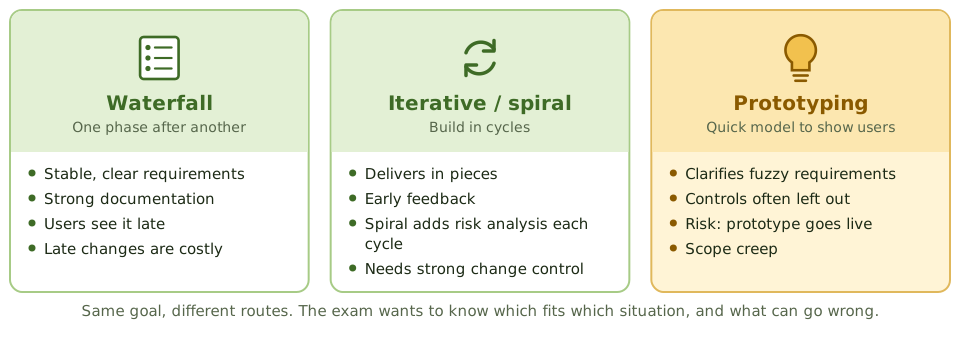
Think of planning a wedding. You can plan everything up front and execute the plan (waterfall). You can sort it out in rounds, venue first, then food, then music, adjusting as you go (iterative). Or you can do a tasting first so everyone knows what they actually like (prototyping).
Development models are these same choices, applied to building software.
Waterfall
Each phase finishes and is approved before the next starts: requirements, design, build, test, implement.
It gives clear structure, strong documentation and defined approvals, which suits stable requirements and regulated work. The catch: users only see the system near the end, and changing requirements late is expensive.
The V-model
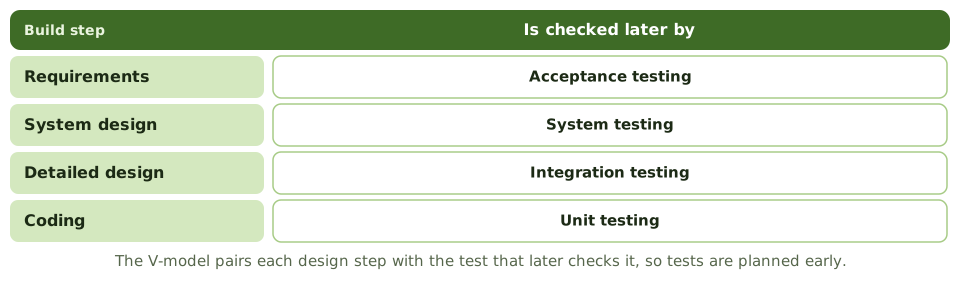
Iterative and spiral
Prototyping and its risks
A quick working model lets users react to something real, which clarifies fuzzy requirements. But prototypes are built fast and loose.
- 1Controls, security and audit trails are left out.
- 2The prototype gets put into production as-is.
- 3Scope creep from endless feedback.
- 4Users expect the real system as fast as the prototype.
How the exam asks about it
| If the question asks… | Answer |
|---|---|
| Approach for stable, well-defined requirements | Waterfall |
| Approach to clarify unclear requirements | Prototyping |
| Greatest risk of prototyping | Controls missed; prototype goes to production |
| Model driven by risk analysis each cycle | Spiral |
| Main weakness of waterfall | Inflexible to change; users see it late |
Key takeaways
- ✓Waterfall runs phases in sequence, each completed and approved before the next; best when requirements are stable and well understood.
- ✓Iterative and incremental approaches deliver the system in pieces, refining requirements as they go.
- ✓The spiral model is iterative and risk-driven, with risk analysis in each cycle.
- ✓Prototyping builds a working model quickly to clarify requirements with users.
- ✓The V-model pairs each development phase with a test level.
- ✓Prototyping's main risks: controls get overlooked, the prototype becomes the final system, and scope expands.
Exam traps
- !Waterfall's main weakness: requirements are fixed early, and changes are expensive later.
- !Prototypes often lack security, controls and documentation; they shouldn't go to production as-is.
- !In prototyping, users may expect the final system to arrive as fast as the prototype did.
- !Iterative doesn't mean uncontrolled: each iteration still needs approval and testing.
Agile
Building software in short sprints with constant user feedback: Scrum's roles and events, the control risks agile creates, and how an auditor adapts.
Small steps, constant feedback
Imagine renovating a house one room at a time. You finish the kitchen, live with it for a couple of weeks, then decide what the bathroom needs based on what you've learned. That's agile.
Instead of one big delivery at the end, the team delivers working software every two to four weeks (a sprint), and users steer what comes next.
Agile vs waterfall
| Waterfall | Agile | |
|---|---|---|
| Requirements | Fixed early | Evolve in a prioritised backlog |
| Delivery | One release at the end | Working piece every sprint |
| User involvement | Mainly start and end | Continuous, through the product owner |
| Documentation | Extensive | Just enough |
| Change | Costly and formal | Expected, managed in the backlog |
Who's who in Scrum
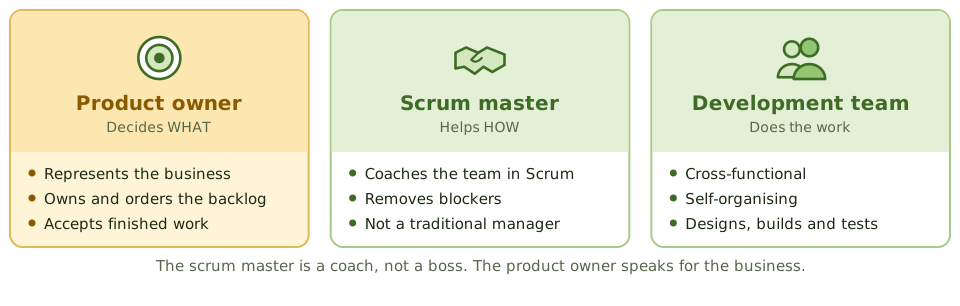
One sprint
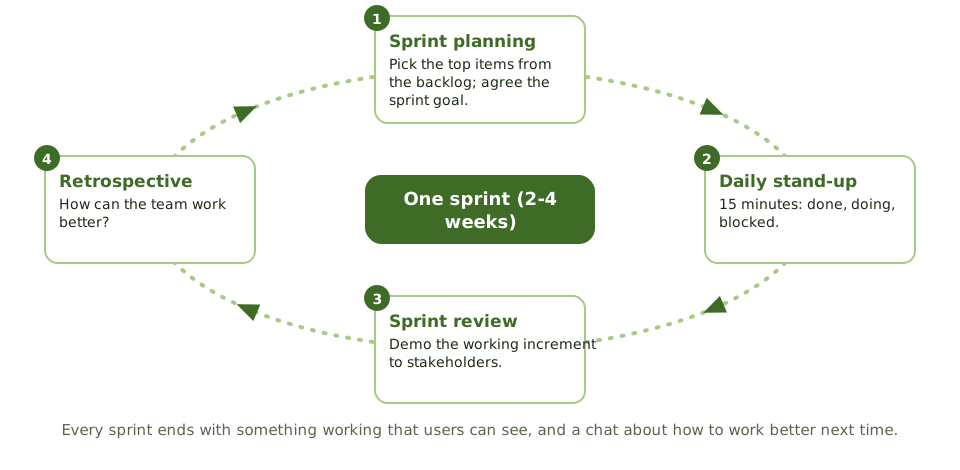
Where controls slip, and the fix
| Risk | Control |
|---|---|
| Security skipped to hit sprint goals | Security in acceptance criteria and definition of done |
| Little documentation for audit | Backlog, ticket history, automated test results |
| Frequent changes to production | Automated pipeline with review, testing and approval |
| Architecture drift and technical debt | Architecture guidance; debt tracked in the backlog |
| Unclear accountability | Product owner accepts; clear release approval |
The definition of done
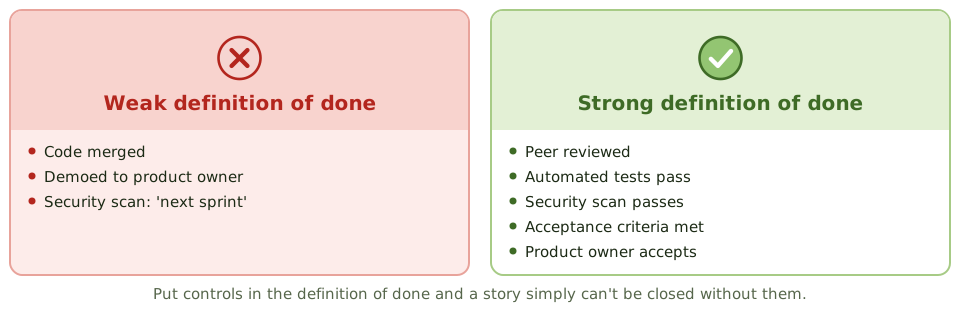
How the exam asks about it
| If the question asks… | Answer |
|---|---|
| Who prioritises the backlog | Product owner |
| Role that removes impediments | Scrum master |
| Biggest control concern in agile | Controls and documentation skipped under time pressure |
| How to embed security in agile | User stories, acceptance criteria, definition of done |
| Event that demos work to stakeholders | Sprint review |
Key takeaways
- ✓Agile delivers working software in short iterations (sprints), with continuous user involvement and adaptation to change.
- ✓Scrum roles: product owner (prioritises the backlog, represents the business), scrum master (facilitates, removes obstacles), development team (builds).
- ✓Scrum events: sprint planning, daily stand-up, sprint review (demo to stakeholders), sprint retrospective (process improvement).
- ✓Documentation is lighter, but controls still need evidence: acceptance criteria, definition of done, approvals, test results.
- ✓Security and control requirements belong in the backlog and the definition of done.
- ✓The auditor adapts by reviewing controls per sprint or release and relying more on automated evidence.
Exam traps
- !Agile doesn't mean no documentation or no controls; it means just enough, at the right time.
- !The product owner accepts work for the business; the scrum master isn't a project manager with authority over the team.
- !Without a definition of done that includes security and testing, controls can be skipped to finish sprints.
- !Frequent releases still go through change management, often automated.
DevOps and DevSecOps
Shipping small changes often through an automated pipeline: what CI/CD means, how segregation of duties survives when one team builds and runs, and how security gets built into every step.
From big releases to a conveyor belt
Old-style IT shipped software like a removal van: a huge load every few months, packed by one team and driven by another. DevOps works more like a conveyor belt in a factory: small items move along constantly, and every one passes through the same automated checks.
Development and operations work as one team, and automation does the repetitive, error-prone work.
CI, CD and CD
The pipeline
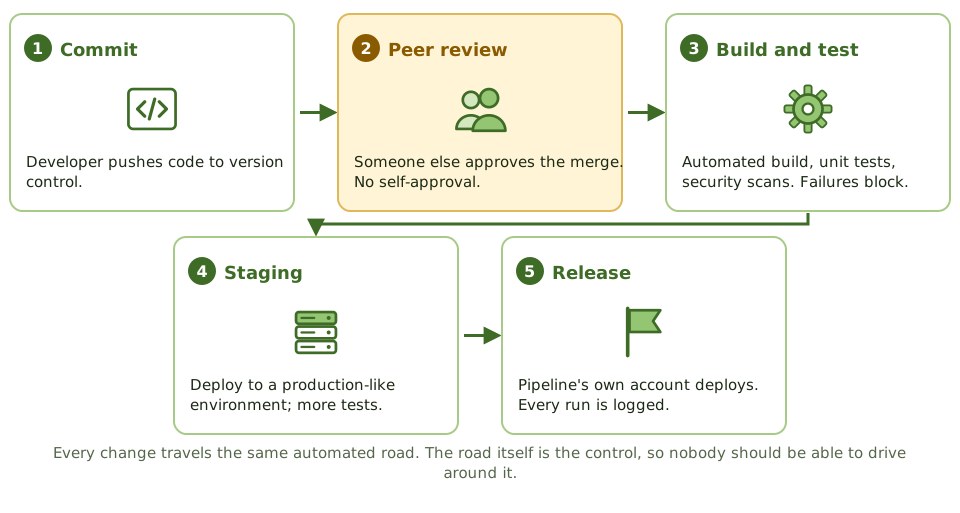
Segregation of duties, the DevOps way
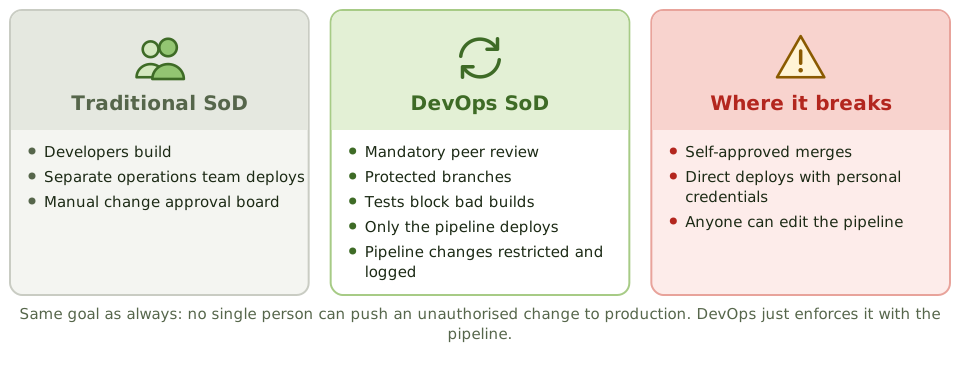
DevSecOps and shift left
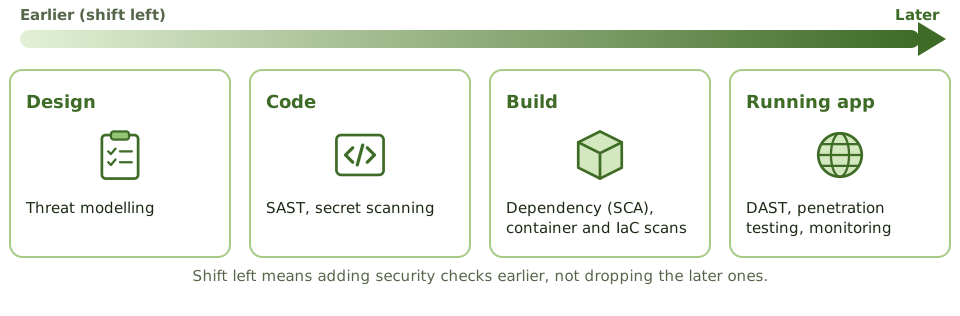
How the exam asks about it
| If the question asks… | Answer |
|---|---|
| How SoD is kept in DevOps | Peer review, branch protection, deploy only via pipeline |
| Greatest risk in CI/CD | Bypassing the pipeline or self-approving changes |
| Control to find vulnerable libraries | Software composition analysis |
| Who may change pipeline configuration | A restricted group; changes approved and logged |
| Meaning of shift left | Security and testing earlier in development |
Key takeaways
- ✓DevOps combines development and operations to deliver changes frequently and reliably, using automation.
- ✓Continuous integration merges and tests code often; continuous delivery keeps code always deployable; continuous deployment releases automatically.
- ✓In DevOps, segregation of duties is often achieved through the pipeline: peer review, automated tests and controlled deployment accounts.
- ✓DevSecOps builds security into every stage: static and dynamic testing, dependency scanning, secrets management, infrastructure-as-code checks.
- ✓The pipeline itself becomes a critical control; changes to it need strict control.
- ✓Auditors test pipeline configuration and evidence rather than individual manual approvals.
Exam traps
- !DevOps doesn't remove the need for SoD; it changes how it's enforced.
- !If developers can bypass the pipeline and deploy directly, the automated controls are worthless.
- !Who can change the pipeline configuration is a key access question.
- !Secrets hard-coded in source code are a common DevOps finding.
- !Shift left means testing earlier, not skipping later testing.
RAD, CASE, Low-Code
Tools and methods for building faster (rapid application development, CASE tools, 4GLs, low-code platforms and reusable components), and why the usual controls still apply.
Building faster
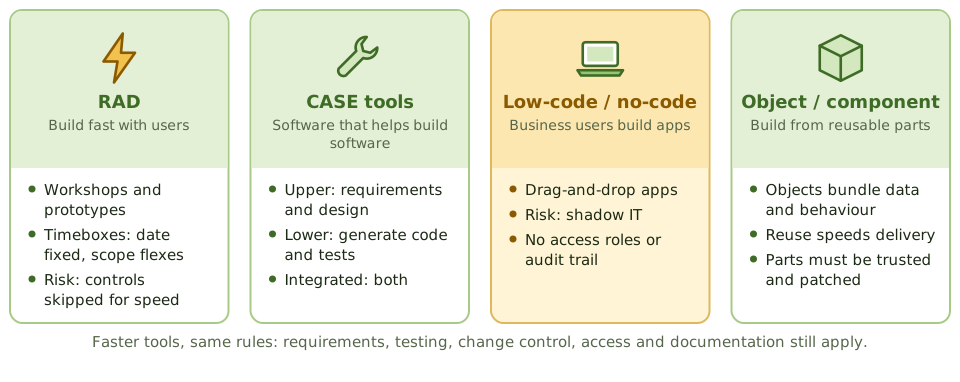
A flat-pack wardrobe goes up much faster than one a carpenter builds from raw timber. But if you skip the instructions and the wall bracket, it still falls over.
RAD, CASE tools, low-code platforms and reusable components are all ways to build software faster. Every one of them still needs requirements, testing, change control, access control and documentation.
Rapid application development
RAD delivers quickly through user workshops, iterative prototypes, small skilled teams, reusable parts and timeboxing: the delivery date is fixed and scope flexes to fit.
CASE tools
| Type | Helps with |
|---|---|
| Upper CASE | Requirements and design: data and process models |
| Lower CASE | Code generation, test data, debugging |
| Integrated CASE | Both, keeping models and code in sync |
Low-code and shadow IT
Low-code and no-code platforms (the modern form of 4GLs) let business users build apps by dragging and dropping. That's powerful, and risky: apps appear outside IT's SDLC with no access roles, no audit trail, no separate test environment and live connections to sensitive data.
Governing low-code
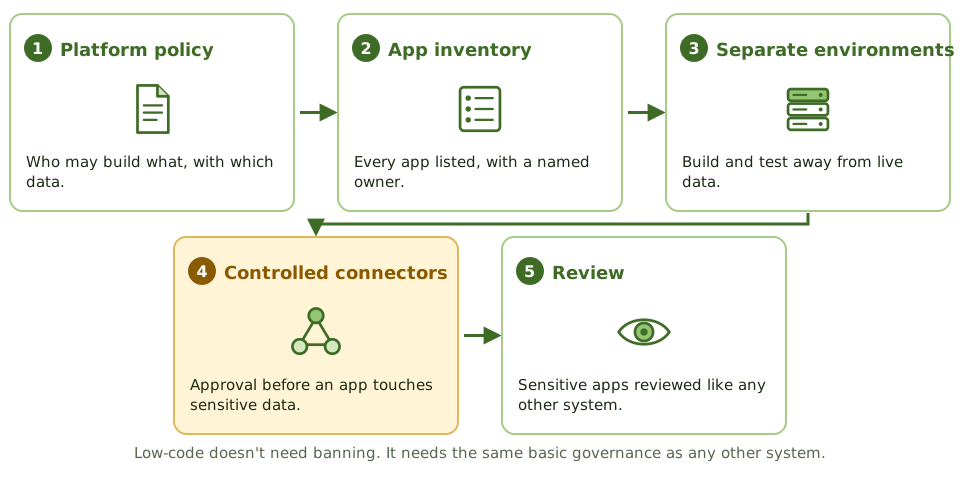
How the exam asks about it
| If the question asks… | Answer |
|---|---|
| Main risk of RAD | Controls and documentation sacrificed for speed |
| Tool that generates code from designs | Lower CASE |
| Main risk of low-code platforms | Apps built outside SDLC controls (shadow IT) |
| Benefit of object-oriented development | Reuse and easier maintenance |
| Does tool-generated code need testing? | Yes |
Key takeaways
- ✓Rapid application development (RAD) delivers quickly using prototyping, timeboxes, small teams and heavy user involvement.
- ✓RAD's risks: controls and documentation sacrificed for speed, and weak scalability or integration.
- ✓CASE tools automate parts of the SDLC: upper CASE for requirements and design, lower CASE for code generation, integrated CASE for both.
- ✓Low-code and no-code platforms let business users build applications, raising end-user computing and shadow IT risks.
- ✓Object-oriented development uses encapsulated objects and reuse; component-based development assembles reusable components.
- ✓Whatever the tool, the same SDLC controls apply: requirements, testing, change control, access and documentation.
Exam traps
- !CASE tools don't guarantee quality; they automate what's been specified, including errors.
- !Low-code apps built by business users often skip security, testing and change control.
- !RAD suits systems with clear business owners and modest complexity, not large safety-critical systems.
- !Code generated by tools still needs review and testing.
Build, Coding Standards, Code Review
The controls that apply while code is being written: coding standards, secure coding habits, version control, review by a second pair of eyes, and keeping production code locked down.
Writing it right
A newspaper has a style guide so every article reads the same, and an editor who reads every piece before it's printed. Writers don't edit their own work, because you never spot your own mistakes.
Software works the same way: coding standards are the style guide, and code review is the editor.
The build-phase control chain
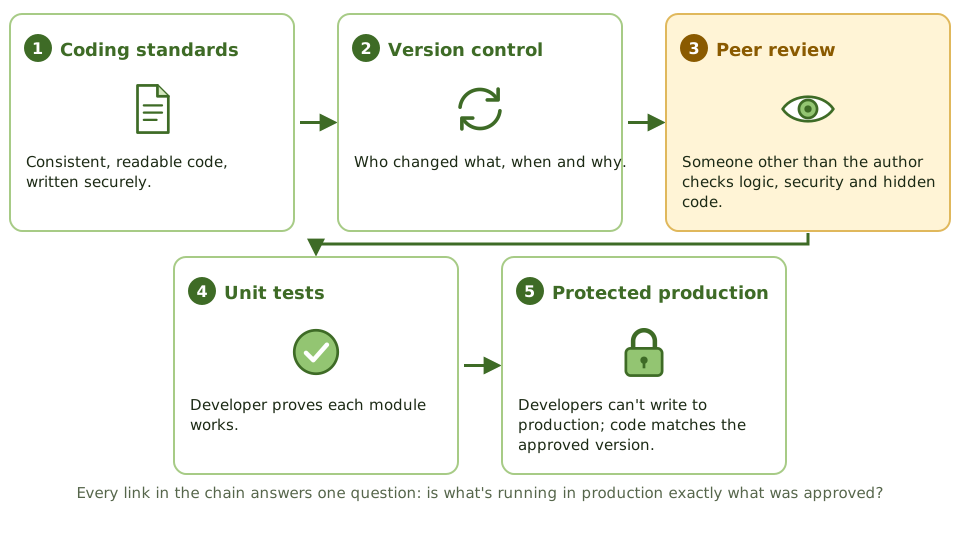
Secure coding habits
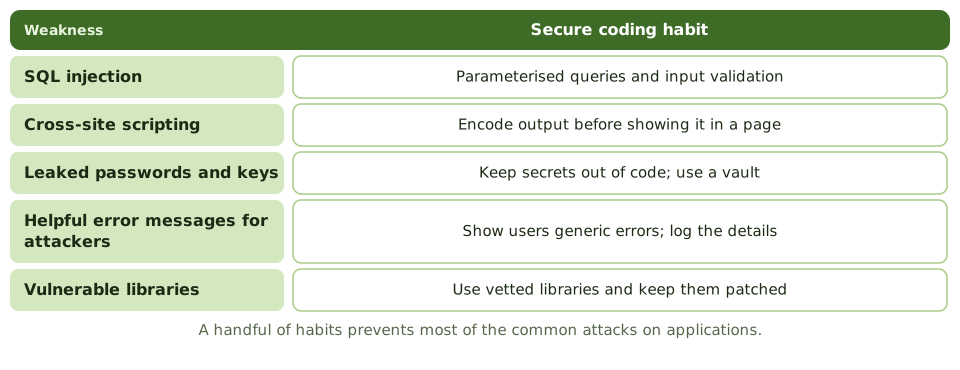
Code review
Review by someone other than the author finds logic errors, security holes, departures from standards, and unauthorised or malicious code such as back doors and logic bombs.
Protecting source code
- 1Restrict who can read and change source code.
- 2Version control records who changed what, when and why.
- 3Developers have no write access to production libraries.
- 4Production executables must match an approved source version.
- 5Source changes go through change management.
How the exam asks about it
| If the question asks… | Answer |
|---|---|
| Best control to find malicious code before release | Independent code review |
| Purpose of coding standards | Consistency, maintainability, fewer errors |
| Defence against SQL injection | Parameterised queries / input validation |
| Control showing who changed source code | Version control history |
| Who performs unit testing | Developers |
Key takeaways
- ✓Coding standards make code consistent, readable and maintainable, and reduce errors.
- ✓Secure coding practices address common vulnerabilities such as injection, broken authentication and insecure data handling.
- ✓Code review by someone other than the author finds defects and malicious or unauthorised code.
- ✓Version control tracks every change to source code: who, what, when and why.
- ✓Access to source code should be restricted; production source and executables must match.
- ✓Unit testing by developers verifies each module before integration.
Exam traps
- !Self-review by the author isn't an independent code review.
- !Automated scanners help but don't replace human review of logic.
- !Developers should not have write access to production libraries.
- !Comments and documentation are part of maintainability, not optional extras.
- !Hard-coded passwords and back doors are classic code review findings.
Testing Levels: Unit, Integration, System, UAT
The levels of testing from a single module up to user acceptance, who does each and what it proves, plus top-down versus bottom-up, load versus stress, and black-box versus white-box.
Testing in layers
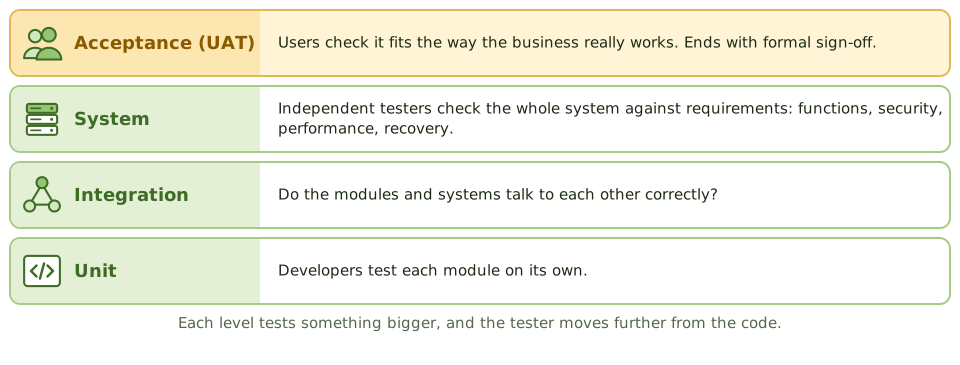
Think of a car factory. Each part is tested on its own (does the brake pad grip?), then parts are tested together (do the brakes stop the wheel?), then the whole car goes on a test track, and finally a customer test-drives it.
Software testing climbs the same ladder, and each level proves something different.
Who does what
| Level | Tests | Done by |
|---|---|---|
| Unit | One module | Developers (white-box) |
| Integration | Modules working together | Developers / test team |
| System | Whole system vs requirements | Independent testers (black-box) |
| Acceptance | Fit for business use | Users (UAT) and QA (QAT) |
Top-down vs bottom-up integration
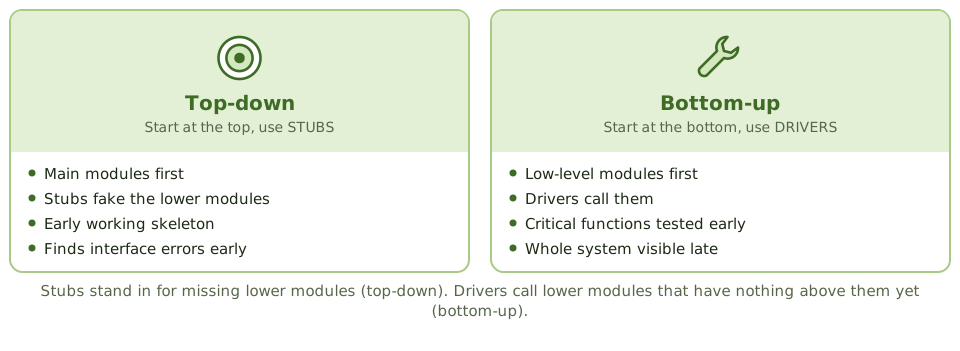
Kinds of system testing
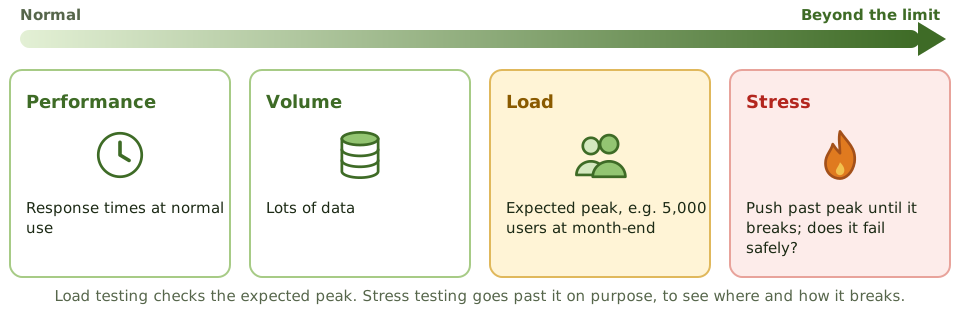
User acceptance testing
Users run real business scenarios in a production-like environment, then user management formally signs off. That sign-off is a key go-live control. QA testing (QAT) covers the technical side: standards, documentation, operations.
White-box vs black-box
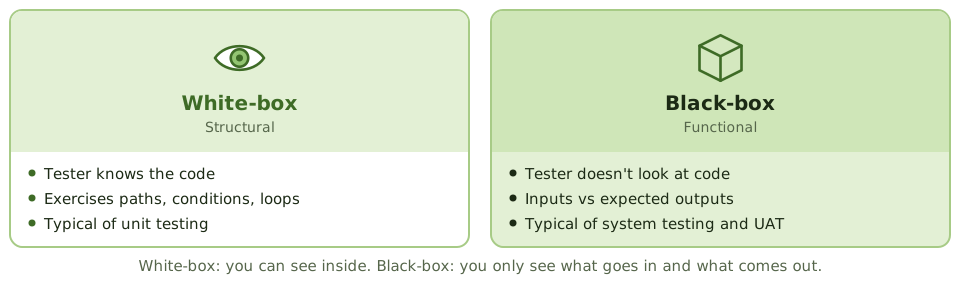
How the exam asks about it
| If the question asks… | Answer |
|---|---|
| Who performs UAT | Users / business representatives |
| Integration approach using stubs | Top-down |
| Test to find the breaking point | Stress testing |
| Concern with production data in testing | Confidentiality; mask it |
| Testing based on internal logic | White-box |
Key takeaways
- ✓Unit testing checks individual modules; integration testing checks interfaces between modules; system testing checks the whole system against requirements; UAT confirms it meets business needs.
- ✓Top-down integration uses stubs for lower modules and finds interface errors early; bottom-up uses drivers and tests critical low-level modules first.
- ✓System testing includes functional, security, performance, load, volume, stress, recovery and interface testing.
- ✓User acceptance testing is done by users, against business requirements, in an environment like production, and ends with formal sign-off.
- ✓Quality assurance testing focuses on technical aspects; UAT focuses on functional fit.
- ✓White-box testing examines internal logic; black-box testing examines inputs and outputs without seeing the code.
- ✓Testing should use test data in a test environment, not live production data, unless masked.
Exam traps
- !UAT is done by users, not developers. Developer testing doesn't replace it.
- !Stress testing goes beyond expected peak to find the breaking point; load testing checks expected volumes.
- !Using unmasked production data for testing creates privacy and confidentiality risk.
- !Test plans should be prepared early (during requirements and design), not after coding.
- !Alpha testing is internal; beta testing is by a limited set of real users.
Regression, Sociability, Parallel, Pilot Testing
Four tests the exam loves to mix up, what question each one answers, and how to spot the right one in a scenario.
Four tests, four questions
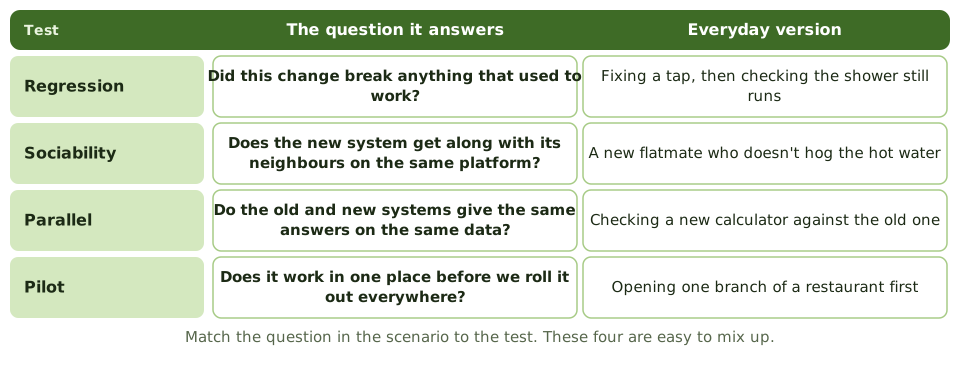
These four tests sound alike, but each answers a different question. In the exam, find the question hidden in the scenario and the answer follows.
Regression testing
After any change, rerun the earlier tests with the same data and the same expected results. Any difference means the change broke something.
Needed after every change: enhancements, bug fixes, patches, configuration changes, even emergency fixes. Automated test suites make it practical.
Sociability testing
Does the new or changed system live happily alongside the other systems on the same platform? It mustn't hog resources, clash over shared libraries or damage shared data.
This is about coexistence, not just the data passing between systems, which is interface or integration testing.
Parallel and pilot
How the exam asks about it
| If the scenario says… | The test is… |
|---|---|
| The change didn't affect existing functions | Regression |
| Doesn't harm other systems on the same platform | Sociability |
| Compare old and new results on the same data | Parallel |
| One branch first, then roll out | Pilot |
| Data used for regression testing | The same data as earlier tests |
Key takeaways
- ✓Regression testing checks that a change hasn't broken existing functionality; it reruns earlier tests after changes.
- ✓Sociability testing checks that a new or changed system works in its target environment without adversely affecting other systems.
- ✓Parallel testing runs the old and new systems with the same data and compares results.
- ✓Pilot testing implements the system in one location or for one group first, before full roll-out.
- ✓Regression test data should be the same as used in earlier tests, so results are comparable.
- ✓Interface, recovery and security testing complement these.
Exam traps
- !'Works with other systems in the environment' = sociability, not integration.
- !'Changes didn't introduce new errors' = regression.
- !'Compare old and new system outputs' = parallel.
- !'One branch or department first' = pilot.
- !Regression testing is needed after every change, including emergency fixes and patches.
Defect Management
What happens to a bug once testing finds it: logging, severity versus priority, fixing and retesting, who gets to close it, and how open defects affect the go-live decision.
Snagging list for software
When you buy a new flat, you walk round with a snagging list: cracked tile, door that sticks, missing socket. The builder fixes each one, and you check it yourself before ticking it off. You don't take the builder's word for it.
Defect management is the same discipline for software.
The defect life cycle
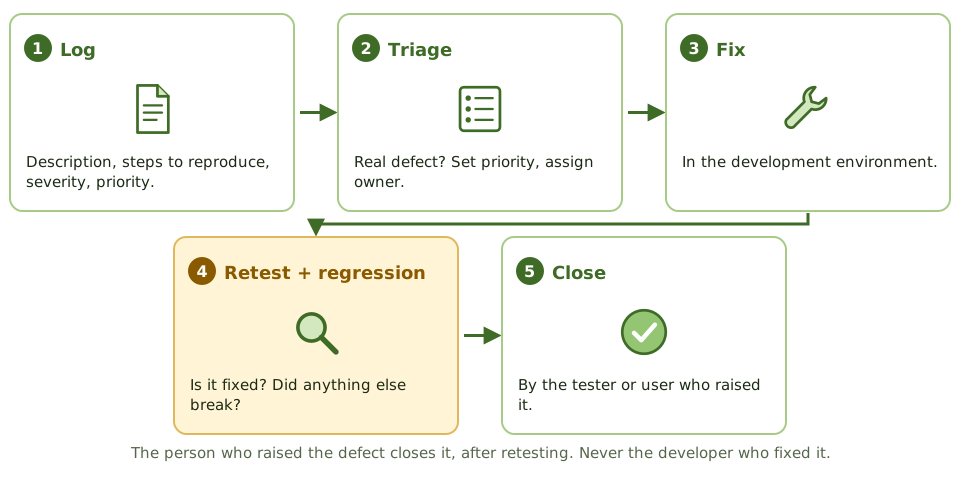
Severity vs priority
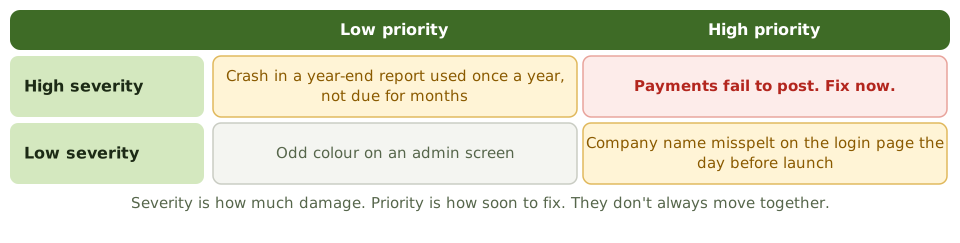
Going live with open defects
Test exit criteria set the limit, for example zero critical defects and only a few high ones with workarounds. If the business still wants to go live with known defects:
- 1Workarounds are documented and shared with users.
- 2The business owner formally accepts the risk.
- 3Fixes are scheduled.
Reading the numbers
How the exam asks about it
| If the question asks… | Answer |
|---|---|
| Who should close a defect | The tester or user, after retest |
| What follows a defect fix | Retest plus regression testing |
| Going live with critical defects | Only with a workaround and business risk acceptance |
| Severity vs priority | Impact vs urgency |
Key takeaways
- ✓Every defect found in testing is logged with severity, priority, steps to reproduce, owner and status.
- ✓Severity reflects impact on the system; priority reflects how urgently it must be fixed.
- ✓Fixes are retested, and regression testing confirms nothing else broke.
- ✓Go-live decisions consider open defects; critical defects normally block release unless a documented workaround and risk acceptance exist.
- ✓Defect trends (discovery rate, ageing, reopen rate) indicate quality and readiness.
- ✓Defects should be closed only by testers or users, not by the developer who fixed them.
Exam traps
- !A developer closing their own defect without retest is a control weakness.
- !Going live with known critical defects requires formal risk acceptance by the business owner.
- !A falling count of open defects can mean testing slowed down, not that quality improved.
- !Defects found in production go through incident, problem and change management, not the project defect log.
Data Migration and Conversion
Moving data from the old system to the new one without losing or changing anything: mapping, cleansing, trial runs, reconciling the totals, and who signs off that the data is right.
Moving house, for data
When you move house, you decide what to take, throw out the junk, label the boxes, and count them at the other end. If a box goes missing, you want to know before the van leaves.
Data conversion is moving house for data. A shiny new system is useless if the balances, customers or reference data arrive wrong or incomplete.
The steps
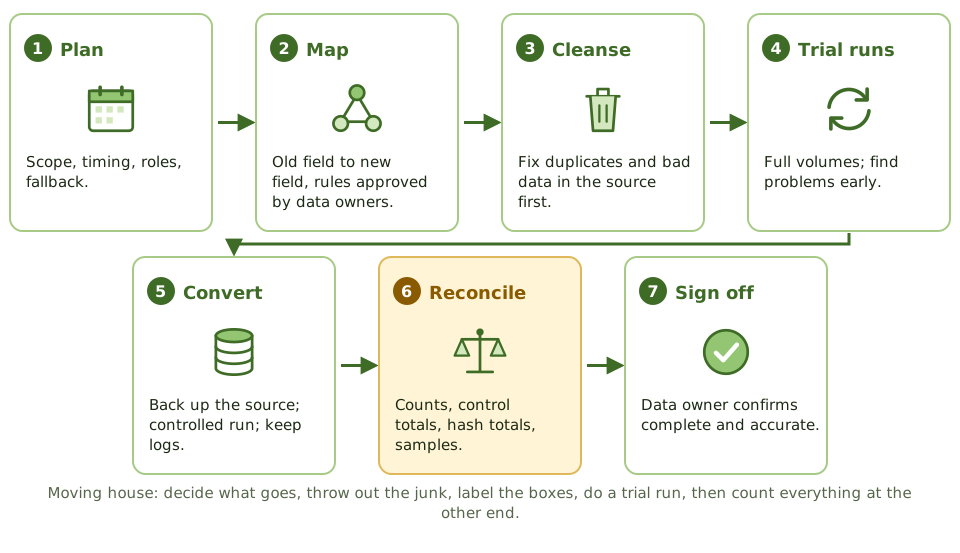
Reconciliation, the key control
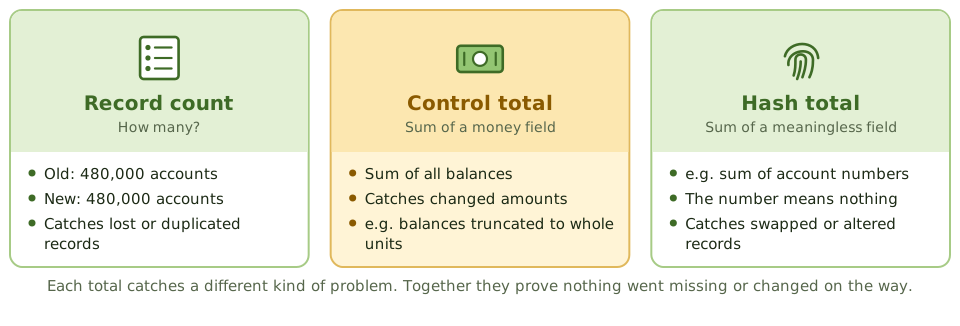
Who signs off
IT runs the conversion. But the data belongs to the business, so the data owner reviews the reconciliation and signs off that the data is complete and accurate.
Dirty data should be cleaned in the source first. Migrating it just moves the mess into the new system.
After conversion
- 1Keep a backup of the source data and the conversion logs.
- 2They're needed for audit, legal retention and investigating differences.
- 3And for fallback, if the new system has to be abandoned.
- 4Conversion programs are programs: tested and change-controlled like any other.
How the exam asks about it
| If the question asks… | Answer |
|---|---|
| Most important conversion control | Reconcile record counts and control totals |
| Who signs off converted data | Data owner / user management |
| Dirty data before conversion | Cleanse it in the source |
| What to keep afterwards | Source data and conversion audit trail |
| Purpose of test conversions | Find and fix problems before cutover |
Key takeaways
- ✓Data conversion moves data from the old system to the new one; its main risk is incomplete or inaccurate data.
- ✓Key controls: data mapping, cleansing before migration, test conversions, reconciliation of record counts and control totals, and exception handling.
- ✓The most important control is reconciling converted data to the source: record counts, hash totals and financial totals.
- ✓Users (data owners) review and sign off that conversion is complete and accurate.
- ✓An audit trail of the conversion and a backup of the source data must be kept.
- ✓Unclean data should be fixed before conversion, not migrated and fixed later.
Exam traps
- !The data owner, not IT, signs off on conversion accuracy.
- !Test conversions should be run in advance, with full volumes, to find problems before cutover.
- !Keep the old data (and a way to access it) after conversion, for audit and fallback.
- !Converting dirty data simply moves the problem into the new system.
- !Conversion programs are themselves programs; they need testing and change control.
Change-Over: Parallel, Phased, Abrupt
The four ways to switch from an old system to a new one, how they trade risk against cost, and how to pick the right one from a scenario.
Switching from old to new
Think about switching to a new phone. You could carry both for a week until you trust the new one (parallel). You could move your contacts first, then photos, then apps (phased). Your partner could try the model first (pilot). Or you could drop the old phone in a drawer and go (abrupt).
Organisations face the same choice when a new system replaces an old one.
Risk vs cost
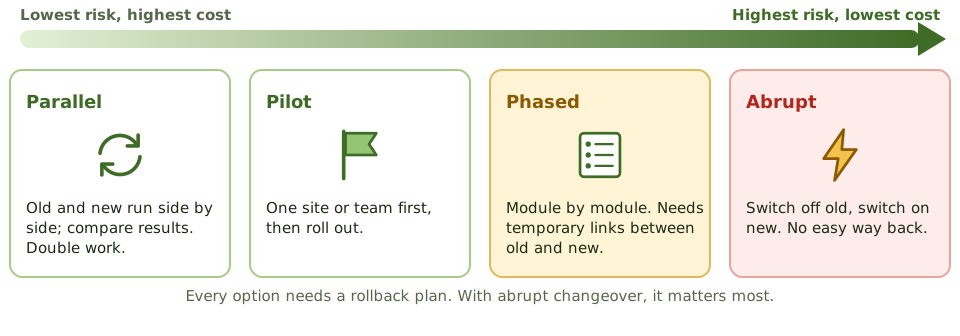
The four methods compared
| Method | Plus | Minus |
|---|---|---|
| Parallel | Lowest risk; old system is a fallback | Costly; double work |
| Pilot | Problems found with limited impact | Slower; pilot may not be typical |
| Phased | Risk spread over time | Temporary links between old and new |
| Abrupt | Cheapest and quickest | Highest risk; hard to go back |
Choosing a method
- 1How critical is the system? How much disruption can the business take?
- 2Can old and new physically run side by side?
- 3Is there budget and staff for double work?
- 4How many locations and users?
- 5Is the new system modular?
Always have a way back
Every changeover needs a written rollback plan, with the conditions for using it agreed in advance. It matters most for abrupt changeover, where the old system may be hard to restart once data has moved on.
Other go-live controls: a formal go/no-go decision, a cutover runbook with checkpoints, reconciled data before users start, extra support (hypercare), and clear user communication.
How the exam asks about it
| If the question asks… | Answer |
|---|---|
| Highest-risk changeover | Abrupt / direct |
| Lowest-risk changeover | Parallel |
| Main drawback of parallel | Cost and double workload |
| Main risk of phased | Interfaces between old and new parts |
| One branch first | Pilot |
Key takeaways
- ✓Parallel changeover runs old and new systems together until the new one is proven; lowest risk, highest cost.
- ✓Phased changeover introduces the new system in modules or stages; risk spread out, but interfaces between old and new are needed.
- ✓Pilot changeover implements in one location or group first, then rolls out.
- ✓Abrupt (direct, big bang, cutover) switches completely at once; cheapest and fastest, highest risk.
- ✓Whatever the method, a fallback or rollback plan is needed.
- ✓The choice depends on criticality, risk tolerance, cost and whether the systems can run in parallel.
Exam traps
- !Abrupt changeover has the highest risk because there's no fallback once the old system stops.
- !Parallel is safest but needs extra resources and double data entry.
- !Phased needs temporary interfaces between old and new parts, which add risk.
- !A rollback plan is needed even for parallel changeover, for example if data is corrupted.
Go-Live Readiness and Acceptance
What must be true before a system goes into production, who gets to say yes, and what the auditor checks in a pre-implementation review.
The pre-flight checklist
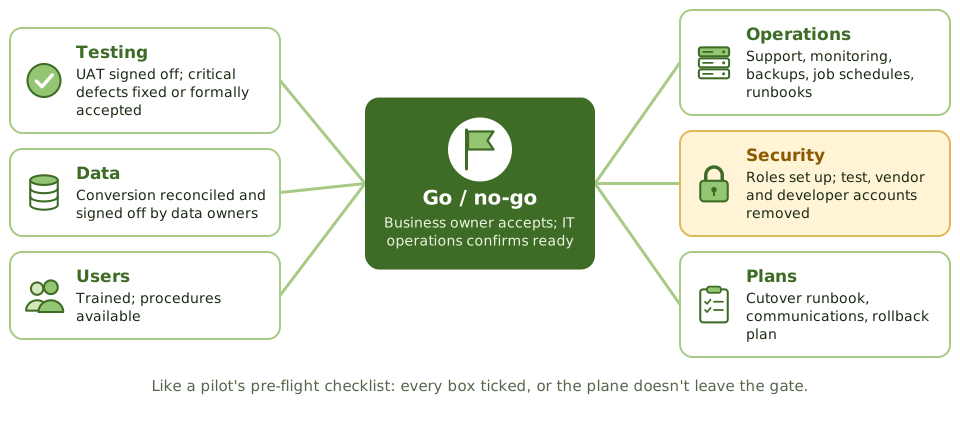
Before a plane leaves the gate, the crew runs a checklist: fuel, doors, controls, weather, flight plan. If any box isn't ticked, the plane doesn't go, however late it's running.
Go-live readiness is that checklist for a new system.
Who says yes
Security at go-live
Go-live is when test shortcuts become real risks. Check that:
- 1Production access matches approved roles.
- 2Test, vendor and developer accounts are removed or disabled.
- 3Default passwords are changed.
- 4The system is hardened.
Certification and accreditation
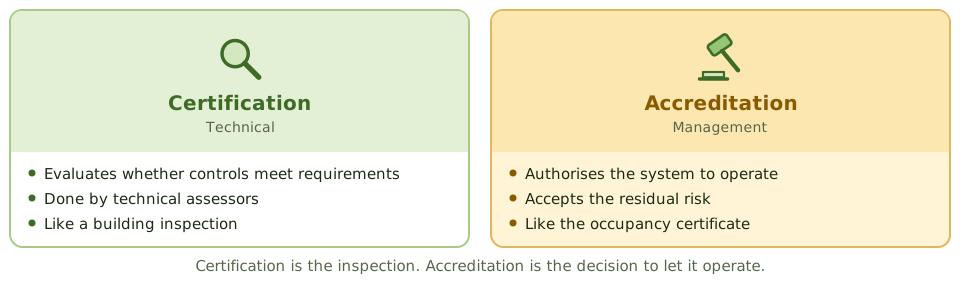
The pre-implementation review
Before go-live, the auditor checks: control and security requirements met, testing adequate and signed off, conversion reconciled, access set up correctly, procedures documented, rollback plan in place.
A problem found now costs far less to fix than one found after go-live.
How the exam asks about it
| If the question asks… | Answer |
|---|---|
| Who approves a system for production | Business owner (with IT operations) |
| Most important go-live prerequisite | Successful UAT with user sign-off |
| Common security issue at go-live | Test, vendor or developer accounts left in production |
| Management accepting residual risk | Accreditation |
| Benefit of pre-implementation review | Issues fixed before go-live, cheaper |
Key takeaways
- ✓Go-live requires completed testing with user acceptance sign-off, successful data conversion, trained users, ready operations, and an approved implementation and rollback plan.
- ✓The business owner (with IT operations) approves go-live; the project team can't approve its own work.
- ✓Operational readiness covers support procedures, monitoring, backups, job schedules, documentation and service desk briefing.
- ✓Security readiness covers access provisioning based on approved roles, removal of test and developer accounts, and hardening.
- ✓Certification (technical evaluation) and accreditation (management acceptance of residual risk) are formal readiness steps in some environments.
- ✓The auditor's pre-implementation review checks that controls are in place before go-live, when fixes are still cheap.
Exam traps
- !Go-live pressure doesn't justify skipping UAT sign-off.
- !Test accounts, default passwords and developer access left in production are classic go-live findings.
- !Accreditation is management's acceptance of risk; certification is the technical assessment.
- !Without a rollback plan, a failed go-live can become a business outage.
Post-Implementation Review
Looking back once the dust has settled: what a post-implementation review checks, when it's done, who does it, and why an auditor who helped build the system shouldn't.
Was it worth it?
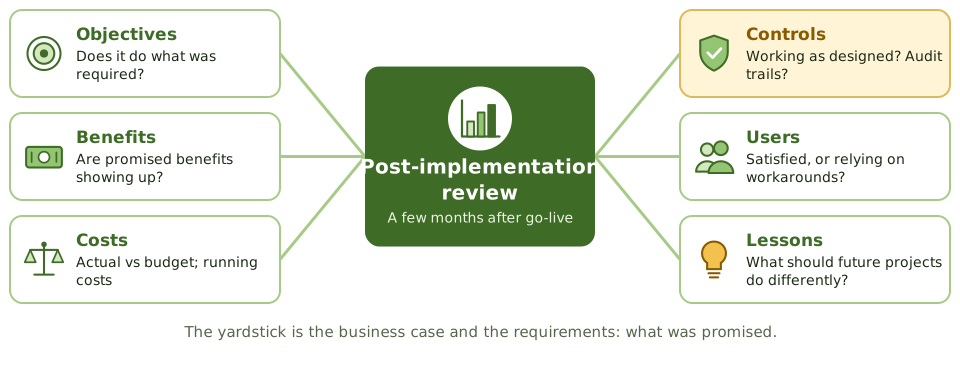
A few months after a kitchen renovation, you know whether it was worth it. Do the drawers still stick? Do you actually cook more? Did it cost what the builder quoted?
A post-implementation review (PIR) asks the same questions about a new system, using the business case and requirements as the yardstick.
When to do it
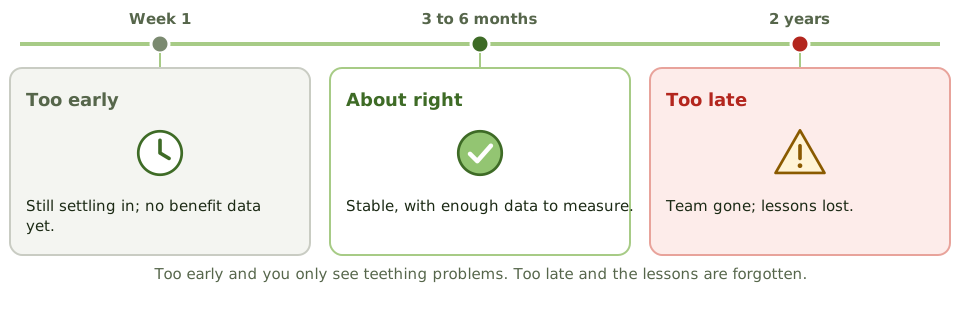
Who does it
The project office, an independent team or internal audit. Whoever it is must be independent of the project.
An auditor who helped design the system's controls, or approved it, shouldn't review it. That would be marking their own homework.
What comes out
- 1An assessment against the business case and requirements.
- 2Issues and corrective actions, each with an owner.
- 3Lessons learned, fed back into the SDLC and project methodology.
How the exam asks about it
| If the question asks… | Answer |
|---|---|
| Primary purpose of a PIR | Were objectives and benefits achieved; are controls adequate? |
| When to perform a PIR | Once stable, often several months after go-live |
| Baseline for a PIR | Business case and requirements |
| Auditor who designed the project's controls | Shouldn't perform the PIR |
Key takeaways
- ✓A post-implementation review (PIR) evaluates whether the system meets its objectives, delivers expected benefits, and has adequate controls.
- ✓It's typically done some months after go-live, once the system has stabilised and benefits can be measured.
- ✓It compares actual costs, benefits and performance with the business case.
- ✓It also evaluates the project process itself, capturing lessons learned.
- ✓The IS auditor may perform or contribute to a PIR, but shouldn't review a project they helped design or approve.
- ✓Findings lead to corrective actions and improvements to future projects.
Exam traps
- !Doing the PIR immediately after go-live is too early to measure benefits.
- !A PIR isn't only about benefits; control adequacy and user satisfaction are also assessed.
- !An auditor who was part of the project team shouldn't perform its PIR.
- !Lessons learned only help if they're fed into the methodology for future projects.
Input Controls
Stopping bad data at the door: input authorisation, batch totals, the full set of validation edits with a way to spot each one in a scenario, and what happens to rejected data.
Stopping bad data at the door
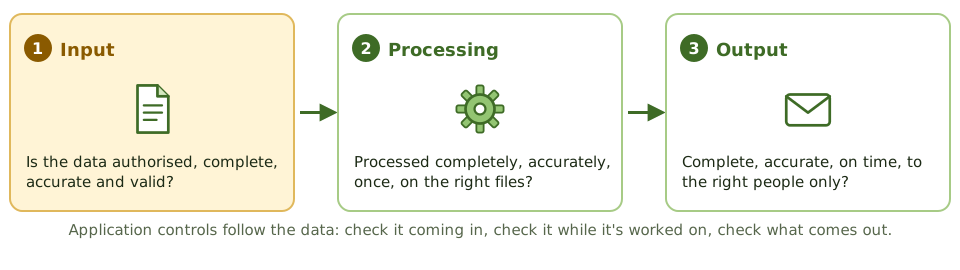
A nightclub bouncer checks every guest at the door: on the list? old enough? already inside? It's much easier than finding troublemakers once they're on the dance floor.
Input controls are the bouncer for an application. They make sure only authorised, complete, accurate and valid data gets in, which is far cheaper than finding bad data later.
Who's allowed to enter it?
- 1Signatures or approval on source documents.
- 2Access controls, so only authorised users can enter each transaction type.
- 3Unique user IDs, so every entry can be traced to a person.
- 4Workflow approval by a supervisor above set thresholds.
- 5Terminal or location restrictions for sensitive inputs.
Batch totals
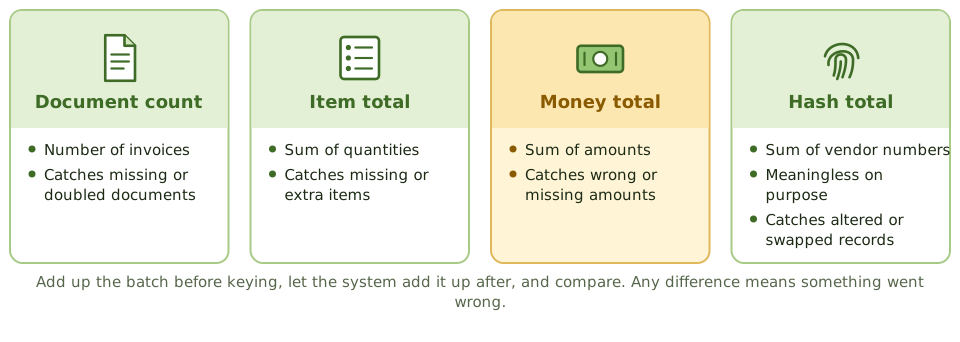
The validation edits
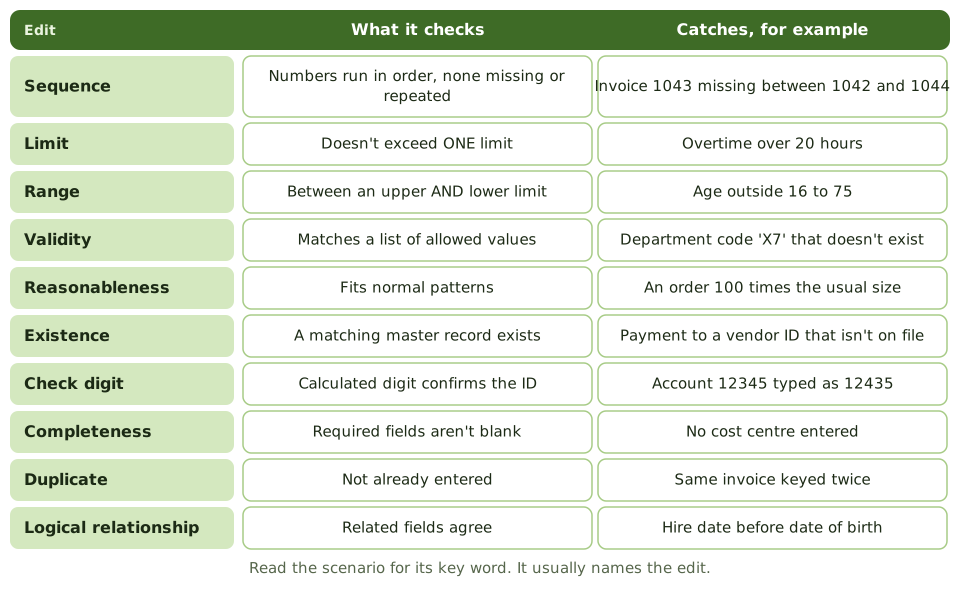
When input fails
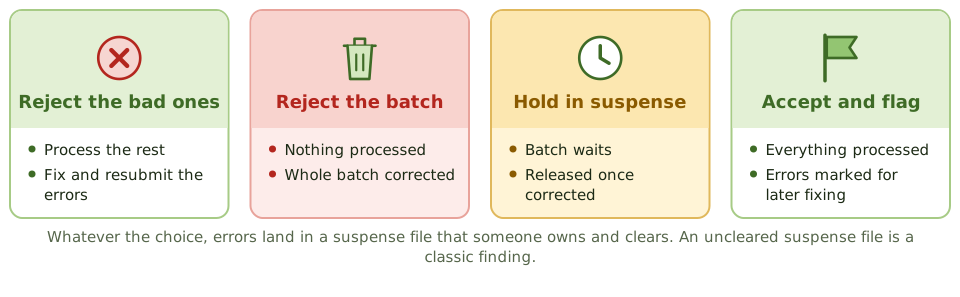
How the exam asks about it
| If the question asks… | Answer |
|---|---|
| Transposed digits in an account number | Check digit |
| Value must fall between two limits | Range check |
| Missing numbers in a document series | Sequence check |
| Meaningless total of account numbers | Hash total |
| Vendor ID must exist before payment | Existence check |
| Only authorised transactions entered | Input authorisation / access controls |
Key takeaways
- ✓Input controls make sure only complete, accurate, valid and authorised data enters the system.
- ✓Authorisation can be by signatures on source documents, online access controls, unique passwords or supervisory approval in workflow.
- ✓Batch controls compare totals before and after input: total monetary amount, total items, total documents and hash totals.
- ✓A hash total is a meaningless total of a non-financial field (such as account numbers) used to detect lost or altered records.
- ✓Validation edits include sequence, limit, range, validity, reasonableness, existence, check digit, completeness, duplicate and logical relationship checks.
- ✓A check digit detects transcription and transposition errors in identifiers such as account numbers.
- ✓Errors are handled by rejecting only the bad transaction, rejecting the whole batch, holding the batch in suspense, or accepting and flagging.
Exam traps
- !Range check has upper AND lower limits; limit check has only one.
- !Validity check compares against a list of valid values; existence check confirms a record exists in a master file.
- !A check digit catches keying and transposition errors, not unauthorised transactions.
- !Hash totals have no meaning in themselves; that's the point.
- !Key verification (re-keying) is costly and used only for critical fields.
- !Reasonableness compares input to what's normal, such as an order 100 times larger than usual.
Processing Controls
Keeping data right while the system works on it: run-to-run totals, recalculation, file reconciliation, extra care with master data, and audit trails.
Keeping it right on the inside
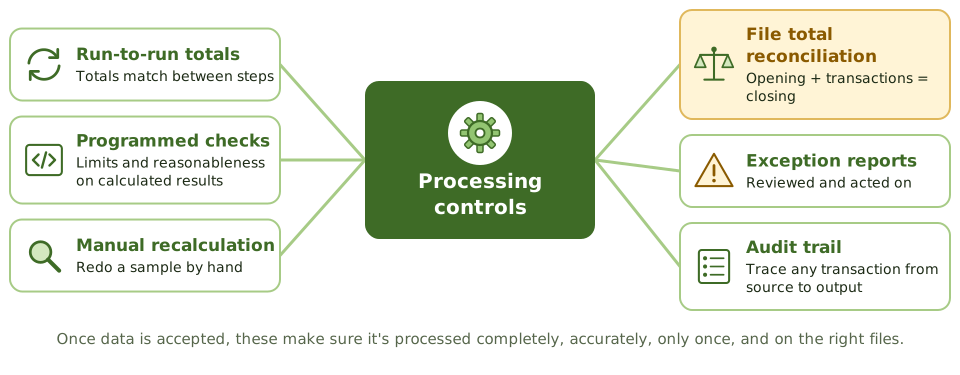
Once the bouncer has let data in, it still has to be handled properly: processed completely (nothing lost or added), accurately (calculations right), only once (no duplicates), and on the right files.
Processing controls check all of that while the system does its work.
Run-to-run totals
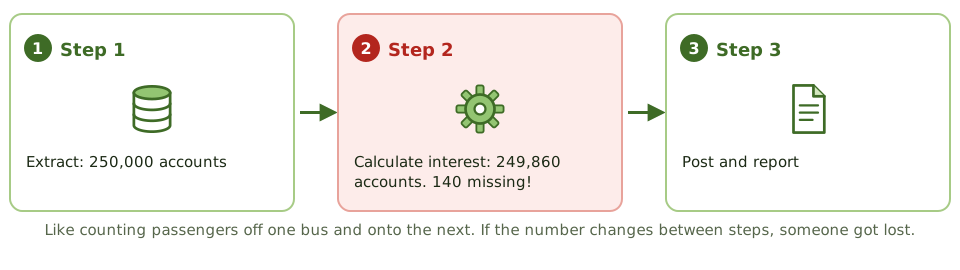
Checking the calculations
Master data needs extra care
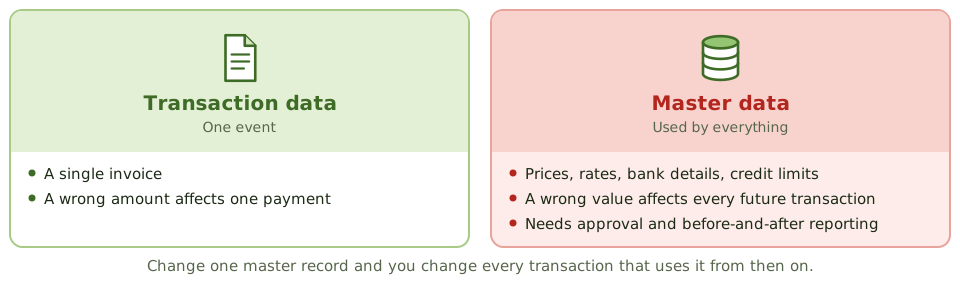
Data file controls
- 1Before-and-after image reports, so every change can be reviewed.
- 2Approval required for master file changes.
- 3Transaction logs for the audit trail and recovery.
- 4File labels and version checks, so the right file is used.
- 5File security: only authorised users and programs update data.
- 6One-for-one checking and prerecorded input to cut keying errors.
How the exam asks about it
| If the question asks… | Answer |
|---|---|
| Records lost between processing steps | Run-to-run totals |
| Review changes to master data | Before-and-after image reports |
| Verify a program's calculations | Manual recalculation of a sample |
| Opening + transactions = closing | Reconciliation of file totals |
| Exception report nobody reviews | Ineffective control |
Key takeaways
- ✓Processing controls make sure data is processed completely, accurately and only once, and that files are updated correctly.
- ✓Run-to-run totals compare control totals between processing steps to detect lost or added records.
- ✓Programmed controls detect processing errors, such as limit checks on calculated amounts and reasonableness checks.
- ✓Manual recalculation of a sample of transactions verifies the program's calculations.
- ✓Reconciliation of file totals confirms master files were updated correctly.
- ✓Data file controls include before-and-after image reporting, transaction logs, file labels, version control and authorised file maintenance.
- ✓Exception reports must be reviewed and acted on.
Exam traps
- !Run-to-run totals detect lost or added records between steps, not wrong calculations within a step.
- !Before-and-after images let changes to master data be reviewed and traced.
- !Changes to master data (such as prices or rates) are higher risk than single transactions, because they affect all future processing.
- !Exception reports with no reviewer are not a control.
Output Controls
The last checkpoint before results leave the system: balancing output, sending reports only to the right people, guarding cheques and other valuable forms, and keeping or destroying output properly.
The last checkpoint
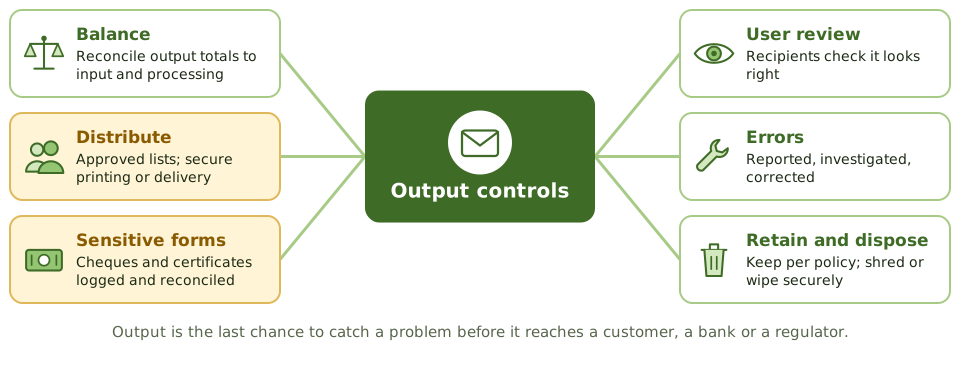
Before a restaurant dish leaves the kitchen, the head chef checks it: right order, right table, looks right. Once it's in front of the customer, it's too late.
Output controls are that final check. Reports, files, payments and documents must be complete, accurate, on time, and reach only the people meant to see them.
Getting it to the right people
- 1Distribution lists approved by the data owner.
- 2Secure printing (release by badge or PIN) or secure electronic delivery.
- 3Sensitive reports clearly labelled.
- 4Recipients confirm receipt of critical reports or files.
Cheques are nearly cash
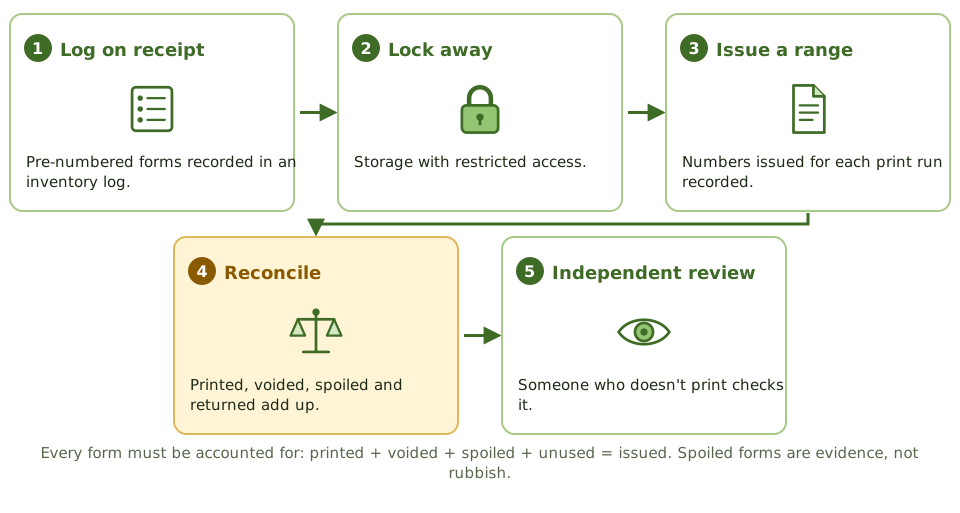
Balancing and review
How the exam asks about it
| If the question asks… | Answer |
|---|---|
| Best control over blank cheque stock | Logged inventory, secure storage, reconciliation |
| Reports reach only authorised users | Defined distribution lists, secure delivery |
| Verify output completeness | Reconcile output to input and processing totals |
| Spoiled negotiable forms | Account for them; destroy under control |
Key takeaways
- ✓Output controls make sure output is complete, accurate and delivered only to authorised recipients in a timely way.
- ✓Negotiable instruments and sensitive forms (cheques, certificates) need logging, secure storage and reconciliation of forms used.
- ✓Report distribution follows defined lists; sensitive reports go only to authorised people.
- ✓Output is balanced and reconciled to input and processing totals.
- ✓Users should review output for reasonableness and report errors.
- ✓Retention of output follows policy and legal requirements; disposal must be secure.
Exam traps
- !Blank cheque stock needs inventory control: logged, secured, and reconciled to cheques printed, voided and spoiled.
- !Printing sensitive reports to a shared printer without secure release is an output control weakness.
- !Output should be reconciled to control totals, not just glanced at.
- !Spoiled or voided negotiable forms must be accounted for, not just thrown away.
Data Integrity and ACID
How databases keep data trustworthy: the four ACID properties explained with a bank transfer, what goes wrong when two users collide, integrity rules, and data integrity testing.
Why databases need rules
Moving 500 from savings to your current account is two steps: take 500 out, put 500 in. What if the system crashes in between? What if your partner moves money at the same moment?
Databases follow four rules, ACID, so the answer is always 'your money is safe'.
ACID, through one bank transfer
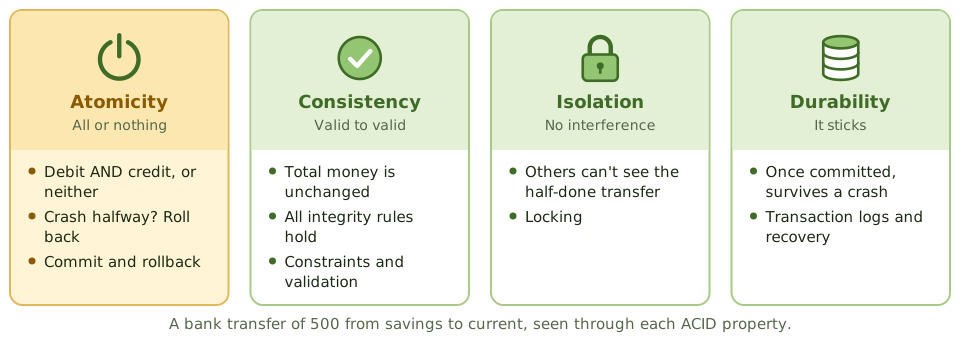
When two users collide
Without isolation, transactions running at the same time cause trouble:
- 1Lost update: two people edit the same record; one overwrites the other.
- 2Dirty read: reading data another transaction hasn't committed yet.
- 3Inconsistent read: data changes between two reads in the same transaction.
Integrity rules
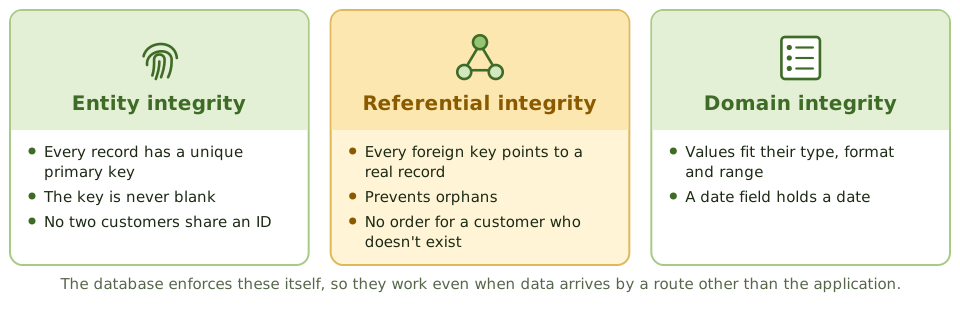
Data integrity testing
Data integrity tests are substantive tests, often run with CAATs over the whole database.
Relational integrity tests check fields and records: valid values, formats, required fields. Referential integrity tests check across tables: no orphans, relationships intact. Totals are also reconciled between related tables and systems.
How the exam asks about it
| If the question asks… | Answer |
|---|---|
| All-or-nothing transactions | Atomicity |
| Concurrent transactions don't interfere | Isolation |
| Committed transactions survive a crash | Durability |
| Prevents orphan records | Referential integrity |
| Every record has a unique ID | Entity integrity |
Key takeaways
- ✓ACID: atomicity (all or nothing), consistency (valid state to valid state), isolation (transactions don't interfere), durability (committed changes survive failures).
- ✓Atomicity is achieved with commit and rollback; durability with transaction logs and recovery.
- ✓Isolation is achieved with concurrency controls such as locking, preventing problems like lost updates.
- ✓Referential integrity makes sure foreign keys point to existing records; entity integrity makes sure every record has a unique, non-null primary key.
- ✓Data integrity tests are substantive tests that check data accuracy, completeness, consistency and authorisation.
- ✓Relational integrity tests check data at the field and record level; referential integrity tests check relationships between tables.
Exam traps
- !Atomicity: a funds transfer either debits AND credits, or does neither.
- !Isolation prevents concurrent transactions from seeing each other's partial results.
- !Referential integrity prevents orphan records, such as an order for a customer who doesn't exist.
- !Durability doesn't mean backups alone; it means committed transactions survive a crash, typically via logs.
EDI and E-Commerce Controls
Business documents sent machine to machine: how EDI works, what can go wrong without paper, the controls that replace it, and the risks and controls of selling online.
Paperwork without paper
Businesses used to post each other purchase orders and invoices. Each paper document carried a signature, a letterhead and a postmark, all evidence of who sent what and when.
Electronic data interchange (EDI) swaps the paper for standard electronic messages sent system to system. It's faster and cheaper, but every bit of evidence the paper gave you now has to be designed in.
How an EDI order travels
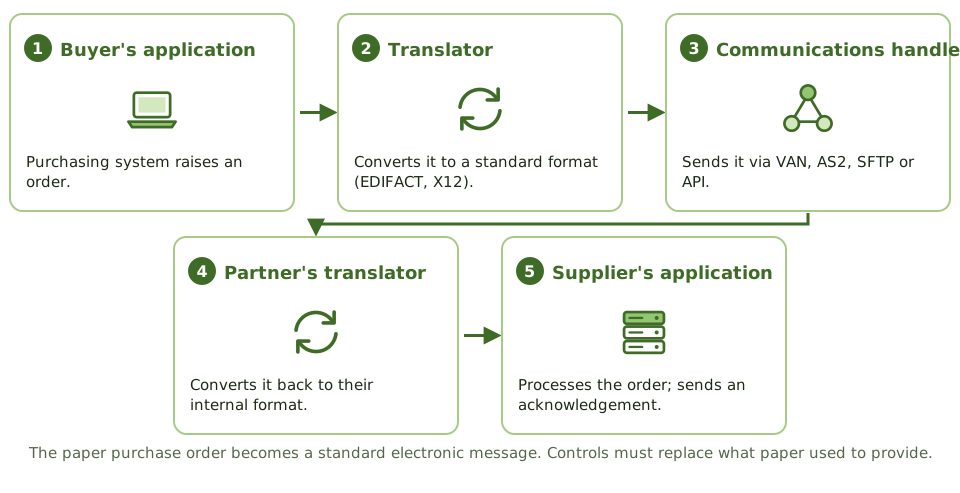
Risks and controls
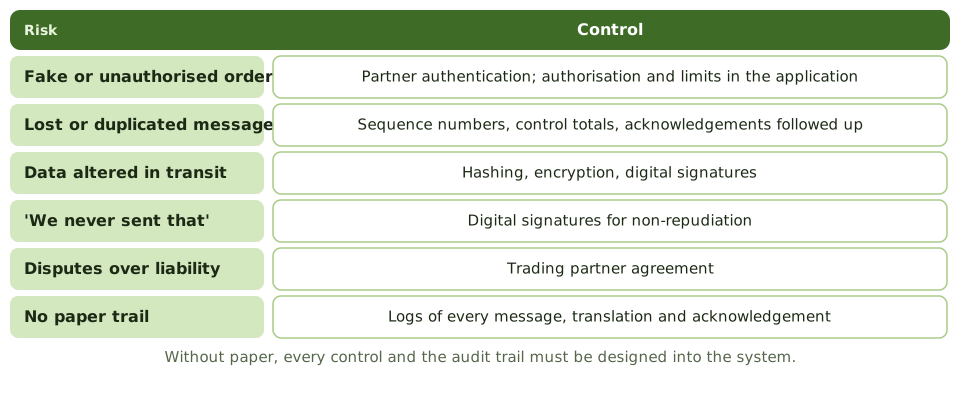
The acknowledgement trap
A functional acknowledgement only says 'message received, and the format is valid'. It doesn't mean the supplier accepts the order; that needs a business-level reply.
And acknowledgements are useless unless someone chases the ones that never arrive.
E-commerce
How the exam asks about it
| If the question asks… | Answer |
|---|---|
| Detects lost EDI messages | Sequence numbers / acknowledgements |
| What a functional acknowledgement confirms | Receipt and syntax, not acceptance |
| Provides non-repudiation | Digital signatures |
| Sets the legal terms of EDI | Trading partner agreement |
| EDI component that converts formats | Translator (EDI interface) |
Key takeaways
- ✓EDI exchanges business documents (orders, invoices) electronically in standard formats between trading partners.
- ✓EDI components: communications handler, EDI interface (translator and application interface), and the application system.
- ✓Key EDI risks: unauthorised transactions, loss or duplication of transactions, data integrity, and lack of evidence of origin and receipt.
- ✓EDI controls include trading partner agreements, authentication, encryption, sequence numbers, control totals, functional acknowledgements and audit trails.
- ✓E-commerce risks include fraud, privacy breaches, availability, and repudiation of transactions.
- ✓Digital signatures provide authentication, integrity and non-repudiation; TLS provides confidentiality and integrity in transit.
Exam traps
- !A functional acknowledgement confirms receipt and syntax, not that the business accepts the order.
- !Encryption gives confidentiality; non-repudiation needs digital signatures.
- !Lack of paper documents means the audit trail must be designed into the system.
- !The trading partner agreement sets legal obligations; without it, disputes are hard to resolve.
Information Systems Operations and Business Resilience
Operations · Resilience
IT Service Management
Running IT like a service business: the service desk, the main ITSM processes and how they feed each other, how priority is set, and what the auditor checks.
IT as a service business
Think of a hotel. Guests call one number, reception. Reception logs the request, fixes what it can, and sends the rest to housekeeping, maintenance or the kitchen. Behind the scenes, each team has its own process, and the manager tracks how quickly guests are looked after.
IT service management (ITSM) runs IT the same way. Frameworks such as ITIL and ISO/IEC 20000 describe the processes; COBIT gives auditors the criteria.
The service desk and its processes
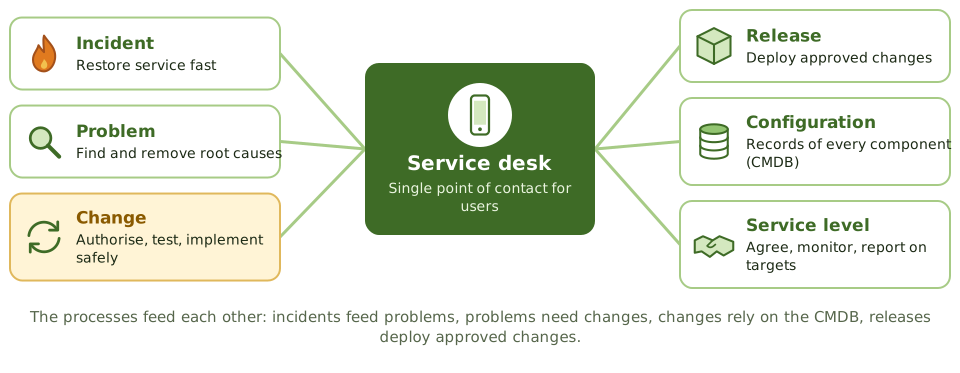
What the service desk does
- 1Logs every incident and request. Every single one.
- 2Sets priority from impact and urgency.
- 3Fixes what it can at first line; escalates the rest.
- 4Keeps users informed.
- 5Closes tickets only when the user confirms it's fixed.
Setting priority
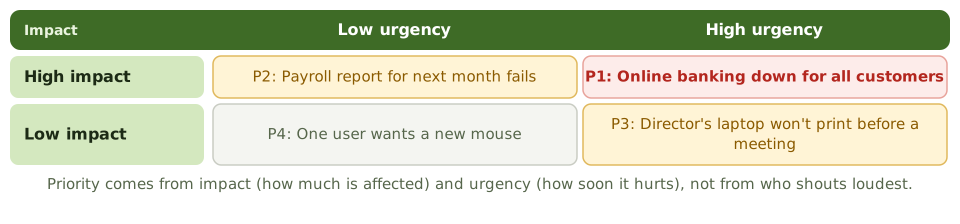
Auditing ITSM
Are processes documented and followed? Is everything logged? Are priorities set consistently? Are SLA reports accurate? Are repeat incidents linked to problems, and fixes to changes?
How the exam asks about it
| If the question asks… | Answer |
|---|---|
| Single point of contact for IT users | Service desk |
| How incident priority is set | Impact and urgency |
| Why log every incident | Trends, problem management, SLA measurement |
| Process that keeps records of IT components | Configuration management |
Key takeaways
- ✓IT service management (ITSM) delivers IT as a set of services that meet agreed business requirements.
- ✓The service desk is the single point of contact for users: it logs, classifies, prioritises and routes incidents and requests.
- ✓Core processes: incident, problem, change, release, configuration, service level, capacity, availability and continuity management.
- ✓Processes depend on each other; for example, problem management relies on accurate incident data and the CMDB.
- ✓Every ticket should be logged, so trends can be analysed and SLAs measured.
- ✓The auditor reviews whether processes are defined, followed, measured and improved.
Exam traps
- !Incidents resolved informally without a ticket undermine trend analysis and problem management.
- !The service desk shouldn't grant access or make changes without the normal approvals.
- !Priority is based on impact and urgency, not on who complains loudest.
- !Closing tickets without user confirmation inflates performance metrics.
Hardware Components and Architecture
The parts inside a computer and what each means for control, the main computing architectures, and how hardware is bought, maintained, monitored and disposed of.
Inside the box
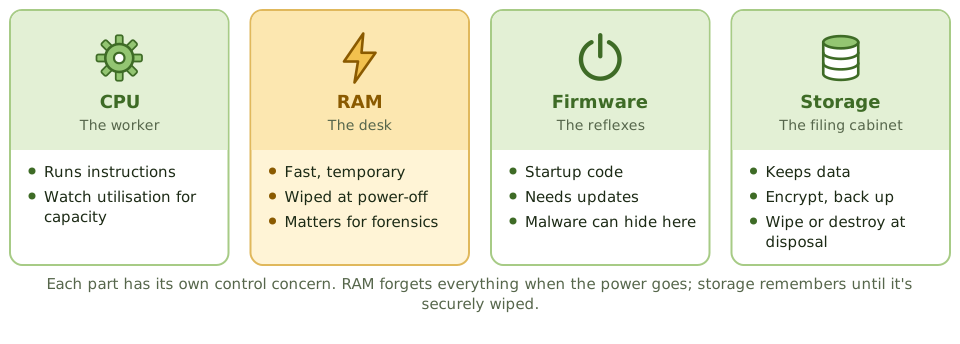
Think of an office worker. The CPU is the worker doing the thinking. RAM is the desk: fast to reach, but cleared every night. Storage is the filing cabinet: slower, but it keeps everything. Firmware is the reflexes that get the worker going each morning.
Each part has its own control concern.
Ports and removable media
USB sticks and other removable media are an easy way for data to walk out of the door and for malware to walk in.
Controls: restrict or disable ports, allow only approved and encrypted devices, and log their use.
Computing architectures
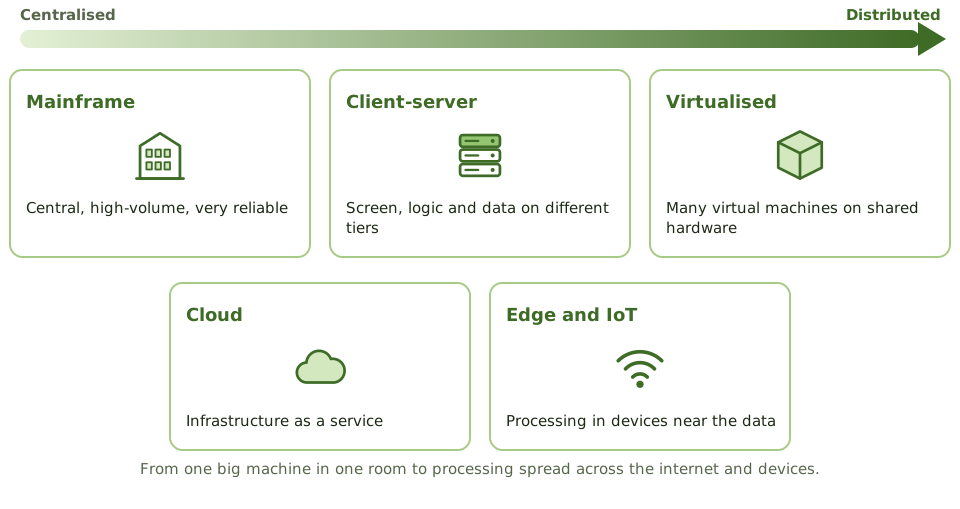
The hardware life cycle
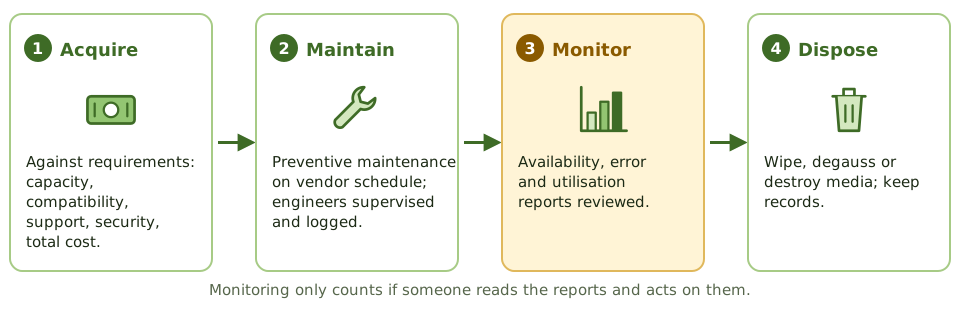
Maintenance engineers
Vendor engineers working on production hardware have physical access to everything. Their visits should be scheduled, supervised where appropriate, and logged.
And keep your own record of hardware faults. If only the vendor logs them, you can't see the trends.
How the exam asks about it
| If the question asks… | Answer |
|---|---|
| Memory lost at power-off | RAM (volatile) |
| Control over vendor engineers | Supervised and logged access |
| Best source for hardware trends | Utilisation and error reports, reviewed |
| Risk of open USB ports | Data leakage and malware |
| Before disposing of storage media | Secure wiping or destruction, documented |
Key takeaways
- ✓The CPU executes instructions; RAM is volatile working memory; ROM and firmware hold startup code; storage holds data persistently.
- ✓Architectures range from mainframes and servers to distributed, client-server, virtualised and cloud environments.
- ✓Hardware acquisition should follow requirements and a documented process, considering capacity, compatibility, support and security.
- ✓Preventive maintenance follows vendor schedules and is logged; maintenance staff access is controlled.
- ✓Hardware monitoring includes availability reports, error logs, utilisation reports and asset inventory.
- ✓Removable media and USB ports are a common data leakage risk.
Exam traps
- !RAM is volatile; its contents are lost when power is removed, which matters for forensics.
- !Firmware can be compromised; it needs updates and integrity protection too.
- !Vendor maintenance engineers with unsupervised access to production hardware are a security risk.
- !Hardware problems logged only by the vendor leave the organisation blind to trends.
Operating Systems
Why the operating system is the foundation every application control stands on, how it's hardened, and why admin accounts, system utilities and logs need the tightest control.
The foundation
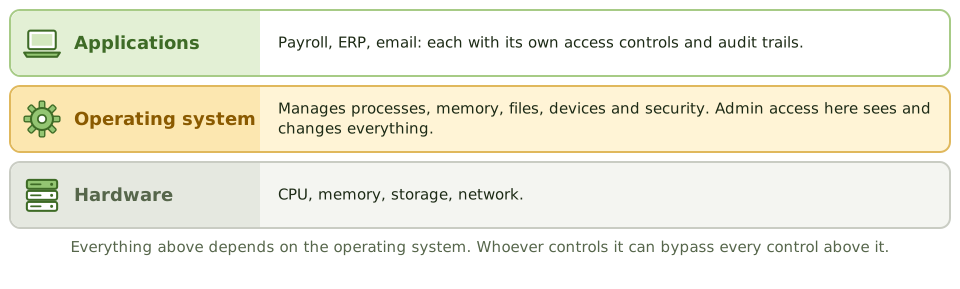
A building's foundations aren't exciting, but if they crack, every floor above is in trouble, however good the locks on the office doors.
The operating system is the foundation for every application. Whoever has admin control of it can read files, change data and switch off logging, bypassing every application control on top.
Hardening
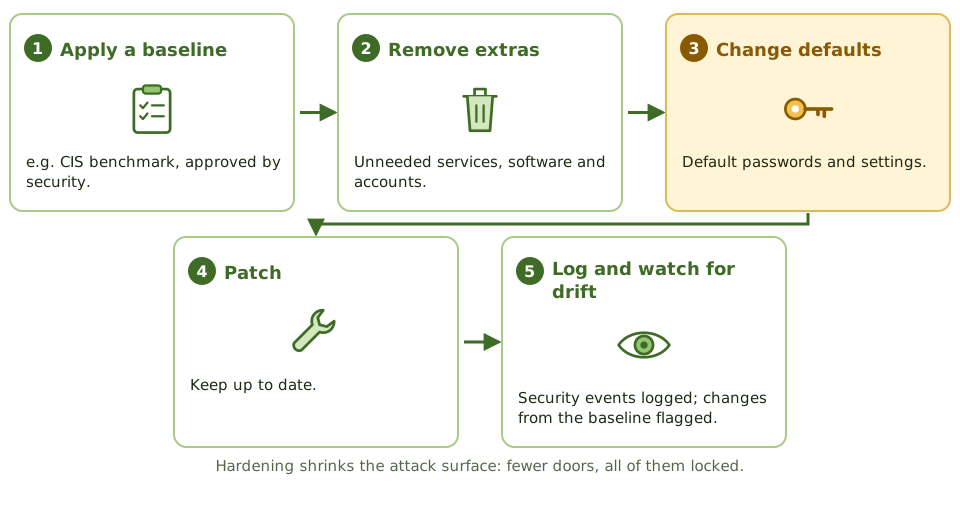
Admins, utilities and logs
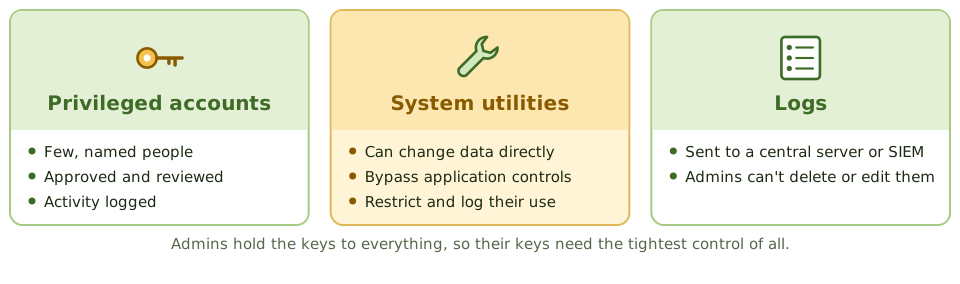
What the auditor finds
- 1Parameters compared with policy.
- 2Privileged account list reviewed.
- 3Use of sensitive utilities logged and checked.
- 4Patch status and logging configuration.
- 5OS changes going through change control.
How the exam asks about it
| If the question asks… | Answer |
|---|---|
| Greatest risk from a compromised OS | All application controls can be bypassed |
| Control over system utilities | Restrict access and log use |
| Logs reliable against admins | Central protected log server |
| Purpose of hardening | Reduce the attack surface |
| Common OS finding | Default accounts or passwords unchanged |
Key takeaways
- ✓The operating system manages hardware, memory, processes, files and access, and every application depends on it.
- ✓Compromise of the OS undermines all application controls running on it.
- ✓OS hardening removes unnecessary services, changes defaults, applies security baselines and patches.
- ✓System parameters (such as password rules, logging and access defaults) must be set securely and changes controlled.
- ✓Privileged accounts (root, administrator) and system utilities that can bypass controls must be restricted and logged.
- ✓Logs of system activity should be protected from alteration by administrators.
Exam traps
- !Default accounts and passwords left on systems are a classic finding.
- !System utilities that can change data directly bypass application controls; restrict and log them.
- !If administrators can delete or alter their own logs, logging isn't an effective detective control.
- !Reviewing OS parameters once isn't enough; configuration drift needs monitoring.
OSI Model
The seven layers of network communication explained with a parcel delivery, which devices and protocols live at each layer, and why knowing the layer tells you what a control can do.
Sending a parcel
Sending a parcel abroad involves layers. You write the letter (application), translate it and seal it (presentation), agree to keep writing back and forth (session), number the boxes so none go missing (transport), address them to a city (network), hand them to the local van (data link), and the van drives the road (physical).
The OSI model splits network communication into those same seven layers.
The seven layers
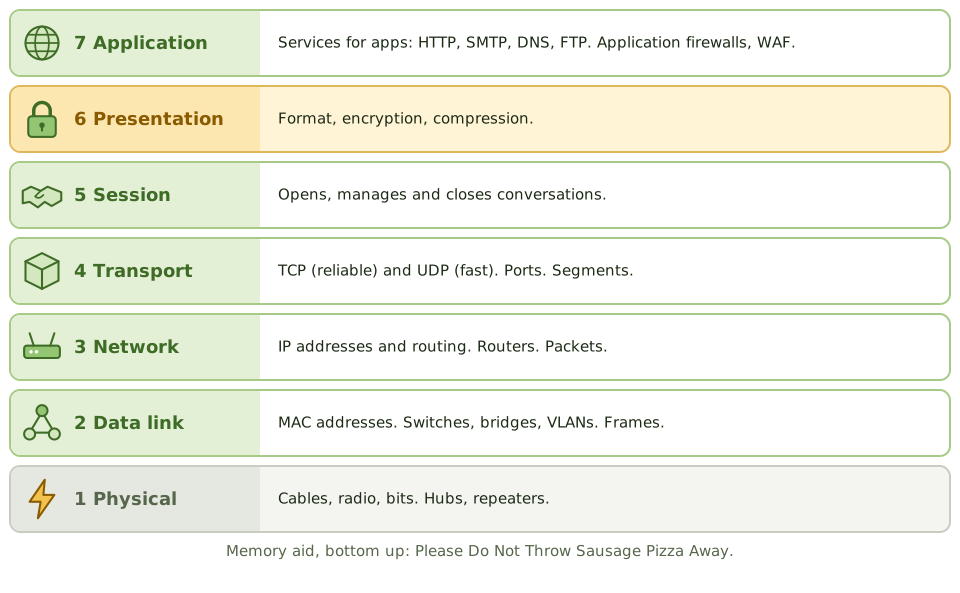
Devices and controls by layer
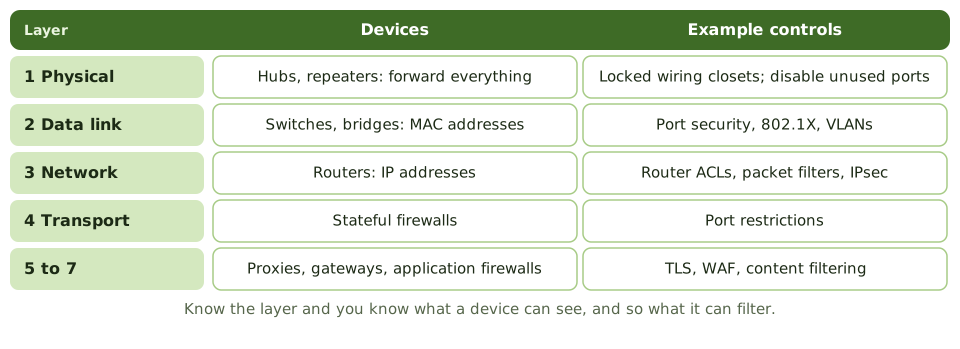
Why the layer matters
A device can only filter what it can see. A hub sees bits, so it can't filter anything. A switch sees MAC addresses. A router sees IP addresses. An application firewall sees the actual web request.
How the exam asks about it
| If the question asks… | Answer |
|---|---|
| Layer where routers work | Network (3) |
| Layer where switches work | Data link (2) |
| Layer for encryption and formatting | Presentation (6) |
| Layer of TCP and UDP | Transport (4) |
| Device translating between protocols | Gateway |
Key takeaways
- ✓The OSI model has seven layers: physical, data link, network, transport, session, presentation, application.
- ✓Layer 1 physical: cables, signals, hubs, repeaters. Layer 2 data link: frames, MAC addresses, switches, bridges.
- ✓Layer 3 network: IP addressing and routing, routers. Layer 4 transport: TCP and UDP, ports, reliability.
- ✓Layer 5 session manages dialogues; layer 6 presentation handles formatting, encryption and compression; layer 7 application is where user-facing protocols run.
- ✓Gateways can operate up to layer 7 and translate between different protocols.
- ✓Knowing the layer tells you which device or control acts on the traffic.
Exam traps
- !Switches work at layer 2 (MAC addresses); routers at layer 3 (IP addresses).
- !Hubs and repeaters are layer 1 and forward everything; they can't filter.
- !Encryption and data format conversion belong to the presentation layer in the OSI model.
- !A packet-filtering firewall works at layers 3 and 4; an application firewall at layer 7.
TCP/IP and Common Protocols
How the internet's own model works, the difference between TCP and UDP, IP addresses and NAT, and the protocols and ports that come up in security questions.
The internet's rulebook
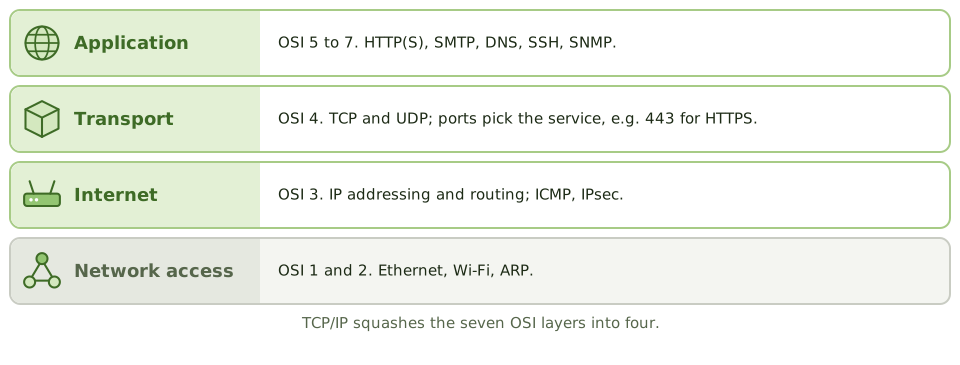
The OSI model is the textbook version. TCP/IP is what the internet actually runs on. It squashes the seven layers into four.
You don't need to configure it, but you do need to know what each piece does and which protocols are risky.
TCP vs UDP
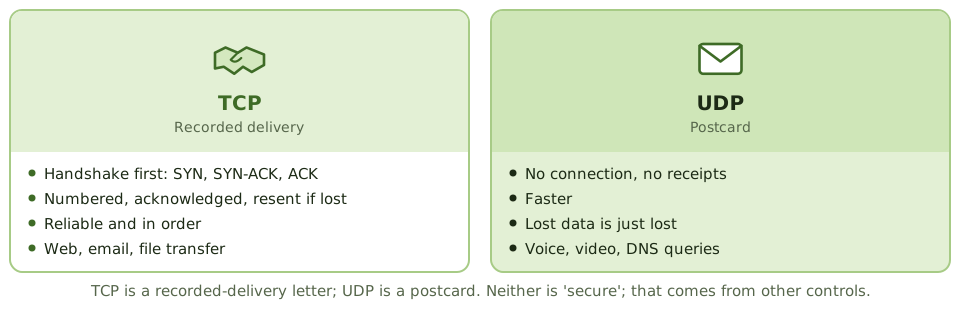
Addresses and NAT
- 1IPv4 addresses are 32-bit; IPv6 addresses are 128-bit.
- 2Private ranges (10.x, 172.16-31.x, 192.168.x) are used inside the organisation.
- 3NAT translates private addresses to a public one at the edge.
- 4Subnetting splits networks into segments, which helps segregation.
Clear text vs secure
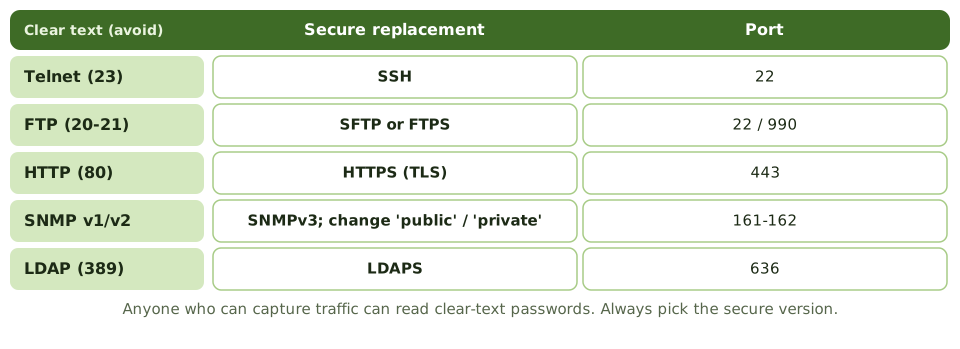
Other protocols worth knowing
| Protocol | What it does | Watch out for |
|---|---|---|
| DNS (53) | Names to addresses | Poisoning; use DNSSEC |
| DHCP (67-68) | Hands out addresses | Rogue DHCP servers |
| SMTP (25/587) | Sends email | Spoofing; use TLS, SPF, DKIM, DMARC |
| RDP (3389) | Remote desktop | Never expose to the internet; MFA |
| NTP (123) | Synchronises clocks | Needed so logs line up |
How the exam asks about it
| If the question asks… | Answer |
|---|---|
| Protocol that guarantees delivery | TCP |
| Risk of Telnet or FTP | Passwords sent in clear text |
| Secure replacement for Telnet | SSH |
| Why NTP matters for security | Accurate timestamps to correlate logs |
| Risk of default SNMP settings | Device settings read or changed |
Key takeaways
- ✓TCP/IP has four layers: network access, internet, transport and application.
- ✓TCP is connection-oriented and reliable (handshake, acknowledgements, retransmission); UDP is connectionless and faster, without delivery guarantees.
- ✓IP addresses identify hosts; private address ranges are used internally and translated with NAT.
- ✓Insecure protocols (Telnet, FTP, HTTP, SNMPv1/v2) send data, including credentials, in clear text; secure alternatives are SSH, SFTP/FTPS, HTTPS and SNMPv3.
- ✓DNS translates names to addresses; DHCP assigns addresses automatically; both are critical and attack targets.
- ✓Network management protocols such as SNMP need strong authentication because they can change device settings.
Exam traps
- !Telnet and FTP transmit passwords in clear text. Replace with SSH and SFTP.
- !UDP isn't 'insecure' by design; it's unreliable (no delivery guarantee). Security comes from other controls.
- !NAT hides internal addresses but isn't a substitute for a firewall.
- !Default SNMP community strings ('public', 'private') are a common finding.
Network Devices: Switches, Routers, Gateways
What each network device does and how much it understands about the traffic, why segmentation matters, and the configuration and access controls the auditor checks.
The post room
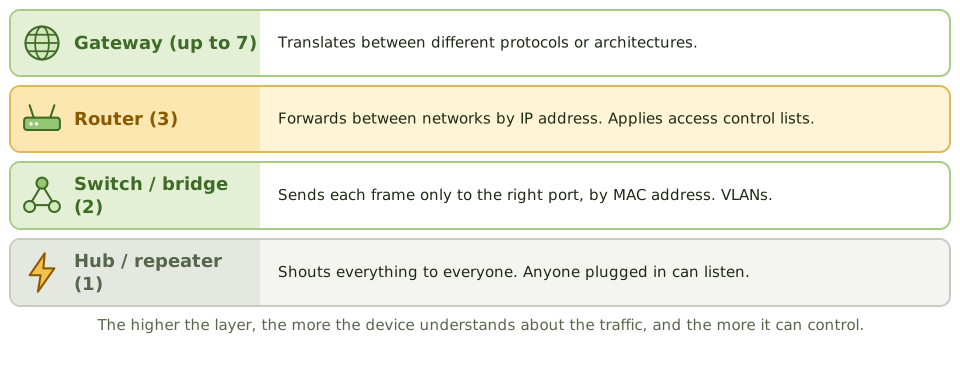
Picture an office post room. A junior who shouts every message to the whole floor is a hub. A clerk who hands each letter to the right desk is a switch. The mail van that takes letters between buildings using street addresses is a router. A translator who rewrites letters for a foreign office is a gateway.
Device by device
| Device | Layer | Does what |
|---|---|---|
| Repeater / hub | 1 | Regenerates and sends to every port |
| Bridge / switch | 2 | Forwards by MAC address; VLANs |
| Router | 3 | Forwards between networks by IP; ACLs |
| Load balancer | 4-7 | Spreads traffic across servers |
| Gateway | Up to 7 | Translates between protocols |
Segmentation
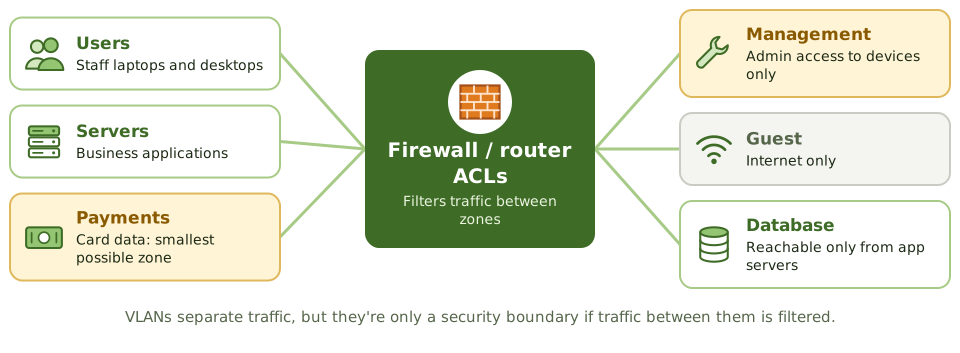
Controlling the devices
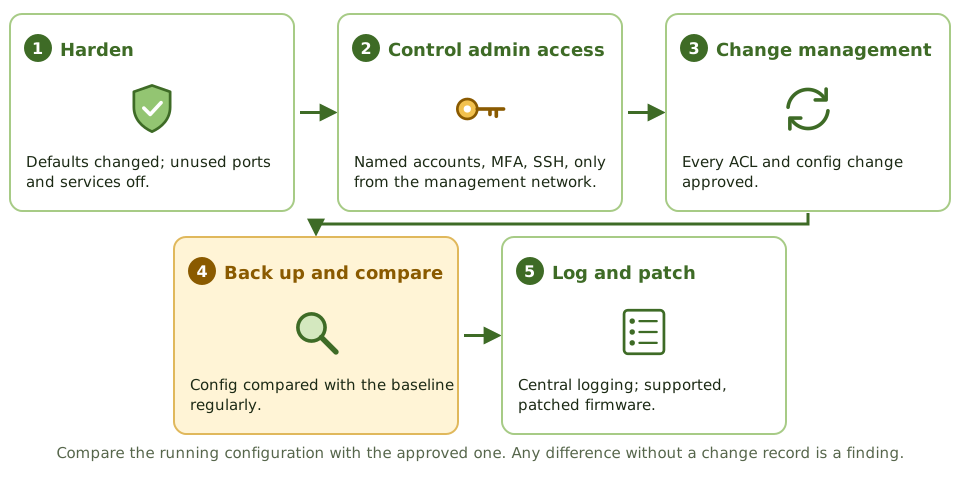
How the exam asks about it
| If the question asks… | Answer |
|---|---|
| Forwards by IP address | Router |
| Forwards by MAC address | Switch (or bridge) |
| Translates between protocols | Gateway |
| Risk of hubs | Every device sees all traffic |
| Detect unauthorised router changes | Compare with an approved baseline |
| Purpose of segmentation | Limit access, contain compromises |
Key takeaways
- ✓Hubs and repeaters (layer 1) forward everything; switches (layer 2) forward by MAC address; routers (layer 3) forward by IP address.
- ✓Bridges connect network segments at layer 2; gateways translate between different protocols, up to layer 7.
- ✓VLANs on switches segment traffic logically; routing between VLANs should be controlled with ACLs or firewalls.
- ✓Network devices need hardened configurations, controlled administrative access, logging and change control.
- ✓Device configurations should be backed up and compared regularly against an approved baseline.
- ✓Network segmentation limits how far an attacker can move after a compromise.
Exam traps
- !A hub sends traffic to all ports, so anyone connected can sniff it; switches reduce this.
- !Routers with default passwords or open management interfaces are a high-risk finding.
- !VLANs separate traffic but aren't a security boundary unless inter-VLAN routing is filtered.
- !Unauthorised changes to router ACLs or firewall rules bypass network controls; change management applies.
LAN/WAN Topologies
Network sizes from a phone to the world, the shapes networks can take and what breaks them, cable types from cheapest to most secure, and how organisations connect their sites.
Networks come in sizes
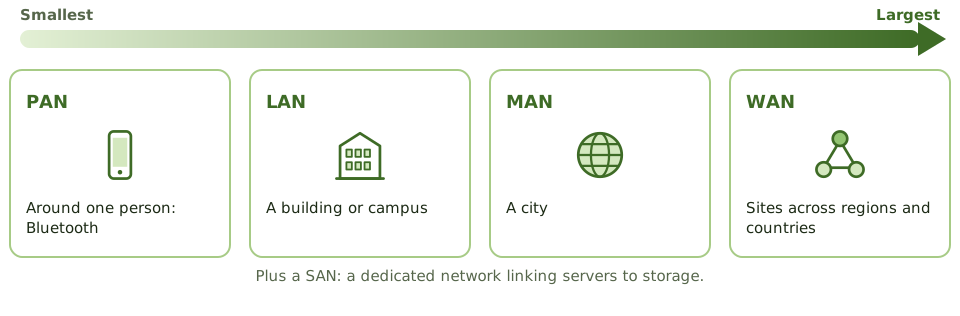
Networks come in shapes
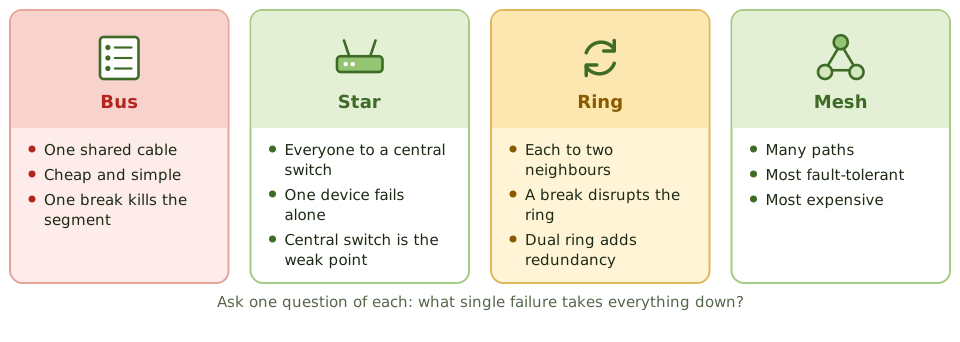
Think of roads. One long street everyone lives on (bus): close it and nobody gets anywhere. A roundabout with spokes (star): one closed driveway affects one house, but close the roundabout and everything stops. A ring road. Or a city grid with many routes (mesh): the most resilient, and the most expensive to build.
Cables and wireless
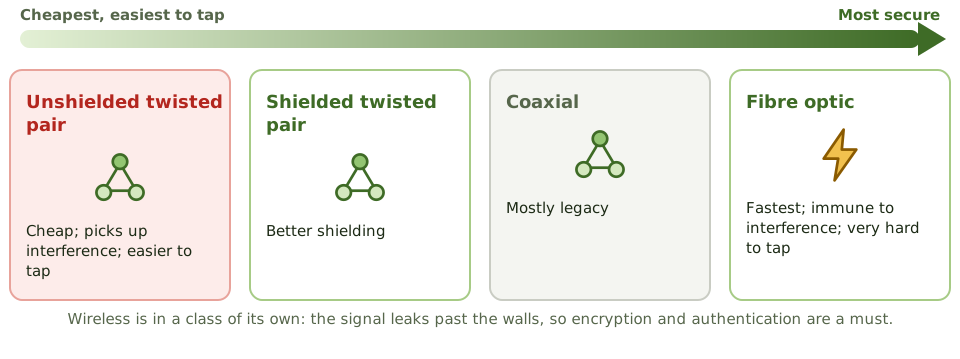
Connecting sites
Real redundancy
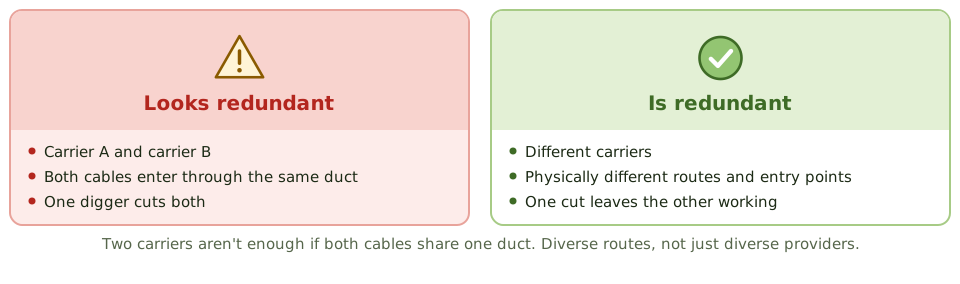
How the exam asks about it
| If the question asks… | Answer |
|---|---|
| Most fault-tolerant topology | Mesh |
| Single point of failure in a star | The central switch or hub |
| Hardest cable to tap | Fibre optic |
| Most prone to interference | Unshielded twisted pair |
| Key point for redundant WAN links | Different carriers and physical routes |
Key takeaways
- ✓Network types by scope: PAN, LAN, MAN, WAN; plus SAN for storage.
- ✓Star topology: all nodes connect to a central device; a single node failure is isolated but the central device is a single point of failure.
- ✓Bus topology: one shared cable; a break can take down the whole segment.
- ✓Ring topology: each node connects to two others; a break disrupts the ring unless it's a dual ring.
- ✓Mesh topology: multiple paths between nodes; most resilient and most expensive.
- ✓Fibre optic cable is most secure and resistant to interference; unshielded twisted pair is cheapest and most susceptible.
- ✓WAN options include MPLS, leased lines, SD-WAN and VPNs over the internet.
Exam traps
- !Mesh gives the most redundancy; star depends on its hub or switch.
- !Fibre is hardest to tap and immune to electromagnetic interference.
- !Wireless signals extend beyond physical boundaries, so they need encryption and authentication.
- !Redundant WAN links should use different carriers and physical routes, or they may fail together.
Database Models and DBMS
How databases organise data, from family trees to tables to NoSQL, what a database management system does, the three SQL language types, and why the database administrator needs watching.
Organising data
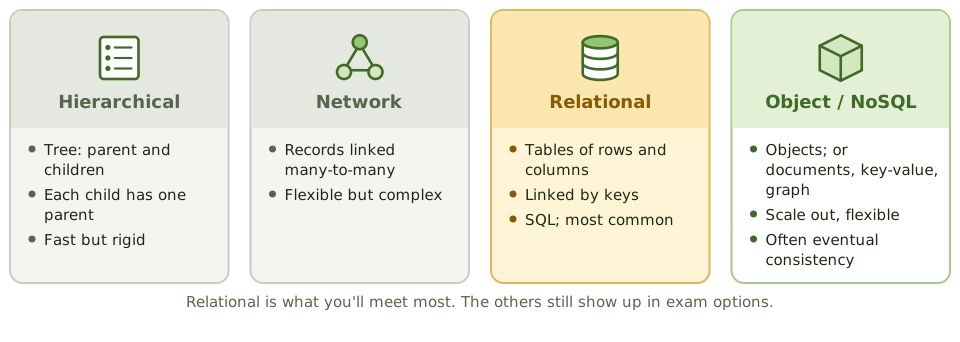
A filing system can be a family tree (each folder inside exactly one parent folder), a web of cross-references, or a set of spreadsheets linked by ID numbers. Databases use the same ideas.
The relational model, tables linked by keys, is by far the most common.
Relational basics
- 1Table: rows (records) and columns (fields).
- 2Primary key: the unique ID of each row.
- 3Foreign key: a column pointing to another table's primary key.
- 4View: a virtual table showing only selected rows or columns. Also an access control.
- 5Stored procedures and triggers: code in the database that enforces rules.
The three SQL languages
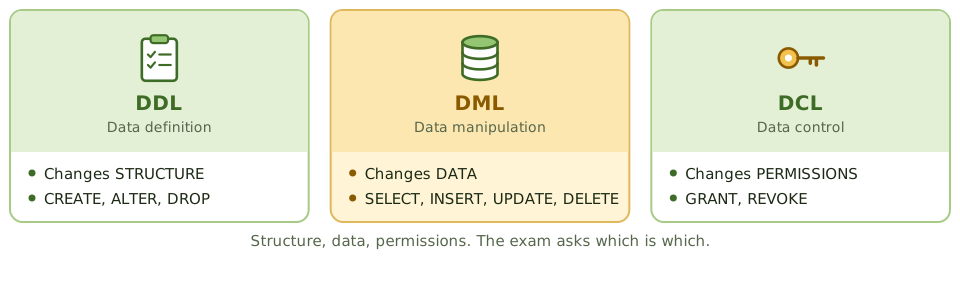
What the DBMS does
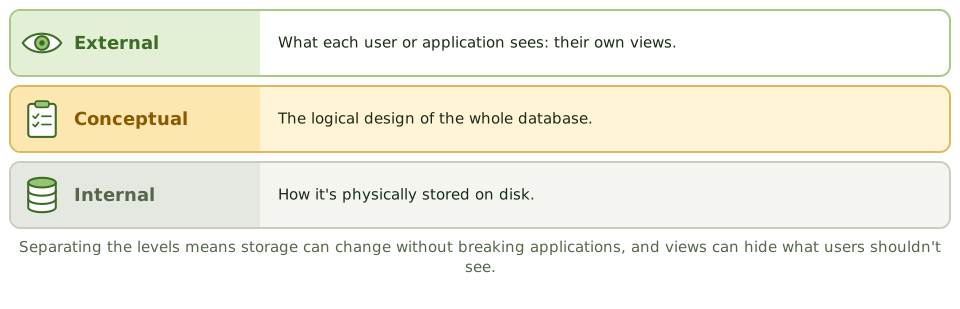
The database management system handles security and access, locking so users don't collide, integrity rules, backup, logging and recovery.
It also keeps the data dictionary: the metadata describing every field, structure, relationship, owner and access rule. Changes to it need restricting and logging.
Watching the DBA
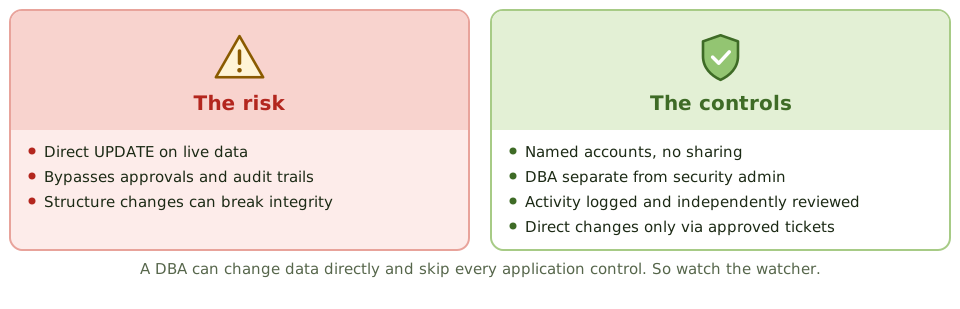
How the exam asks about it
| If the question asks… | Answer |
|---|---|
| Language used to grant permissions | DCL (GRANT, REVOKE) |
| Store of metadata about the database | Data dictionary / directory system |
| Feature that restricts what users see | Views |
| Main risk from DBA access | Direct data changes bypassing application controls |
| Most common database model | Relational |
Key takeaways
- ✓Database models: hierarchical (tree), network (many-to-many links), relational (tables with keys), object-oriented, and NoSQL (document, key-value, graph, column).
- ✓Relational databases organise data in tables of rows and columns, linked by primary and foreign keys.
- ✓A DBMS provides data definition (DDL), manipulation (DML) and control (DCL) languages, plus security, concurrency, backup and recovery.
- ✓The data dictionary/directory system holds metadata: definitions, structures, relationships and access rules.
- ✓The three-schema architecture separates the external (user views), conceptual (logical) and internal (physical) levels.
- ✓The DBA has powerful access to data and structures; their activity must be logged and independently reviewed.
Exam traps
- !DDL changes structure (CREATE, ALTER, DROP); DML changes data (INSERT, UPDATE, DELETE); DCL grants rights (GRANT, REVOKE).
- !Database views can restrict what users see, acting as an access control.
- !Unauthorised changes to the data dictionary can corrupt or expose data; restrict and log them.
- !NoSQL databases often trade strict consistency for scale; integrity controls may sit in the application instead.
Database Controls and Normalization
Storing each fact once (normalisation) and why breaking that rule needs extra controls, plus the access, integrity, backup, recovery and monitoring controls that protect a database.
Store each fact once
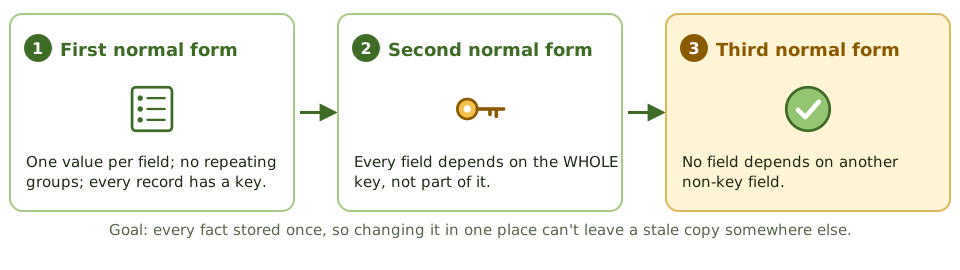
If your address is written in five different address books and you move house, you have to update all five. Miss one, and post goes to the old address.
Normalisation designs a database so each fact is stored in one place only. Change it once, and it's right everywhere.
Denormalisation
Sometimes data is copied on purpose to make reports faster, common in data warehouses. That's denormalisation.
Fine, but now the copies can drift apart, so you need compensating controls: controlled update routines or regular reconciliation.
Access and integrity controls
- 1Users reach data through applications, not database tools.
- 2Roles and views limit what each user sees and changes.
- 3DBA and schema-owner accounts: named, few, monitored.
- 4Service accounts get only what the application needs.
- 5Keys, constraints and triggers enforce rules in the database itself.
- 6Production data masked before use in testing.
Recovery
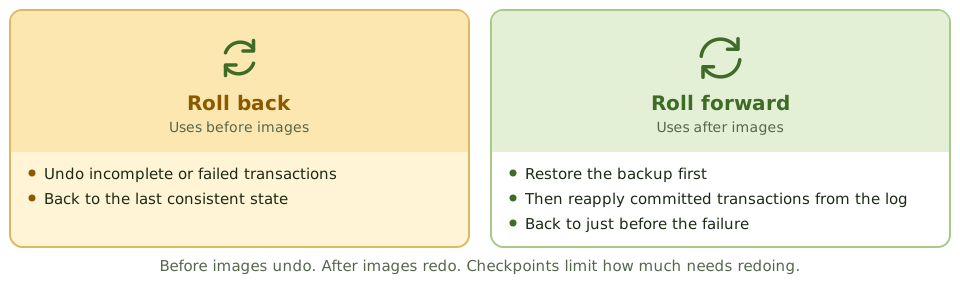
Monitoring
Database activity monitoring (DAM) logs and alerts on suspicious activity: bulk extracts, direct changes to sensitive tables, privilege escalation, access at odd hours.
How the exam asks about it
| If the question asks… | Answer |
|---|---|
| Purpose of normalisation | Reduce redundancy and update anomalies |
| Risk of denormalisation | Inconsistent data |
| Reapply committed work after a restore | Roll forward (after images / logs) |
| Undo incomplete transactions | Roll back (before images) |
| Best control over DBA activity | Logging with independent review |
| Production data in testing | Mask or anonymise it |
Key takeaways
- ✓Normalisation organises data to reduce redundancy and update anomalies, improving integrity.
- ✓First normal form removes repeating groups; second removes partial dependencies on a composite key; third removes transitive dependencies.
- ✓Denormalisation improves performance but increases redundancy and the risk of inconsistent data.
- ✓Database controls include access through roles and views, DBA activity logging, integrity constraints, encryption, backup and recovery.
- ✓Recovery uses backups plus transaction logs: rollback removes incomplete transactions, roll forward reapplies committed ones.
- ✓Checkpoints limit how much processing must be redone after a failure.
Exam traps
- !Normalisation reduces redundancy; denormalisation reintroduces it for speed, so compensating integrity controls are needed.
- !Rollback undoes incomplete transactions; roll forward reapplies committed transactions after a restore.
- !Database-level access for end users bypasses application controls.
- !Encrypting the database doesn't protect against an authorised user with excessive access.
Asset Management
Why knowing exactly what you own comes before almost every other control, what an asset record holds, how assets are tracked from purchase to disposal, and how to keep the list honest.
You can't protect what you don't know about
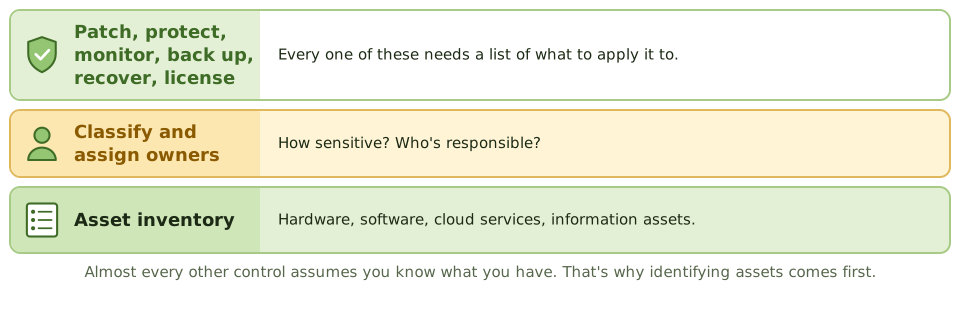
Before insuring your home, you list what's in it. If the expensive camera isn't on the list, it isn't covered when it's stolen.
IT works the same way. You can't patch, protect, back up, license or recover a server nobody knows exists. That's why identifying assets is the first step in risk assessment, security and continuity planning.
What's tracked
From purchase to disposal
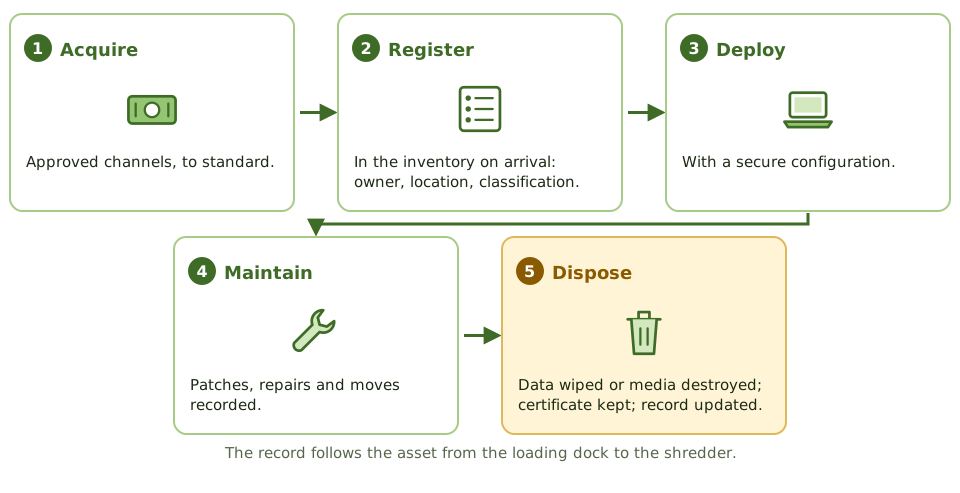
Keeping the list honest
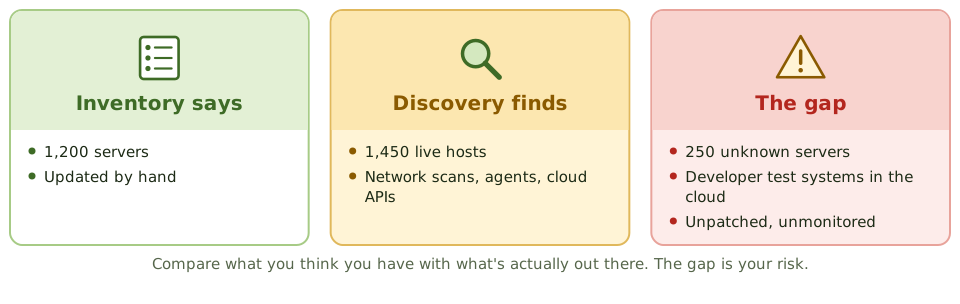
Software licences
Software asset management compares licences owned with software actually installed and used. Too few licences is a legal and financial risk; too many is waste.
Restricting who can install software makes this far easier.
How the exam asks about it
| If the question asks… | Answer |
|---|---|
| First step in protecting information assets | Identify and inventory them, then classify |
| Best way to keep the inventory complete | Automated discovery reconciled to it |
| Risk of assets without owners | Not patched, monitored or protected |
| Before disposing of hardware | Secure data destruction, documented |
Key takeaways
- ✓IT asset management maintains an accurate inventory of hardware, software, cloud services and information assets.
- ✓You can't protect, patch, license or recover what you don't know you have; the inventory is foundational.
- ✓Each asset should have an owner, location, classification, configuration details and life cycle status.
- ✓Assets are managed through acquisition, deployment, maintenance, and secure disposal.
- ✓Discovery tools and reconciliation against purchase records keep the inventory complete.
- ✓Software asset management compares licences owned with software installed and used.
Exam traps
- !The first step in many security and continuity programs is identifying assets.
- !Assets without owners tend to go unpatched and unmonitored.
- !Disposal without secure data destruction is a data breach risk.
- !Asset inventory (what you own) differs from the CMDB (how components are configured and related), though they overlap.
Configuration Management
Keeping an accurate map of IT components and how they depend on each other: configuration items, the CMDB, baselines, and why the map is only useful if change management keeps it current.
A map of the plumbing
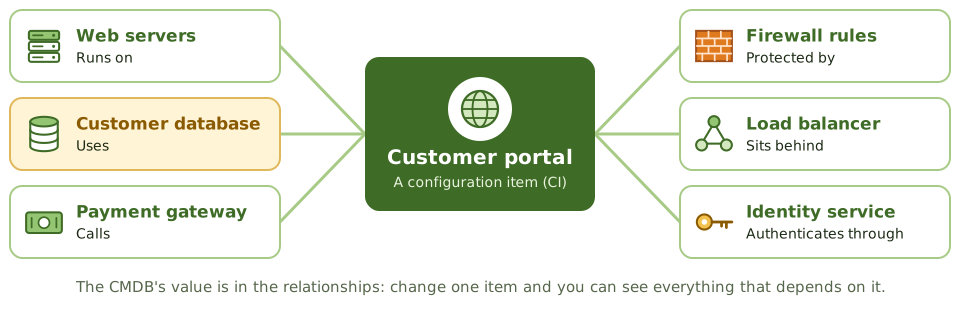
Before a plumber turns off a valve, they want to know which taps it feeds. Turn off the wrong one, and the whole building loses water.
Configuration management keeps that map for IT: every component (a configuration item, or CI), its settings, and what depends on what.
The four activities
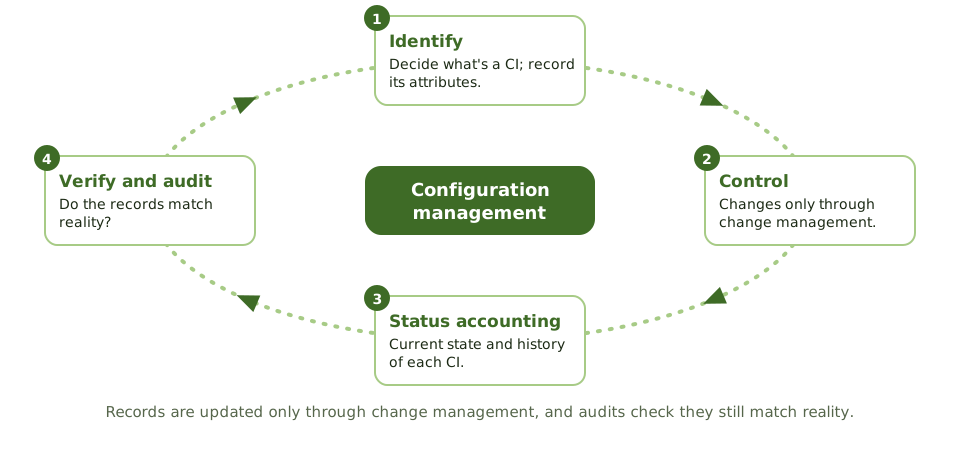
What the CMDB is used for
- 1Change impact: what else will this change affect?
- 2Incident diagnosis: which components are involved?
- 3Problem management: what do repeat incidents have in common?
- 4Recovery: what to rebuild, and in what order.
- 5Security: which systems run the vulnerable version?
Baselines
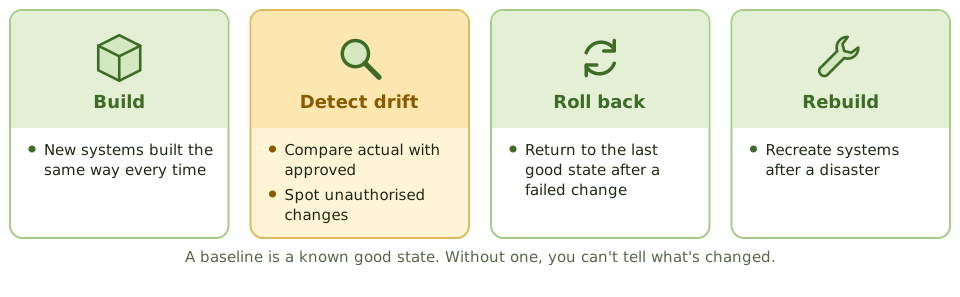
A wrong map is worse than none
CMDB updates are part of closing every change. Automated discovery and regular audits check the records still match reality.
How the exam asks about it
| If the question asks… | Answer |
|---|---|
| Database of CIs and relationships | CMDB |
| Purpose of a baseline | Reference for changes, drift detection, recovery |
| How CMDB records are updated | Through change management |
| Best way to verify CMDB accuracy | Compare with actual configurations |
Key takeaways
- ✓Configuration management identifies configuration items (CIs), records their attributes and relationships, and controls changes to them.
- ✓The configuration management database (CMDB) holds CI records and how they depend on each other.
- ✓A baseline is an approved configuration at a point in time, used as a reference for changes and recovery.
- ✓Configuration management supports change impact assessment, incident diagnosis, and recovery.
- ✓CI records are updated only through change management; regular audits (verification) confirm the CMDB matches reality.
- ✓Configuration drift from baselines is detected by automated comparison.
Exam traps
- !An inaccurate CMDB is worse than none: decisions get made on wrong data.
- !Updating the CMDB is part of closing a change, not optional paperwork.
- !Configuration management controls the configuration; change management approves changes to it. They work together.
- !Baselines are needed to detect unauthorised changes.
Job Scheduling and Batch Processing
The automated jobs that run overnight: why the schedule must be controlled, who may change it, how jobs depend on each other, and what happens when one fails.
The night shift
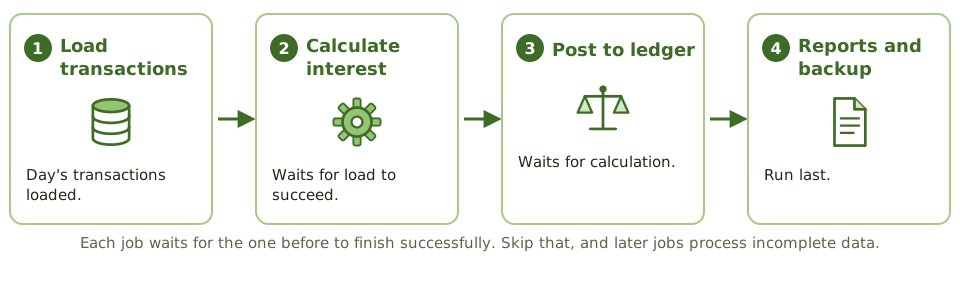
A bakery runs to a strict timetable overnight: mix the dough, let it rise, bake, cool, then pack. Bake before it's risen, or pack before it's cooled, and the whole batch is ruined.
Most transaction processing, interfaces, backups and reports run the same way, as scheduled batch jobs. If the wrong job runs, runs twice, or fails silently, every downstream system can end up wrong.
Why automate it
- 1Jobs run in the right order at the right time.
- 2Dependencies are enforced: no job starts on incomplete data.
- 3Less manual operator intervention, so fewer mistakes.
- 4A log of everything that ran.
The controls
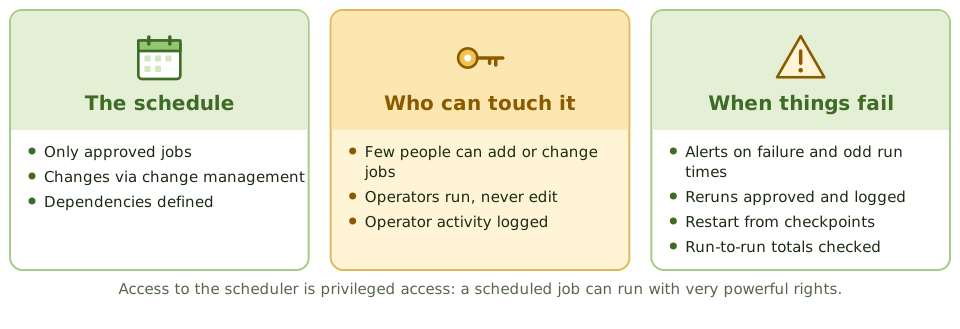
Reruns
When a job fails halfway, rerunning it from the start can process half the data twice. Reruns need approval, a restart from a checkpoint, and a check for duplicates.
How the exam asks about it
| If the question asks… | Answer |
|---|---|
| Main benefit of automated scheduling | Fewer manual errors; sequence enforced |
| Control over schedule changes | Change management with approval |
| Risk of unauthorised reruns | Duplicate processing |
| Who may modify job definitions | A restricted group, not operators |
| Evidence jobs ran as scheduled | Scheduler logs reviewed for exceptions |
Key takeaways
- ✓Job scheduling software runs batch jobs automatically in the right order and at the right time, reducing operator error.
- ✓Only authorised, approved jobs should be in the production schedule; changes to schedules go through change management.
- ✓Access to the scheduler is restricted, because a scheduled job can run with powerful privileges.
- ✓Job outcomes are monitored; failures are investigated and reruns are authorised and logged.
- ✓Job logs and exception reports are reviewed to detect unauthorised or failed jobs.
- ✓Dependencies between jobs must be defined so later jobs don't process incomplete data.
Exam traps
- !Operators shouldn't be able to change job definitions or programs, only run approved schedules.
- !A rerun without authorisation can duplicate transactions.
- !Ad hoc jobs submitted outside the schedule need the same approval and logging.
- !Scheduler access is effectively privileged access; review it like admin access.
Incident Management
Getting a broken service back as fast as possible: logging, prioritising, escalating, resolving and closing incidents, handling major ones, and where incident management stops and problem management starts.
Get it working again
When a pipe bursts, the first job is to stop the water and get the kitchen usable again. Working out why the pipe burst comes later.
An incident is any unplanned interruption or drop in service quality. Incident management's only goal is to restore normal service as quickly as possible.
The process
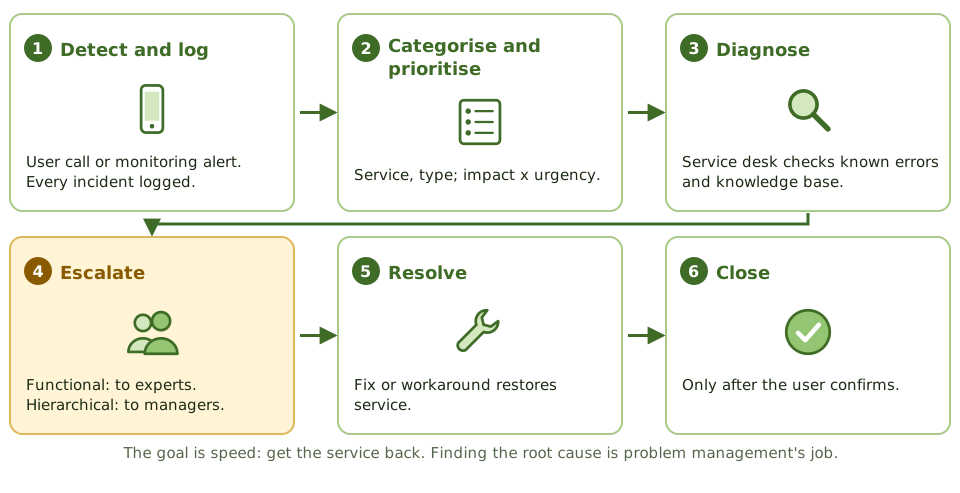
Two kinds of escalation
Incident vs problem
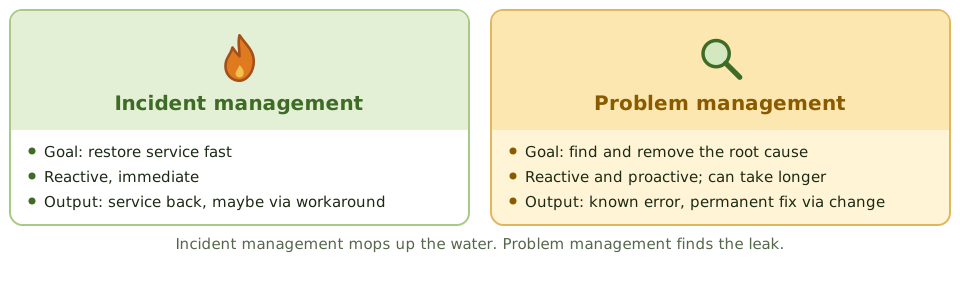
Security incidents are different
Malware, breaches and unauthorised access follow the security incident response process (Domain 5). The service desk has to recognise them and route them correctly, because evidence must be preserved and legal or regulatory notification may apply.
A quick 'restart and close' can destroy the evidence.
How the exam asks about it
| If the question asks… | Answer |
|---|---|
| Primary objective of incident management | Restore service as quickly as possible |
| How priority is set | Impact and urgency |
| Escalation to a more skilled team | Functional escalation |
| Same symptoms recurring | Raise a problem record |
| When to close an incident | After the user confirms |
Key takeaways
- ✓Incident management restores normal service as quickly as possible and minimises business impact.
- ✓Every incident is logged, categorised and prioritised by impact and urgency.
- ✓Functional escalation moves an incident to a more skilled team; hierarchical escalation involves management.
- ✓Workarounds restore service; root cause analysis belongs to problem management.
- ✓Major incidents follow a separate, faster procedure with dedicated communication.
- ✓Incidents are closed only after the user confirms service is restored.
Exam traps
- !The goal of incident management is restoring service, not finding root cause.
- !Security incidents follow the incident response process, with evidence preservation, and may need different handling.
- !Closing incidents without user confirmation distorts metrics.
- !Repeated incidents with no linked problem record show the incident and problem processes aren't connected.
Problem Management
Finding out why things keep breaking and fixing it for good: problems, known errors and workarounds, root cause analysis, and the move from reactive to proactive.
Finding the leak
Incident management mops up the water. Problem management goes into the ceiling to find the leaking pipe and replaces it, so you stop needing the mop.
A problem is the underlying cause of one or more incidents. Problem management finds root causes and removes them so incidents don't come back.
Key terms
| Term | Meaning |
|---|---|
| Problem | The underlying cause, or potential cause, of incidents |
| Known error | A problem with its root cause found and documented |
| Workaround | Reduces the impact without fixing the cause |
| Known error database (KEDB) | Known errors and workarounds for the service desk |
The process
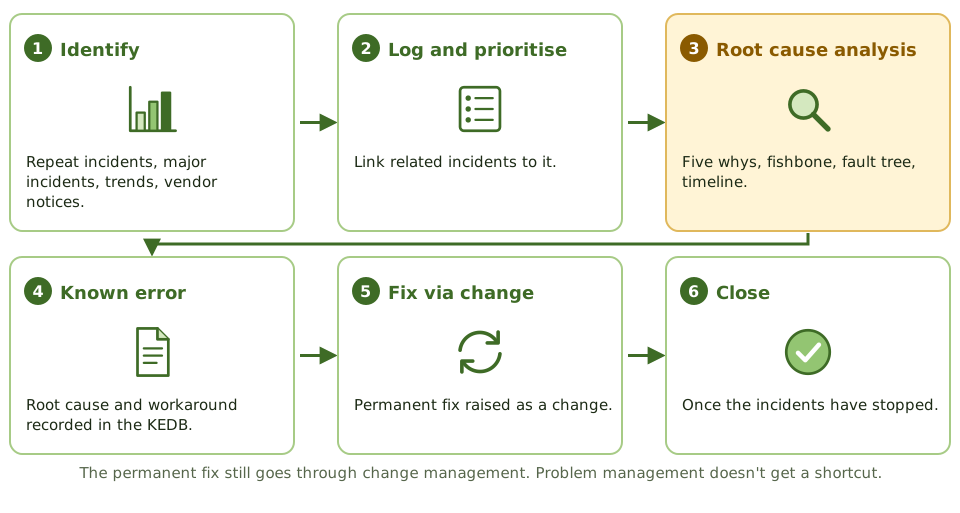
Asking 'why?' five times
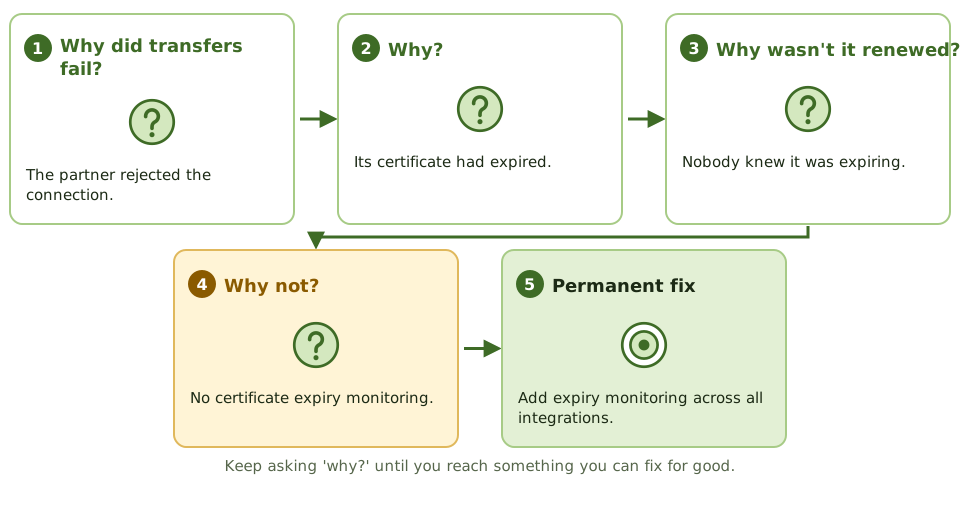
Reactive vs proactive
How the exam asks about it
| If the question asks… | Answer |
|---|---|
| Primary goal of problem management | Remove root causes; prevent recurrence |
| Problem with known cause and workaround | Known error |
| Proactive problem management | Trend analysis to prevent incidents |
| How the permanent fix is made | Through change management |
| Best sign it's working | Fewer recurring incidents |
Key takeaways
- ✓Problem management identifies the root causes of incidents and prevents them from recurring.
- ✓A problem is the underlying cause of one or more incidents; a known error is a problem with a documented root cause and workaround.
- ✓Reactive problem management responds to incidents; proactive problem management analyses trends to find issues before they cause incidents.
- ✓Root cause analysis techniques include the five whys, fishbone (Ishikawa) diagrams and fault tree analysis.
- ✓Permanent fixes are implemented through change management.
- ✓The known error database helps the service desk resolve incidents faster.
Exam traps
- !Problem management isn't about restoring service fast; that's incident management.
- !A workaround isn't a resolution; the problem stays open until the root cause is removed or the risk is accepted.
- !Fixes found by problem management still need change approval.
- !Without incident trend analysis, problem management is purely reactive.
Change Management
Making sure nothing changes in production without approval: what counts as a change, who approves what, keeping developers out of production, emergency changes, and how the auditor hunts for changes that skipped the process.
Nothing changes without a yes
In a hospital, nobody changes a patient's medication on a whim. The change is requested, a doctor approves it, the pharmacy checks it, a nurse gives it, and it's all written in the chart.
Change management does the same for production systems. Its main goal: prevent or detect unauthorised changes to programs, configurations, parameters and data.
What counts as a change
| Type | Examples |
|---|---|
| Programs | Code, scripts, reports, interfaces, batch jobs |
| Configurations and parameters | Tax rates, approval limits, firewall rules |
| Infrastructure | Servers, network devices, cloud resources |
| Vendor software and patches | Upgrades, new releases, security patches |
| Data | Direct database updates outside the application |
The change process
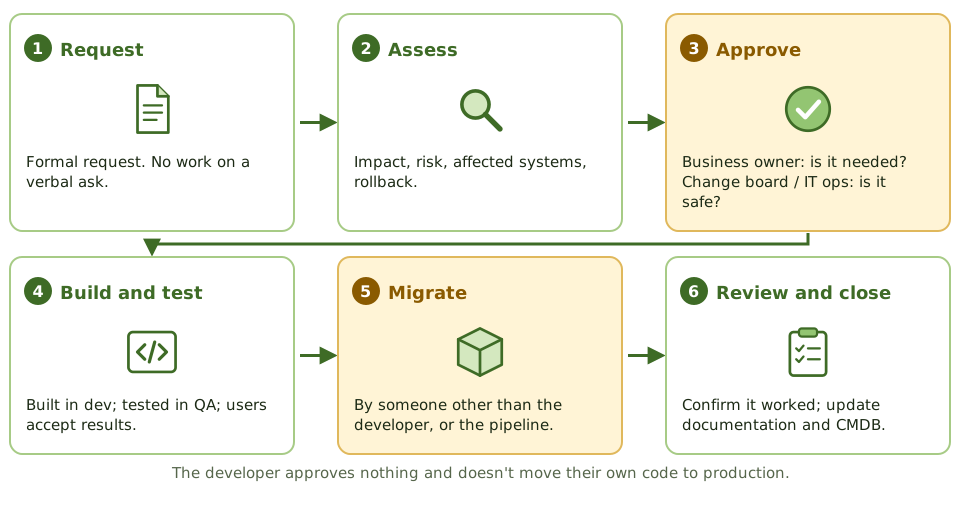
Who approves what
Keeping developers out of production
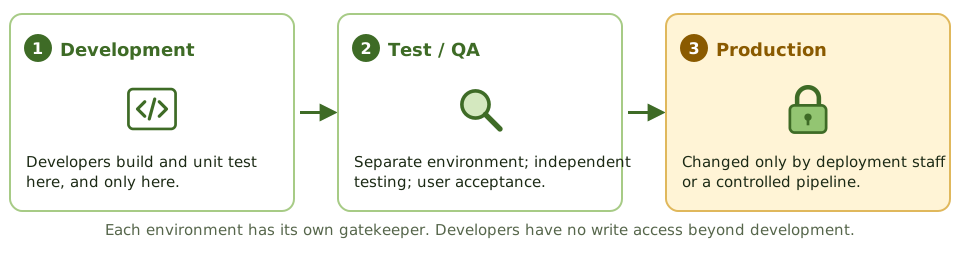
Incompatible duties
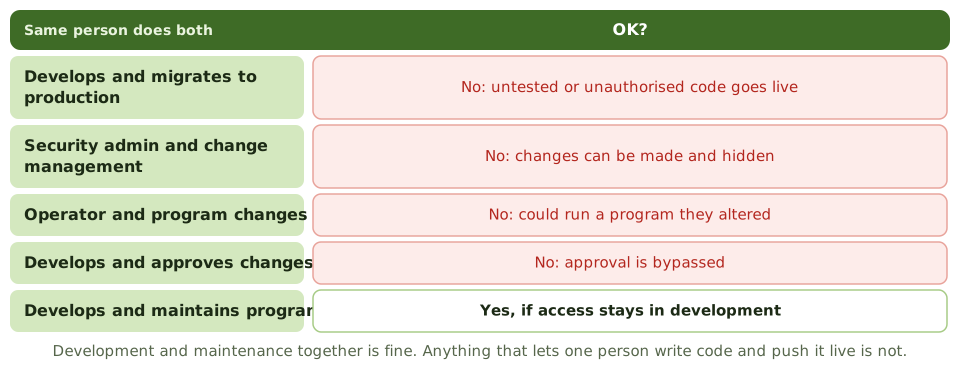
Emergency changes
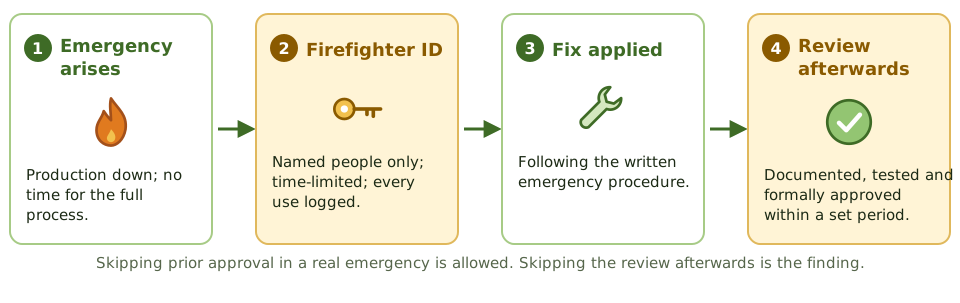
Hunting for unauthorised changes
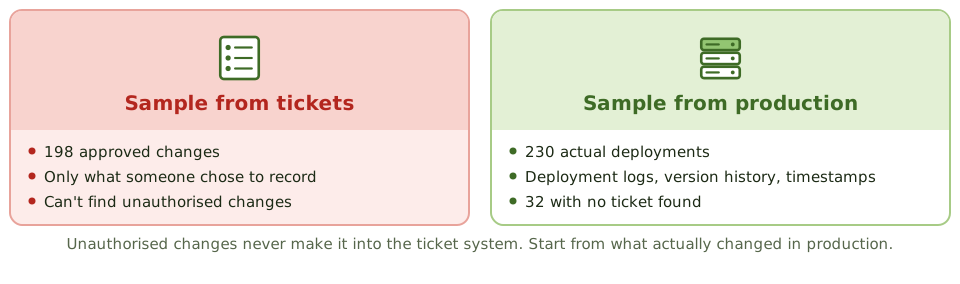
Test both ways. Production to ticket finds unauthorised changes. Ticket to production checks approved changes went in as approved.
Why it matters to the whole audit
Automated application controls are usually tested once and relied on all year. That only works if nobody could change them unnoticed.
Weak change management means the auditor can't rely on automated controls, so substantive testing goes up.
How the exam asks about it
| If the question asks… | Answer |
|---|---|
| Detect unauthorised program changes | Code comparison / reconcile production to approvals |
| Developer deploys own code, small team | Independent review of production changes |
| Emergency change without approval | Retrospective approval; control emergency IDs |
| Who approves a program change | Business owner (IT ops: production readiness) |
| Weak change management in an audit | Less reliance on automated controls; more substantive testing |
| Logging the development library | Not enough: misses production changes |
Key takeaways
- ✓The main objective of change control is to prevent or detect unauthorised changes to programs, configurations, parameters and data.
- ✓Users or business owners approve that a change meets the need and accept the test results. IT operations or the change board approves that it's safe for production.
- ✓The developer of a change must not migrate it to production. In a small team, the compensating control is an independent review of production changes.
- ✓Emergency changes may skip prior approval, but must be documented, tested and approved after the fact, and emergency IDs must be restricted and logged.
- ✓To detect unauthorised changes, start from what changed in production and trace back to approvals. The ticket system only shows recorded changes.
- ✓Each production executable should match one approved version of source code. Code comparison detects differences.
- ✓Weak change management means automated controls can't be relied on, so substantive testing increases.
Exam traps
- !Sampling tickets from the change system can't detect changes that bypassed it. Test from the production side.
- !Logging changes to development libraries doesn't detect changes to production.
- !In a small organisation, hiring more staff is rarely the expected answer. An independent review of production changes is.
- !Security administration and change management are incompatible duties: broad security rights let changes go unnoticed.
- !An emergency change without prior approval isn't the finding by itself. The finding is no after-the-fact review.
- !Development plus maintenance by the same programmer is acceptable, as long as they have no production access.
Release and Patch Management
Getting approved changes into production safely: types of release, what must exist before deploying, and the patch process that balances speed against the risk of breaking things.
Delivering the change
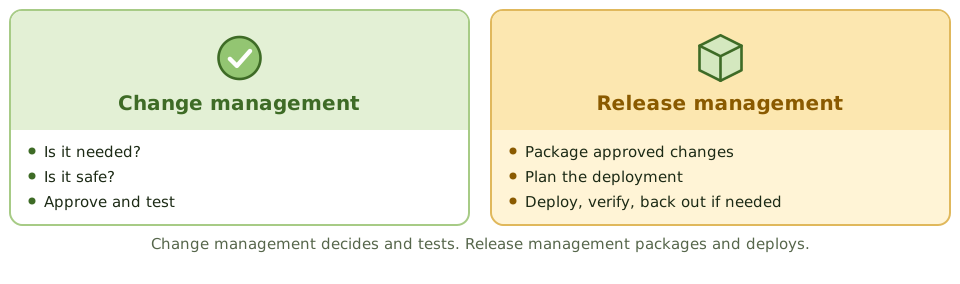
Change management is the kitchen deciding the new recipe is approved. Release management is service: plating the dishes, getting them out at the right moment, and taking one back if it's wrong.
Release management packages approved changes and deploys them into production in a controlled way.
Types of release
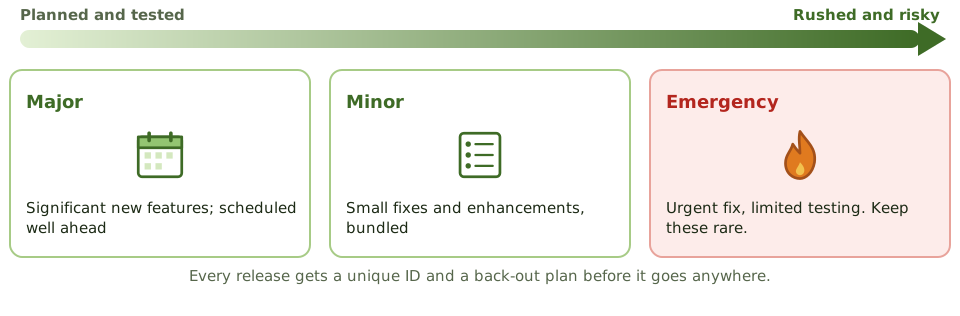
Release controls
- 1A unique ID for every release (configuration management).
- 2A definitive media library: a secure store of approved versions.
- 3A deployment plan with timing and responsibilities.
- 4A back-out plan, prepared before deploying.
- 5Testing in an environment that mirrors production.
- 6Checks after release that it worked.
Patch management
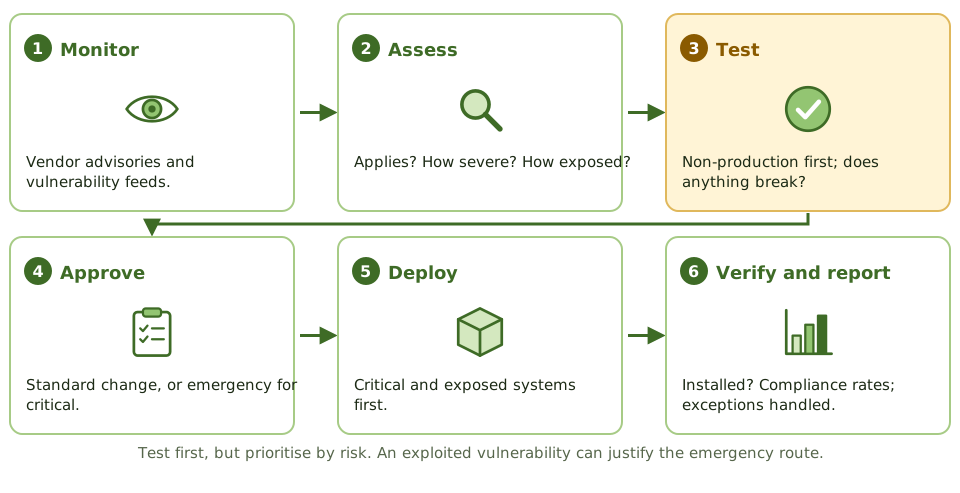
Speed vs safety
Unpatched systems are a leading cause of breaches. Badly tested patches cause outages. The exam's balance: test before deploying, prioritise by risk, and use the emergency route when a vulnerability is being actively exploited.
Systems that can't be patched need documented risk acceptance and compensating controls such as isolation and monitoring.
How the exam asks about it
| If the question asks… | Answer |
|---|---|
| Change vs release management | Change approves; release deploys |
| Must exist before deploying a release | A tested back-out plan |
| Step before patching production | Test the patch |
| System can't be patched | Compensating controls; documented risk acceptance |
| Measure of patching effectiveness | Time to patch critical flaws; compliance rate |
Key takeaways
- ✓Release management plans, builds, tests and deploys approved changes into production as controlled packages.
- ✓Release types: major (significant new functionality), minor (small enhancements and fixes) and emergency (urgent fixes).
- ✓Every release has a unique identifier, a deployment plan and a back-out plan.
- ✓Patch management keeps systems current with vendor fixes, prioritised by risk.
- ✓Patches are tested before production deployment, ideally in a test environment that mirrors production.
- ✓Patch status is monitored and exceptions (systems that can't be patched) are documented with compensating controls.
Exam traps
- !Change management approves; release management deploys.
- !Emergency patches can use expedited change but still need recording and retrospective review.
- !Applying patches directly to production without testing risks outages.
- !Unsupported systems that no longer receive patches need compensating controls or replacement.
- !Automated patching without verification can leave failures unnoticed.
Service Level Management
Agreeing what good service looks like and checking it's delivered: the service catalogue, SLAs and the OLAs and supplier contracts that hold them up, and why reported numbers need checking.
Agreeing what 'good' means
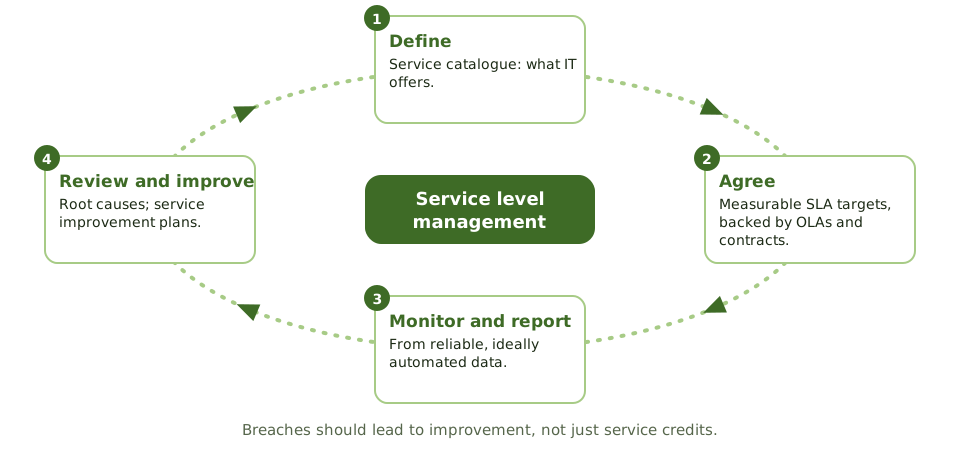
A delivery company promises 'next day by noon'. That promise is only real if it's measurable, if the warehouse, drivers and planes all commit to their part, and if someone checks the actual delivery times.
Service level management does this for IT: agree measurable targets with the business, make sure everyone behind them can deliver, and report honestly.
The three agreements
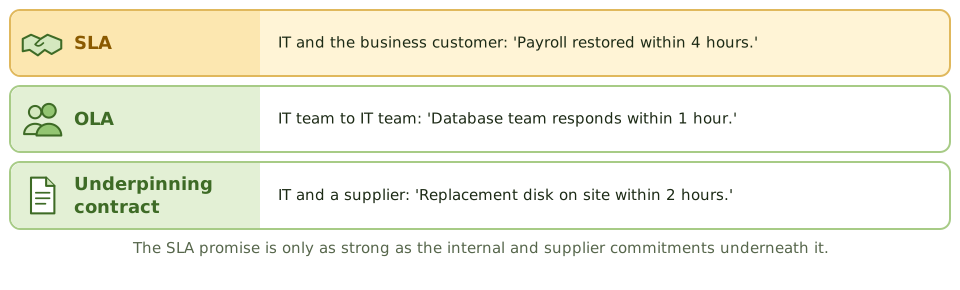
What an SLA contains
- 1Services covered and service hours.
- 2Measurable targets: availability, response and resolution times.
- 3How performance is measured, and from what data.
- 4Reporting frequency and review meetings.
- 5Responsibilities of both sides.
- 6Escalation and service credits.
Checking the numbers
Is availability measured as users experience it, or for one component? Are exclusions like planned maintenance reasonable? Could the provider reclassify incidents to look better?
How the exam asks about it
| If the question asks… | Answer |
|---|---|
| Internal agreement supporting an SLA | Operational level agreement (OLA) |
| Supplier contract supporting an SLA | Underpinning contract |
| Most important quality of SLA targets | Measurable and agreed with the business |
| Provider's own performance reports | Validate independently |
| Repeated SLA breaches | Root cause analysis; improvement plan |
Key takeaways
- ✓Service level management agrees, monitors and reports on service levels with customers, and drives improvement.
- ✓A service catalogue lists the services IT provides; SLAs set measurable targets for them.
- ✓Operational level agreements (OLAs) are internal agreements between IT teams; underpinning contracts are with external suppliers. Both must support the SLA.
- ✓SLA targets should be measurable, agreed with the business, and reported regularly.
- ✓The auditor checks that reported performance is accurate and based on reliable data.
- ✓Repeated SLA breaches should lead to service improvement plans, not just penalty payments.
Exam traps
- !An SLA target that can't be measured can't be managed.
- !If OLAs and supplier contracts don't support the SLA, the SLA will be breached.
- !Self-reported performance by the provider should be validated.
- !Availability measured excluding 'planned' downtime can hide poor service.
Capacity and Performance Monitoring
Having enough IT horsepower for today and tomorrow without paying for too much: the three levels of capacity management, why business plans matter more than history, and the warning signs.
Enough, but not too much
A restaurant needs enough tables for Saturday night, but not so many that half sit empty all week. And if a big party is booked next month, the manager needs to know now, not when they walk in.
Capacity management makes sure IT can meet today's and tomorrow's demand at a sensible cost. Too little means slow systems and outages; too much wastes money.
Three levels
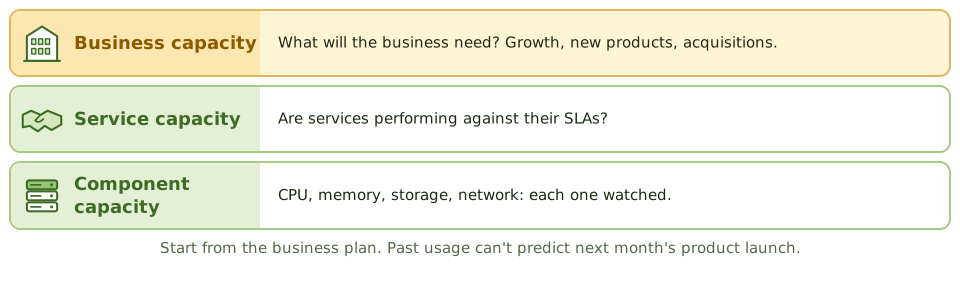
The activities
- 1Monitor utilisation and response times, with thresholds and alerts.
- 2Analyse trends, peaks and bottlenecks.
- 3Tune systems to use existing resources better.
- 4Manage demand, e.g. move batch jobs off-peak.
- 5Forecast from trends AND business plans.
- 6Keep a documented, reviewed and funded capacity plan.
Watch the peaks
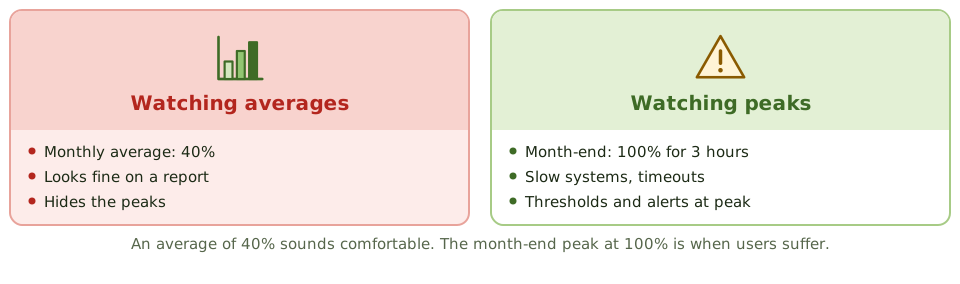
Warning signs
Users notice slow systems before IT does. Emergency hardware purchases. Storage runs out without warning. No link between business plans and IT planning. In the cloud, auto-scaling with no limits brings surprise bills.
How the exam asks about it
| If the question asks… | Answer |
|---|---|
| Primary input to capacity planning | Business plans and forecasts, plus trends |
| Purpose of performance monitoring | Spot issues early; feed capacity planning |
| Users notice slowness before IT | Inadequate monitoring and thresholds |
| Risk of excess capacity | Unnecessary cost |
Key takeaways
- ✓Capacity management makes sure IT resources meet current and future business demand cost-effectively.
- ✓It covers business capacity (future demand), service capacity (service performance) and component capacity (CPU, memory, storage, network).
- ✓Monitoring utilisation and response times, with thresholds and alerts, gives early warning.
- ✓Capacity plans use trend analysis and business forecasts, such as new products or acquisitions.
- ✓Insufficient capacity causes outages and slow response; excessive capacity wastes money.
- ✓Cloud elasticity helps but still needs monitoring and cost control.
Exam traps
- !Capacity planning should start from business plans, not just past utilisation.
- !Average utilisation can hide peaks; monitor peak periods.
- !Performance problems are often first noticed by users when monitoring is missing.
- !Auto-scaling without limits can produce unexpected costs.
End-User Computing
The spreadsheets, user-built databases and low-code apps that quietly run important processes: what can go wrong, and the inventory-first, risk-based way to bring them under control.
The spreadsheet that runs the company
Every organisation has one: the spreadsheet only one person understands, which somehow calculates a number that ends up in the annual report.
End-user computing (EUC) means tools built and run by business users rather than IT: spreadsheets, desktop databases, macros, scripts, user-built reports and low-code apps. They're quick and flexible, which is exactly why they end up running important processes.
What can go wrong
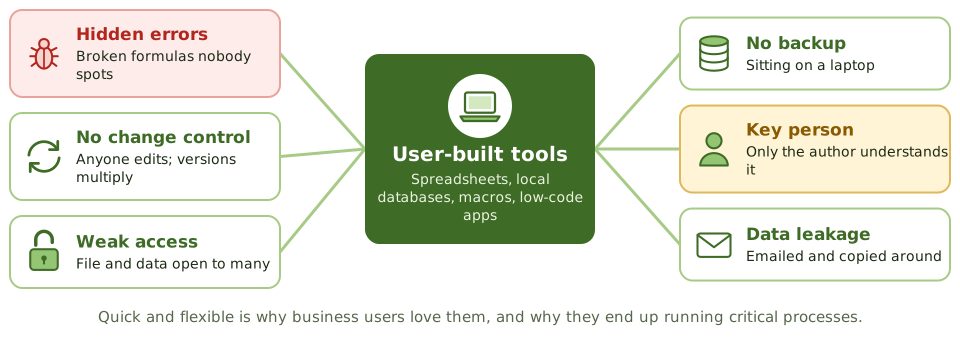
Bringing EUC under control
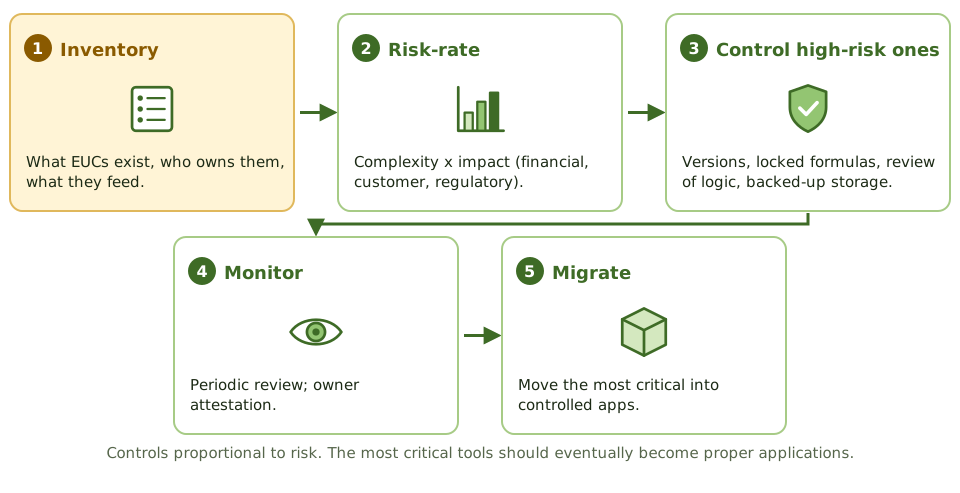
Checking the output isn't enough
A final number can look perfectly reasonable while the formula behind it is wrong. Review the logic, not just the result.
How the exam asks about it
| If the question asks… | Answer |
|---|---|
| First step in controlling EUC risk | Inventory the EUC applications |
| Biggest spreadsheet risk in financial reporting | Undetected errors and unauthorised changes |
| Best control over a critical spreadsheet | Version control plus independent review of logic |
| Long-term fix for a critical EUC | Migrate it to a controlled application |
Key takeaways
- ✓End-user computing (EUC) means applications built and run by business users outside IT's formal development: spreadsheets, local databases, scripts, low-code apps.
- ✓EUC often supports critical processes such as financial reporting, pricing and regulatory returns.
- ✓Risks: errors in formulas and logic, no change control, weak access controls, no backup, key person dependency and lack of documentation.
- ✓Control starts with an inventory of EUC tools and a risk rating of each.
- ✓High-risk EUCs need controls such as version control, access restrictions, input and formula checks, independent review, backup and documentation.
- ✓Some high-risk EUCs should be migrated to controlled applications.
Exam traps
- !A spreadsheet that feeds the financial statements is in scope for IT controls, even though IT didn't build it.
- !Password-protecting a spreadsheet isn't enough; formulas and versions still need control.
- !The first step in managing EUC risk is knowing what EUCs exist.
- !Reviewing the output of a spreadsheet doesn't verify its formulas.
BCP Lifecycle
Planning to keep the business going when things go badly wrong: how BCP differs from DRP, the life cycle from policy to maintenance, who owns what, and the 'what comes first' questions.
When the building is gone
Imagine your office floods overnight. Where do staff go in the morning? Which customers do you call first? Which systems must be back by lunchtime, and which can wait a week?
Business continuity planning answers those questions before the flood, while there's time to think.
BCP vs DRP
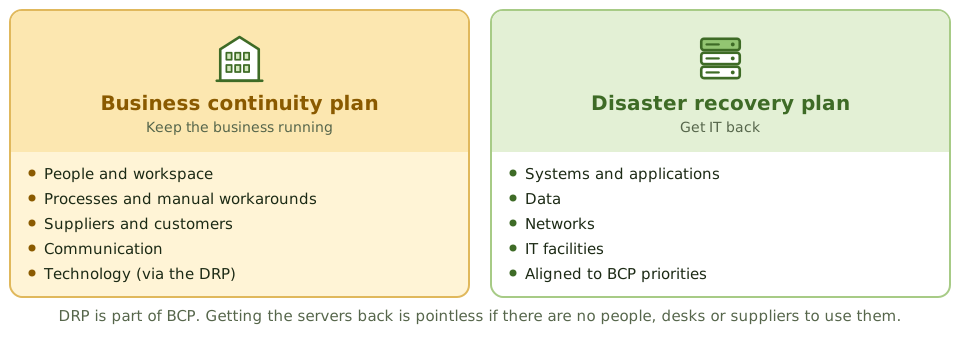
The life cycle
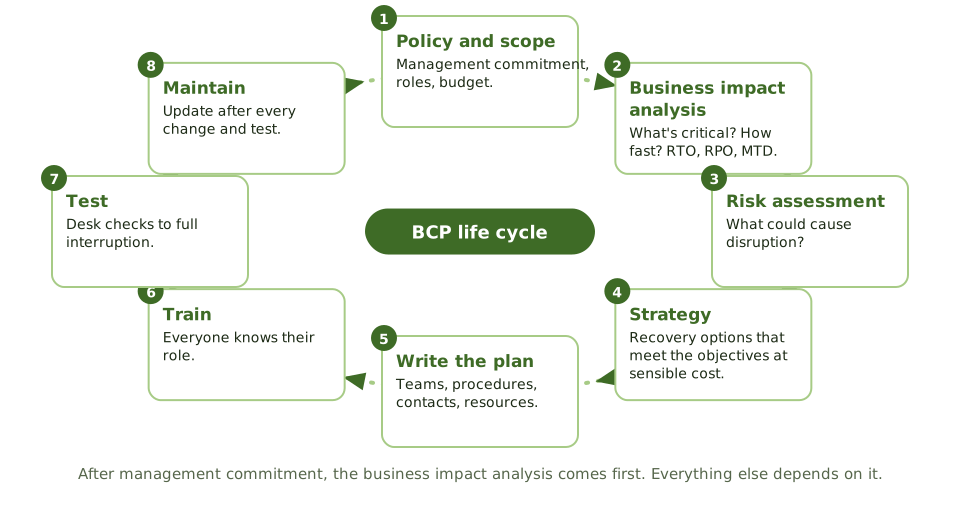
Who owns what
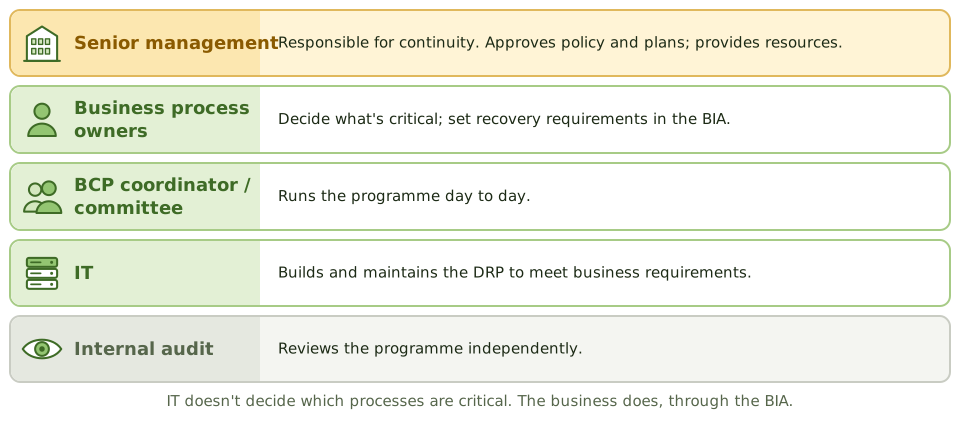
What the plan contains
- 1Scope, objectives and assumptions.
- 2Who can declare a disaster, and when.
- 3Teams and roles, with deputies.
- 4Contact lists: staff, suppliers, customers, authorities.
- 5Recovery procedures in priority order, and the resources needed.
- 6Communication, and how to return to normal.
Plans go stale fast
Update the plan after changes to the organisation, people and contact details, systems, suppliers and premises, and after every test and real incident.
How the exam asks about it
| If the question asks… | Answer |
|---|---|
| First step after management commitment | Business impact analysis |
| Who decides which processes are critical | Process owners / senior management |
| Ultimately responsible for continuity | Senior management / board |
| BCP vs DRP | BCP: the business. DRP: IT recovery |
| Keeps a plan effective | Regular testing and maintenance |
| Where plan copies go | Offsite, accessible to key staff |
Key takeaways
- ✓Business continuity planning (BCP) makes sure critical business processes can continue or resume after a disruption; disaster recovery planning (DRP) covers recovery of IT.
- ✓The BCP life cycle: policy and scope, business impact analysis, risk assessment, strategy selection, plan development, training and awareness, testing, and maintenance.
- ✓The business impact analysis is the key early step: it identifies critical processes and sets recovery priorities and objectives.
- ✓Senior management is responsible for BCP; business process owners own recovery requirements; IT supports with DRP.
- ✓A plan must be tested, kept current with organisational and system changes, and distributed with copies stored offsite.
- ✓ISO 22301 is the standard for business continuity management systems.
Exam traps
- !The FIRST step after getting management commitment is the business impact analysis, not choosing a recovery site.
- !IT doesn't decide which business processes are critical; the business does, through the BIA.
- !BCP covers people, facilities, processes and suppliers, not just IT.
- !An untested plan gives little assurance; the most important ongoing activity is testing and maintenance.
- !Plan copies must be available offsite; a plan stored only on the affected server is useless.
Business Impact Analysis
Working out what would hurt most if it stopped, and how fast: the BIA steps, the four criticality levels, and the cost curves that point to the right recovery strategy.
What would hurt most?
If your house were on fire and you had two minutes, what would you grab? Probably not the toaster. You'd grab the things that are irreplaceable or that you'd need tomorrow.
A business impact analysis (BIA) asks the same question of an organisation: which processes matter most, how quickly does the damage grow if they stop, and what do they depend on?
The steps
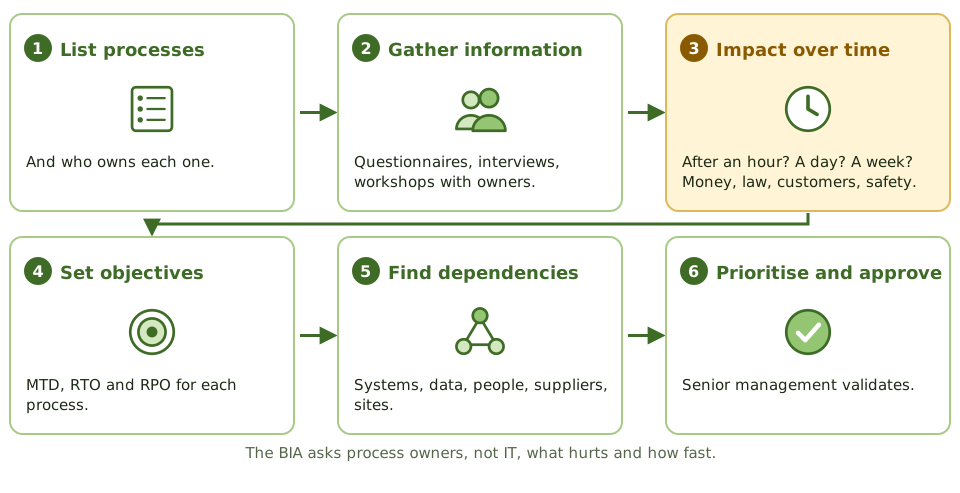
Four levels of criticality
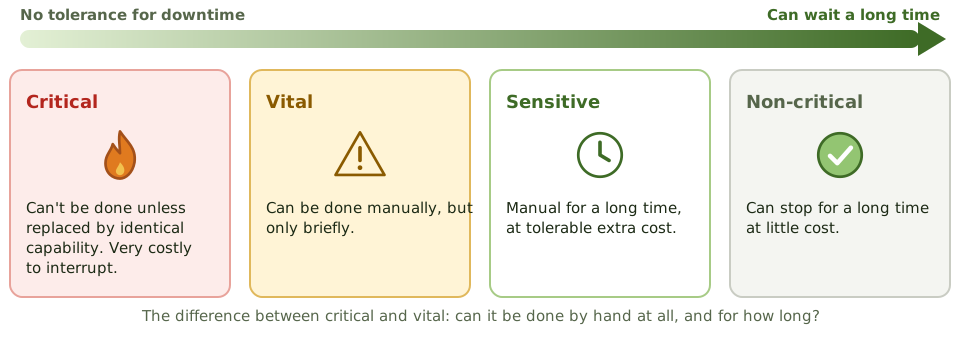
Finding the right spend
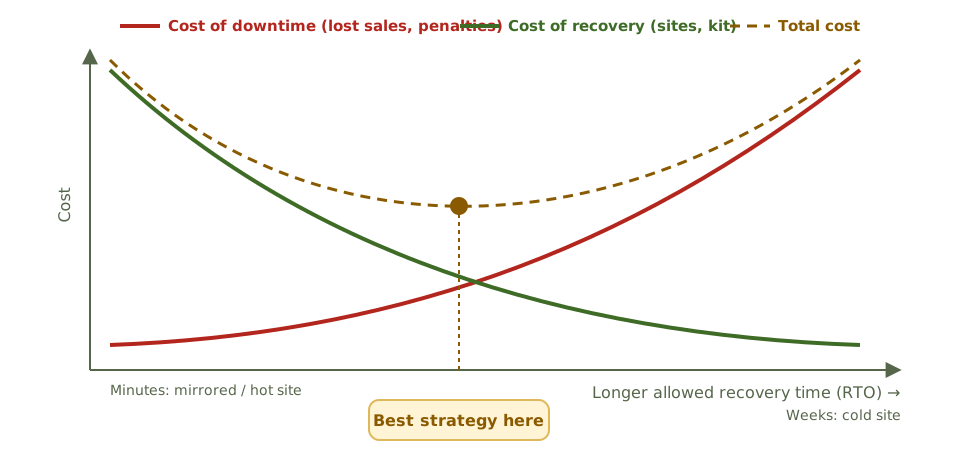
Business decides, IT follows
Process owners and key users supply the information; IT describes system dependencies; senior management approves the priorities. IT systems inherit their priority from the processes they support.
How the exam asks about it
| If the question asks… | Answer |
|---|---|
| Primary purpose of a BIA | Find critical processes and impact, to set priorities |
| Main source of BIA information | Process owners and key users |
| Output used to choose strategies | RTO, RPO and MTD per process |
| Manual only for a brief period | Vital |
| How the best strategy is found | Balance downtime cost against recovery cost |
| When to update the BIA | After major business changes, and periodically |
Key takeaways
- ✓The BIA identifies critical business processes, the impact of their disruption over time, and the resources they depend on.
- ✓It produces recovery priorities and objectives: MTD, RTO and RPO for each process and supporting system.
- ✓Impacts include financial loss, regulatory penalties, customer harm, reputational damage and safety.
- ✓Information comes from process owners through questionnaires, interviews and workshops, and is validated with senior management.
- ✓Criticality categories: critical, vital, sensitive and non-critical, based on how long a process can be down and whether manual workarounds exist.
- ✓Comparing the rising cost of downtime with the falling cost of recovery helps find the optimal recovery strategy.
- ✓The BIA should be reviewed when the business changes significantly, and periodically.
Exam traps
- !The BIA is about business impact, not threats; identifying threats is the risk assessment.
- !Process owners, not IT, are the main source of BIA information.
- !A shorter RTO means a more expensive recovery strategy; the BIA balances the two.
- !IT systems inherit recovery objectives from the business processes they support.
- !Dependencies (suppliers, other systems, key people) must be identified, or recovery will stall.
RTO, RPO, MTD, SDO
The recovery numbers the exam asks about again and again, shown on one timeline: what each means, how they relate, and which design decision each one drives.
Two questions after a disaster
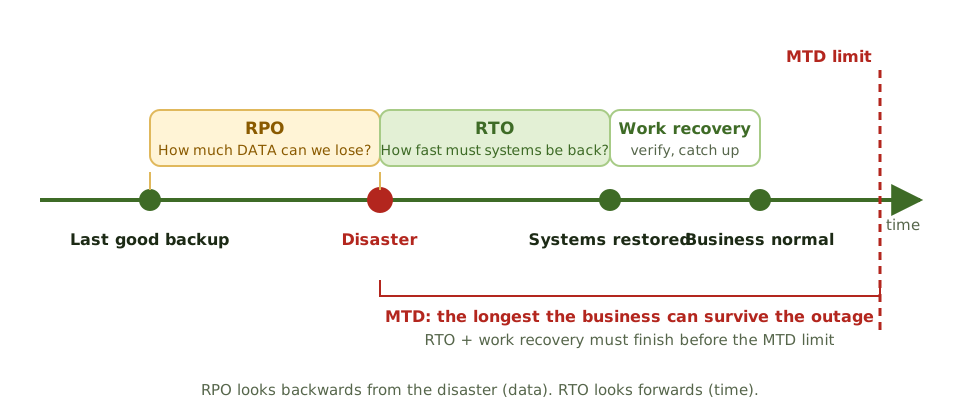
Your laptop dies. Two questions matter. How much work have I lost since my last backup? And how long until I'm working again?
The first is the recovery point objective (RPO): how much data you can afford to lose. The second is the recovery time objective (RTO): how fast you must be back.
The definitions
| Metric | Meaning |
|---|---|
| RPO | Maximum data loss, measured in time |
| RTO | Maximum time to restore the system or process |
| MTD | Longest the process can be down before damage is unacceptable |
| SDO | Reduced service level required while in recovery mode |
| MTO | Longest the business can run in recovery mode |
| Interruption window | How long it can wait from failure to restored critical services |
RPO drives backups
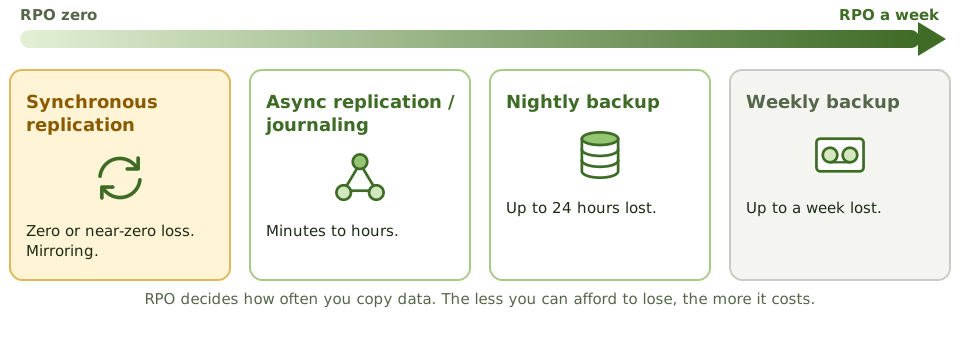
RTO drives the recovery setup
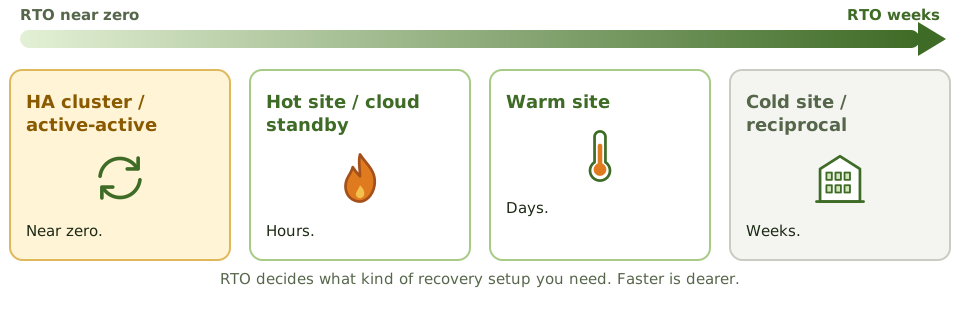
Does the strategy actually meet them?
Lower RTO and RPO cost more. The auditor questions targets that aren't justified by downtime cost, and strategies that can't meet the targets set.
How the exam asks about it
| If the question asks… | Answer |
|---|---|
| Metric that sets backup frequency | RPO |
| Metric that sets the recovery site type | RTO |
| RPO of zero requires | Synchronous replication / mirroring |
| RTO and MTD relationship | RTO must be shorter than MTD |
| Reduced service acceptable in recovery | SDO |
| Effect of lowering RTO and RPO | Higher cost |
Key takeaways
- ✓Recovery point objective (RPO) is the maximum acceptable data loss, measured in time; it drives backup and replication frequency.
- ✓Recovery time objective (RTO) is the maximum acceptable time to restore a system or process; it drives the choice of recovery strategy and site.
- ✓Maximum tolerable downtime (MTD) is the longest a process can be unavailable before the damage is unacceptable; RTO must be less than MTD.
- ✓Service delivery objective (SDO) is the level of service to be provided in alternate (recovery) mode.
- ✓Maximum tolerable outage (MTO) is the longest the organisation can operate in alternate mode.
- ✓The interruption window is the time the organisation can wait from failure to restoration of critical services.
- ✓The lower the RTO and RPO, the higher the cost of recovery.
Exam traps
- !RPO is about data (how far back), RTO is about time (how fast). Don't mix them up.
- !An RPO of zero needs synchronous replication or mirroring; daily backups give an RPO of up to 24 hours.
- !An RTO of minutes needs a hot site or high availability; a cold site can't meet it.
- !Low RTO and RPO aren't automatically better; they must be justified by the cost of downtime.
- !SDO describes reduced service levels during recovery, not full service.
Recovery Strategies
Turning recovery targets into a real plan for every resource a process needs (workspace, IT, data, networks, people, suppliers) and choosing options that meet the targets at a sensible cost.
From targets to a plan
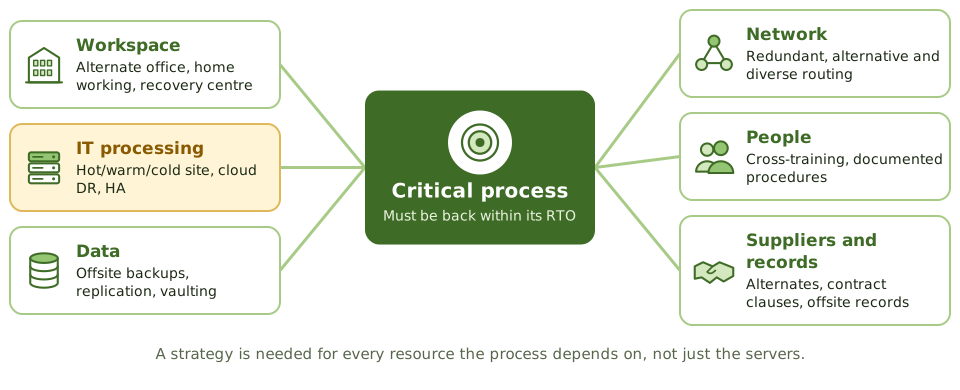
The BIA says the order process must be back within four hours. Fine, but back where, on what, with whose data, run by whom?
A recovery strategy is the answer for every resource the process depends on, chosen to meet its RTO and RPO at a cost the downtime justifies. Senior management approves it; the plan documents it; tests prove it.
IT options compared
| Option | RTO | Cost |
|---|---|---|
| Active-active / mirrored | Near zero | Very high |
| Hot site | Hours | High |
| Cloud DR | Minutes to hours | Pay for standby |
| Warm site | Days | Medium |
| Cold site | Weeks | Low |
| Reciprocal agreement | Uncertain | Low |
Network recovery
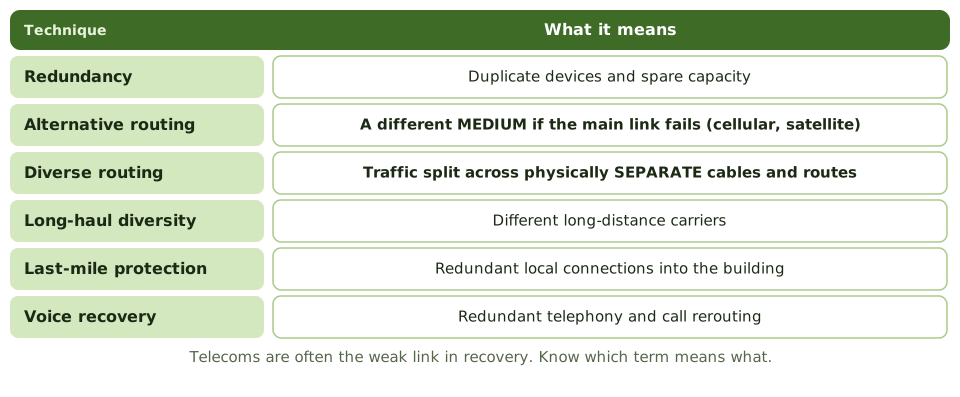
Don't share the disaster
A recovery site must be far enough away not to be hit by the same event (flood plain, power grid, regional disaster), but reachable by staff if needed.
How the exam asks about it
| If the question asks… | Answer |
|---|---|
| Basis for choosing strategies | RTO and RPO from the BIA, balanced with cost |
| Different medium if a link fails | Alternative routing |
| Traffic split over separate cables | Diverse routing |
| Weakness of reciprocal agreements | Enforceability, capacity, compatibility |
| Recovery site location concern | Not exposed to the same regional risk |
Key takeaways
- ✓A recovery strategy is the approach for restoring business processes and IT within their recovery objectives at acceptable cost.
- ✓Strategies are selected from the BIA's RTO and RPO and the cost trade-off between downtime and recovery.
- ✓Strategies are needed for every resource a process depends on: facilities, IT systems, data, networks, people, suppliers and records.
- ✓IT options include alternate sites, cloud-based DR, high availability, replication, reciprocal agreements and vendor quick-ship arrangements.
- ✓Network recovery uses redundancy, alternative routing, diverse routing and last-mile protection.
- ✓Strategies must be approved by senior management and reflected in the plan and tested.
Exam traps
- !The strategy is chosen after the BIA, not before.
- !Recovering IT without people, workspace or suppliers doesn't recover the business.
- !A recovery site in the same area as the primary site can be hit by the same disaster.
- !Cloud DR still needs tested runbooks, identity and network access, and contractual capacity.
- !Reciprocal agreements are cheap but hard to enforce and often fail on compatibility or capacity.
Alternate Sites: Hot, Warm, Cold
The kinds of recovery site, from a full mirror to an empty room, how fast each gets you running, why reciprocal agreements disappoint, and what to check in a recovery site contract.
Somewhere to go
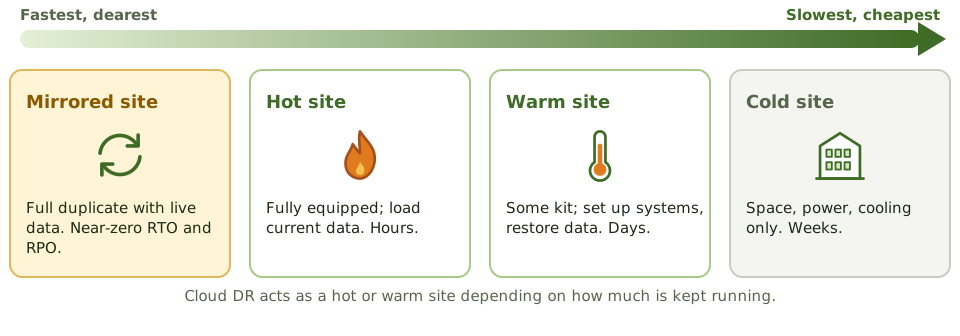
If your home became unliveable, you could move into a furnished holiday flat and be settled the same day (hot). Or a flat with furniture but no food or bedding (warm). Or an empty flat where you bring everything yourself (cold). Faster costs more.
Recovery sites work the same way.
The site types
| Site | What's there | RTO |
|---|---|---|
| Mirrored | Full duplicate with live data | Near zero |
| Hot | Fully equipped; load current data | Hours |
| Warm | Facilities and some kit | Days |
| Cold | Space, power, cooling, cabling | Weeks |
| Mobile | Transportable unit delivered on site | Days |
| Reciprocal | Another organisation's spare capacity | Uncertain |
The trouble with reciprocal agreements
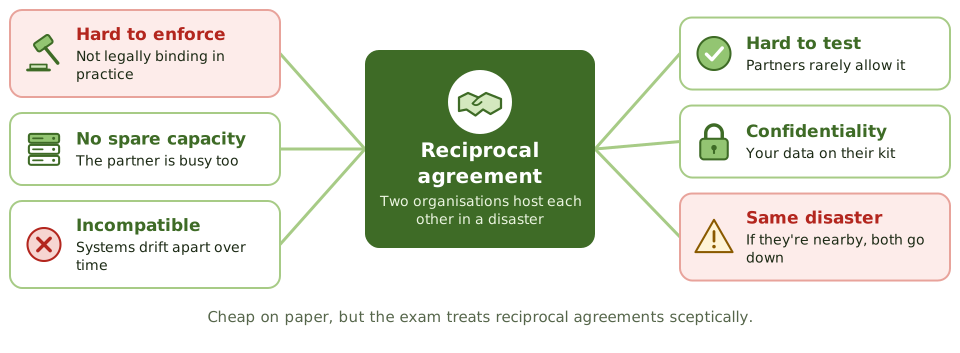
Read the contract first
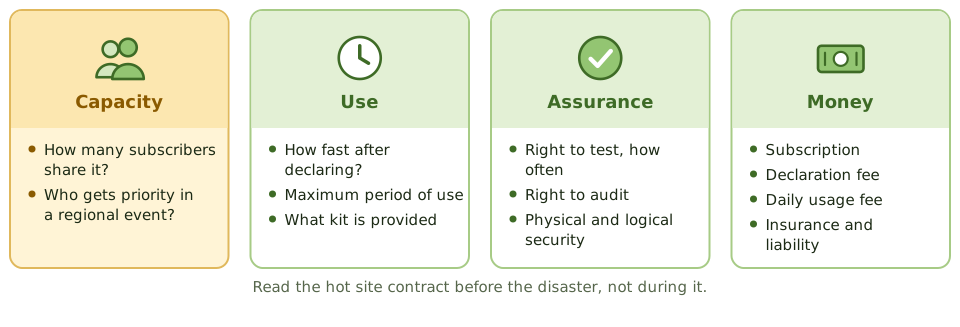
How the exam asks about it
| If the question asks… | Answer |
|---|---|
| Operational within hours | Hot site |
| Only space and utilities | Cold site |
| Main concern with a shared commercial site | Oversubscription in a regional disaster |
| Weakness of reciprocal agreements | Not enforceable; capacity and compatibility |
| Near-zero RTO and RPO | Mirrored / duplicate site |
| Hot site intended for | Short-term use |
Key takeaways
- ✓A hot site is fully equipped and can be operational within hours; it's the most expensive conventional option.
- ✓A warm site has infrastructure and some equipment, but needs systems configured and data restored; recovery in days.
- ✓A cold site provides space, power, cooling and connectivity only; equipment must be delivered; recovery in weeks.
- ✓A mirrored (duplicate) site runs in parallel with real-time data, for near-zero RTO and RPO.
- ✓Mobile sites are transportable units; reciprocal agreements share capacity with another organisation.
- ✓Commercial site contracts should cover configuration, availability during regional disasters (oversubscription), testing rights, duration of use and audit rights.
Exam traps
- !Hot sites are usually meant for short-term use (weeks), not indefinite operation.
- !Commercial sites shared by many subscribers may be oversubscribed in a regional disaster.
- !Cold sites are cheap but can't meet short RTOs.
- !Reciprocal agreements are rarely enforceable and often break down on capacity and compatibility.
- !The right to test at the site should be in the contract.
Backup Types: Full, Incremental, Differential
The three classic backup types explained with one week of backups and a Thursday crash, plus replication and the other ways to lose less data.
Why backups come in different types
Copying everything every night would be the simplest approach. But for large systems, a full copy can take hours and fill a lot of storage.
So organisations take one full copy now and then, and in between they only copy what has changed. There are two ways to decide what "changed" means, and that gives us incremental and differential backups.
The three types in one sentence each
One week, one crash: what do you need?
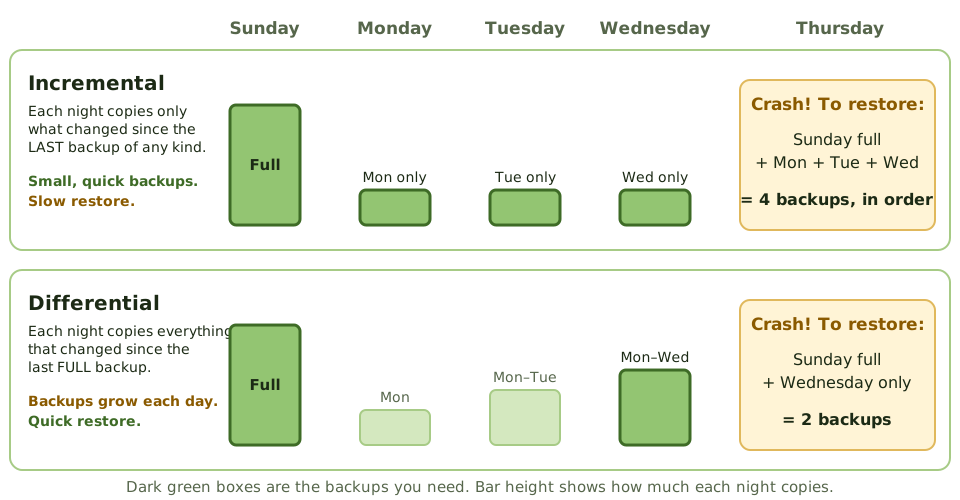
A full backup runs on Sunday. Then nightly backups run Monday to Wednesday. On Thursday morning the server dies. Here's what each approach needs to get the data back.
The trade-off
| Type | Copies | Time to back up | Time to restore |
|---|---|---|---|
| Full | Everything | Longest | Shortest: one set |
| Incremental | Changes since the last backup | Shortest | Longest: full + every incremental, in order |
| Differential | Changes since the last full | Grows each day | Medium: full + latest differential |
The weak link in an incremental chain
With incrementals, every link matters. Each one only holds one day's changes, so you need all of them in the right order.
Losing less data
Nightly backups mean you could lose up to a day of work. When the business can't accept that (a low RPO), other techniques copy data much more often.
Replication is not a backup
Replication copies everything instantly, including mistakes. Delete a table by accident, or get hit by ransomware, and the copy is damaged within seconds too. You still need point-in-time backups, and at least one copy that attackers can't reach (offline or immutable).
How the exam asks about it
| If the question asks… | Answer |
|---|---|
| Backup of changes since the last full backup | Differential |
| Fastest backup, slowest restore | Incremental |
| Restoring with differentials needs | Last full + latest differential |
| Zero data loss | Synchronous replication / mirroring |
| Sending transaction logs to another site in real time | Remote journaling |
| Best evidence backups work | A successful test restore |
Key takeaways
- ✓A full backup copies everything every time: simplest to restore, slowest and largest to take.
- ✓An incremental backup copies only what changed since the last backup of any kind: quickest to take, slowest to restore (the full plus every incremental since).
- ✓A differential backup copies everything changed since the last full backup: it grows each day, but restoring needs only the full plus the latest differential.
- ✓Most organisations combine them, for example a weekly full backup with daily incrementals or differentials.
- ✓Mirroring, replication and journaling reduce data loss to minutes or zero, and support a low RPO.
- ✓Replication copies mistakes and ransomware too, so point-in-time and offline or immutable backups are still needed.
- ✓A backup only counts if it can be restored, so restores must be tested.
Exam traps
- !Incremental = since the LAST backup (of any kind). Differential = since the last FULL backup.
- !With incrementals, one missing or damaged backup in the chain means everything after it is lost.
- !Fastest backup but slowest restore: incremental. Bigger daily backups but faster restore: differential.
- !Replication and RAID are not backups: delete a file and it's deleted everywhere.
- !'Backup completed successfully' messages don't prove the data can be restored.
Backup Storage and Rotation
Where backups should live, how long to keep them, how to protect them from loss, theft and ransomware, and how an auditor proves they can actually be restored.
Don't keep the spare key under the mat
Keeping your spare house key in the same drawer as the main one doesn't help when you're locked out. Keeping backups in the same building as the servers doesn't help when the building floods.
Backups need to be somewhere else, kept safe, kept for the right time, and proven to work.
Offsite storage
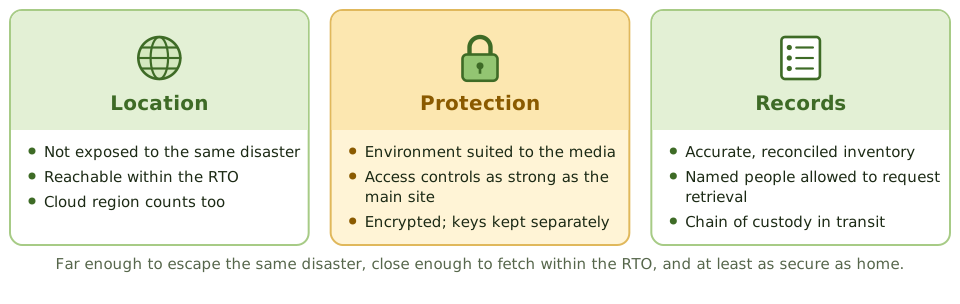
Rotation and retention
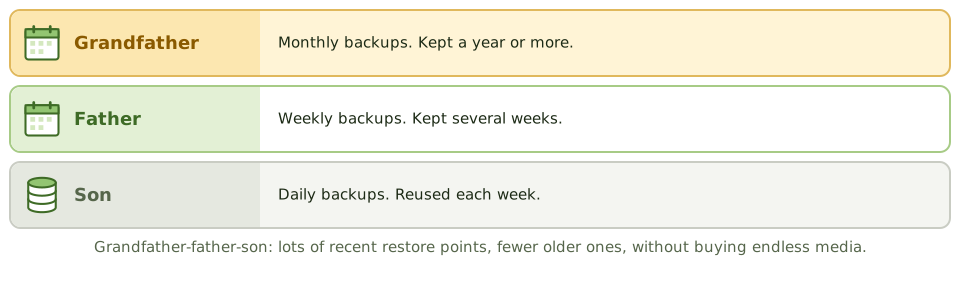
Protecting the media
- 1Encrypt backups; keep the keys separately.
- 2Label clearly, without revealing what's on it.
- 3Locked containers and chain-of-custody records in transit.
- 4Securely dispose of retired media.
Ransomware goes for backups first
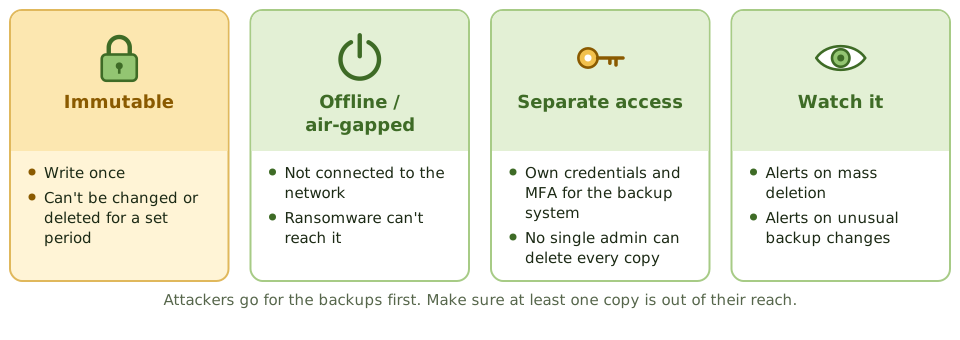
Proving they work
Review backup logs and how failures are followed up. Reconcile the offsite inventory with backup records. Check the offsite facility. Above all, look at restore tests, and whether restore times meet the RTO.
How the exam asks about it
| If the question asks… | Answer |
|---|---|
| Key quality of an offsite location | Not exposed to the same risks as the main site |
| Best evidence backups are usable | Successful restore tests |
| Control over media in transit | Encryption and tracked secure courier |
| Daily, weekly and monthly sets | Grandfather-father-son |
| Protecting backups from ransomware | Immutable or offline copies, separate credentials |
Key takeaways
- ✓Backups must be stored offsite, far enough away not to be affected by the same disaster, with environmental and access controls at least as good as the primary site.
- ✓Grandfather-father-son (GFS) rotation keeps daily, weekly and monthly sets, balancing retention and media reuse.
- ✓Retention periods follow business, legal and regulatory requirements.
- ✓Backup media should be encrypted, labelled, inventoried and tracked when transported.
- ✓Immutable or offline backups protect against ransomware and malicious deletion.
- ✓The auditor checks offsite inventory against records, tests restores, and reviews backup logs and failures.
Exam traps
- !Backups stored in the same building as the primary systems don't protect against site disasters.
- !Unencrypted backup tapes lost in transit are a data breach.
- !An offsite inventory that doesn't match the backup records means you don't know what you can restore.
- !Backup job success messages don't prove data can be restored.
- !Backup administrators who can delete all copies are a single point of compromise.
DRP Contents
What goes into a disaster recovery plan, the teams that carry it out and who acts first, and how to keep the plan usable on the worst day.
A recipe for the worst day
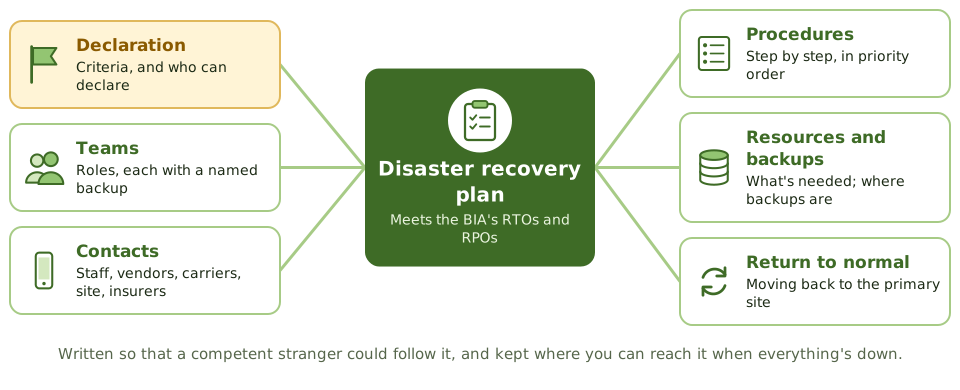
A good recipe works for anyone who follows it, not just the chef who wrote it. And it's no use locked in a kitchen that's on fire.
The disaster recovery plan is the step-by-step recipe for getting IT back within the BIA's RTOs and RPOs. It's part of the business continuity plan and follows its priorities.
What's in it
| Section | Includes |
|---|---|
| Scope and objectives | Systems covered, priorities, RTO and RPO |
| Declaration | Criteria, who can declare, how people are told |
| Teams | Roles with primary and backup people |
| Contacts | Staff, vendors, carriers, recovery site, insurers |
| Procedures | Step by step, in priority order |
| Return to normal | Restoring and moving back to the primary site |
The teams
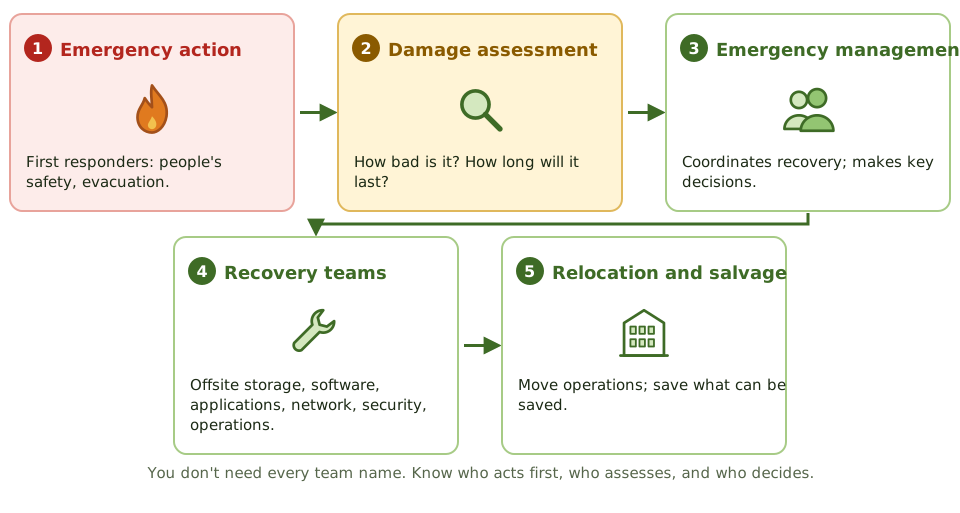
Keeping it usable
- 1Detailed enough for someone other than the usual admin to follow.
- 2A named backup for every role.
- 3Copies offsite, in a form you can reach when email and file shares are down.
- 4Updated after changes to systems, people, suppliers, and after every test.
- 5Staff trained in their roles.
How the exam asks about it
| If the question asks… | Answer |
|---|---|
| First priority in a disaster | Safety of people |
| Team estimating damage and outage length | Damage assessment team |
| Who can declare a disaster | An authorised person named in the plan |
| Where DRP copies go | Offsite, accessible to team members |
| Main update triggers | System, staff and supplier changes; test results |
Key takeaways
- ✓The DRP documents how IT systems, data and infrastructure will be recovered to meet the business's recovery objectives.
- ✓It covers declaration and escalation, teams and responsibilities, contact lists, recovery procedures in priority order, resources and the return to normal operations.
- ✓Recovery is organised into teams such as the emergency action, damage assessment, emergency management, offsite storage, software, applications, network, security and relocation teams.
- ✓Each role has a named primary and backup person.
- ✓Copies of the plan must be stored offsite and be accessible when primary systems are down.
- ✓The plan must be updated after changes in systems, staff or suppliers, and after tests.
Exam traps
- !The first priority in any disaster is the safety of people.
- !A plan that lists only names, without roles and deputies, fails when someone is unavailable.
- !Recovery procedures must be detailed enough for someone other than the usual administrator to follow.
- !The plan should cover returning to the primary site, not just failing over.
- !Who can declare a disaster must be defined in advance.
Testing BCP/DRP
Proving the plan works before you need it: the ladder of tests from a desk check to shutting the data centre down, how a test is run and judged, and the test-choice questions.
The fire drill
A school doesn't wait for a real fire to find out the fire exit is blocked. It runs drills, starting with a talk-through and building up to everyone actually leaving the building.
Continuity tests work the same way. An untested plan gives very little assurance.
The ladder of tests
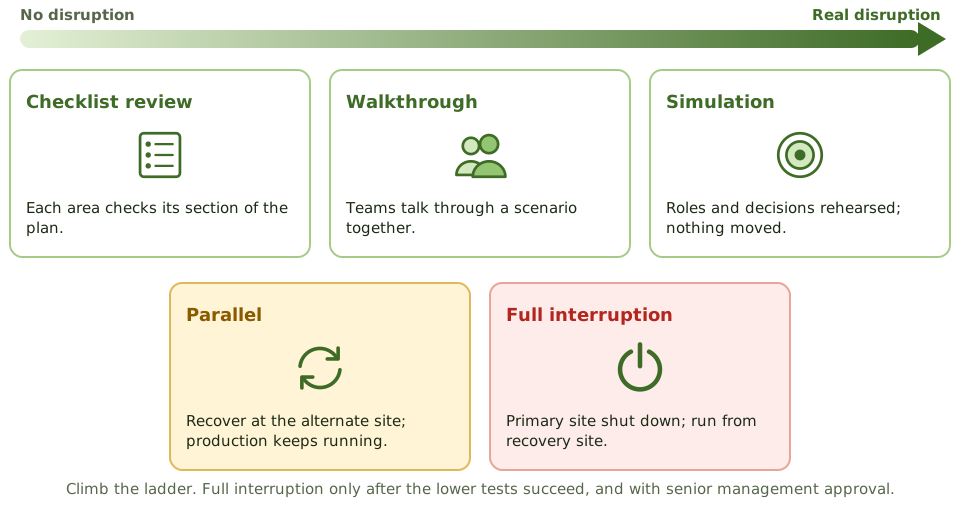
Parallel vs full interruption
Running a test
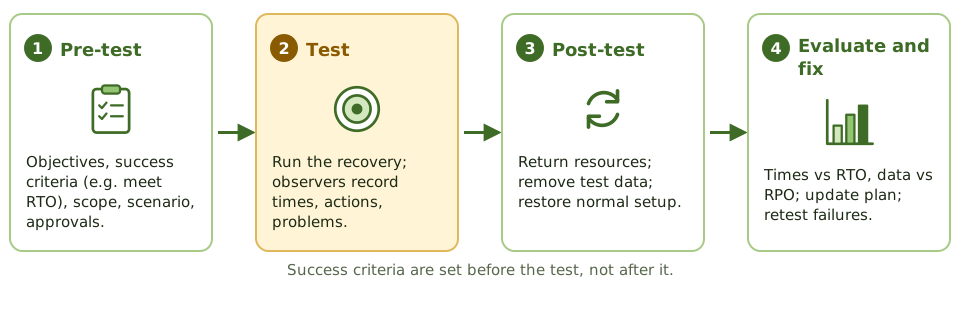
Judging the result
- 1Time to recover each system vs its RTO.
- 2Work processed at the recovery site.
- 3Data accuracy vs RPO and integrity checks.
- 4Share of the plan carried out successfully.
Who takes part
Business users, not just IT. The test should prove business processes can recover, not just servers. Internal audit may observe and review the results.
A test that finds nothing wrong probably wasn't realistic. Finding weaknesses is the point.
How the exam asks about it
| If the question asks… | Answer |
|---|---|
| Least disruptive test | Checklist review / desk check |
| Teams talk through the plan together | Structured walkthrough (tabletop) |
| Recovery site runs while production continues | Parallel test |
| Most realistic, most risky | Full interruption test |
| Most important outcome of a test | Find weaknesses; update the plan |
| Best measure of success | Recovered within RTO and RPO |
Key takeaways
- ✓Test types, from least to most disruptive: checklist (desk) review, structured walkthrough (tabletop), simulation, parallel test, full interruption test.
- ✓A checklist review distributes the plan for each team to check against their area; a walkthrough has team members talk through the plan together.
- ✓A simulation (functional exercise) rehearses a scenario with roles and decisions, without actually moving operations.
- ✓A parallel test recovers systems at the alternate site while production continues at the primary site.
- ✓A full interruption test shuts down the primary site and runs from the recovery site; most realistic, most risky.
- ✓Tests have pre-test, test and post-test phases; results are measured against objectives and drive plan updates.
- ✓Tests should increase in scope over time; a full interruption test is done only after lower-level tests succeed.
Exam traps
- !A full interruption test should not be the first test performed; start with paper and walkthrough tests.
- !A parallel test doesn't interrupt production; a full interruption test does.
- !A test that 'passes' with no issues found may mean the test wasn't realistic.
- !Test objectives and success criteria (such as meeting RTO) must be defined before the test.
- !The most important outcome of a test is identifying weaknesses and updating the plan.
High Availability, RAID, Insurance
Keeping systems running when parts fail (clustering, redundancy, power, RAID), why none of it replaces backups, and the insurance that pays when things go wrong anyway.
A spare tyre for everything
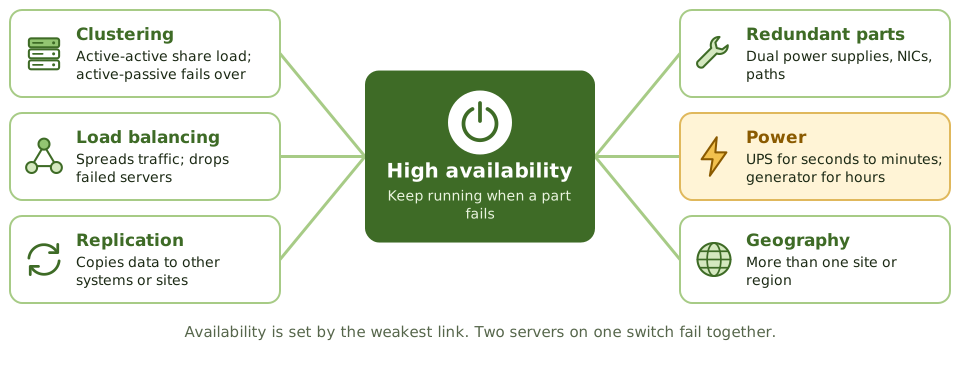
A car with a spare tyre keeps going after a puncture. A plane with two engines keeps flying if one fails. Neither helps if you drive off a cliff.
High availability builds spares into IT so a single failed part doesn't stop the service. Backups and insurance cover the cliff.
Clusters and power
RAID levels
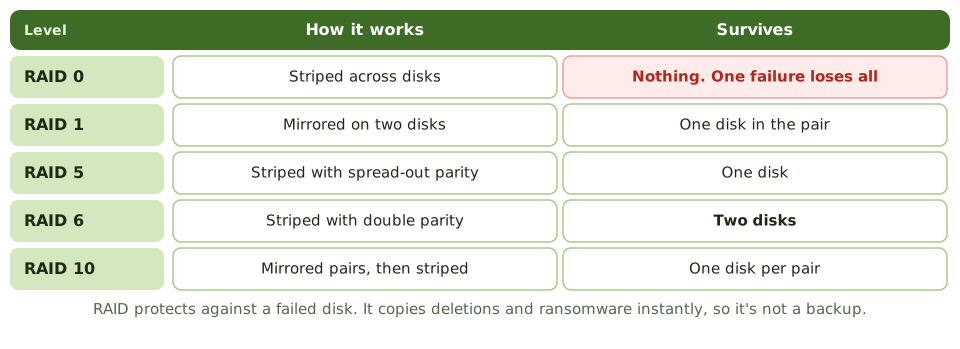
Insurance
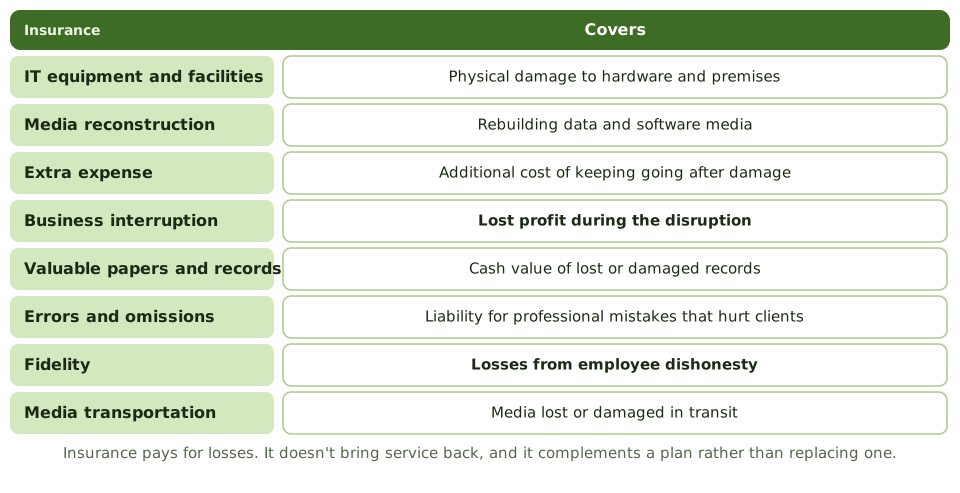
What insurance can't do
Insurance pays for losses. It doesn't bring service back, can't repair reputation, and may not cover regulatory fines. It complements a continuity plan; it never replaces one.
Cyber policies often add incident response, breach notification, extortion and liability. The auditor checks cover matches the risks, and that policy conditions (such as required controls) are actually met.
How the exam asks about it
| If the question asks… | Answer |
|---|---|
| RAID level with no redundancy | RAID 0 |
| RAID level using mirroring | RAID 1 |
| RAID level surviving two disk failures | RAID 6 |
| Does RAID replace backups? | No: deletion, corruption, site loss |
| Insurance for lost profit during an outage | Business interruption |
| Insurance for employee theft | Fidelity coverage |
| Bridges short power outages | UPS |
Key takeaways
- ✓High availability reduces downtime through redundancy: clustering, load balancing, replication and redundant components.
- ✓Active-active clusters share the load; active-passive clusters fail over to a standby.
- ✓RAID 0 stripes with no redundancy; RAID 1 mirrors; RAID 5 stripes with distributed parity and survives one disk failure; RAID 6 survives two; RAID 10 combines mirroring and striping.
- ✓RAID protects against disk failure, not against deletion, corruption, malware or site loss, so it doesn't replace backups.
- ✓Power resilience uses UPS for short outages and generators for longer ones, with tested failover.
- ✓Insurance transfers financial loss: IT equipment, media reconstruction, extra expense, business interruption, valuable records, errors and omissions, fidelity and media transportation.
- ✓Insurance doesn't restore operations; it complements, not replaces, continuity planning.
Exam traps
- !RAID 0 offers no fault tolerance, despite being RAID.
- !RAID and replication aren't backups: deleting a file deletes it on every mirror.
- !A single point of failure anywhere in the chain (power, network switch) defeats redundant servers.
- !Business interruption insurance covers lost profit, not the cost of replacing equipment.
- !Fidelity coverage protects against losses from employee dishonesty.
Auditing BCP
How an IS auditor judges whether the organisation could really recover: the questions to answer, the evidence to gather beyond the plan document, and the findings that come up most.
Could they really recover?
A building inspector doesn't just read the fire safety manual. They check the extinguishers are charged, the exits are clear, and the staff know where to go.
Auditing BCP is the same. The question is simple: could the organisation recover its critical processes within acceptable time and data loss? The plan document is only the start.
Five questions
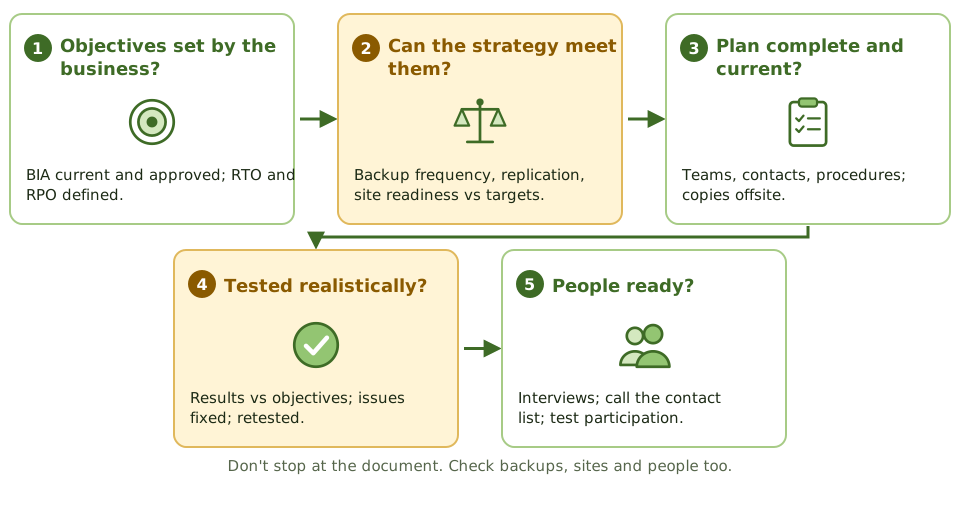
Evidence beyond the document
- 1Reconcile the offsite backup inventory with backup records.
- 2Review timed restore tests.
- 3Read alternate site contracts: capacity, oversubscription, testing rights.
- 4Compare the plan with recent system, staff and supplier changes.
- 5Interview team members; call a sample of the contact list.
- 6Observe a test if possible; check issues were fixed and retested.
The auditor's role
The auditor evaluates and reports. They may advise while the plan is developed, but they don't write or own it. Doing so would impair their independence when they audit it later.
How the exam asks about it
| If the question asks… | Answer |
|---|---|
| Best evidence a DRP will work | Results of a realistic test |
| First thing to review | The BIA and recovery objectives |
| Plan never tested | Major finding: effectiveness not shown |
| Check staff readiness | Interview team members; test participation |
| Verify backups | Reconcile offsite inventory; restore tests |
| Auditor asked to write the BCP | Advise only; management owns it |
Key takeaways
- ✓The auditor evaluates whether the BCP and DRP are adequate, current, tested and able to meet the business's recovery objectives.
- ✓Start by understanding the BIA: are critical processes and recovery objectives identified and approved?
- ✓Check that strategies (sites, backups, contracts) can actually meet the RTOs and RPOs.
- ✓Review test plans and results: the best evidence that the plan works is a successful, realistic test.
- ✓Verify offsite storage, backup inventories, copies of the plan, and alternate site contracts.
- ✓Interview team members to check they know their roles, and check contact lists are current.
Exam traps
- !A well-written plan that has never been tested gives little assurance.
- !If the plan's recovery objectives weren't set by the business, the whole plan rests on IT assumptions.
- !Reviewing the plan document alone isn't enough; verify backups, sites and people.
- !The auditor evaluates and reports; the auditor doesn't write or own the plan.
- !A plan not updated after major system changes is likely to fail.
Protection of Information Assets
Governance and privacy · Access control · Cryptography · Network and platform security · Physical · Threats · Response and monitoring
Security Governance and Roles
Who's in charge of information security and who does what, from the board to the people at keyboards, plus the success factor and CISO reporting line the exam keeps returning to.
Who's in charge of security?
In a block of flats, the owners' committee decides how secure the building should be and pays for it. The caretaker fits the locks. Each resident decides who gets a key to their own flat. Everyone is expected to shut the main door behind them.
Information security works the same way. Security governance is the board and senior management setting direction, managing risk and providing resources. It's part of corporate governance.
The roles
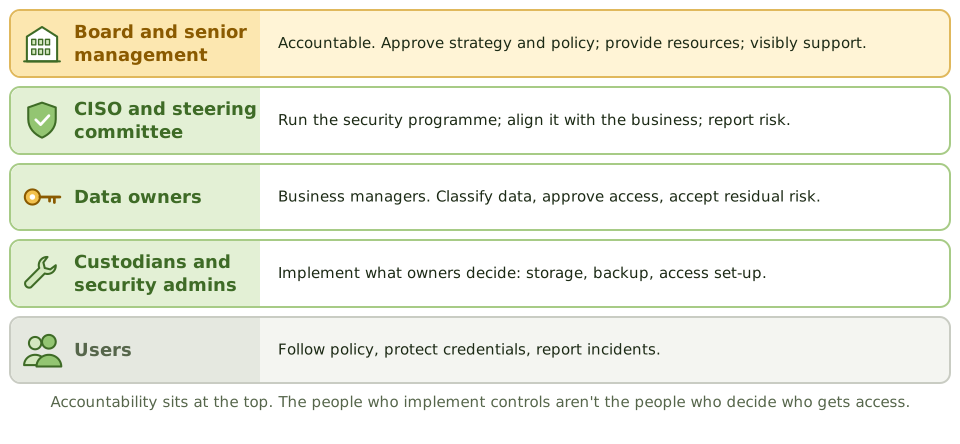
Owner vs custodian vs admin
Where the CISO reports
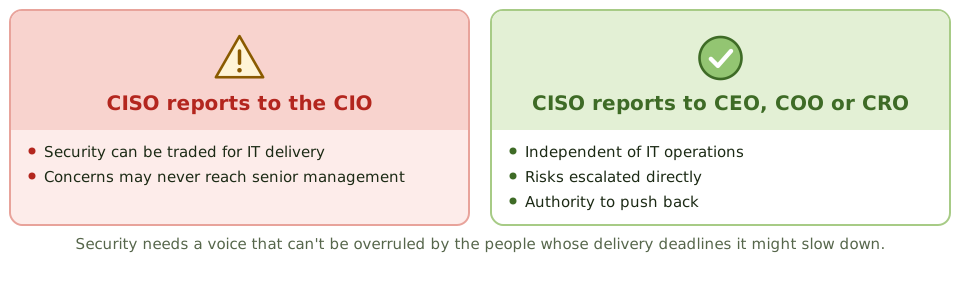
What security protects
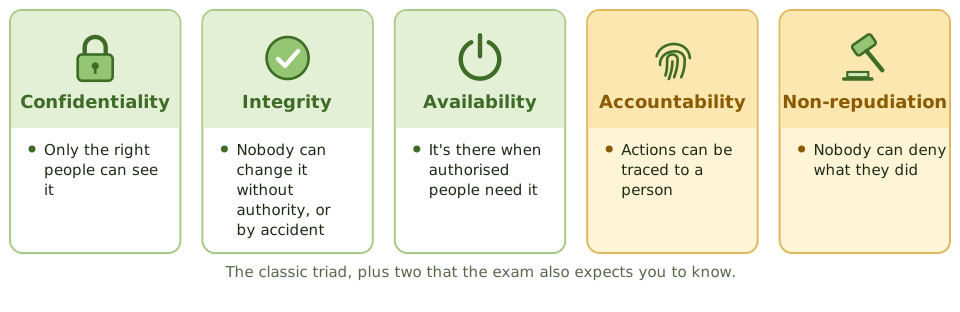
How the exam asks about it
| If the question asks… | Answer |
|---|---|
| Most important success factor | Senior management commitment |
| Who classifies data and approves access | The data owner |
| Who implements the owner's decisions | Custodian / security administrator |
| Concern with CISO reporting to the CIO | Conflict of interest; less independence |
| Who is accountable for security | The board / senior management |
Key takeaways
- ✓Information security governance is part of corporate governance: the board is accountable, senior management sets direction and resources.
- ✓The most important success factor for an information security program is senior management commitment and support.
- ✓The CISO leads the security program and should report at a level that provides independence from IT operations.
- ✓Data owners classify data and approve access; data custodians implement protection; users follow policy.
- ✓A security steering committee with business representation aligns security with business needs.
- ✓Security objectives are confidentiality, integrity and availability, plus accountability and non-repudiation.
Exam traps
- !The CISO reporting to the CIO can create a conflict, since security may be traded off against IT delivery.
- !Data owners are business managers, not IT staff.
- !Security administrators implement access as approved by owners; they don't decide who gets access.
- !Security is everyone's responsibility, but accountability must be assigned.
Data Classification and Ownership
Sorting information by how much harm it could do, so protection matches the risk: who decides the level, typical schemes, and how the level drives every handling rule.
Not everything needs a safe
At home, you don't lock the TV guide in a safe, but you probably keep your passport somewhere secure. Protecting everything to the highest level would be expensive and exhausting; protecting nothing would be reckless.
Data classification sorts information by how much harm it could do, so protection is proportionate.
A typical scheme
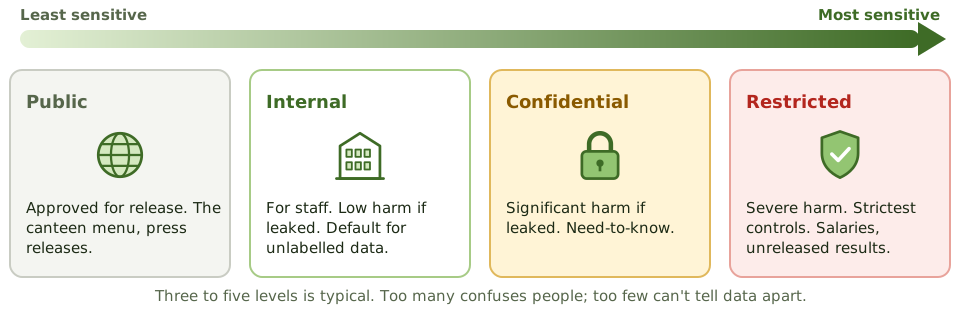
Who decides
The level drives the rules
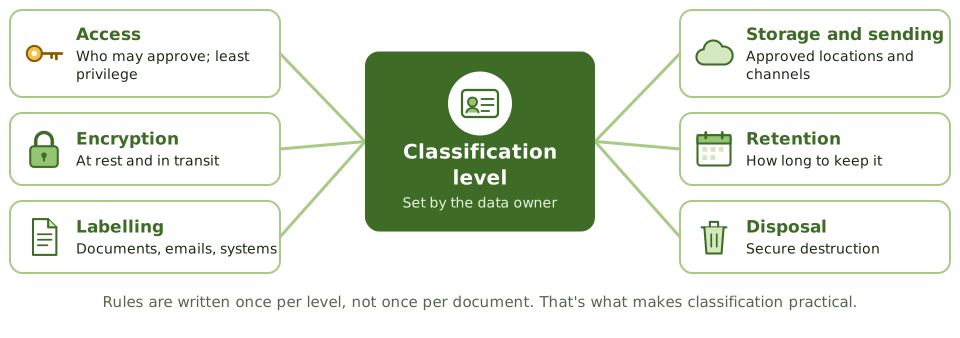
Doing it in practice
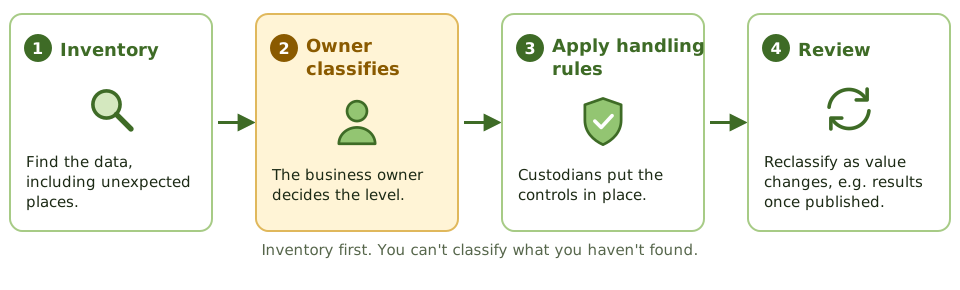
Watch out for aggregation
Names alone are harmless. Names plus dates of birth plus home addresses are an identity thief's dream. Combining data can raise its sensitivity.
Unlabelled data should default to a protective level such as internal, not to public.
How the exam asks about it
| If the question asks… | Answer |
|---|---|
| First step in protecting information | Inventory and classify it |
| Who decides classification | The data owner |
| Main benefit of classification | Protection proportionate to value |
| Custodian's role | Implement controls as the owner directs |
| Sensitivity changes over time | Periodic review and reclassification |
Key takeaways
- ✓Data classification groups information by sensitivity and criticality so that protection is proportionate.
- ✓The data owner is responsible for classifying data and reviewing the classification periodically.
- ✓Classification drives access rules, encryption, labelling, storage, transmission, retention and disposal requirements.
- ✓Typical schemes have three to five levels, such as public, internal, confidential and restricted.
- ✓Too many levels makes classification hard to apply; too few doesn't differentiate protection.
- ✓Inventory first, then classify: you can't classify what you haven't identified.
Exam traps
- !The first step in protecting information is identifying and classifying it.
- !IT or security doesn't decide classification; the business owner does.
- !Classification must be reviewed as data's value changes (for example, results become public after announcement).
- !Unlabelled data is often handled at the lowest level of protection.
- !Aggregation can raise sensitivity: individually harmless data can be sensitive together.
Security Policies
The information security policy and the policies under it: what they say, who approves them, how they're made to work in real life, and how the auditor tests that they do.
House rules
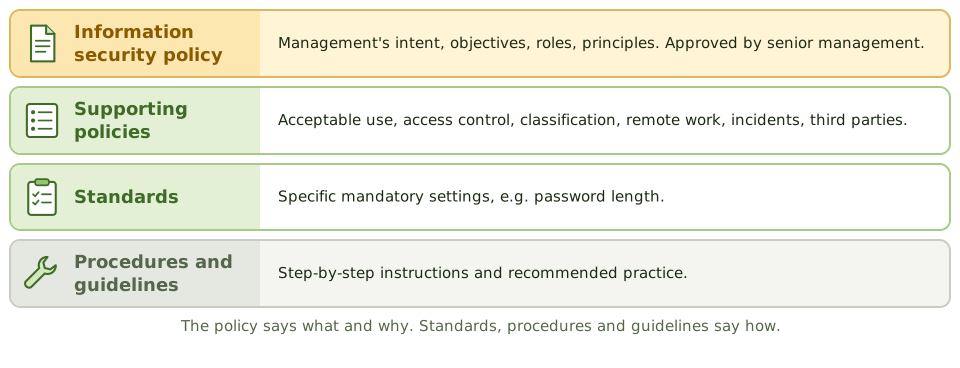
A gym has house rules: members sign them when they join, staff explain them, and there are consequences for breaking them. A rule pinned to the wall that nobody follows or enforces isn't really a rule.
Security policies are management's house rules for information. They only matter if they're known, followed and enforced.
The top-level policy
- 1Objectives and scope of information security.
- 2Management's commitment.
- 3Roles and responsibilities.
- 4Principles: risk-based, classification, least privilege, segregation of duties.
- 5Compliance monitoring, exceptions, consequences.
- 6Owner and review frequency.
Supporting policies
| Policy | Covers |
|---|---|
| Acceptable use | Rules for systems, email, internet; signed at hiring |
| Access control | Request, approve, review, remove access |
| Classification and handling | Levels and handling rules |
| Remote and mobile | Home working, VPN, BYOD |
| Incident response | What to report and how |
| Third-party security | Requirements for suppliers |
Making policies work
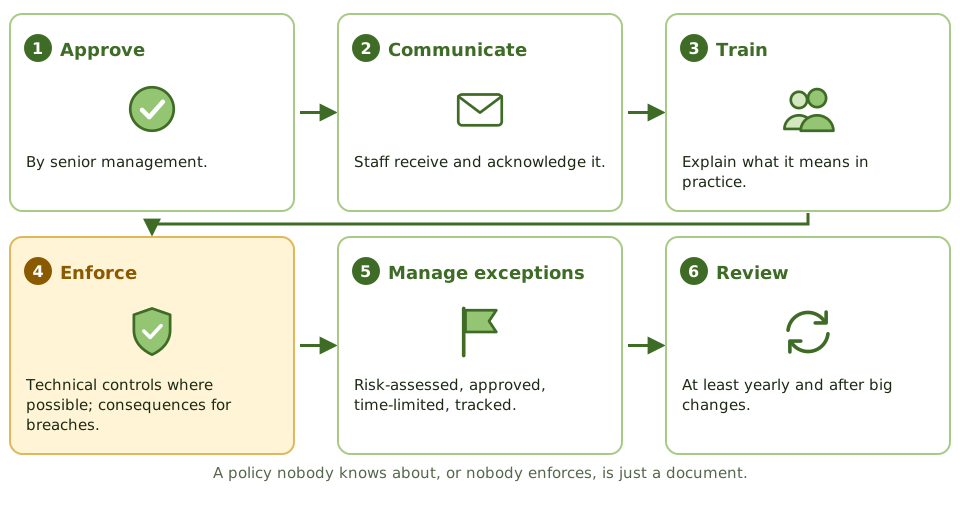
Auditing policies
Do policies exist for key areas, approved at the right level? Are they current, communicated and acknowledged? Consistent with standards? Above all: are they actually followed? Test compliance, don't just read the document.
How the exam asks about it
| If the question asks… | Answer |
|---|---|
| Who approves the security policy | Senior management |
| Best evidence a policy works | Compliance testing shows it's followed |
| Document users sign at hiring | Acceptable use policy |
| Policy exceptions | Formal, risk-assessed, approved, time-limited |
| First document in a security audit | The information security policy |
Key takeaways
- ✓The information security policy states management's intent, objectives and responsibilities for security, and is approved by senior management.
- ✓Supporting policies cover topics such as acceptable use, access control, data classification, remote work, incident response and third parties.
- ✓Policies must be communicated, acknowledged by staff, enforced and reviewed periodically.
- ✓Acceptable use policies set rules for users and are typically signed at onboarding.
- ✓Exceptions follow a formal process with risk assessment, approval and expiry.
- ✓The auditor checks existence, approval, currency, communication and actual compliance.
Exam traps
- !A policy without enforcement or monitoring has little effect.
- !Security policy should be approved by senior management, not just the CISO.
- !Policies should be technology-neutral; specific settings belong in standards.
- !The first document an auditor typically reviews in a security audit is the security policy.
Privacy Principles and GDPR
Handling personal information fairly, not just securely: the seven privacy principles, the GDPR essentials (controllers, processors, rights, DPIAs, the 72-hour rule) and what the auditor checks.
Privacy isn't just security
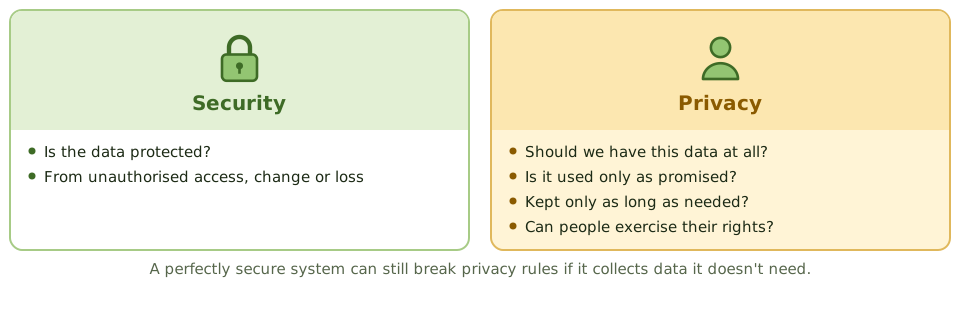
A doctor's receptionist who locks your medical file in a safe has kept it secure. If they also asked for your salary and shared your details with a marketing firm, they've broken your privacy, however secure the safe was.
Privacy is about whether personal information should be collected, how it's used and shared, how long it's kept, and people's rights over it. Security is one of the tools that protects it.
The seven principles
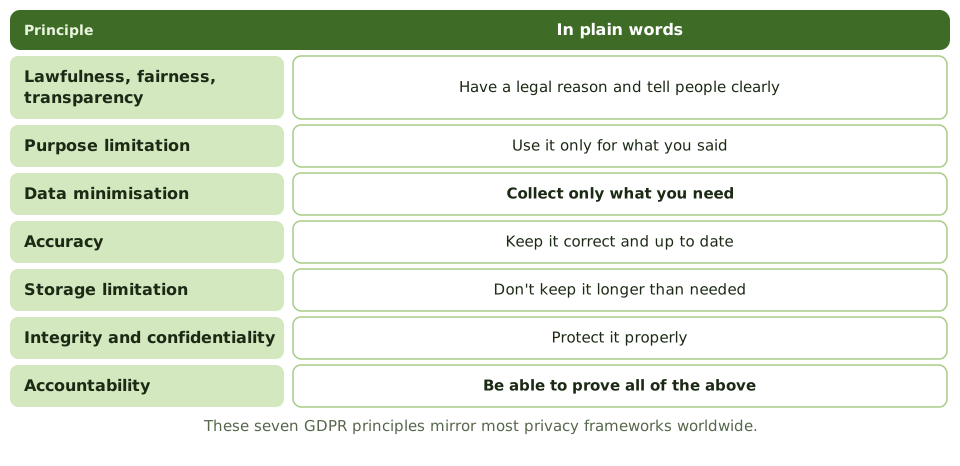
Controller and processor
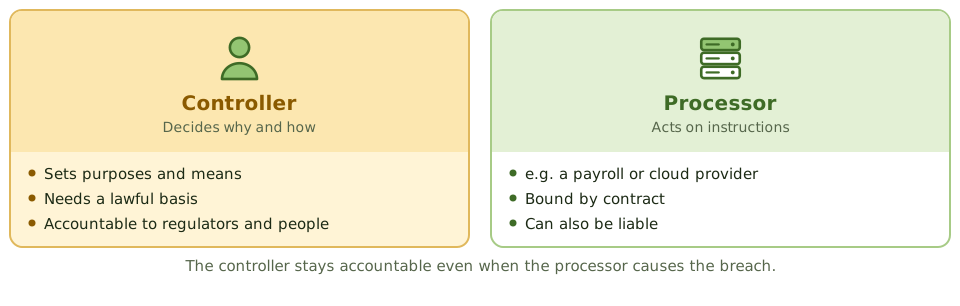
GDPR essentials
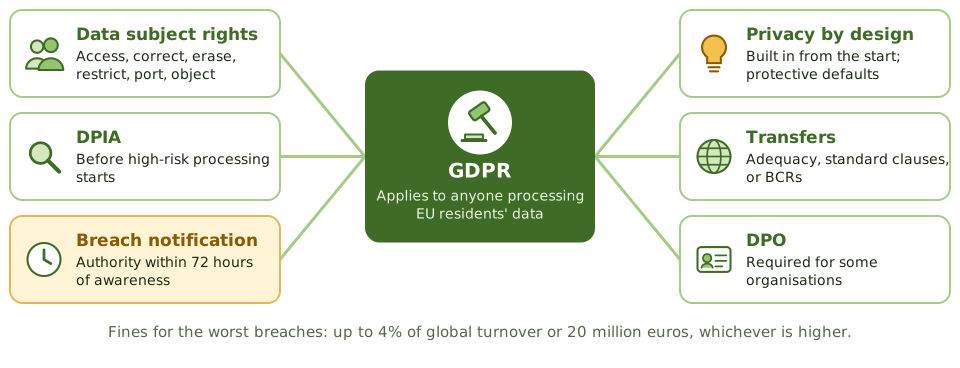
Auditing privacy
- 1Inventory of personal data and records of processing?
- 2Lawful basis and privacy notice for each purpose?
- 3DPIAs done before high-risk processing?
- 4Data subject requests answered on time?
- 5Retention periods defined and enforced?
- 6Processor contracts, breach process and transfer mechanisms in place?
How the exam asks about it
| If the question asks… | Answer |
|---|---|
| Collecting more data than needed | Breaks data minimisation |
| GDPR breach notice to the authority | Within 72 hours of awareness |
| Who decides the purposes of processing | Controller |
| Assessment before high-risk processing | Data protection impact assessment |
| Processor causes a breach: who's accountable | The controller (processor may also be liable) |
| Privacy vs security | Privacy: appropriate use. Security: protection |
Key takeaways
- ✓Privacy is about the appropriate collection, use, sharing and retention of personal information; security is one of the means to protect it.
- ✓Core principles: lawfulness, fairness and transparency; purpose limitation; data minimisation; accuracy; storage limitation; integrity and confidentiality; accountability.
- ✓Under GDPR, the controller decides purposes and means; the processor processes data on the controller's behalf under contract.
- ✓Data subjects have rights including access, rectification, erasure, restriction, portability and objection.
- ✓Personal data breaches likely to result in risk must be reported to the supervisory authority within 72 hours of awareness.
- ✓A data protection impact assessment (DPIA) is required for high-risk processing; privacy by design builds protection in from the start.
- ✓Cross-border transfers need a legal mechanism, such as adequacy decisions or standard contractual clauses.
Exam traps
- !Collecting more data than needed violates data minimisation, even if it's secured.
- !The controller remains accountable even when a processor causes a breach.
- !Encryption reduces breach impact but doesn't remove the need for a lawful basis.
- !A privacy impact assessment is done before processing starts, not after.
- !Privacy and security overlap but differ: a secure system can still violate privacy.
Identity Management
Knowing who's who and what they may do: identification, authentication, authorisation and accountability, the joiner-mover-leaver cycle, SSO and federation, and how the auditor tests user access.
Who are you, and what may you do?
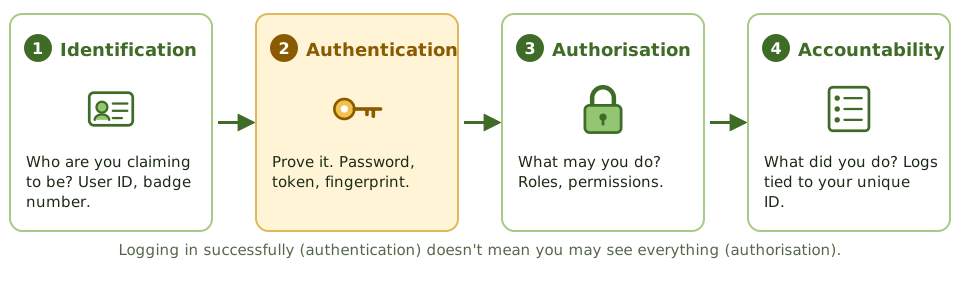
Checking into a hotel: you give your name (identification), show your passport (authentication), get a key card that opens your room and the gym but not the kitchen (authorisation), and the card logs every door you open (accountability).
Identity management does the same for systems.
The identity life cycle
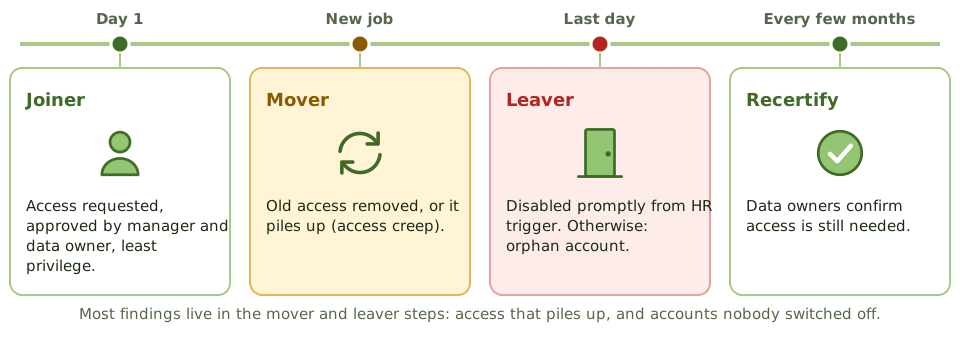
SSO and federation
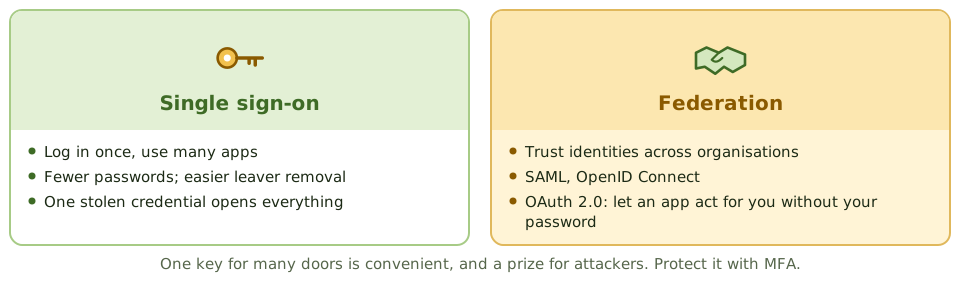
Testing user access
- 1Match HR leaver lists to active accounts: any orphans?
- 2Sample new and changed accounts for approval.
- 3Check access reviews were done by owners, and excess removed.
- 4Find shared, generic and default accounts.
- 5Review privileged and service accounts.
- 6Check MFA on SSO and federation.
How the exam asks about it
| If the question asks… | Answer |
|---|---|
| Proving a claimed identity | Authentication |
| Deciding what a user may do | Authorisation |
| Why unique user IDs matter | Accountability |
| Main risk of SSO | One stolen credential opens everything; use MFA |
| Best test of leaver controls | Match HR terminations to active accounts |
| Who recertifies access | Data / system owners |
Key takeaways
- ✓Identification claims an identity, authentication proves it, authorisation decides what it can do, and accountability records what it did.
- ✓Each user should have a unique ID so actions can be traced; shared IDs destroy accountability.
- ✓The identity life cycle: joiner (provisioning), mover (change of role), leaver (deprovisioning), with periodic access reviews.
- ✓Access is granted on approval by the data owner, based on least privilege and need-to-know.
- ✓Single sign-on improves usability and reduces password sprawl, but makes the single credential a high-value target; protect it with MFA.
- ✓Federation (SAML, OpenID Connect) lets identities be trusted across organisations.
- ✓Periodic access recertification by data owners detects access creep and orphan accounts.
Exam traps
- !Authentication is not authorisation. Logging in successfully doesn't mean you should see everything.
- !Shared or generic accounts prevent accountability; replace with named accounts or controlled check-out.
- !Leavers' accounts should be disabled promptly; orphan accounts are a common finding.
- !SSO without MFA concentrates risk on one password.
- !Access reviews by IT alone don't confirm business need; owners must review.
Authentication Factors
The three ways to prove who you are, what genuinely counts as multifactor, how to make passwords less bad, and which kinds of MFA stand up to phishing.
Three ways to prove it's you
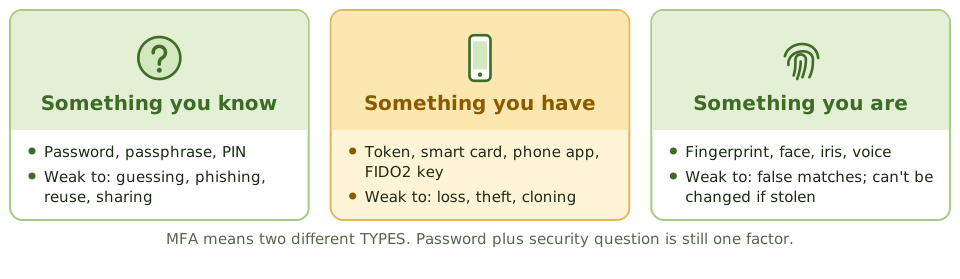
Taking cash from an ATM needs your card (something you have) and your PIN (something you know). A thief with just one of them gets nothing. That's multifactor authentication.
The three factor types are something you know, something you have, and something you are.
What counts as multifactor
Making passwords less bad
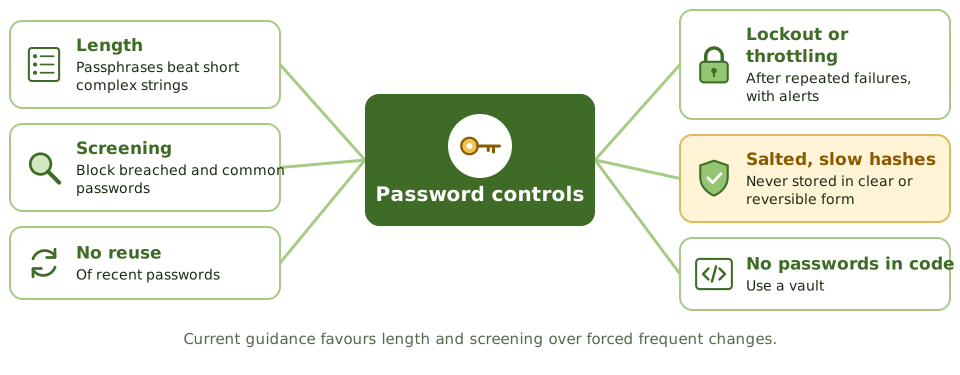
Not all MFA is equal
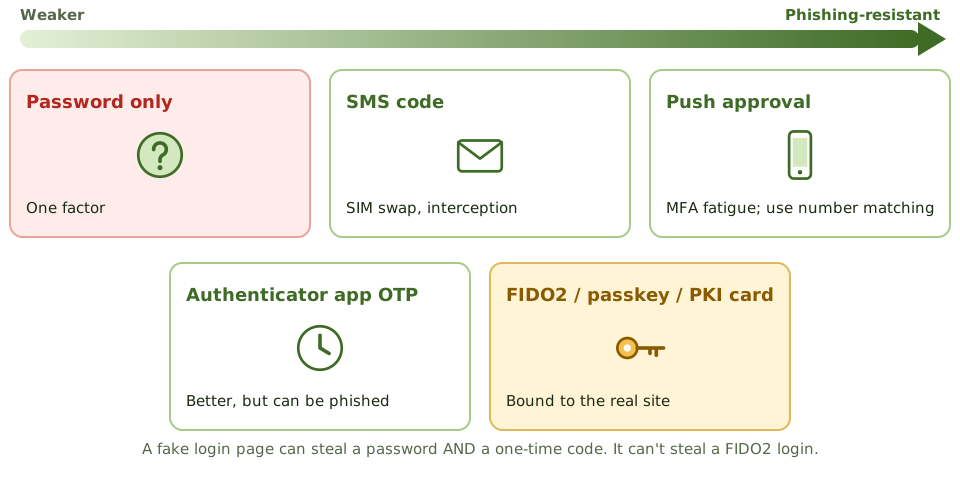
Where MFA goes first
- 1Remote access: VPN, remote desktop, webmail.
- 2Privileged and administrator accounts.
- 3Cloud administration consoles.
- 4Sensitive data and payment systems.
How the exam asks about it
| If the question asks… | Answer |
|---|---|
| Example of two-factor authentication | Smart card + PIN; password + token |
| Password + security question | Single-factor (both knowledge) |
| Strongest protection against phishing | FIDO2 / passkeys / PKI-based MFA |
| Best way to store passwords | Salted hashes, slow algorithm |
| Weakness of SMS codes | SIM swapping and interception |
| Top priority for MFA | Remote and privileged access |
Key takeaways
- ✓Three factor types: something you know (password, PIN), something you have (token, phone, smart card), something you are (biometric).
- ✓Multifactor authentication combines factors of different types; two passwords are still single-factor.
- ✓Password controls: length and complexity, no reuse, lockout after failed attempts, secure storage as salted hashes, and screening against breached passwords.
- ✓One-time passwords from tokens or apps are stronger than static passwords; SMS codes are weaker because of SIM swapping and interception.
- ✓Phishing-resistant MFA (FIDO2 security keys, passkeys, smart cards with PKI) binds authentication to the legitimate site.
- ✓MFA should be applied first to remote access, privileged accounts, and access to sensitive data.
Exam traps
- !A password plus a security question is two things you know: single-factor.
- !Account lockout protects against online guessing but can be abused for denial of service; use thresholds and alerts.
- !Passwords must be stored hashed with a salt, never in clear text or with reversible encryption.
- !Push-notification MFA can be defeated by 'MFA fatigue' attacks; use number matching or phishing-resistant methods.
- !Smart cards are something you have; the PIN that unlocks them is something you know.
Biometrics
Using your body to prove who you are: how biometric matching works, the two kinds of error and why one is worse, the crossover rate, the types of biometric, and the risks of data you can't change.
Your body as a key
Unlocking your phone with your face or thumb is biometrics. At set-up, the phone records your features as a template (enrolment). Each time you unlock it, it compares a fresh scan with the template and lets you in if they're close enough.
'Close enough' is the tricky bit. No two scans are ever identical, so the system has to decide how strict to be.
Two kinds of mistake
The crossover error rate
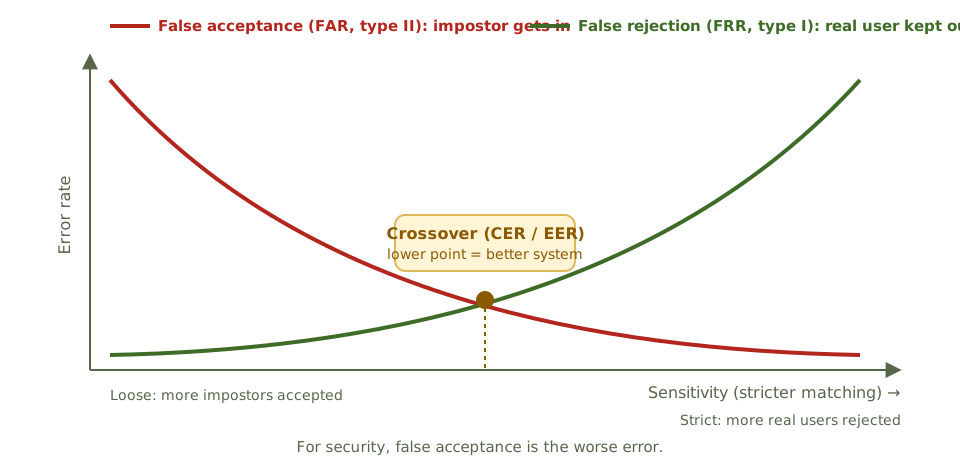
Types of biometric
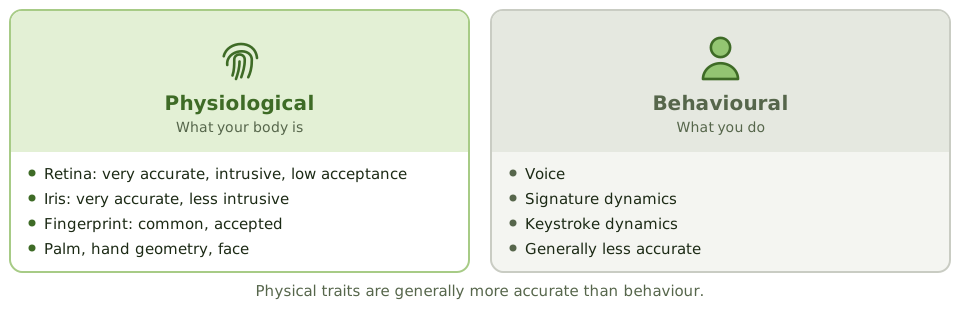
Risks of data you can't change
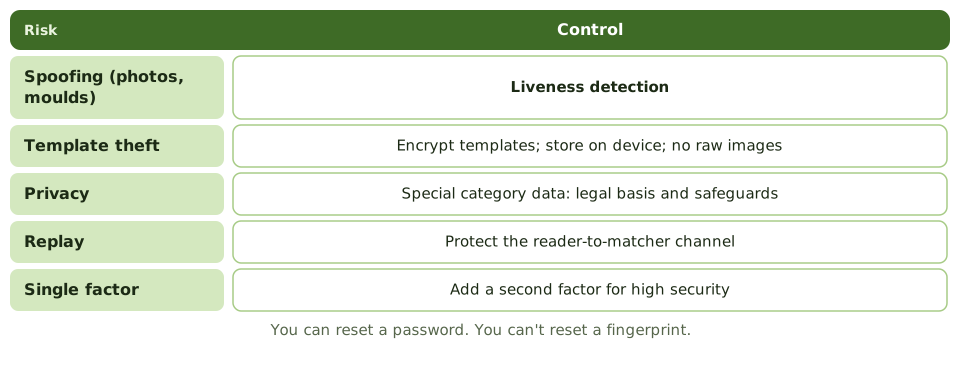
How the exam asks about it
| If the question asks… | Answer |
|---|---|
| Most important performance measure | Crossover / equal error rate (lower is better) |
| Most serious error for security | False acceptance (type II) |
| Type I error | False rejection |
| Effect of raising sensitivity | Lower FAR, higher FRR |
| Very accurate but least accepted | Retina scan |
| Control against fake fingerprints | Liveness detection |
Key takeaways
- ✓Biometric systems enrol a user's characteristic as a template and compare later samples against it.
- ✓False rejection rate (FRR, type I error) is how often legitimate users are rejected; false acceptance rate (FAR, type II error) is how often impostors are accepted.
- ✓Raising sensitivity lowers FAR but raises FRR; lowering it does the opposite.
- ✓The crossover (equal) error rate, CER or EER, is where FAR equals FRR; the lower the CER, the more accurate the system.
- ✓From a security perspective, false acceptance is the most serious error.
- ✓Physiological biometrics (fingerprint, iris, retina, face, palm) are generally more accurate than behavioural ones (voice, signature, keystroke).
- ✓Biometric data is sensitive personal data and can't be changed if compromised; templates must be protected.
Exam traps
- !Type I = false rejection; Type II = false acceptance. Type II is worse for security.
- !Best overall measure of accuracy: CER. Lower is better.
- !Retina scanning is highly accurate but intrusive, with low user acceptance.
- !Biometrics should usually be combined with another factor, not used alone for high-security access.
- !Liveness detection is needed to resist spoofing with photos, moulds or recordings.
Access Models: DAC, MAC, RBAC
The different ways systems decide who gets access (by the owner, by labels, by job role, by rules or by attributes), the principles that apply to all of them, and how to spot each one in a scenario.
Who decides who gets in?
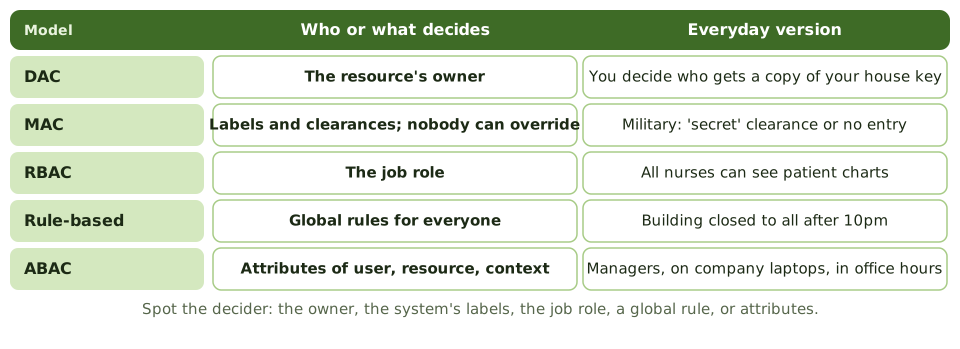
Every access model answers one question: who or what decides? The owner of the thing? A label stamped on it? Your job title? A rule that applies to everyone? A mix of facts about you, the data and the situation?
Find the decider in the exam scenario and you've found the model.
Strengths and weaknesses
| Model | Strength | Weakness |
|---|---|---|
| DAC | Flexible, simple | Owners over-share; malware inherits user rights |
| MAC | Strong; nobody can override | Rigid, complex |
| RBAC | Consistent; easy to administer | Role design effort; toxic combinations |
| Rule-based | Simple, consistent | Coarse |
| ABAC | Fine-grained, dynamic | Complex; harder to audit |
Principles for every model
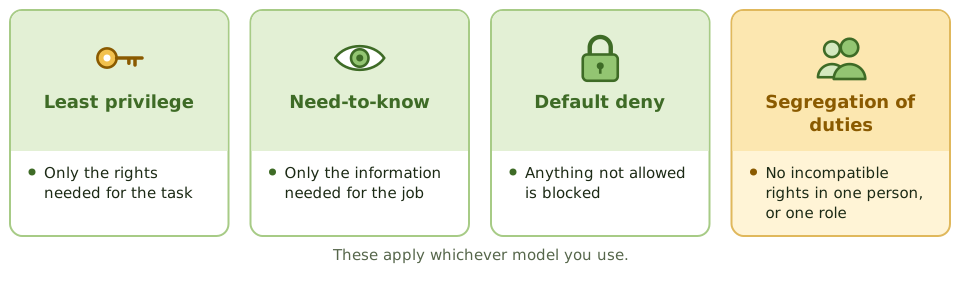
RBAC in practice
- 1Build roles from job functions; business owners approve their content.
- 2Check each role for internal SoD conflicts before use.
- 3Assign users to roles, never directly to permissions.
- 4Review roles and memberships regularly.
- 5Avoid role explosion: hundreds of narrow roles become unmanageable.
How the exam asks about it
| If the question asks… | Answer |
|---|---|
| Owner decides access | DAC |
| Labels enforced; users can't change | MAC |
| Permissions by job function | RBAC |
| Time-of-day rule for everyone | Rule-based |
| User, resource and context attributes | ABAC |
| Only the rights needed | Least privilege |
Key takeaways
- ✓Discretionary access control (DAC): the owner of a resource decides who can access it.
- ✓Mandatory access control (MAC): the system enforces access based on security labels and clearances; users can't change it.
- ✓Role-based access control (RBAC): permissions are assigned to roles, and users get access through their roles.
- ✓Rule-based access control applies system-wide rules, such as time-of-day restrictions or firewall rules.
- ✓Attribute-based access control (ABAC) evaluates attributes of the user, resource and context.
- ✓Least privilege and need-to-know apply whatever the model.
- ✓RBAC simplifies administration and supports segregation of duties when roles are designed carefully.
Exam traps
- !MAC is non-discretionary: even the data owner can't override the labels.
- !File permissions set by the file's creator = DAC.
- !Roles can contain toxic combinations; RBAC doesn't guarantee segregation of duties by itself.
- !Role explosion (too many narrow roles) undermines RBAC's benefits.
- !Need-to-know limits information access; least privilege limits all rights.
Logical and Privileged Access
Controlling every route into systems and data, and keeping the most powerful accounts on a very short leash: access paths, session controls, privileged access management, emergency access and remote access.
Every door counts
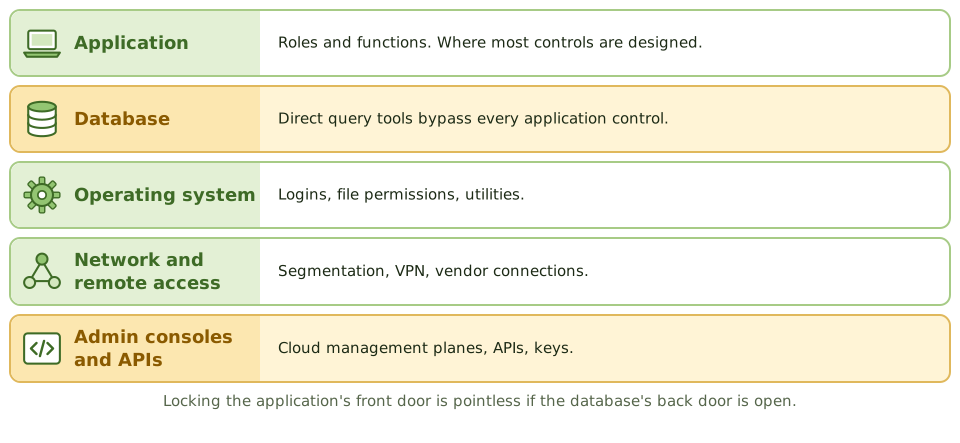
A burglar doesn't care how strong your front door is if the back door is open. Systems are the same: the application might have perfect roles, but if support staff can connect straight to the database with a query tool, those roles mean nothing.
Logical access controls must cover every access path.
Session controls
- 1Automatic logoff or screen lock after inactivity.
- 2Limits on concurrent sessions.
- 3Restrictions by time, location or device for sensitive functions.
- 4Show the last login time, so users can spot misuse.
The most powerful accounts
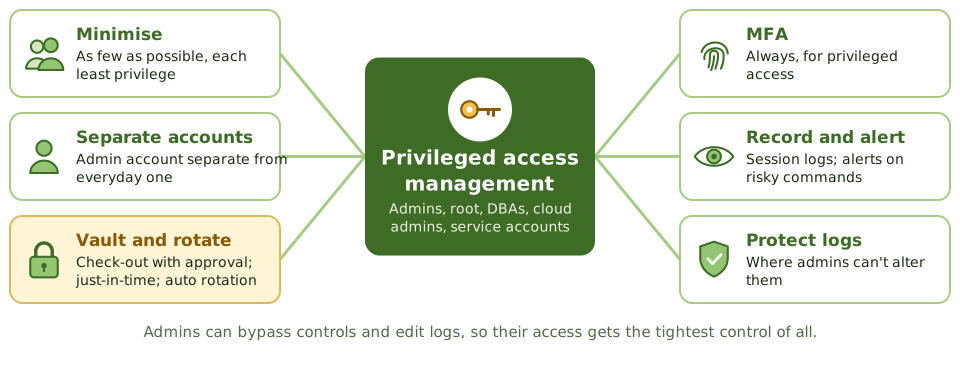
Emergency access
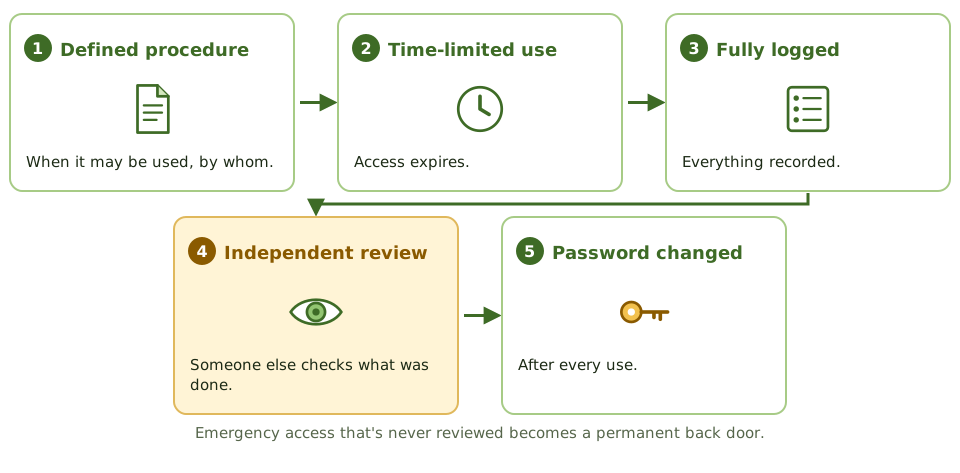
Remote and vendor access
- 1MFA for all remote access.
- 2Vendor access switched on only when needed, monitored, then switched off.
- 3Never expose remote desktop directly to the internet.
- 4Service accounts: owned, non-interactive where possible, minimal rights, rotated credentials.
How the exam asks about it
| If the question asks… | Answer |
|---|---|
| Best control over privileged accounts | PAM: vault, approve, monitor, rotate |
| Control for emergency access | Firefighter IDs, logged and reviewed after use |
| Risk of direct database access | Bypasses application controls |
| Why admins need separate accounts | Less exposure of privileged credentials |
| Privileged activity logs | Stored where admins can't alter them |
Key takeaways
- ✓Logical access controls protect systems and data through identification, authentication and authorisation at every access path.
- ✓Access paths include the network, operating system, database, application, remote access, APIs and administrative consoles; all must be controlled.
- ✓Privileged accounts (administrators, root, DBAs, service accounts) can bypass controls and must be minimised, approved, monitored and reviewed.
- ✓Privileged access management (PAM) vaults credentials, provides just-in-time access, records sessions and rotates passwords.
- ✓Emergency (break-glass or firefighter) access is pre-approved, time-limited, logged and reviewed afterwards.
- ✓Administrators should use separate accounts for privileged and everyday work.
- ✓Session controls: automatic logoff after inactivity, limited concurrent sessions, and screen locks.
Exam traps
- !Controlling access at the application while leaving direct database access open defeats the control.
- !Shared administrator passwords prevent accountability.
- !Logging privileged activity is pointless if the same administrators can alter the logs.
- !Emergency access that's never reviewed becomes a permanent back door.
- !Service accounts with interactive login and never-changing passwords are a common finding.
Cryptography Basics
What cryptography can and can't do, the handful of terms you need, how the three main tools fit together, and why the keys matter more than the maths.
Locks, keys and fingerprints
A combination padlock is public: anyone can see how it works. What keeps your locker safe is the combination. Cryptography works the same way. The algorithm (the lock design) is public; the key (the combination) must stay secret.
And just like a padlock, it's only as good as how carefully you guard the combination.
What it can do
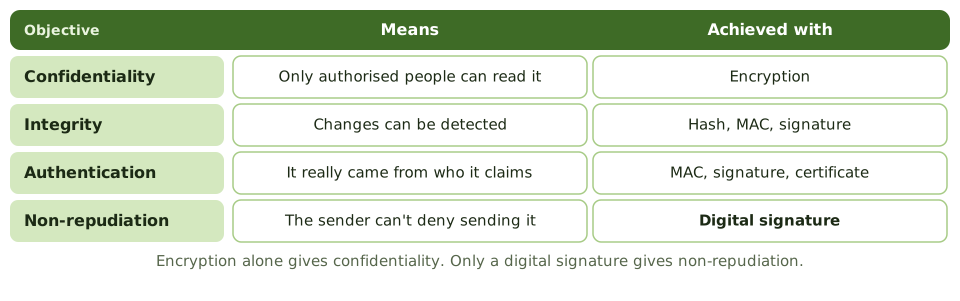
Three tools
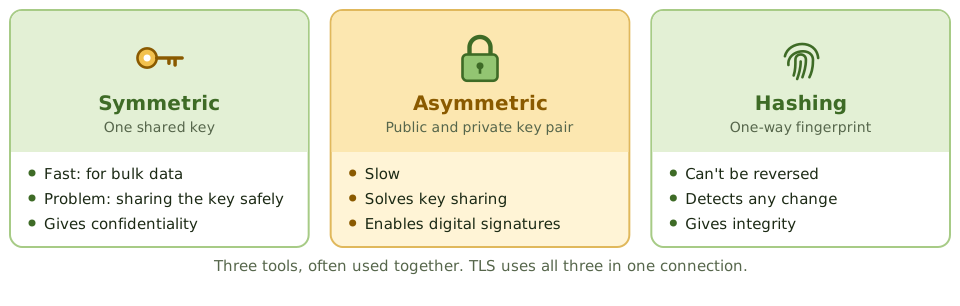
Key management is where it fails
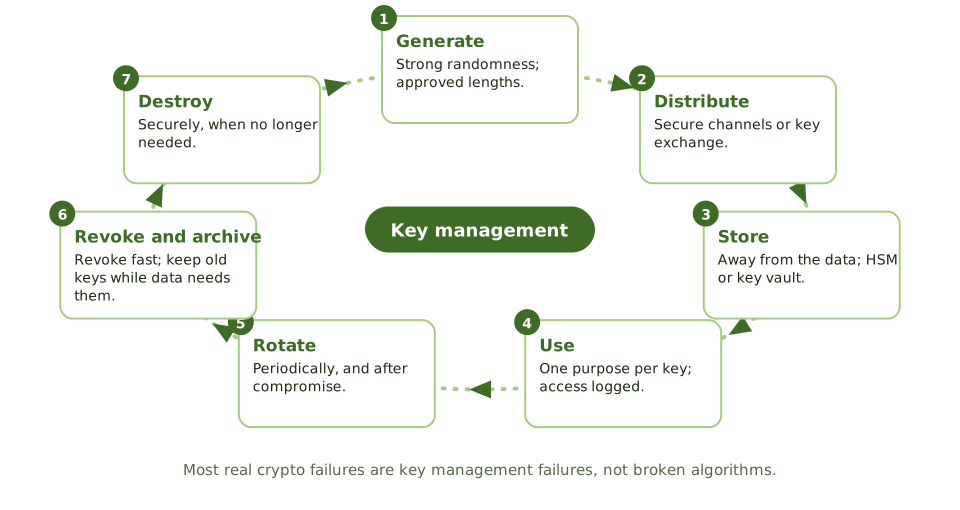
Algorithms
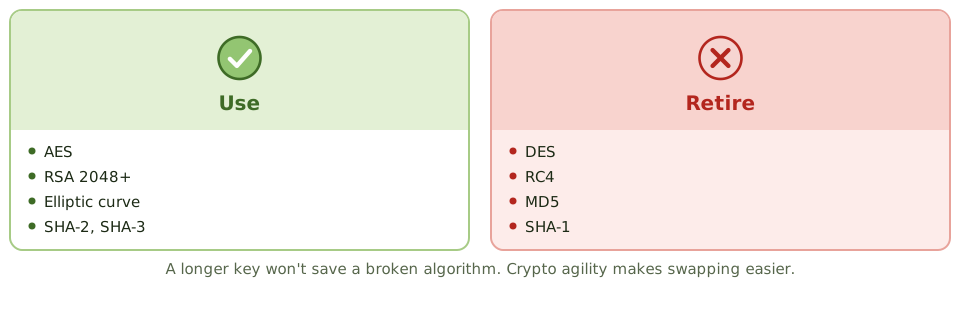
How the exam asks about it
| If the question asks… | Answer |
|---|---|
| Most common crypto weakness | Key management |
| Provides non-repudiation | Digital signature |
| Where to store keys | Away from the data, in an HSM or key vault |
| Encryption for bulk data | Symmetric |
| Is hashing reversible? | No |
Key takeaways
- ✓Cryptography can provide confidentiality, integrity, authentication and non-repudiation, depending on the technique used.
- ✓Symmetric encryption uses one shared key; asymmetric uses a public and private key pair; hashing produces a one-way fingerprint.
- ✓The strength of encryption depends on the algorithm, the key length and, above all, how keys are managed.
- ✓Key management covers generation, distribution, storage, use, rotation, revocation, archiving and destruction.
- ✓Keys should be stored separately from the data they protect, ideally in hardware security modules or key management services.
- ✓Weak or deprecated algorithms (DES, RC4, MD5, SHA-1) should be replaced; crypto agility makes that easier.
Exam traps
- !Encryption alone doesn't give integrity or non-repudiation; digital signatures do.
- !The most common weakness isn't the algorithm, it's key management.
- !Keys stored on the same server as the encrypted data provide little protection if the server is compromised.
- !Longer keys mean more resistance to brute force, but a broken algorithm stays broken.
- !Hashing isn't encryption: it can't be reversed.
Symmetric Encryption
One key to lock and unlock: how symmetric encryption works, why it's fast, why sharing the key is the hard part, the algorithms to use and avoid, and where you'll find it.
One key for both
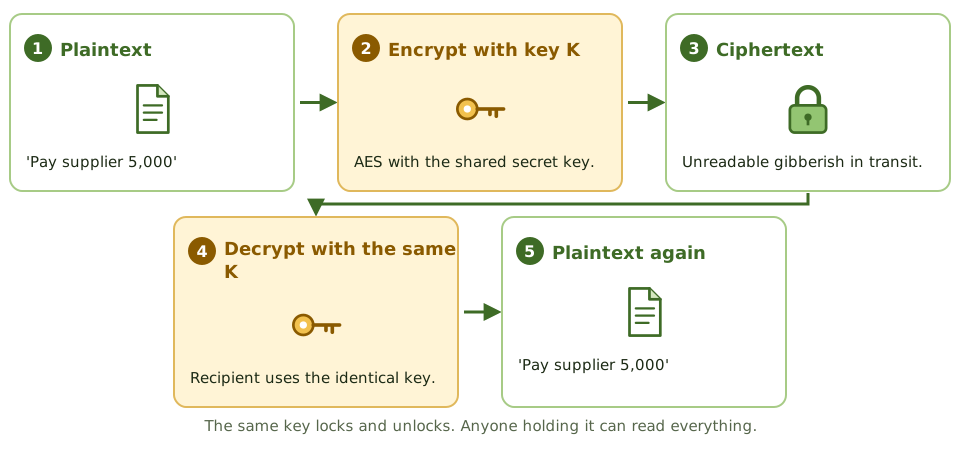
A house key locks and unlocks the same door. Give a copy to a friend and they can get in too. Lose a copy and anyone who finds it can get in.
Symmetric encryption works the same way: the same secret key encrypts and decrypts. Anyone with the key can read the data.
Strengths and weaknesses
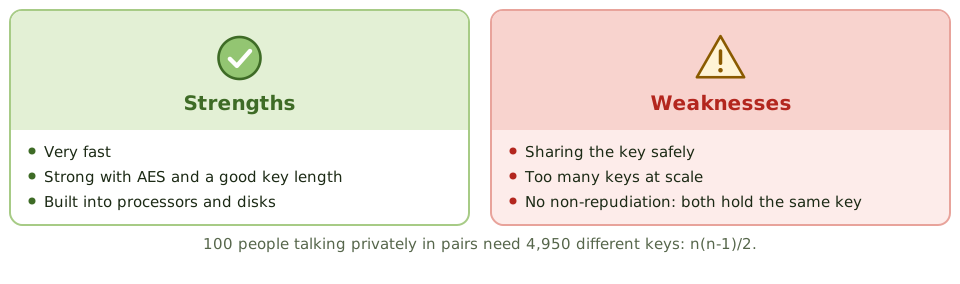
The key-sharing problem
How do two people agree a secret key without anyone overhearing? Posting it, emailing it or phoning it all risk interception. This is symmetric encryption's main weakness.
The answer in practice: use asymmetric cryptography to exchange or wrap a symmetric session key, as TLS does.
Algorithms
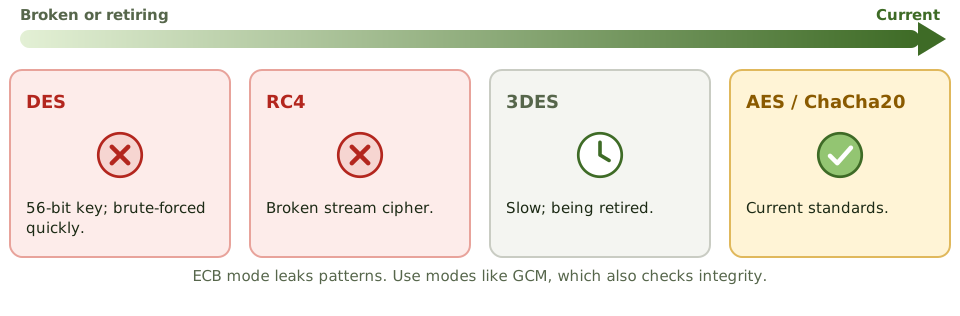
Where you'll find it
- 1Full-disk and file encryption.
- 2Database and backup encryption.
- 3VPN and TLS traffic, after the key exchange.
- 4Wi-Fi encryption (WPA2, WPA3).
How the exam asks about it
| If the question asks… | Answer |
|---|---|
| Main disadvantage of symmetric | Distributing the key securely |
| Keys needed for n users | n(n-1)/2 |
| Main advantage over asymmetric | Speed for large data |
| Current standard algorithm | AES |
| Can it give non-repudiation? | No |
Key takeaways
- ✓Symmetric encryption uses the same secret key to encrypt and decrypt.
- ✓It's fast and efficient, so it's used for bulk data: disks, databases, files, network sessions.
- ✓The main problem is key distribution: both parties need the key, and it must be shared securely.
- ✓Scalability: n users communicating privately need n(n-1)/2 keys.
- ✓Symmetric encryption alone doesn't provide non-repudiation, because both parties hold the same key.
- ✓AES is the current standard; DES is obsolete and 3DES is being retired.
Exam traps
- !Biggest disadvantage of symmetric encryption: securely distributing the key.
- !Symmetric can't prove which party sent a message, so no non-repudiation.
- !ECB mode leaks patterns; use modes such as GCM or CBC with proper initialisation vectors.
- !Key length matters: 56-bit DES can be brute-forced quickly.
Asymmetric Encryption
Public and private keys explained with a padlock, why they solve the 'how do we share the key?' problem, and the 'whose key?' rule the exam keeps testing.
The problem it solves
With ordinary (symmetric) encryption, both people use the same secret key. That works, but it raises an awkward question: how do you get the key to the other person safely in the first place? Send it by email and anyone reading the email has it.
Asymmetric encryption removes that problem. There's nothing secret to send.
Two keys that belong together
Everyone gets a matching pair of keys. They're mathematically linked: whatever one key locks, only the other key of the same pair can unlock.
Sending a secret, step by step
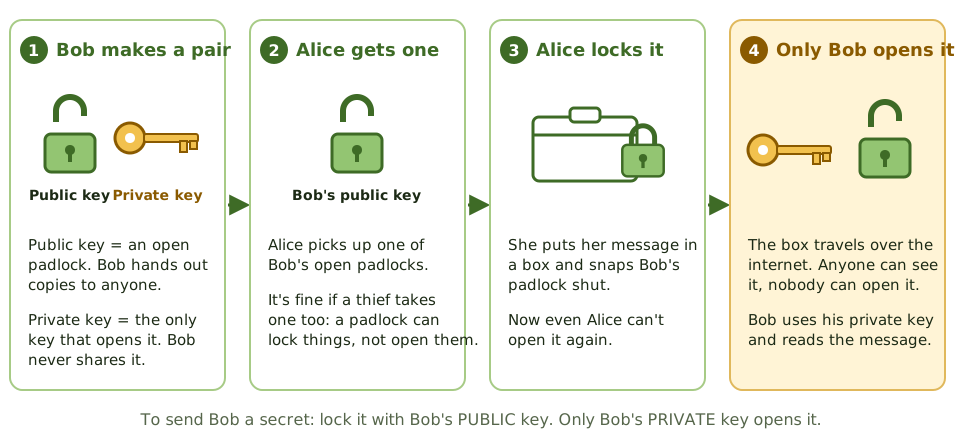
Alice wants to send Bob something only Bob can read. Bob has handed out copies of his open padlock (public key) and kept the key (private key).
Whose key? The rule to remember
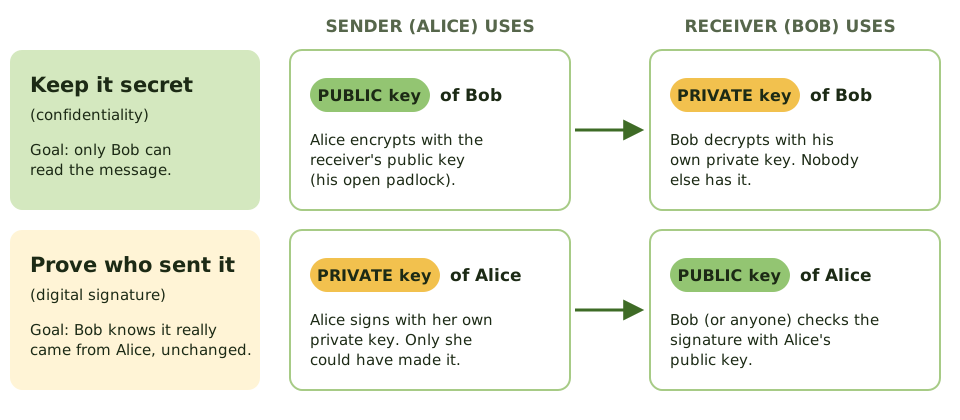
Exam questions love to ask which key is used. There are only two situations, and each has one answer.
Why not use it for everything?
Asymmetric encryption is slow, often hundreds of times slower than symmetric encryption. Encrypting a large file or a video call with it would be painfully slow.
So real systems mix the two. This is called hybrid encryption, and it's how HTTPS works every time you open a website.
- 1 Make a session key A random symmetric key for this conversation.
- 2 Lock the session key With the receiver's public key (slow, but it's tiny).
- 3 Send the data Encrypted with the fast session key.
- 4 Receiver unlocks Private key opens the session key, which opens the data.
Symmetric vs asymmetric
| Symmetric | Asymmetric | |
|---|---|---|
| Keys | One shared secret key | Public and private pair |
| Speed | Fast | Slow |
| Sharing keys | Hard: must be sent secretly | Easy: public keys can be published |
| Keys for 100 people | 4,950 (one per pair) | 200 (a pair each) |
| Proves who sent it? | No: both sides have the same key | Yes, with digital signatures |
| Examples | AES | RSA, ECC, Diffie-Hellman |
Algorithms you'll see named
How the exam asks about it
| If the question asks… | Answer |
|---|---|
| Key to encrypt a message only the receiver can read | Receiver's public key |
| Key to create a digital signature | Sender's private key |
| Key to verify a signature | Sender's public key |
| Why combine asymmetric with symmetric | Asymmetric is slow; it's used to exchange the symmetric key |
| What proves a public key really belongs to Bob | A digital certificate from a trusted CA |
Key takeaways
- ✓Asymmetric encryption uses a pair of keys: a public key you can give to anyone, and a private key only you keep.
- ✓What one key of the pair locks, only the other key can unlock.
- ✓To send someone a secret, encrypt with THEIR public key. Only their private key can decrypt it.
- ✓To prove a message came from you (a digital signature), sign with YOUR private key. Anyone can check it with your public key.
- ✓It solves the key-sharing problem of symmetric encryption, because public keys can be shared openly.
- ✓It's slow, so real systems use it to swap a symmetric key, then use the fast symmetric key for the data (hybrid encryption).
- ✓Common algorithms: RSA, elliptic curve cryptography (ECC), and Diffie-Hellman for agreeing keys.
Exam traps
- !Secret message: RECEIVER's PUBLIC key. Signature: SENDER's PRIVATE key. Most wrong answers swap one of these.
- !Encrypting with your own private key doesn't keep anything secret: anyone with your public key can undo it.
- !Secret AND signed: sign with the sender's private key, then encrypt with the receiver's public key.
- !If a private key leaks, everything it protects is exposed and its certificate must be revoked.
- !Diffie-Hellman is for agreeing a shared key, not for encrypting messages directly.
Hashing and Integrity
A fingerprint for data: what a hash is, why it can't be reversed, how keyed hashes and signatures stop deliberate tampering, how passwords should be stored, and where hashes turn up in audit work.
A fingerprint for data
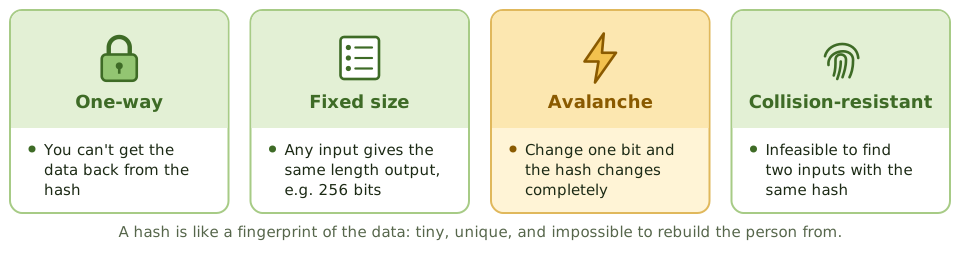
A fingerprint is tiny, unique to you, and you can't rebuild a person from it. But if someone claims to be you, comparing fingerprints settles it.
A hash does the same for data. Any file, of any size, goes in; a short fixed-length 'digest' comes out. Change one comma in the file and the digest changes completely.
Algorithms
| Algorithm | Size | Status |
|---|---|---|
| MD5 | 128 bits | Broken; not for security |
| SHA-1 | 160 bits | Broken for collisions; retiring |
| SHA-2 (SHA-256, SHA-512) | 256 / 512 bits | Current standard |
| SHA-3 | Variable | Current standard, different design |
Stopping deliberate tampering
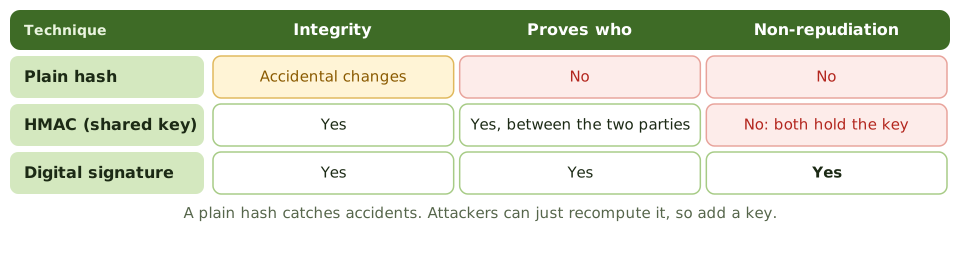
Storing passwords
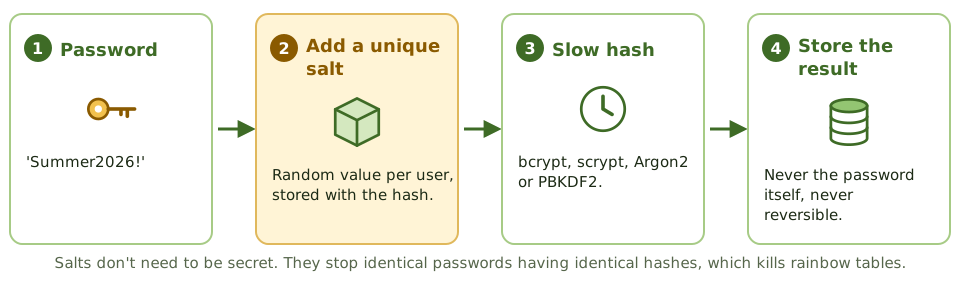
Hashes in audit work
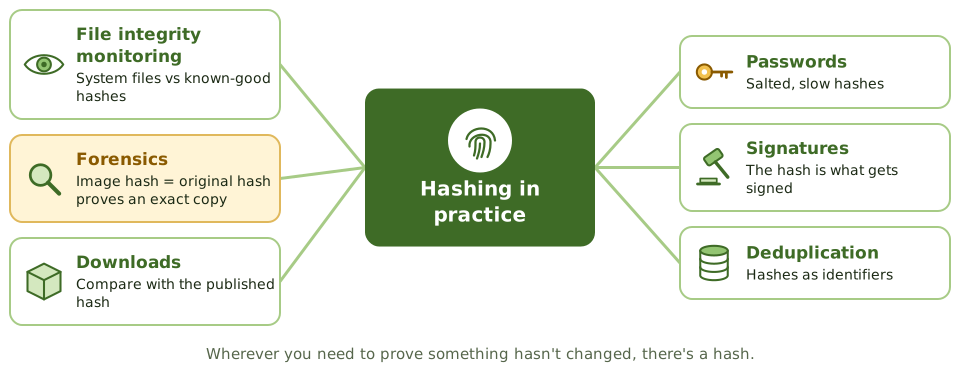
How the exam asks about it
| If the question asks… | Answer |
|---|---|
| Purpose of hashing | Integrity: detect changes |
| Does hashing give confidentiality? | No |
| Hash combined with a secret key | HMAC |
| Defence against rainbow tables | Salting |
| Proving a forensic copy is exact | Matching hash values |
| Weak hash algorithms | MD5, SHA-1 |
Key takeaways
- ✓A hash function turns any input into a fixed-length digest; it's one-way and should be collision-resistant.
- ✓Any change to the input, even one bit, produces a very different hash, so hashes detect alteration.
- ✓Hashing provides integrity, not confidentiality: the original data isn't hidden or encrypted.
- ✓A plain hash doesn't prove who created it; an HMAC (hash with a secret key) or a digital signature adds authentication.
- ✓Passwords are stored as salted hashes using deliberately slow algorithms (bcrypt, scrypt, Argon2, PBKDF2).
- ✓MD5 and SHA-1 are broken for collision resistance; use SHA-2 or SHA-3.
Exam traps
- !Hashing is not encryption and can't be reversed to recover data.
- !An attacker who alters a message can recompute a plain hash; integrity against attackers needs an HMAC or signature.
- !Salts defeat precomputed (rainbow table) attacks; they don't need to be secret.
- !Fast hashes like SHA-256 alone are poor for passwords because they make guessing fast.
- !Forensic images are verified by comparing hashes of the original and the copy.
Digital Signatures
The electronic version of a signature that can't be forged: how it's made and checked, which key does what, what it proves, what it doesn't, and why it depends on a certificate.
A wax seal for the digital age
In the past, a letter was sealed with wax pressed by the sender's personal ring. Only the ring's owner could make that mark, and a broken seal showed tampering.
A digital signature does both jobs electronically. Only the holder of the private key can make it, and any change to the message breaks it.
Signing and verifying
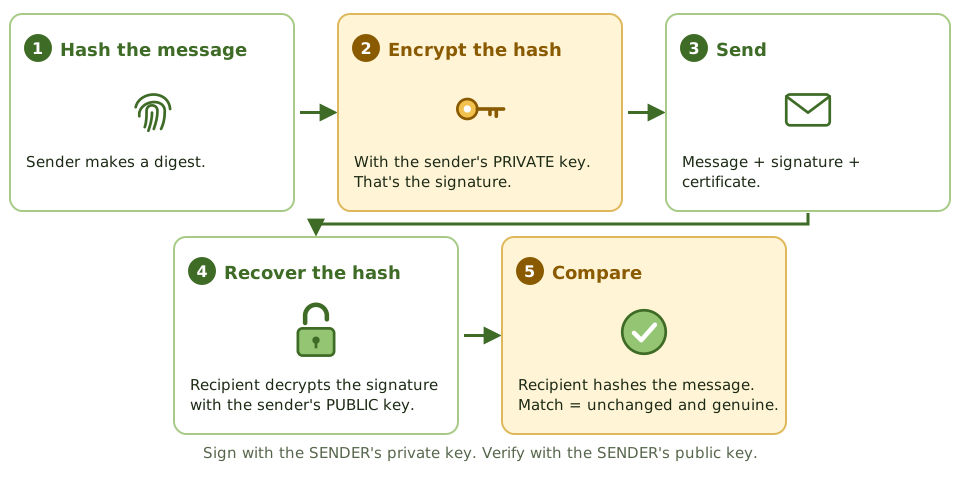
What it proves, and what it doesn't
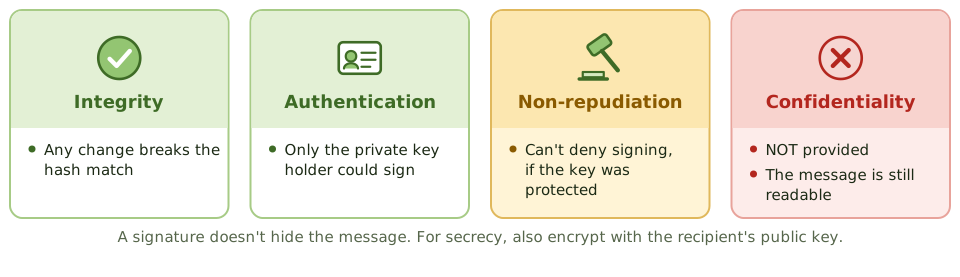
Whose public key is it?
Verification only means something if the public key really belongs to the claimed sender. A digital certificate from a trusted certificate authority provides that link.
Non-repudiation also needs the private key under its owner's sole control: on a smart card, token or HSM, protected by a PIN. A shared or stolen key breaks it. A timestamp proves when something was signed.
Where signatures are used
- 1Signed contracts and documents.
- 2Signed email (S/MIME).
- 3Code signing, so software can be checked before installing.
- 4Banking and EDI transactions.
- 5Certificates themselves, signed by the CA.
How the exam asks about it
| If the question asks… | Answer |
|---|---|
| Key that creates a signature | Sender's private key |
| Key that verifies a signature | Sender's public key |
| Property a signature does NOT give | Confidentiality |
| What actually gets encrypted | The hash (message digest) |
| Proof the public key is the sender's | Certificate from a trusted CA |
Key takeaways
- ✓A digital signature is created by hashing the message and encrypting the hash with the sender's private key.
- ✓The recipient decrypts the signature with the sender's public key and compares the result with their own hash of the message.
- ✓A valid signature proves integrity (unchanged), authentication (from the key holder) and non-repudiation (the sender can't deny it).
- ✓A digital signature doesn't provide confidentiality; the message itself is still readable.
- ✓Trust in the signature depends on trust that the public key belongs to the claimed sender, provided by a certificate.
- ✓Non-repudiation only holds if the private key is protected and used only by its owner.
Exam traps
- !Signing uses the SENDER's private key; verifying uses the SENDER's public key.
- !Digital signatures don't encrypt the message; add encryption with the recipient's public key for confidentiality.
- !If the private key is shared or compromised, non-repudiation is lost.
- !A signature verifies the content at signing time; a timestamp proves when it was signed.
PKI and Certificates
How we know a public key really belongs to who it claims: certificate authorities and their helpers, what's in a certificate, the chain of trust, revocation, and the controls an auditor checks.
A passport for public keys
A passport links your photo and name, and a government you trust vouches for it. Border staff check it's genuine, in date and not reported stolen.
A digital certificate does the same for a public key. A public key infrastructure (PKI) is the system of trusted issuers, identity checks and revocation lists that makes it work.
The parts of a PKI
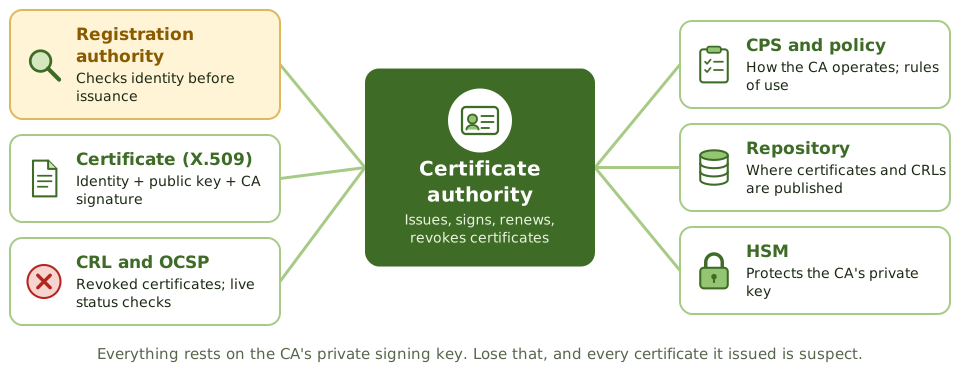
The chain of trust
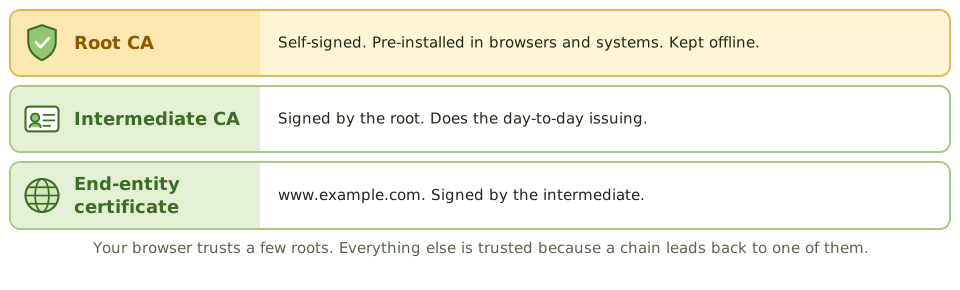
Checking a certificate
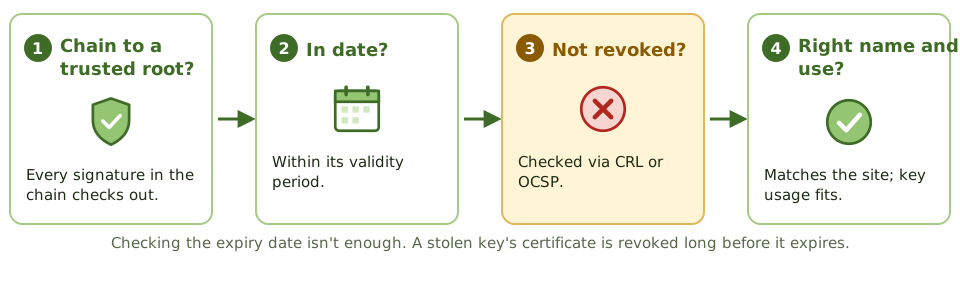
Controls the auditor checks
- 1CPS and certificate policy exist and are followed.
- 2Strong identity checks by the RA.
- 3CA keys in HSMs with dual control; root CA offline.
- 4Timely revocation; CRLs published, OCSP available.
- 5Certificate inventory and expiry monitoring.
- 6Escrow encryption keys if needed, never signing keys.
How the exam asks about it
| If the question asks… | Answer |
|---|---|
| Verifies identity before issuance | Registration authority |
| Issues and signs certificates | Certificate authority |
| Check if a certificate is revoked | CRL or OCSP |
| Describes CA operating practices | Certification practice statement |
| Most critical PKI asset | The CA's private signing key |
| Escrow signing keys? | No: it breaks non-repudiation |
Key takeaways
- ✓A public key infrastructure (PKI) binds public keys to identities through digital certificates issued by trusted certificate authorities.
- ✓The certificate authority (CA) issues and signs certificates; the registration authority (RA) verifies identities before issuance.
- ✓A certificate (X.509) contains the subject's identity, public key, issuer, validity period and the CA's signature.
- ✓Revoked certificates are published in a certificate revocation list (CRL) or checked in real time with OCSP.
- ✓The certification practice statement (CPS) describes how the CA operates; the certificate policy sets the rules.
- ✓Root CA private keys are the most sensitive asset; root CAs are often kept offline and keys stored in HSMs.
Exam traps
- !The RA verifies identity; the CA issues and signs the certificate.
- !A certificate contains the public key, never the private key.
- !Relying parties must check revocation status, not just expiry date.
- !Compromise of a CA's private key undermines every certificate it issued.
- !Expired certificates cause outages; certificate inventory and renewal tracking are operational controls.
Firewalls
The gatekeepers between networks: firewall types from simple packet filters to web application firewalls, the DMZ design, how rule sets go wrong, and what firewalls can't stop.
The security desk
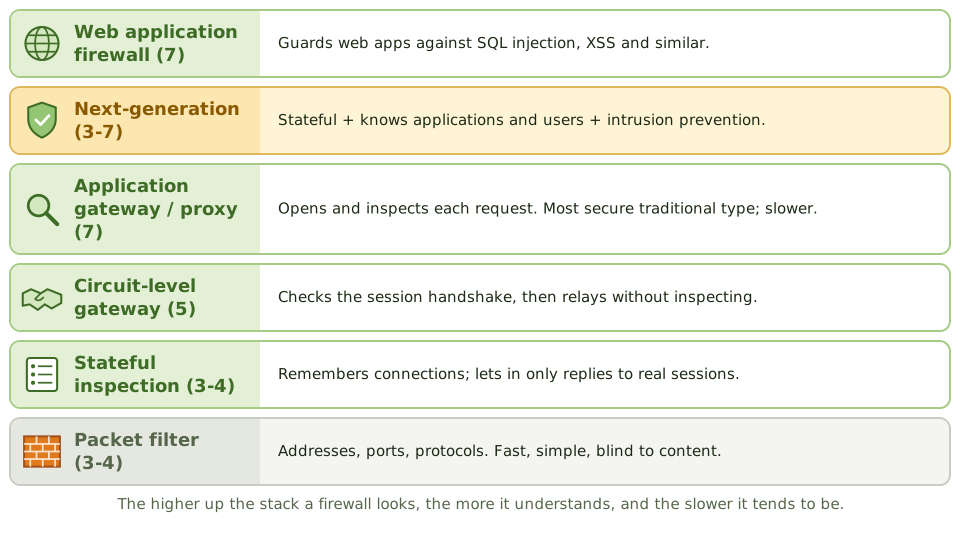
An office security desk checks everyone coming in. A basic one just checks you're heading for a real floor. A better one remembers who signed in, so only their visitors get back out. The best one opens your bag and reads your paperwork.
Firewalls work at those same levels, enforcing a policy on traffic between networks: allow what's permitted, block the rest.
The DMZ
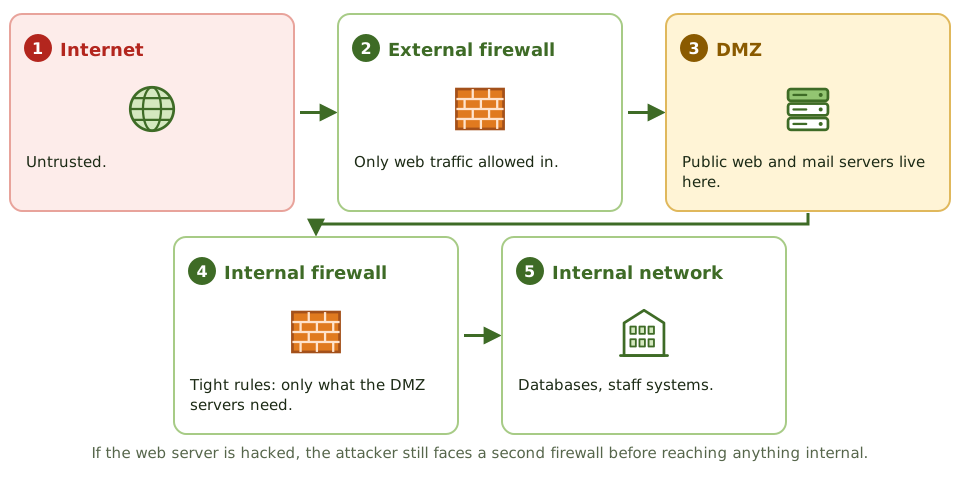
Rule sets
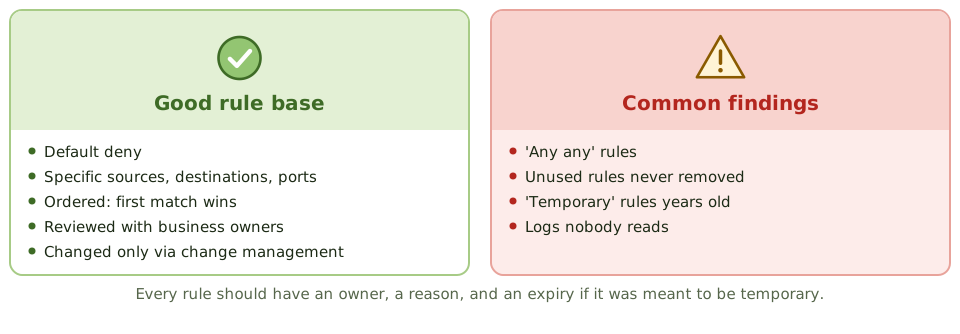
What firewalls can't do
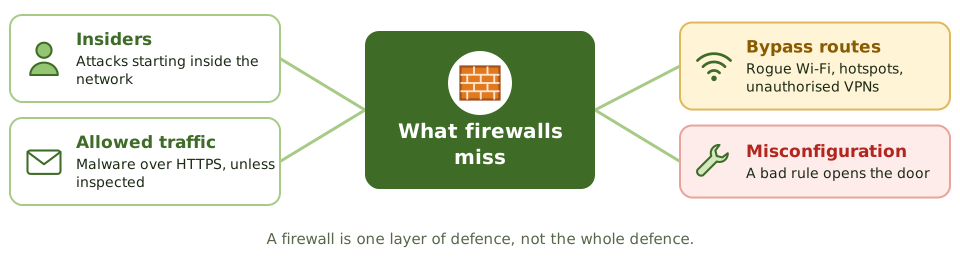
How the exam asks about it
| If the question asks… | Answer |
|---|---|
| Most secure traditional firewall | Application-level gateway (proxy) |
| Firewall that tracks connections | Stateful inspection |
| Where a public web server goes | In a DMZ (screened subnet) |
| Protects against SQL injection | Web application firewall |
| Best practice for rules | Default deny; least privilege; regular review |
| Limitation of firewalls | Insider attacks; threats in allowed traffic |
Key takeaways
- ✓Packet-filtering firewalls check addresses, ports and protocols (layers 3-4); fast but can't see application content.
- ✓Stateful inspection firewalls track connections, allowing only responses to legitimate sessions.
- ✓Application-level gateways (proxies) inspect traffic at layer 7; most secure of the traditional types but slower.
- ✓Next-generation firewalls combine stateful filtering, application awareness, intrusion prevention and user identity.
- ✓A screened subnet (DMZ) between two firewalls is the most secure common architecture for internet-facing servers.
- ✓Rule sets should default-deny, be ordered correctly, be reviewed regularly, and changes should follow change management.
- ✓Firewalls don't stop attacks from inside, attacks in allowed traffic, or threats that bypass them (such as unmanaged connections).
Exam traps
- !A web application firewall protects web applications from attacks such as SQL injection; a network firewall doesn't inspect that deeply.
- !The most secure firewall type in the traditional list is the application-level gateway.
- !Placing a public web server on the internal network is wrong; it belongs in the DMZ.
- !Rules allowing 'any any' or unused rules left in place are common findings.
- !Firewall logs that aren't reviewed provide no detection.
IDS/IPS
Alarms and guards for networks: intrusion detection versus prevention, network versus host based, signature versus anomaly detection, the two kinds of error, and honeypots.
Alarm or guard?
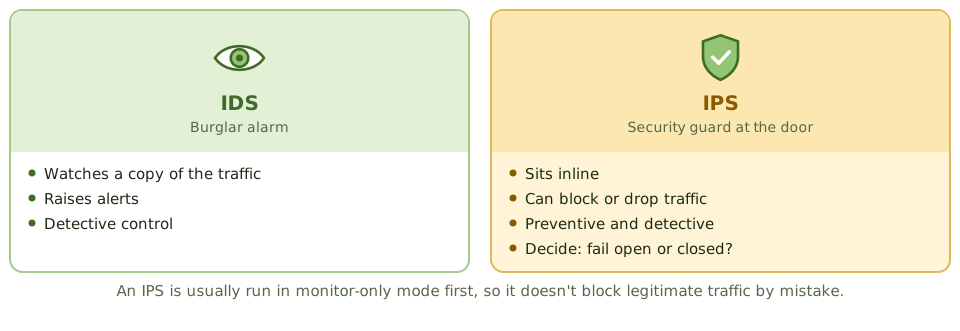
A burglar alarm tells you someone's broken in. A guard at the door stops them coming in at all. Both are useless if nobody answers the alarm or the guard falls asleep.
An intrusion detection system (IDS) is the alarm. An intrusion prevention system (IPS) is the guard.
Network or host?
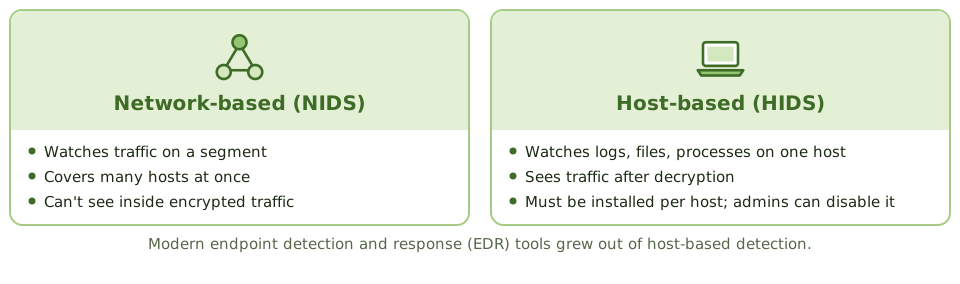
How it spots attacks
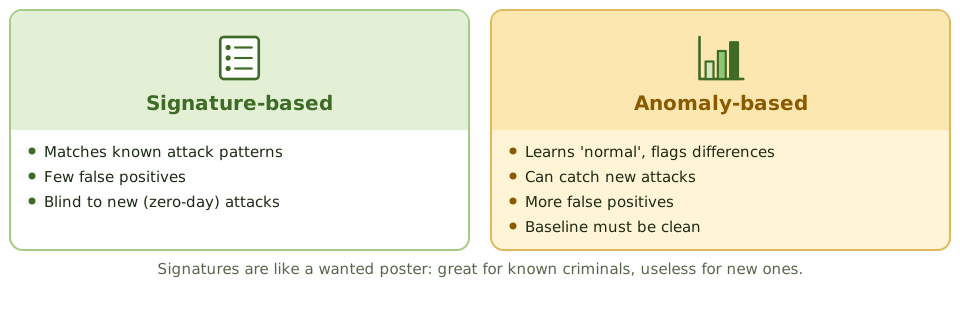
Two kinds of error
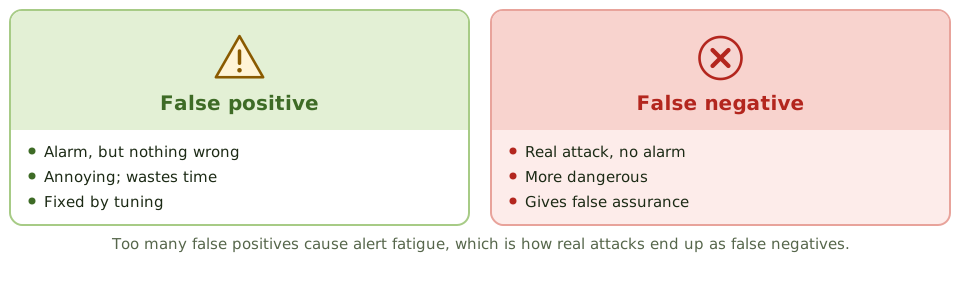
Placement and honeypots
- 1Behind the external firewall, to see what gets through.
- 2In front of critical segments: data centre, payment zone.
- 3On critical hosts (HIDS), and with cloud-native tools.
- 4Honeypot: a decoy with no real use, so any touch is suspicious.
- 5Honeynet: a network of honeypots, isolated from real systems.
How the exam asks about it
| If the question asks… | Answer |
|---|---|
| Method that finds new attacks | Anomaly / statistical-based |
| Fewest false positives on known attacks | Signature-based |
| More dangerous IDS error | False negative |
| IDS vs IPS | IPS is inline and can block |
| Decoy to attract attackers | Honeypot |
| What makes an IDS effective | Tuning plus timely monitoring and response |
Key takeaways
- ✓An IDS detects and alerts on suspicious activity; an IPS sits inline and can block it.
- ✓Network-based IDS (NIDS) monitors traffic on a segment; host-based IDS (HIDS) monitors activity and files on a single host.
- ✓Signature-based detection matches known attack patterns: accurate for known attacks, blind to new ones.
- ✓Anomaly (statistical or behaviour-based) detection flags deviations from normal: can find new attacks but produces more false positives.
- ✓A false positive is an alert on legitimate activity; a false negative is a missed attack, which is more dangerous.
- ✓An IPS can block legitimate traffic if poorly tuned, so it's usually introduced in monitoring mode first.
- ✓Detection is useless without monitoring and response: alerts must be reviewed and acted on.
Exam traps
- !Signature-based IDS can't detect zero-day attacks without a signature.
- !Anomaly-based IDS needs a baseline of normal activity; a baseline taken during an attack treats the attack as normal.
- !Encrypted traffic can hide attacks from a network IDS unless decrypted or monitored at the host.
- !An IPS failure can disrupt traffic; decide whether it fails open or closed.
- !Too many false positives lead to alert fatigue and real attacks being ignored.
VPN, SSL/TLS, IPsec
Private tunnels through a public internet: what a VPN does, IPsec's parts and modes, how TLS secures a web connection, and the remote-access weaknesses auditors find.
A private tunnel on a public road
Imagine driving through a busy city in a sealed, armoured lorry. Everyone can see the lorry, but nobody can see or touch what's inside.
A virtual private network (VPN) does that for data crossing the internet. Site-to-site VPNs join offices or data centres; remote-access VPNs connect individual users.
IPsec's parts
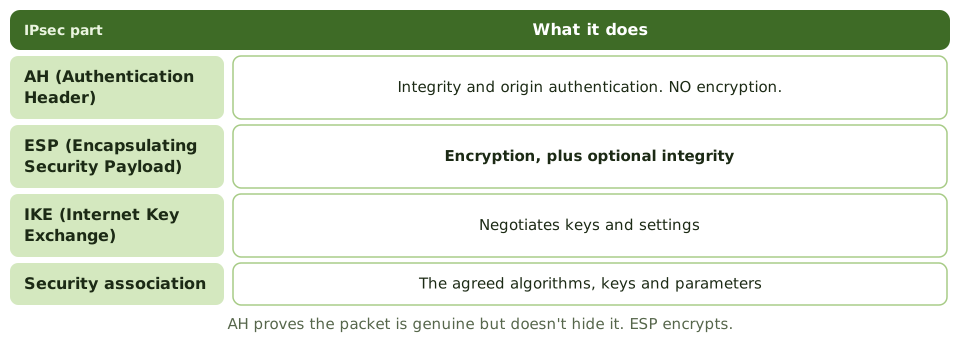
IPsec modes
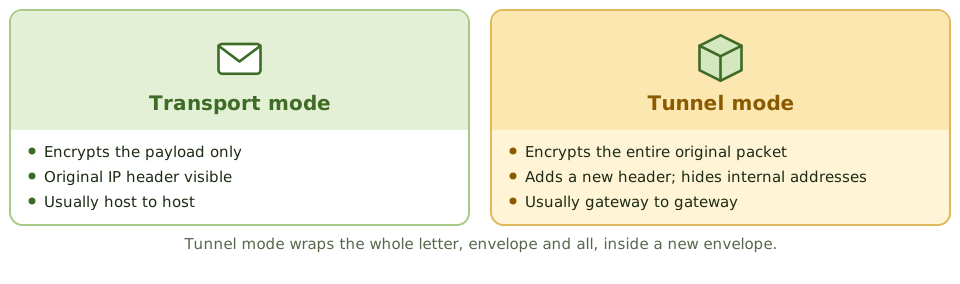
How TLS works
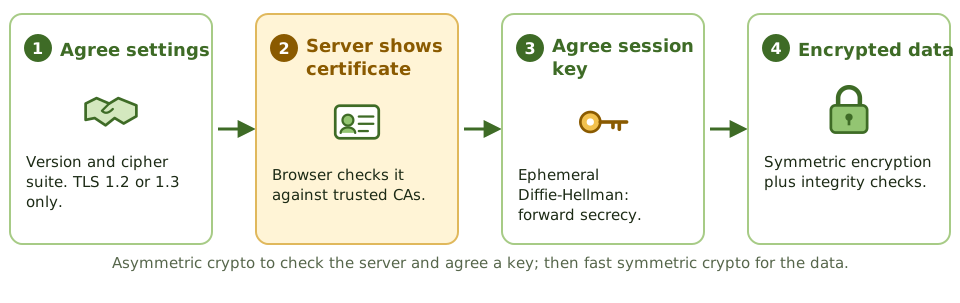
Remote access weaknesses
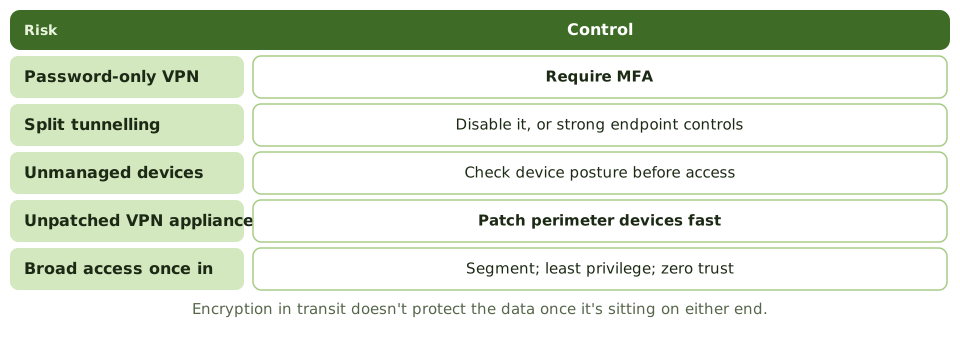
How the exam asks about it
| If the question asks… | Answer |
|---|---|
| IPsec part that encrypts | ESP |
| IPsec part with integrity, no encryption | AH |
| Mode encrypting the whole packet | Tunnel mode |
| How TLS authenticates the server | The server's certificate |
| Risk of split tunnelling | Device bridges internet and corporate network |
| Best remote access control | MFA plus patched, monitored VPN |
Key takeaways
- ✓A VPN creates an encrypted tunnel over an untrusted network; site-to-site VPNs connect networks, remote-access VPNs connect users.
- ✓IPsec works at the network layer: AH provides integrity and authentication; ESP provides confidentiality (encryption) plus optional integrity.
- ✓IPsec transport mode encrypts only the payload; tunnel mode encrypts the entire original packet and adds a new header.
- ✓IKE negotiates IPsec security associations and keys.
- ✓TLS (successor to SSL) secures application traffic such as HTTPS, using certificates for server authentication and symmetric session keys for data.
- ✓SSL and early TLS versions are deprecated; use TLS 1.2 or 1.3 with strong cipher suites.
- ✓Split tunnelling lets remote users reach the internet directly while connected, which can expose the corporate network.
Exam traps
- !AH doesn't encrypt; ESP does.
- !Tunnel mode hides the original IP header; transport mode doesn't.
- !An expired or self-signed certificate that users click through defeats TLS's server authentication.
- !VPN access with only a password is a common finding; require MFA.
- !Encryption in transit doesn't protect data at rest on either end.
Wireless Security
Securing a network that leaks through the walls: Wi-Fi protocols from WEP to WPA3, personal versus enterprise mode, rogue and fake access points, and which controls are strong or just for show.
A network that leaks through the walls
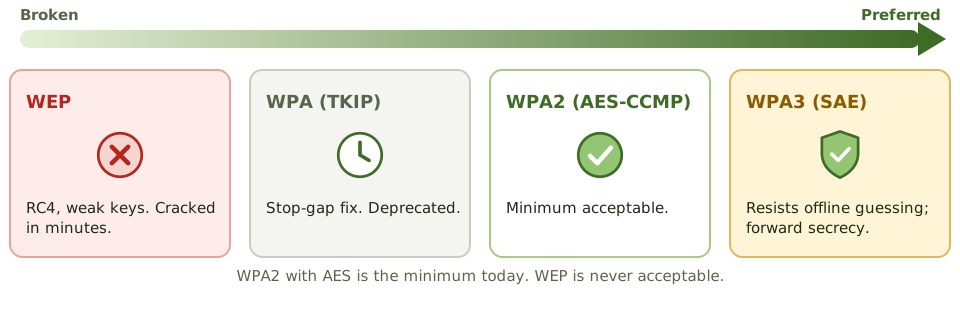
A cable network is like a conversation in a closed room. Wi-Fi is like shouting across a car park: anyone within range can listen, from outside the building or next door.
Locked doors don't help. Wi-Fi security depends on encryption and on checking who's connecting.
Personal vs enterprise
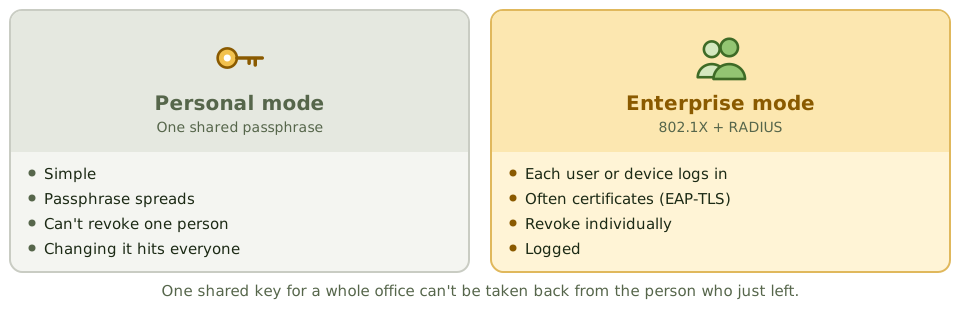
Wireless threats
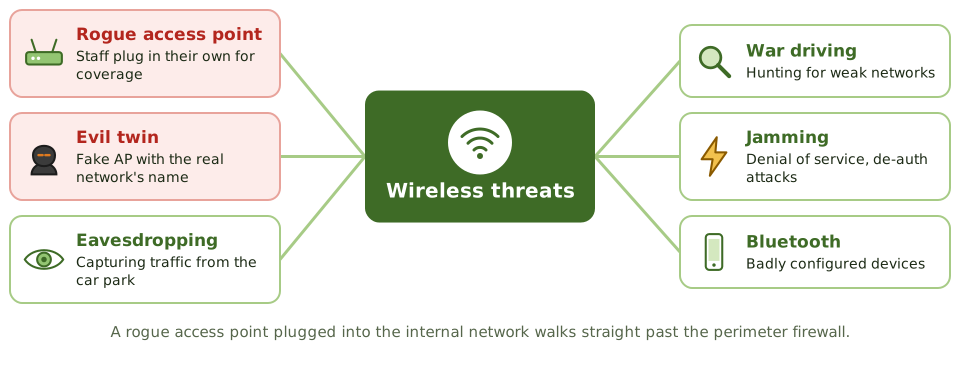
Strong and weak controls
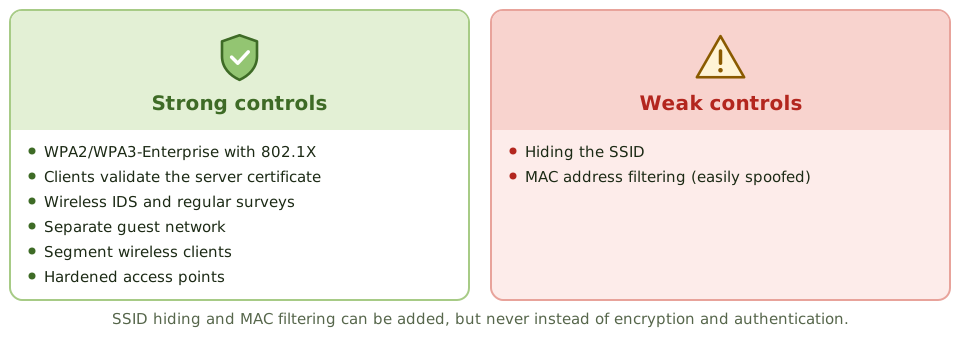
How the exam asks about it
| If the question asks… | Answer |
|---|---|
| Best corporate Wi-Fi set-up | WPA3 (or WPA2)-Enterprise with 802.1X |
| Protocol never to use | WEP |
| Weak wireless controls | MAC filtering, SSID hiding |
| Best way to find rogue APs | Wireless IDS and regular surveys |
| Guest Wi-Fi requirement | Separated from the corporate network |
Key takeaways
- ✓Wireless signals travel beyond physical boundaries, so encryption and strong authentication are essential.
- ✓WEP is broken and must not be used; WPA2 with AES (CCMP) is the minimum; WPA3 is preferred.
- ✓Enterprise mode (802.1X with RADIUS) authenticates each user or device individually; personal mode uses a shared passphrase.
- ✓Rogue access points and evil twins are major threats; wireless intrusion detection and regular surveys detect them.
- ✓Hiding the SSID and filtering MAC addresses are weak controls that are easily bypassed.
- ✓Guest wireless should be separated from the corporate network.
Exam traps
- !MAC filtering isn't strong security; MAC addresses can be spoofed.
- !A shared passphrase can't be revoked for one person; enterprise mode can.
- !SSID hiding doesn't stop a determined attacker.
- !A rogue access point plugged into the internal network bypasses the perimeter firewall.
- !Bluetooth and other short-range wireless also need controls.
Endpoint and Mobile (BYOD)
Protecting the laptops and phones where people actually work: the core endpoint controls, why encryption matters for lost devices, mobile device management, BYOD policies and data loss prevention.
Where the work happens
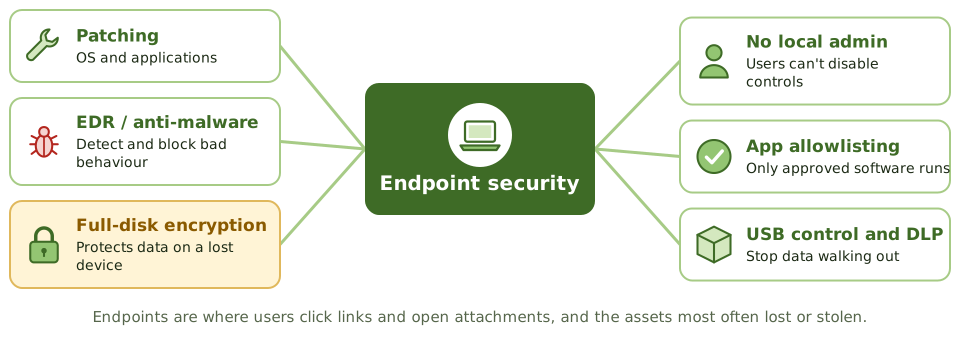
Laptops, desktops, phones and tablets are where people open email, click links and handle data. They're the most common way in for attackers, and the things most often left on trains.
Endpoint security protects the devices themselves.
The lost laptop
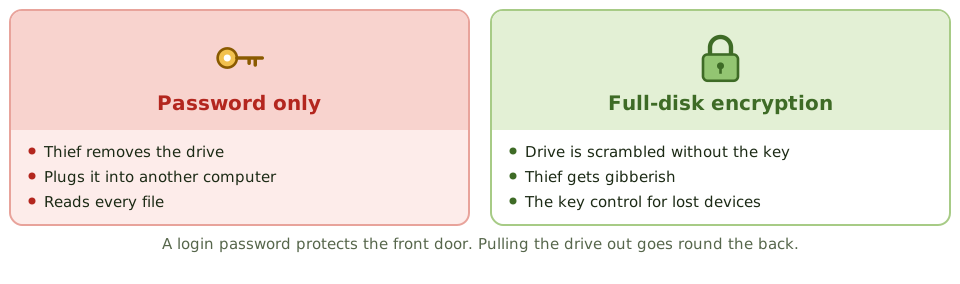
Mobile device management
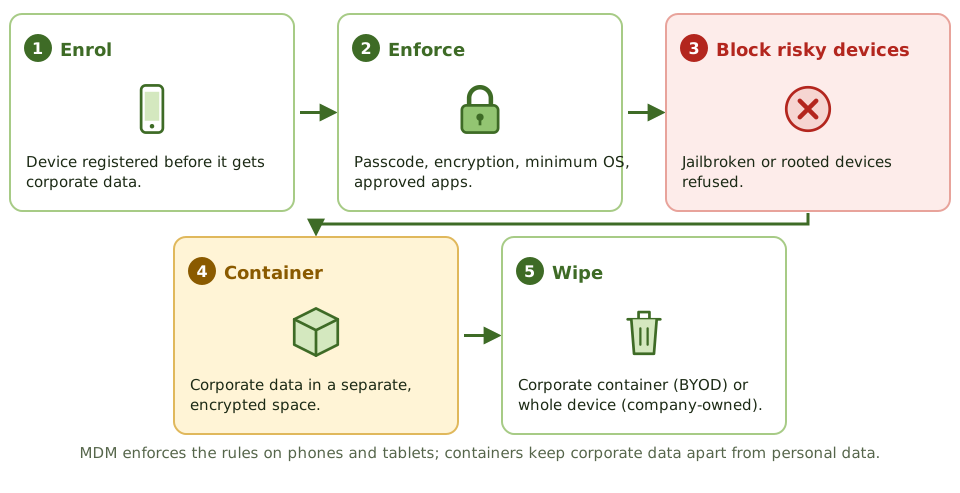
Bring your own device
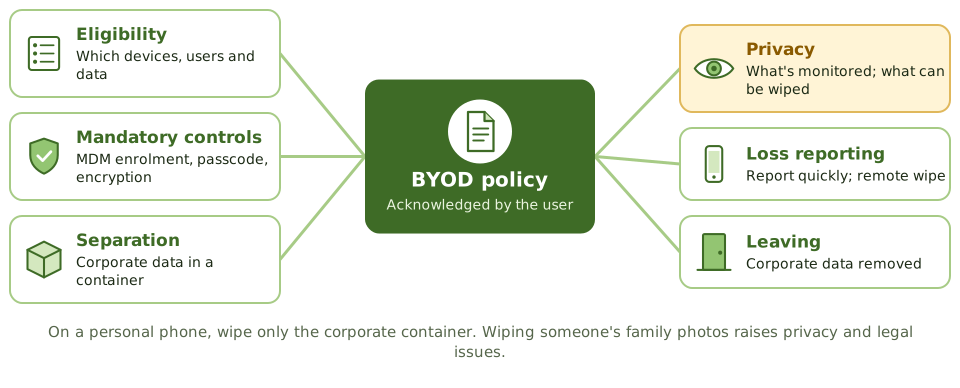
Data loss prevention
DLP tools look for sensitive content in use (on devices), in motion (email, web) and at rest (file shares, cloud), and alert or block when a rule is broken.
They rely on data classification to know what counts as sensitive.
How the exam asks about it
| If the question asks… | Answer |
|---|---|
| Best control for data on lost laptops | Full-disk encryption |
| Enforces policy on mobile devices | Mobile device management |
| Protecting work data on personal phones | Containerisation with selective wipe |
| Risk of local admin rights | Users can disable controls, install malware |
| Finds sensitive data leaving | Data loss prevention |
Key takeaways
- ✓Endpoints are the most common entry point for attacks and the most frequently lost or stolen assets.
- ✓Core endpoint controls: patching, endpoint detection and response (EDR) or anti-malware, host firewall, full-disk encryption, least privilege and application control.
- ✓Full-disk encryption is the best control for data on lost or stolen laptops.
- ✓Mobile device management (MDM) enforces policies on mobile devices: passcodes, encryption, remote wipe, app restrictions.
- ✓BYOD needs a policy covering eligibility, required controls, separation of corporate data (containerisation), monitoring and privacy, and offboarding.
- ✓Data loss prevention (DLP) detects and blocks sensitive data leaving through endpoints, email or web.
Exam traps
- !A strong login password doesn't protect data if the disk can be removed and read; encryption does.
- !On BYOD devices, remote wipe of the whole device raises privacy and legal issues; wiping only the corporate container is preferred.
- !Users with local administrator rights can disable security tools and install malware.
- !Jailbroken or rooted devices bypass platform security and should be blocked.
- !USB ports allow data theft and malware introduction; control removable media.
Cloud and Virtualization Security
Many computers on one machine, and computers you rent from someone else: hypervisor risks, VM sprawl and snapshots, containers, and the misconfiguration and identity mistakes behind most cloud breaches.
Many flats in one building
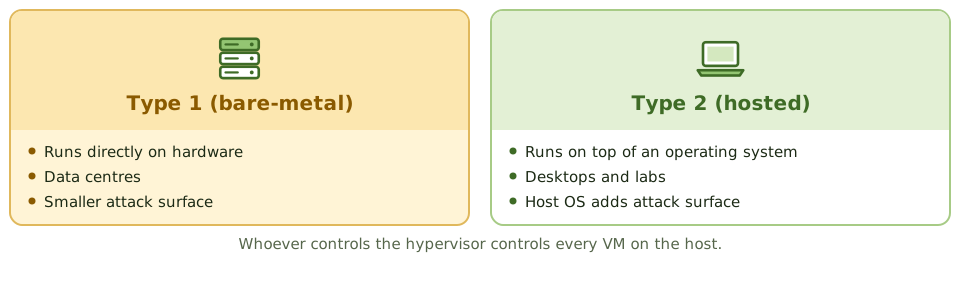
A block of flats gives each household its own front door, but they all share the same foundations, plumbing and caretaker. If the caretaker's master key is stolen, every flat is open.
Virtualisation runs many virtual machines (VMs) on one physical server. The hypervisor is the caretaker: whoever controls it controls every VM.
Virtualisation risks
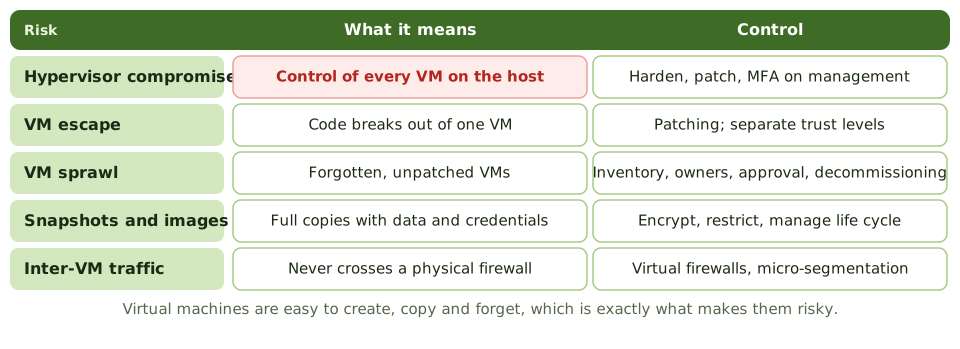
Containers
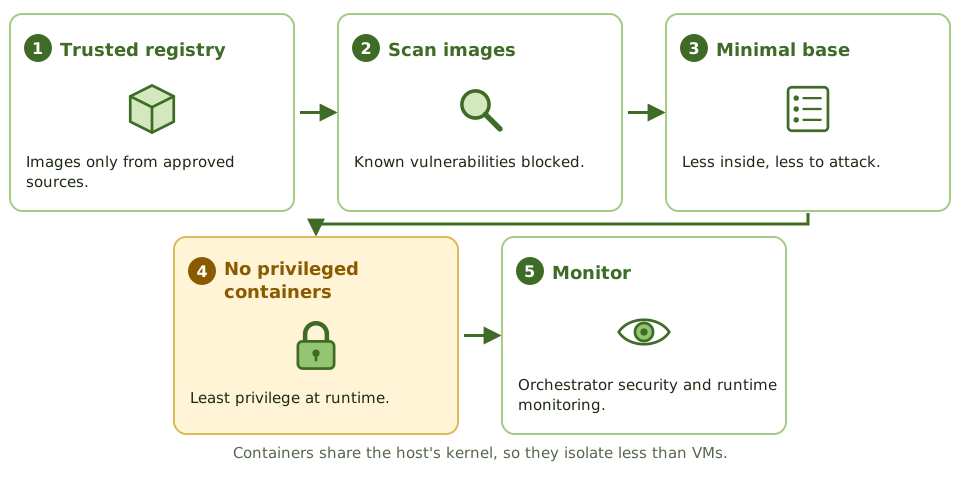
Cloud security
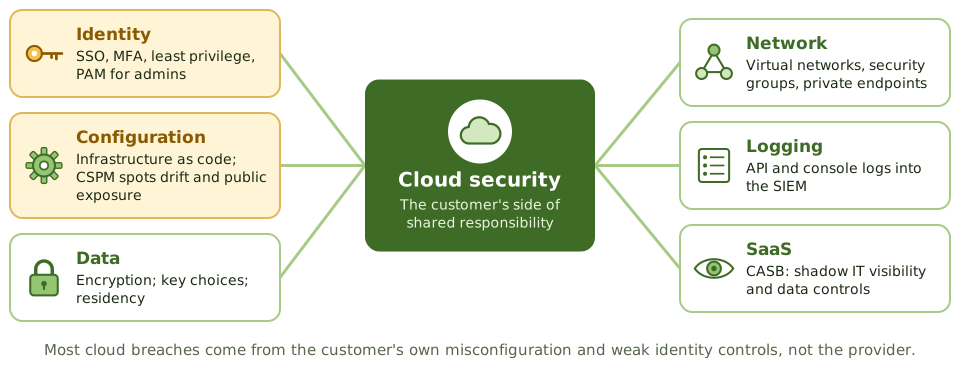
How the exam asks about it
| If the question asks… | Answer |
|---|---|
| Greatest risk to VMs on a shared host | Hypervisor compromise |
| Risk of uncontrolled VM creation | VM sprawl: unpatched, unmanaged |
| Most common cause of cloud data exposure | Customer misconfiguration |
| Detects cloud misconfiguration | Cloud security posture management |
| Visibility of SaaS use | Cloud access security broker |
| Protecting VM snapshots | Encrypt, restrict, manage life cycle |
Key takeaways
- ✓The hypervisor controls all virtual machines on a host; its compromise affects every guest, so it must be hardened, patched and tightly access-controlled.
- ✓Type 1 (bare-metal) hypervisors run directly on hardware; type 2 (hosted) run on top of an operating system and have a larger attack surface.
- ✓Virtualisation risks include VM escape, VM sprawl, insecure snapshots and images, and unmonitored traffic between VMs.
- ✓In the cloud, misconfiguration and weak identity management cause most incidents.
- ✓Cloud controls include strong IAM with MFA, least privilege, configuration monitoring (CSPM), encryption with customer-managed keys where needed, and centralised logging.
- ✓Containers share the host kernel; images should come from trusted registries, be scanned, and run with minimal privileges.
Exam traps
- !Greatest risk on a shared virtual host: compromise of the hypervisor.
- !VM snapshots and images can contain sensitive data and credentials; protect and manage them.
- !Cloud administrator accounts are extremely powerful; protect them with MFA and PAM.
- !Publicly accessible storage buckets are a classic cloud misconfiguration.
- !Bring-your-own-key gives more control over encryption keys but adds key management responsibility.
Physical Access Controls
Keeping the wrong people away from the hardware: layers of physical security, locks from keys to biometrics, mantraps against tailgating, guards, CCTV and visitors, and where to put a data centre.
Layers, like an onion
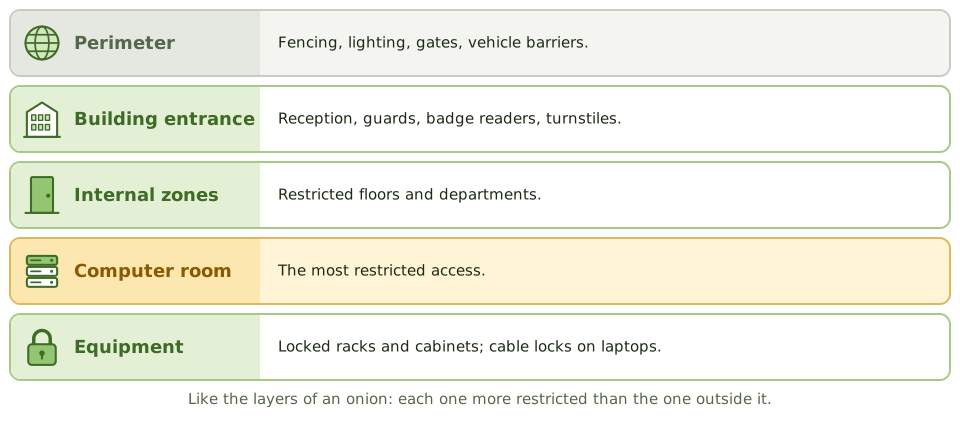
A bank doesn't rely on one locked door. There's the street door, the counter, the back office, and finally the vault, each harder to reach than the last.
Physical security uses the same layers to keep people away from equipment and data. Every logical control can be bypassed by someone who can pick up the server.
Locks
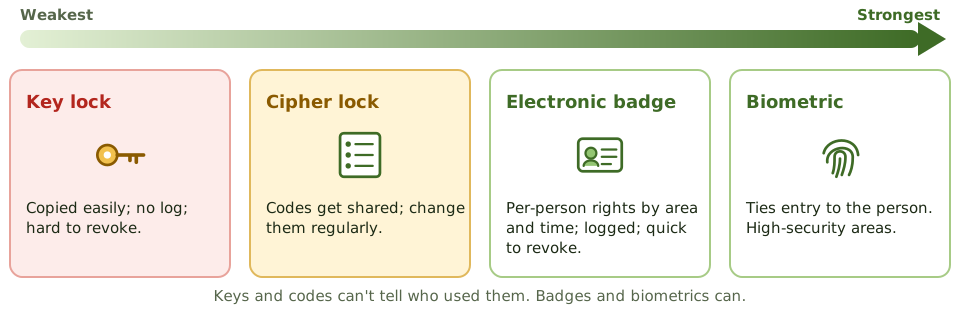
Stopping tailgating
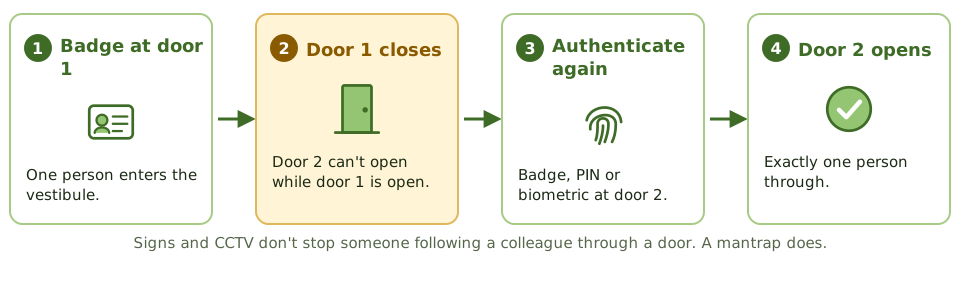
Guards, cameras and visitors
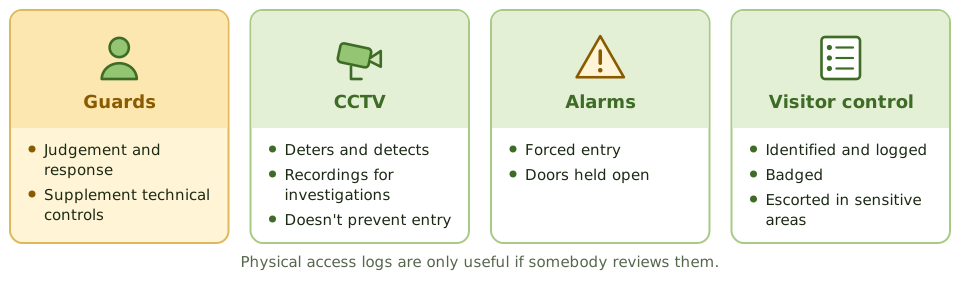
Where to put the data centre
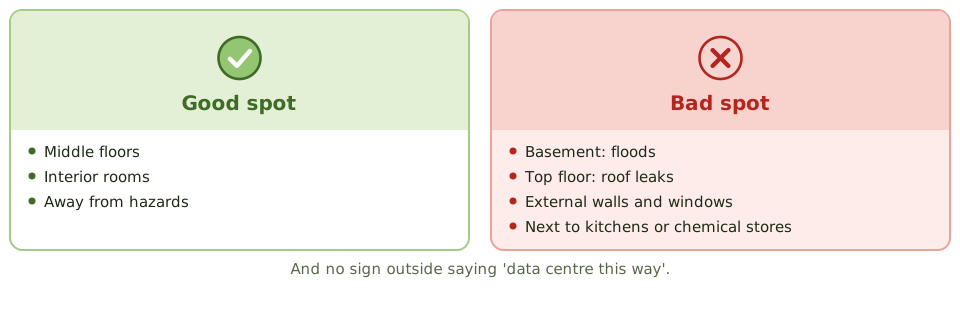
How the exam asks about it
| If the question asks… | Answer |
|---|---|
| Best control against tailgating | Mantrap / access vestibule or turnstile |
| Badges vs keys | Individual rights, logging, quick revocation |
| Visitors in the data centre | Logged, badged and escorted |
| Best data centre location in a building | Middle floors, interior, no signage |
| Weakness of cipher locks | Shared codes; need regular changes |
Key takeaways
- ✓Physical security uses layers: site perimeter, building entrance, internal zones and the computer room itself.
- ✓Access to sensitive areas should be restricted to authorised people, logged, and reviewed periodically.
- ✓Mantraps (access vestibules) and turnstiles prevent tailgating and piggybacking.
- ✓Electronic badge systems allow individual access rights, logging and quick revocation; key locks and combination locks don't.
- ✓Visitors should be identified, logged, badged and escorted in sensitive areas.
- ✓CCTV is mainly detective and deterrent; guards add judgement and response.
- ✓Computer rooms are best located away from external walls, ground floors and basements (flooding), and top floors (roof leaks), without signage.
Exam traps
- !Best control against tailgating: a mantrap, not a sign or CCTV.
- !Combination (cipher) locks need regular code changes and are weak if codes are shared.
- !Badge access lists must be updated when people leave or change roles; review them periodically.
- !Dead-man (two-door) systems only let one person through at a time.
- !Logs of physical access are only useful if reviewed.
Environmental Controls: Fire, Power, HVAC
Protecting computer rooms from the elements: power problems and their fixes, fire detection, water and gas suppression (and which one suits a computer room), cooling, water leaks and testing.
Fire, water, power, heat
Servers hate the same things your phone does: being dropped in water, overheating, and power cuts in the middle of something important.
Environmental controls protect computer rooms from power problems, fire, water and heat, and they only work if they're tested.
Power problems
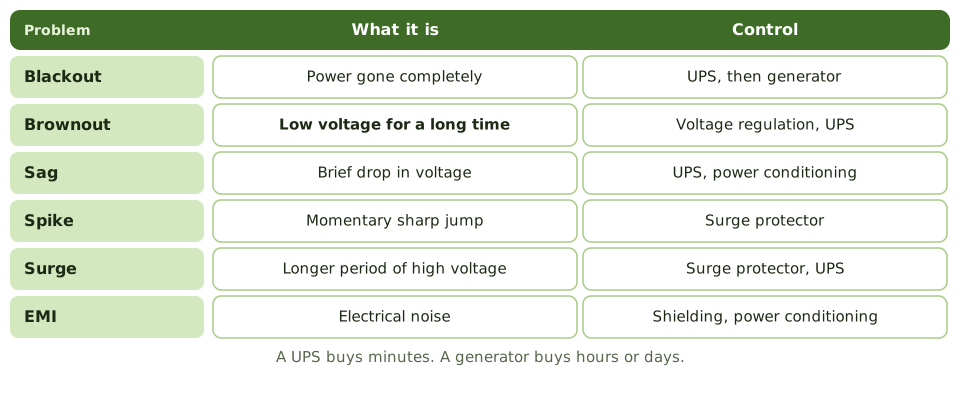
Detecting fire
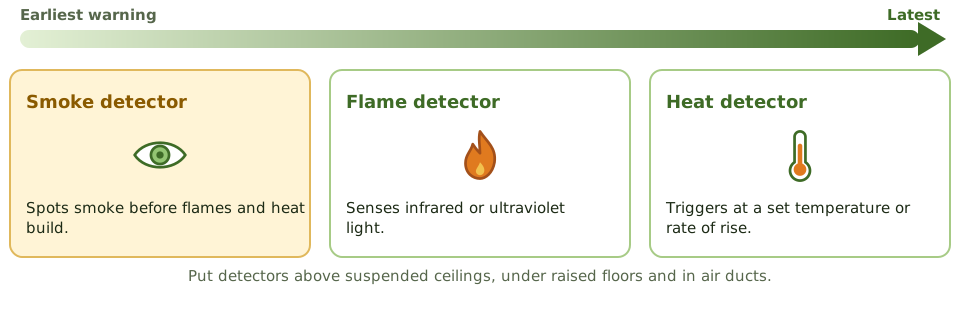
Water-based suppression
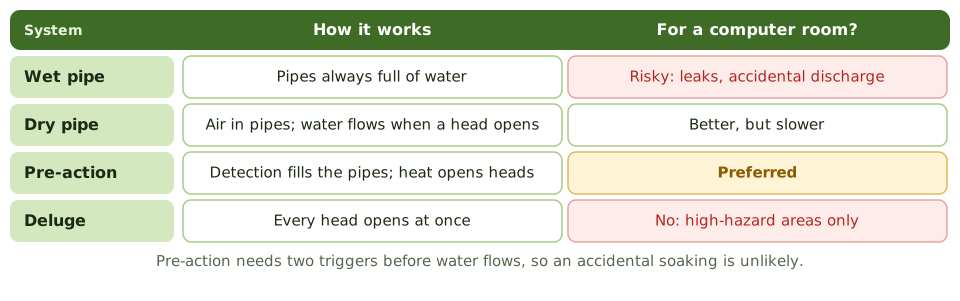
Gas-based suppression
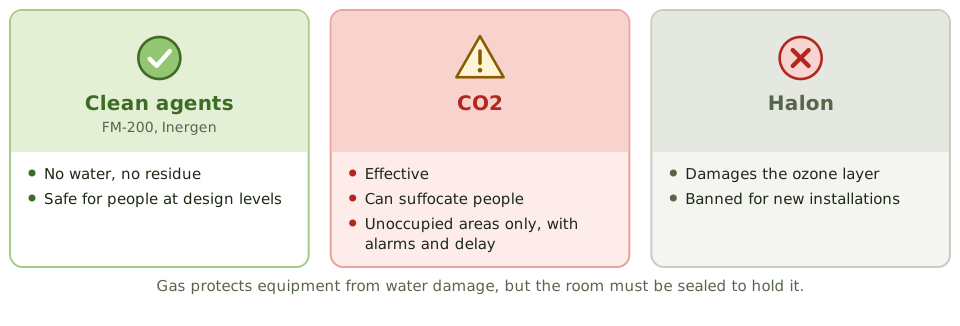
The rest of the room
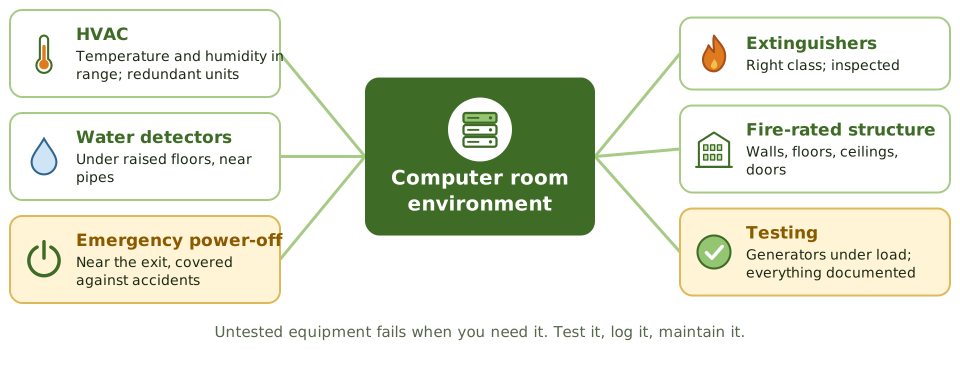
How the exam asks about it
| If the question asks… | Answer |
|---|---|
| Preferred water system for computer rooms | Pre-action |
| Suppression dangerous to people | CO2 |
| Short outages and power conditioning | UPS |
| Prolonged outages | Generator |
| Earliest fire detection | Smoke detectors |
| Prolonged low voltage | Brownout |
Key takeaways
- ✓Power problems include blackouts, brownouts (prolonged low voltage), sags, spikes, surges and electromagnetic interference.
- ✓Surge protectors handle spikes; UPS bridges short outages and conditions power; generators cover prolonged outages.
- ✓Water-based suppression: wet pipe (always charged), dry pipe (water enters on activation), pre-action (two triggers, preferred for computer rooms), deluge (all heads open).
- ✓Gas-based suppression (FM-200, Inergen, other clean agents) protects equipment without water damage; CO2 is dangerous to people; Halon is banned for new installations.
- ✓Smoke detectors give earlier warning than heat detectors; detectors should be above the ceiling, below raised floors and in air ducts.
- ✓HVAC controls temperature and humidity; water detectors under raised floors detect leaks.
- ✓Emergency power-off switches, fire extinguishers and regular testing and inspection complete the picture.
Exam traps
- !Pre-action is the preferred water system for computer rooms because it reduces accidental discharge.
- !Wet-pipe systems risk leaks and accidental discharge; deluge systems are unsuitable for computer rooms.
- !CO2 suppression is dangerous to humans in occupied areas.
- !A UPS isn't designed for long outages; a generator is.
- !Environmental controls must be tested and maintained; an untested generator may not start.
Social Engineering
Hacking people instead of computers: the psychological levers attackers pull, the phishing family and its relatives, business email compromise, and the controls that actually work.
Hacking the person
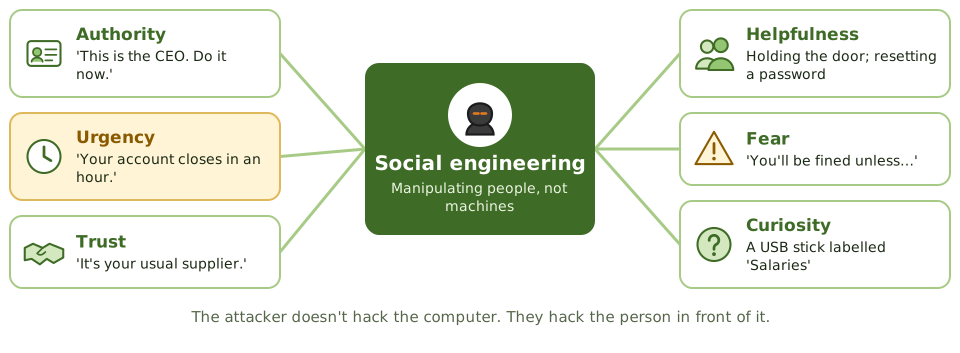
Why pick a lock when someone will open the door for you? A confident person in a hi-vis vest carrying a ladder can walk into most buildings.
Social engineering exploits human nature, not technical flaws. Attackers lean on authority, urgency, trust and helpfulness to get people to hand over information, access or money.
The techniques
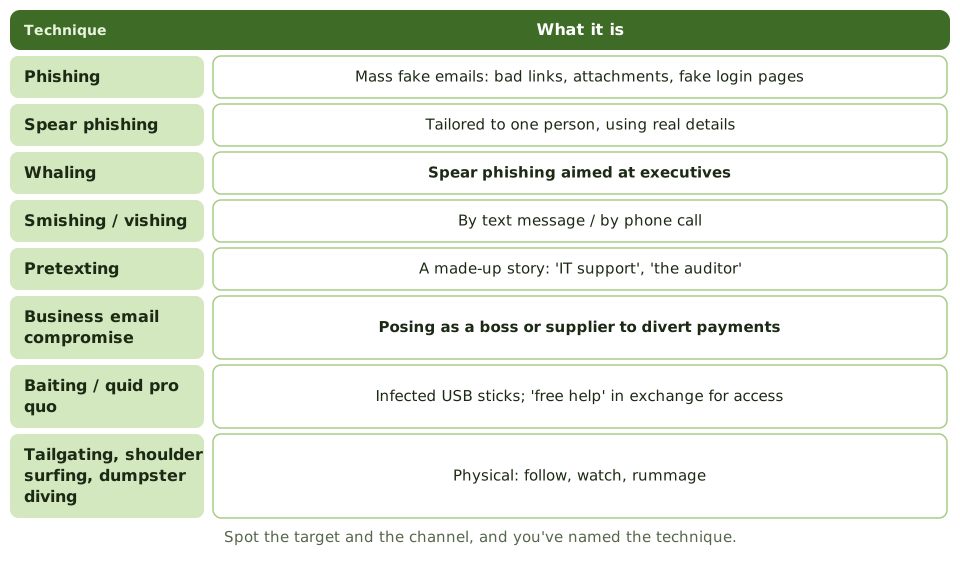
Business email compromise
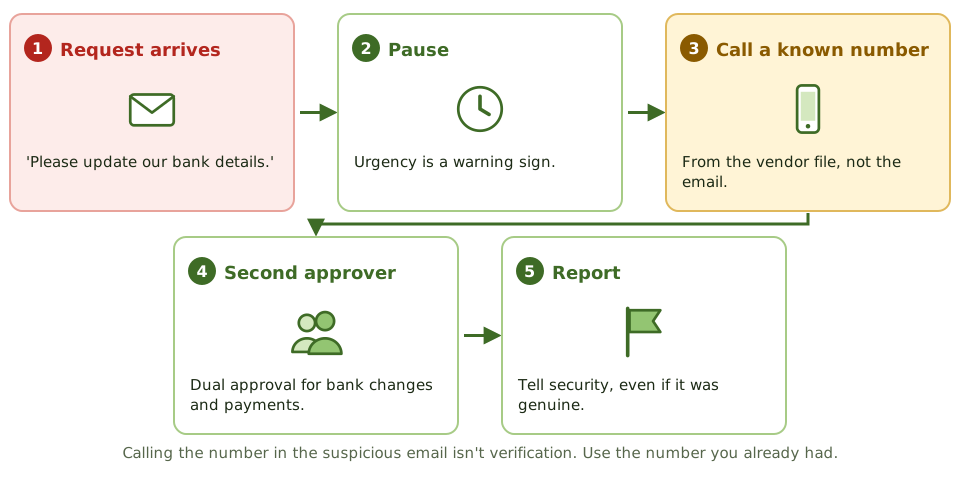
What works
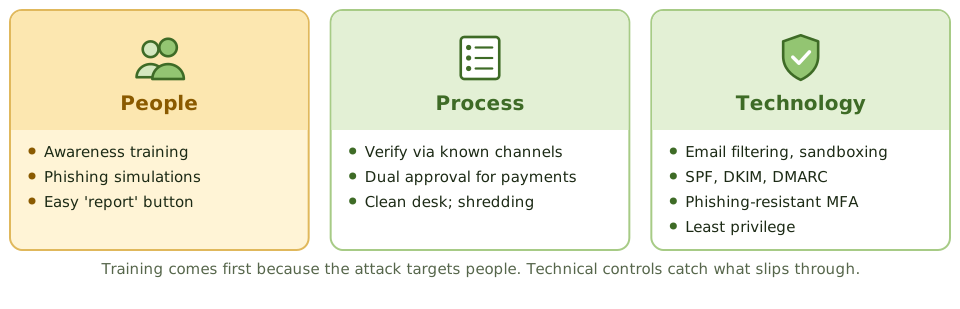
How the exam asks about it
| If the question asks… | Answer |
|---|---|
| Most effective control | Security awareness training |
| Best control against BEC | Verify via known contacts; dual approval |
| Phishing aimed at executives | Whaling |
| Following someone through a door | Tailgating / piggybacking |
| Control against dumpster diving | Shredding and a clean desk policy |
Key takeaways
- ✓Social engineering manipulates people into revealing information, granting access or taking actions that benefit the attacker.
- ✓Phishing uses fraudulent messages; spear phishing targets individuals; whaling targets executives; smishing and vishing use SMS and voice.
- ✓Pretexting creates a believable scenario, such as posing as IT support or an auditor.
- ✓Business email compromise (BEC) tricks staff into paying fraudulent invoices or changing bank details.
- ✓Physical techniques include tailgating, shoulder surfing, dumpster diving and baiting with infected USB drives.
- ✓The most effective control is security awareness training, supported by technical controls and verification procedures.
Exam traps
- !Technical controls alone don't stop social engineering; awareness is the primary control.
- !For BEC, the key control is independent verification of payment changes through a known contact channel, plus dual approval.
- !Calling back a number provided in the suspicious message isn't independent verification.
- !Phishing-resistant MFA limits the damage of stolen passwords.
- !Clean desk and secure disposal policies counter dumpster diving.
Malware
The zoo of malicious software, from viruses and worms to ransomware, the old-fashioned crime terms the exam still uses, and the layers of defence that stop, spot, contain and recover from it.
Software with bad intentions
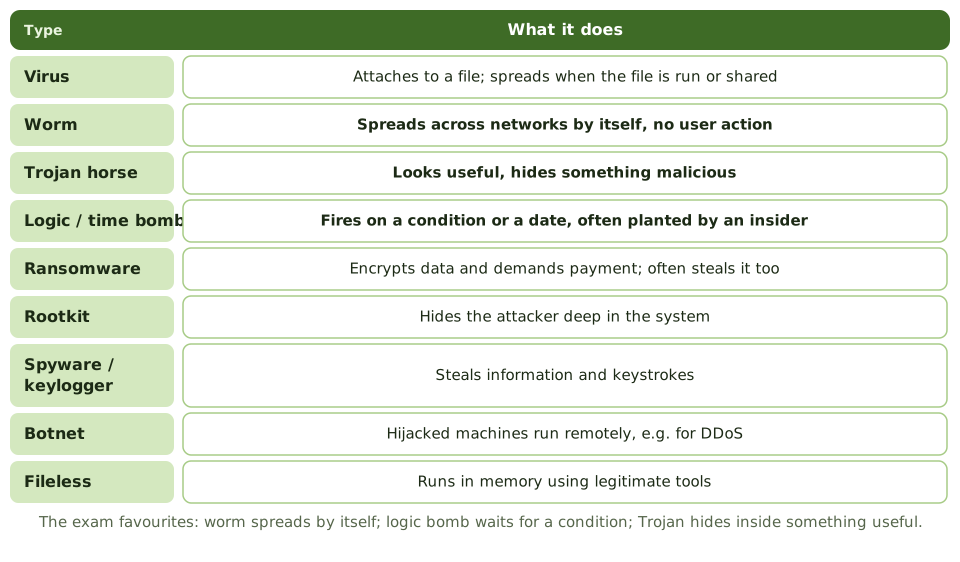
Malware is any software written to cause harm. Like illnesses, the types differ in how they spread and what they do: some need you to pass them on, some spread on their own, some lie dormant until a trigger.
Knowing the names matters for the exam, but so does knowing which control stops which.
The old crime terms
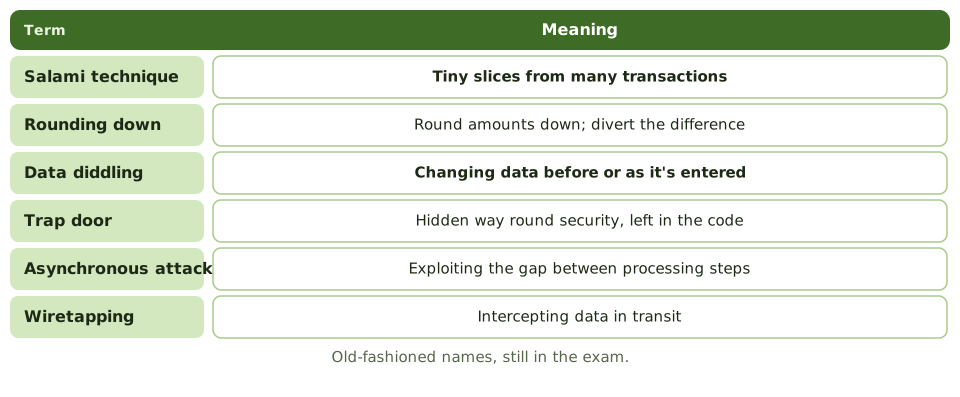
Layers of defence
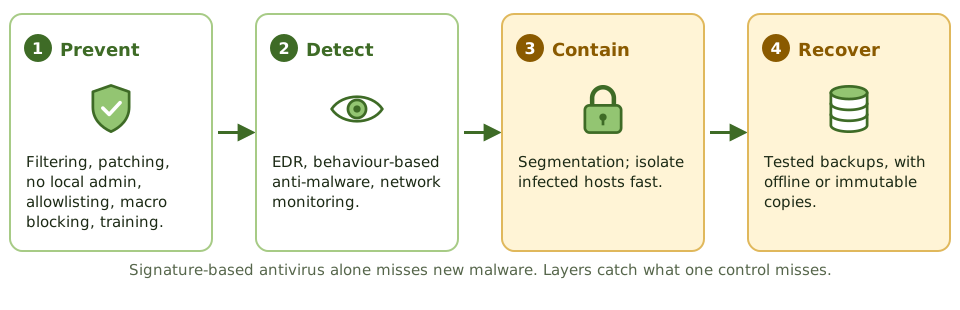
Ransomware goes for the backups
Online, writeable backups reachable with the same admin credentials get encrypted along with everything else. Keep offline or immutable copies with separate credentials.
How the exam asks about it
| If the question asks… | Answer |
|---|---|
| Spreads without user action | Worm |
| Triggered by a condition | Logic bomb |
| Hides inside a useful program | Trojan horse |
| Tiny amounts from many transactions | Salami technique |
| Altering data before entry | Data diddling |
| Key ransomware recovery control | Offline or immutable backups |
| Limit of signature antivirus | Can't detect new malware |
Key takeaways
- ✓A virus attaches to a host file and needs user action to spread; a worm spreads by itself across networks.
- ✓A Trojan horse hides malicious functions inside apparently legitimate software.
- ✓A logic bomb triggers on a condition, such as a date or an event; a time bomb triggers on a date.
- ✓Ransomware encrypts data and demands payment; offline or immutable backups are the key recovery control.
- ✓Rootkits hide the attacker's presence; spyware and keyloggers steal information; botnets enlist compromised machines.
- ✓Older exam terms: salami technique (shaving small amounts), data diddling (altering input), trap doors (hidden entry points), asynchronous attacks.
- ✓Controls are layered: user awareness, patching, least privilege, EDR/anti-malware, application allowlisting, email and web filtering, and backups.
Exam traps
- !Signature-based antivirus can't detect new malware; behaviour-based detection and EDR help.
- !Logic bomb = condition-triggered, often planted by an insider.
- !Salami technique takes tiny amounts from many transactions, such as rounding fractions of a cent.
- !Data diddling changes data before or during input; input controls and reconciliation help detect it.
- !Backups that are online and writeable may be encrypted by ransomware too.
Network Attacks: DoS, Spoofing, Sniffing
Attacks on the network itself, grouped by what they damage (availability, identity, confidentiality), and the one control that best matches each, which is what the exam asks for.
Three things attackers go after
Think of a postal service. An attacker can block the post office door so nothing gets through (availability). They can forge the return address (identity). Or they can steam open letters, read them and even change them (confidentiality and integrity).
Network attacks fall into the same three groups, and each has a matching control.
Denial of service
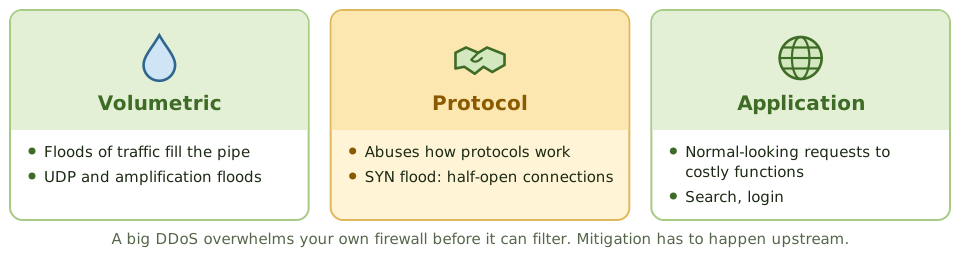
Attack and matching control
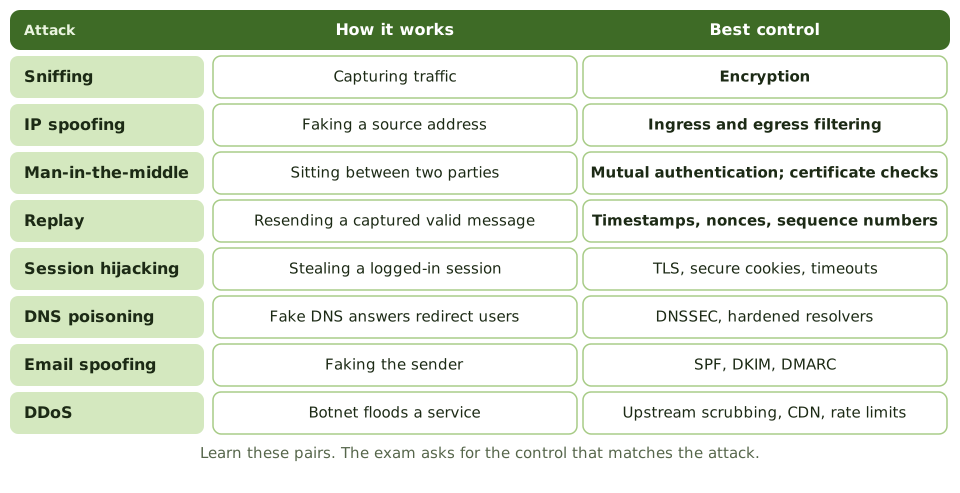
Spoofing and reconnaissance
- 1Ingress filtering: block incoming packets claiming internal addresses.
- 2Egress filtering: stop internal hosts sending forged source addresses.
- 3ARP spoofing on a LAN: dynamic ARP inspection, port security.
- 4Port scans often come first: firewall logs and IDS can spot them.
- 5Fewer exposed services means less for attackers to find.
How the exam asks about it
| If the question asks… | Answer |
|---|---|
| Best control against sniffing | Encryption |
| Control against replay attacks | Timestamps, nonces, sequence numbers |
| Control against IP spoofing | Ingress and egress filtering |
| Control against man-in-the-middle | Mutual authentication / certificate checks |
| Attack from many hijacked computers | DDoS (botnet) |
| Control against email spoofing | SPF, DKIM, DMARC |
Key takeaways
- ✓A denial-of-service (DoS) attack overwhelms a system so legitimate users can't use it; a distributed DoS (DDoS) uses many sources, often a botnet.
- ✓Spoofing falsifies an identity, such as an IP address, MAC address, email sender or caller ID.
- ✓Sniffing (eavesdropping) captures network traffic; encryption is the main countermeasure.
- ✓Man-in-the-middle (on-path) attacks intercept and possibly alter communications between two parties.
- ✓Replay attacks resend captured valid messages; timestamps, nonces and session tokens prevent them.
- ✓DNS attacks (poisoning, hijacking) redirect users to malicious sites.
- ✓Port scanning and reconnaissance often precede attacks; monitoring can detect them.
Exam traps
- !Best defence against sniffing is encryption, not switches alone.
- !Mutual authentication and certificate validation counter man-in-the-middle attacks.
- !Ingress and egress filtering stops spoofed source addresses entering or leaving the network.
- !DDoS mitigation usually needs upstream help: ISP or cloud scrubbing services.
- !A SYN flood exploits the TCP handshake by leaving half-open connections.
Application Attacks: SQLi, XSS
Attacks that trick an application into doing something it shouldn't, especially SQL injection, cross-site scripting and buffer overflows, and why secure code beats a firewall in front of bad code.
Tricking the application
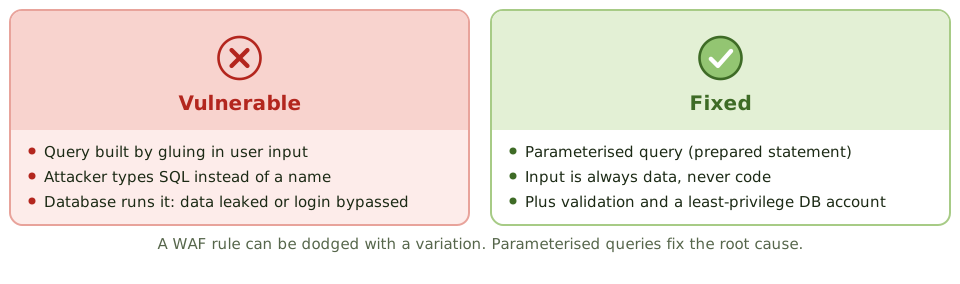
Imagine a form at the bank that says 'Name: ____'. Instead of a name, someone writes 'Bob, and also give the bearer all the money in the safe'. A sensible clerk ignores the extra bit. A badly written program might just do it.
That's the idea behind injection attacks: input that the application mistakes for instructions.
The attacks and their fixes
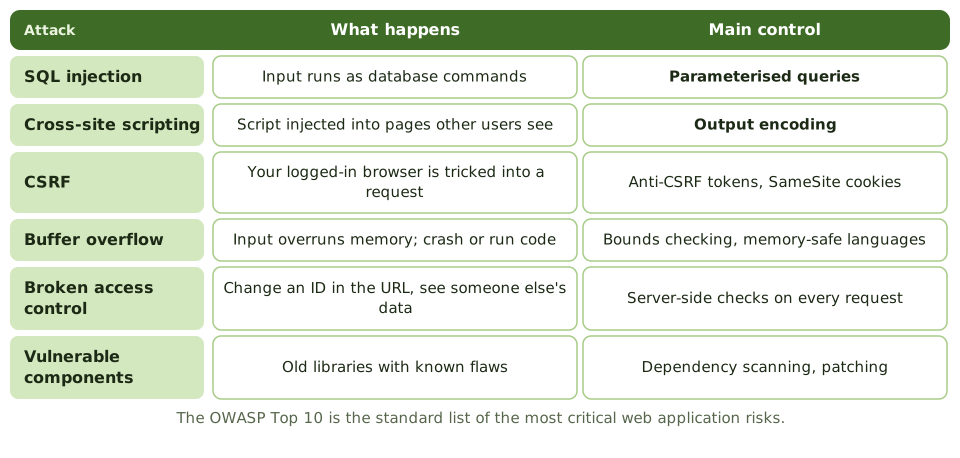
Cross-site scripting
The attacker plants a script in a page that other users then view: in a comment (stored XSS), in a link (reflected XSS), or by tweaking the page in the browser (DOM-based XSS). The script runs with the site's trust and can steal session cookies.
Key fix: output encoding, so data is displayed as text, never run as code. Also input validation, a content security policy and HttpOnly cookies.
Security across the life cycle
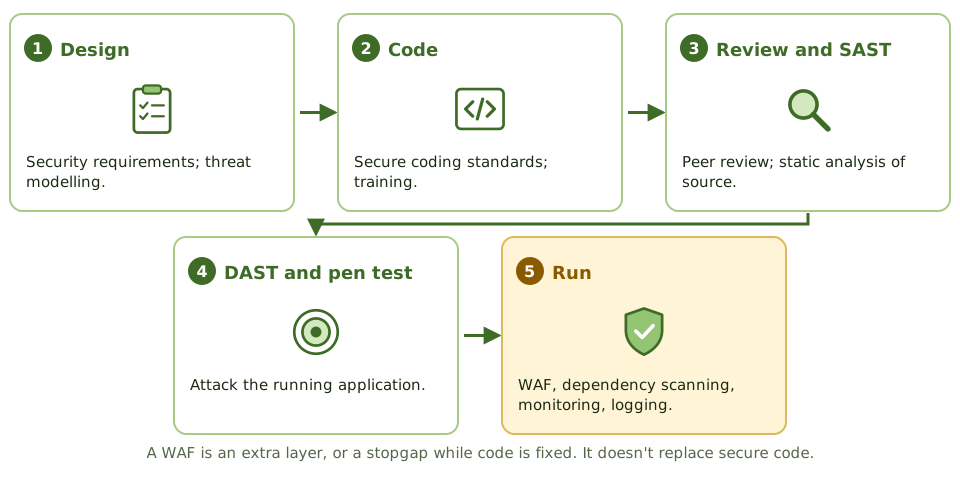
How the exam asks about it
| If the question asks… | Answer |
|---|---|
| Best defence against SQL injection | Parameterised queries |
| Best defence against XSS | Output encoding (plus input validation) |
| Role of a WAF | Extra layer; stopgap while code is fixed |
| Writing past allocated memory | Buffer overflow |
| List of top web risks | OWASP Top 10 |
| Testing source code for flaws | Static analysis (SAST) |
Key takeaways
- ✓SQL injection inserts SQL commands through input fields; parameterised queries (prepared statements) prevent it.
- ✓Cross-site scripting (XSS) injects scripts into pages viewed by other users; output encoding and input validation prevent it.
- ✓Cross-site request forgery (CSRF) tricks a logged-in user's browser into sending unwanted requests; anti-CSRF tokens prevent it.
- ✓Buffer overflows write beyond allocated memory to crash programs or run code; bounds checking and safe languages prevent them.
- ✓Broken access control (such as changing an ID in a URL to see someone else's data) is the most common web weakness.
- ✓The OWASP Top 10 lists the most critical web application risks.
- ✓Controls: secure coding, input validation, code review, security testing (SAST/DAST), and a web application firewall as an extra layer.
Exam traps
- !The best defence against SQL injection is parameterised queries, not a WAF alone.
- !Input validation helps, but output encoding is the key defence against XSS.
- !Hiding error messages reduces information leakage but doesn't fix the vulnerability.
- !Client-side validation can be bypassed; validate on the server.
- !A WAF is a compensating control while code is fixed.
Vulnerability Management and Pen Testing
Finding the holes before attackers do: the vulnerability management cycle, how a scan differs from a penetration test, the kinds of pen test, and why written permission comes first.
Finding the holes first
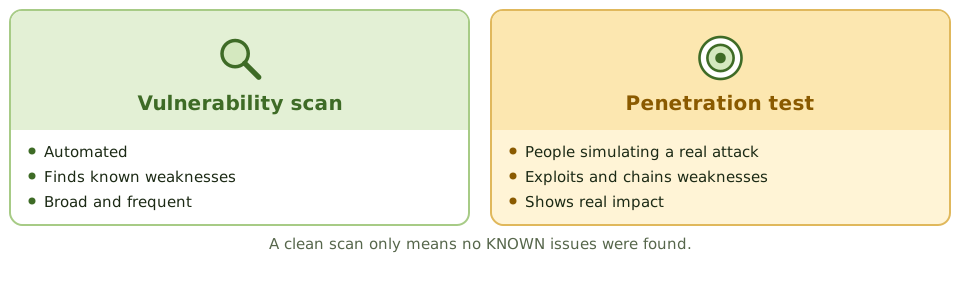
A home inspection before you buy a house finds the damp and the dodgy wiring before they cost you. A burglar-proofing expert who actually tries to break in tells you which weakness really matters.
Vulnerability scanning is the inspection. Penetration testing is the friendly burglar.
The vulnerability management cycle
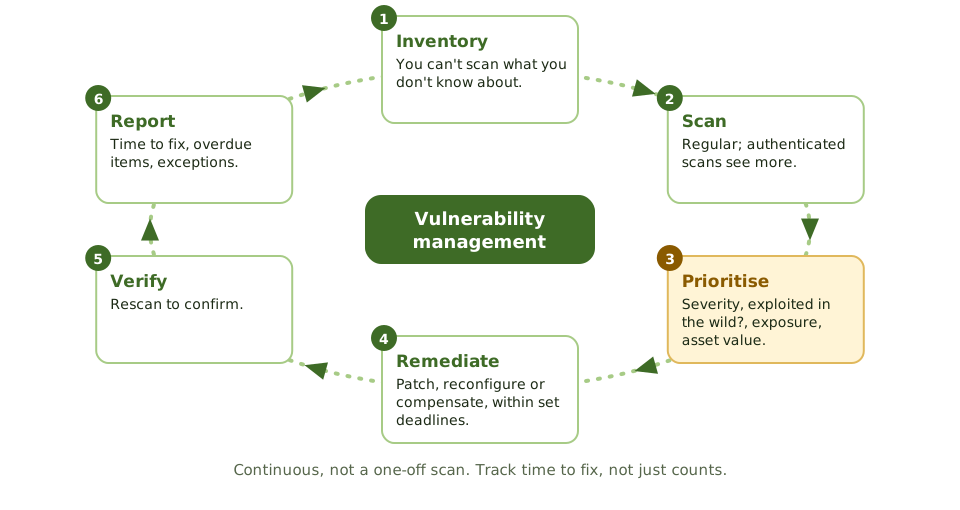
Kinds of penetration test
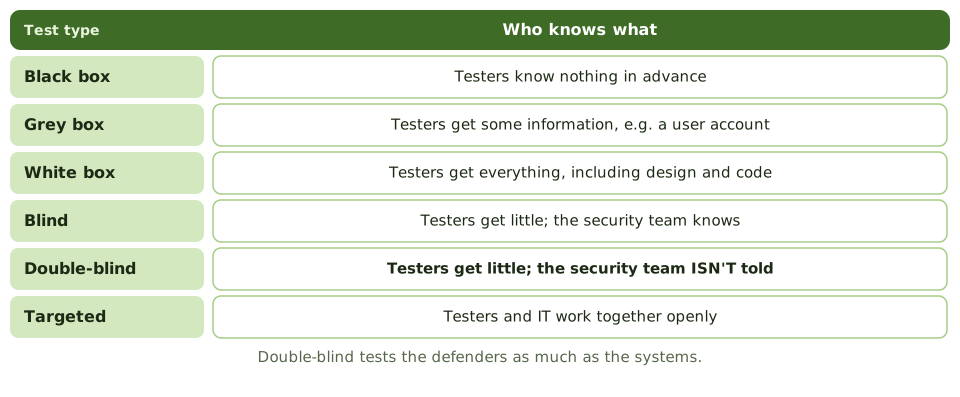
Permission first
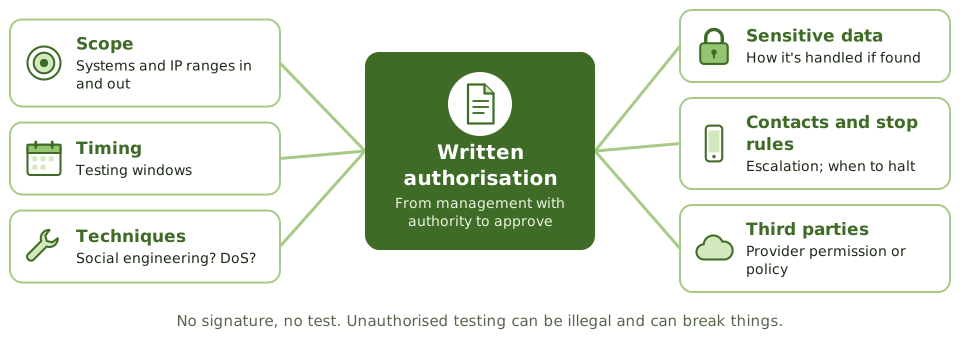
How a test runs
- 1Plan and agree the rules of engagement.
- 2Reconnaissance, scanning and enumeration.
- 3Exploitation.
- 4Post-exploitation: privilege escalation, lateral movement.
- 5Report with prioritised recommendations.
- 6Management fixes; testers retest. Testers don't fix things themselves.
How the exam asks about it
| If the question asks… | Answer |
|---|---|
| Most important requirement before a pen test | Written management authorisation with agreed scope |
| Defenders not told about the test | Double-blind |
| Tester with full knowledge | White box |
| Scanning vs pen testing | Scanning finds; pen testing exploits to show impact |
| Scan that finds the most | Authenticated / credentialed |
| Prioritising vulnerabilities | Severity, exploitability, exposure, asset value |
Key takeaways
- ✓Vulnerability management is a continuous cycle: discover assets, scan, prioritise, remediate, verify and report.
- ✓Prioritisation considers severity (such as CVSS), exploitability, exposure and asset criticality.
- ✓A vulnerability scan identifies known weaknesses automatically; a penetration test actively exploits them to show real impact.
- ✓Penetration test knowledge levels: black box (no prior knowledge), grey box (some), white box (full knowledge).
- ✓Before any penetration test, written authorisation from management with agreed scope and rules of engagement is essential.
- ✓Blind and double-blind tests evaluate detection and response; in double-blind, the defenders aren't told.
- ✓Findings must be tracked to remediation and retested.
Exam traps
- !Penetration testing without written authorisation may be illegal and can disrupt systems.
- !A scan reporting no vulnerabilities doesn't mean the system is secure; scans only find known issues.
- !Authenticated (credentialed) scans find more than unauthenticated ones.
- !Testers shouldn't fix findings themselves during the test; they report.
- !Pen test scope must avoid unapproved third-party systems.
Incident Response
What to do when a security incident happens: the response life cycle, why preparation matters most, containing damage without destroying evidence, who must be told, and learning from it.
The fire brigade
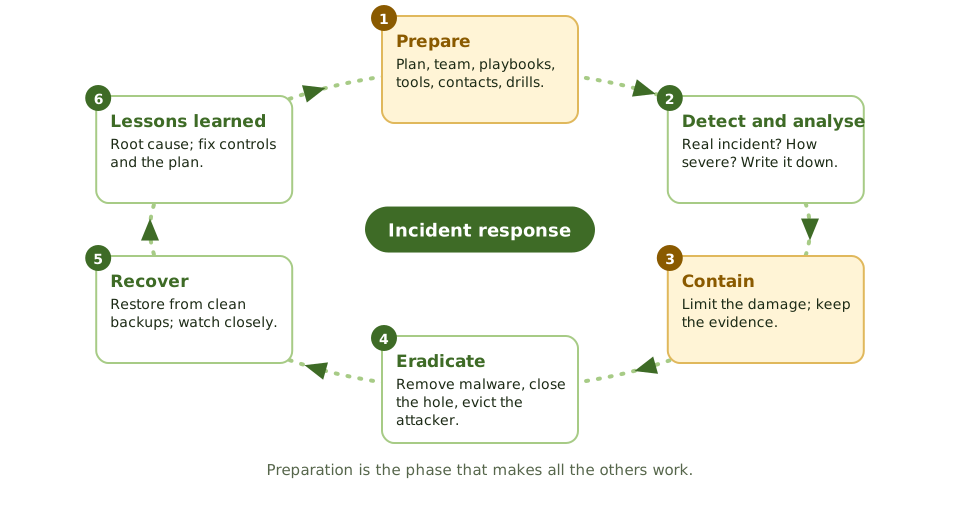
A fire brigade doesn't write its plan when the alarm rings. It trains, checks its kit and knows the streets in advance. At the fire, it contains the blaze first, then puts it out, then investigates the cause.
Security incident response works the same way, with one addition: the scene is also evidence.
Not just IT incident management
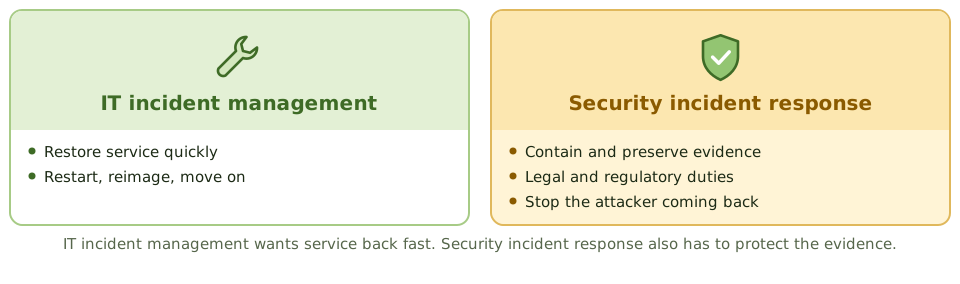
Contain, but keep the evidence
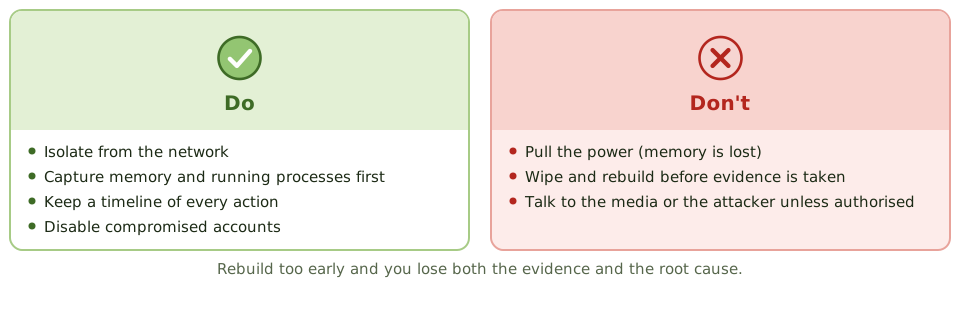
Who needs telling
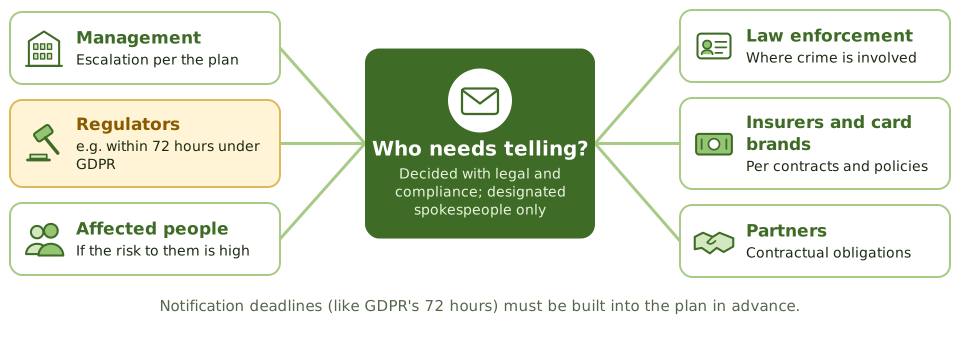
Measuring and learning
- 1Mean time to detect, contain and recover.
- 2Incidents by type, and repeats.
- 3Lessons-learned review: root cause, report to management.
- 4Update controls and the plan; skip this and it happens again.
How the exam asks about it
| If the question asks… | Answer |
|---|---|
| First action when an incident is confirmed | Contain it, preserving evidence |
| Most important phase | Preparation |
| Risk of rebuilding straight away | Evidence and root cause lost |
| Who talks to the media | Designated spokespeople |
| Purpose of lessons learned | Improve controls and the process |
| Why not just switch it off? | Memory evidence is lost |
Key takeaways
- ✓Incident response phases: preparation, detection and analysis (identification), containment, eradication, recovery, and post-incident review (lessons learned).
- ✓Preparation is the most important phase: a documented plan, a trained team, tools, contacts and playbooks.
- ✓When an incident is confirmed, the first priority is containment, limiting damage while preserving evidence.
- ✓Evidence must be preserved from the start if legal action or regulatory reporting is possible.
- ✓Communication follows the plan: management, legal, regulators, customers and media, through designated people.
- ✓Regulatory notification deadlines (such as 72 hours under GDPR) must be built into the plan.
- ✓The lessons-learned review improves controls and the plan itself.
Exam traps
- !Wiping and rebuilding a system before evidence is collected destroys evidence.
- !Pulling the power can lose volatile memory evidence; containment by network isolation is often preferred.
- !Staff shouldn't speak to the media or the attacker unless authorised.
- !Incident response for security differs from IT incident management: evidence and legal considerations matter.
- !Skipping the post-incident review means the same incident can happen again.
Digital Forensics and Chain of Custody
Handling digital evidence so it stands up in court: the forensic process, collecting the most fragile evidence first, imaging and hashing, the chain of custody, and the auditor's limited role.
A crime scene, but digital
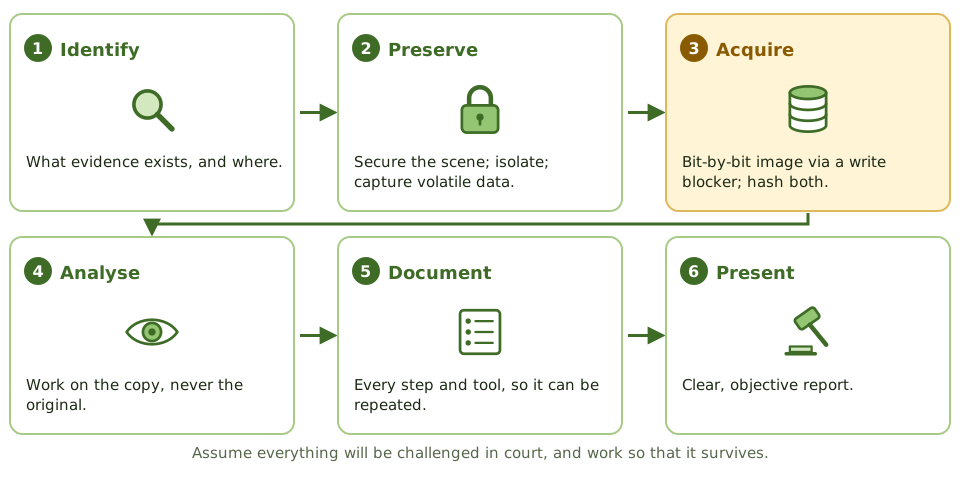
Police at a crime scene wear gloves, bag every item, label it, and log who held it and when. Touch the wrong thing, or lose track of a bag, and the evidence is thrown out in court.
Digital forensics applies the same discipline to computers, phones and logs. Assume everything will be challenged, and work so it survives.
Most fragile first
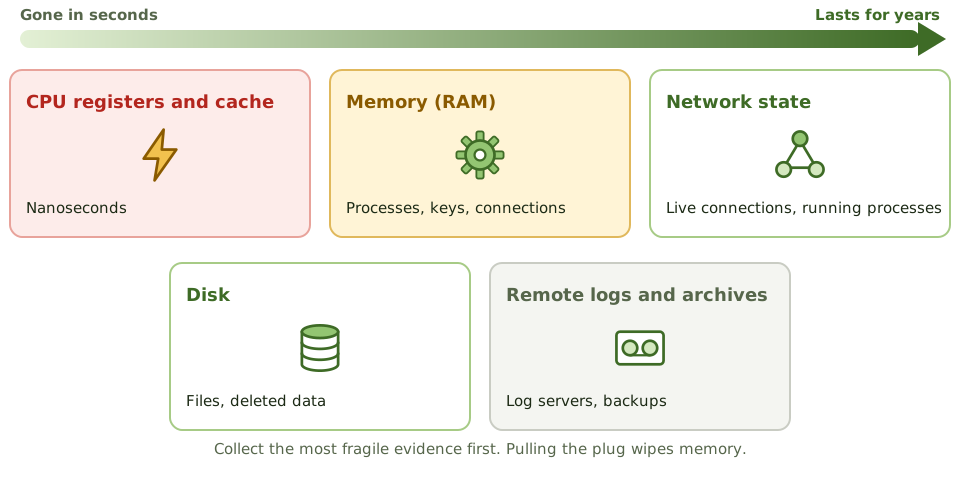
Imaging and hashing
A forensic image is a bit-by-bit copy, made through a write blocker so the original can't change. Hashes of the original and the copy must match, proving they're identical.
All analysis is done on the copy. Switching on a seized device, or opening its files, changes the evidence.
Chain of custody
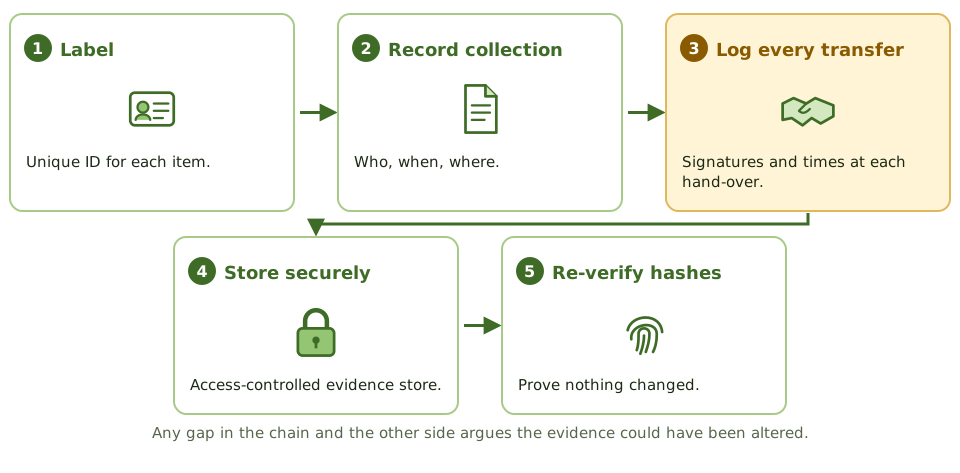
The auditor's role
- 1Recognise when forensics is needed.
- 2Don't damage the evidence.
- 3Bring in qualified specialists and legal counsel early.
- 4Collection must be lawful and respect privacy and employee rights.
- 5Follow documented procedures (e.g. ISO/IEC 27037) and validated tools.
- 6Cloud and mobile evidence add challenges: location, provider cooperation, encryption.
How the exam asks about it
| If the question asks… | Answer |
|---|---|
| Collect first from a running system | Memory and other volatile data |
| Prove a forensic copy is identical | Matching hash values |
| Stops changes to the original disk | Write blocker |
| Record of who handled evidence | Chain of custody |
| Where analysis is done | On a verified copy |
| Auditor finds possible evidence of a crime | Preserve it; involve specialists and legal |
Key takeaways
- ✓Digital forensics identifies, preserves, analyses and presents digital evidence in a way that is legally acceptable.
- ✓Evidence is collected in order of volatility: CPU registers and cache, memory, network state and running processes, then disk, then logs and archives.
- ✓A forensic image (bit-by-bit copy) is made with a write blocker, and its hash is compared with the original to prove it's identical.
- ✓Analysis is performed on a copy, never the original evidence.
- ✓Chain of custody documents who collected, handled, transferred and stored the evidence, and when.
- ✓Evidence must be collected lawfully, by qualified people, following documented procedures, to be admissible.
Exam traps
- !Memory evidence is lost on shutdown, so it's collected first.
- !Turning on a seized device or opening files on it changes evidence.
- !Any gap in chain of custody can make evidence inadmissible.
- !The IS auditor's role is to recognise when forensics is needed and involve specialists, not to perform it untrained.
- !Hashes prove integrity of the copy; they don't encrypt it.
Security Awareness Training
Turning staff into a line of defence: what a good awareness programme includes, extra training for high-risk roles, phishing simulations, and measuring behaviour rather than attendance.
People as a line of defence
Road safety isn't just about seatbelts and airbags. It's also about drivers who check their mirrors and slow down near schools. Good habits, practised often, prevent most accidents.
Many security incidents start with a person: clicking a phishing link, reusing a password, emailing the wrong file, holding a door for a stranger. Awareness training builds the habits that stop them.
The programme
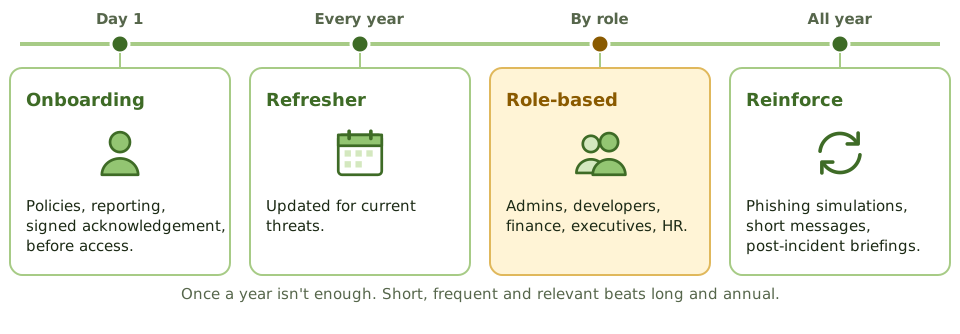
Extra training for high-risk roles
Measure behaviour, not attendance
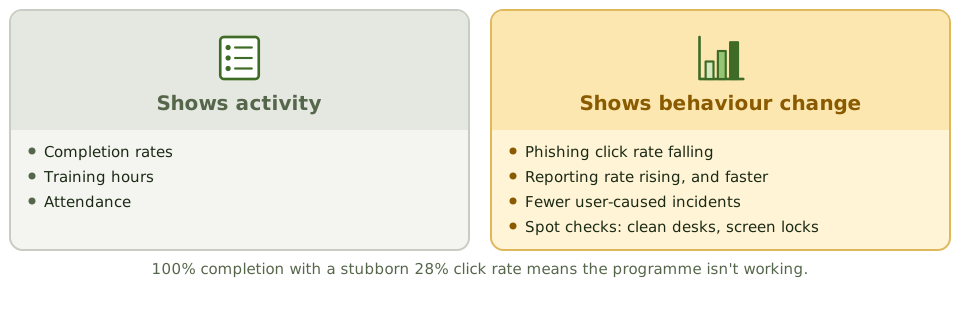
Culture
Make reporting easy (a 'report phishing' button, a hotline) and thank people who report, even when they clicked first.
If staff fear punishment for a mistake, they hide it, and the security team loses precious time.
How the exam asks about it
| If the question asks… | Answer |
|---|---|
| Best measure of programme effectiveness | Behaviour change: fewer clicks, more reports |
| Most effective control against social engineering | Security awareness training |
| When training should start | At onboarding, before system access |
| Who needs extra training | Admins, developers, finance, executives |
Key takeaways
- ✓Security awareness training is the primary control against social engineering and a key part of every security program.
- ✓Training starts at onboarding, is repeated regularly, and is updated as threats change.
- ✓Role-based training gives extra content to high-risk roles: administrators, developers, finance, executives.
- ✓Phishing simulations measure and improve how staff respond to realistic attacks.
- ✓Effectiveness is measured by behaviour change (fewer clicks, more reports), not by attendance or completion rates.
- ✓A simple, well-known way to report suspicious activity is essential.
Exam traps
- !Completion rates show activity, not effectiveness.
- !Annual training alone isn't enough; reinforcement through the year works better.
- !Punishing people who report mistakes discourages reporting.
- !Executives are high-value targets and need training too.
Logging, SIEM, and Auditing Security
Keeping a trustworthy record of what happened and actually reading it: what to log, protecting logs from the people they record, what a SIEM adds, and how an auditor approaches a security audit.
The flight recorder
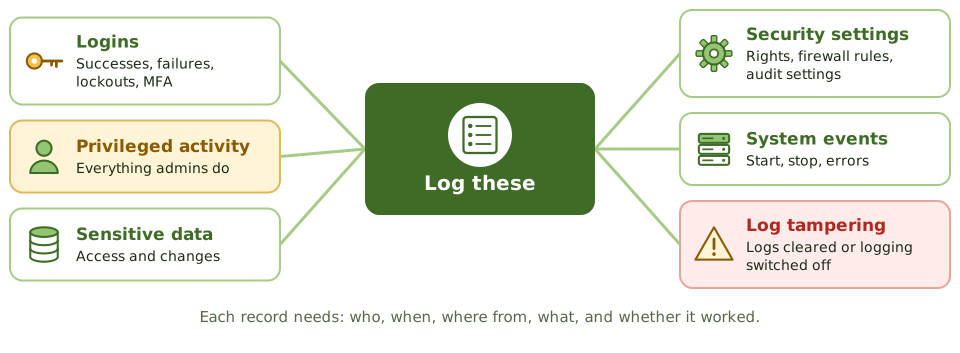
Every aircraft carries a flight recorder: it captures what happened, it's built to survive the crash, and investigators read it afterwards to work out why.
Logs are an organisation's flight recorder. They give accountability (who did what, when), help detect attacks, and support investigations, as long as they record the right things, can't be tampered with, and someone reads them.
Protect the logs
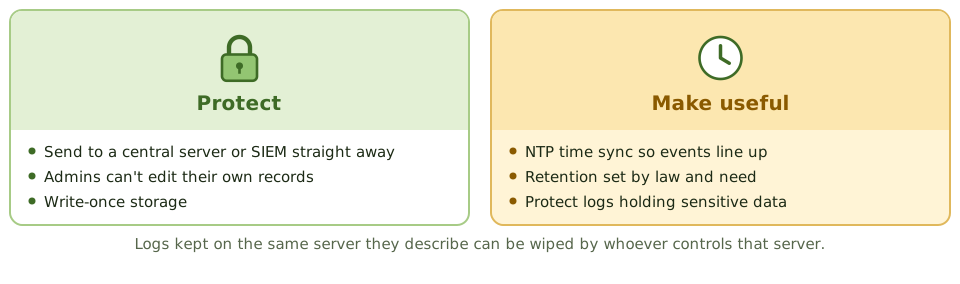
What a SIEM does
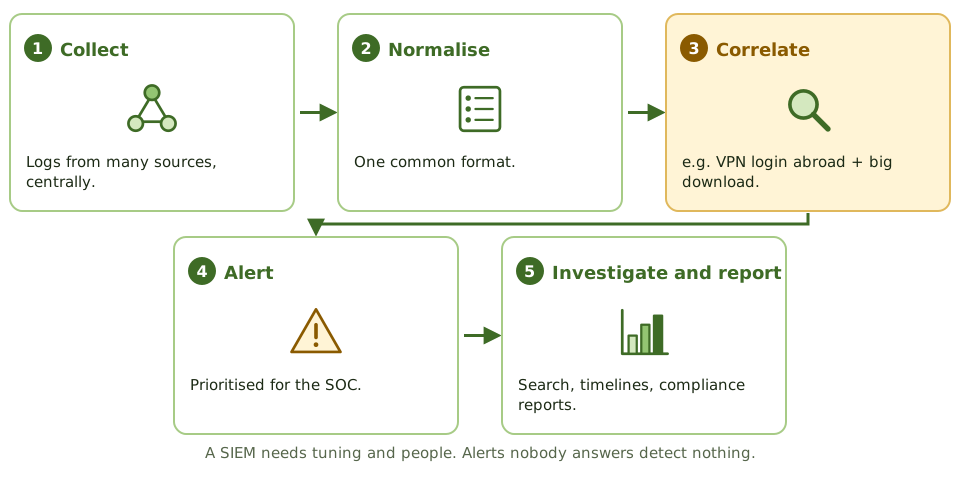
Reviewing logs
Logs nobody reviews aren't a detective control. Review should be risk-based: automated alerts for high-risk events, regular independent review of privileged activity, and periodic trend reviews. SOAR tools automate parts of the response; a SOC watches around the clock.
Auditing information security
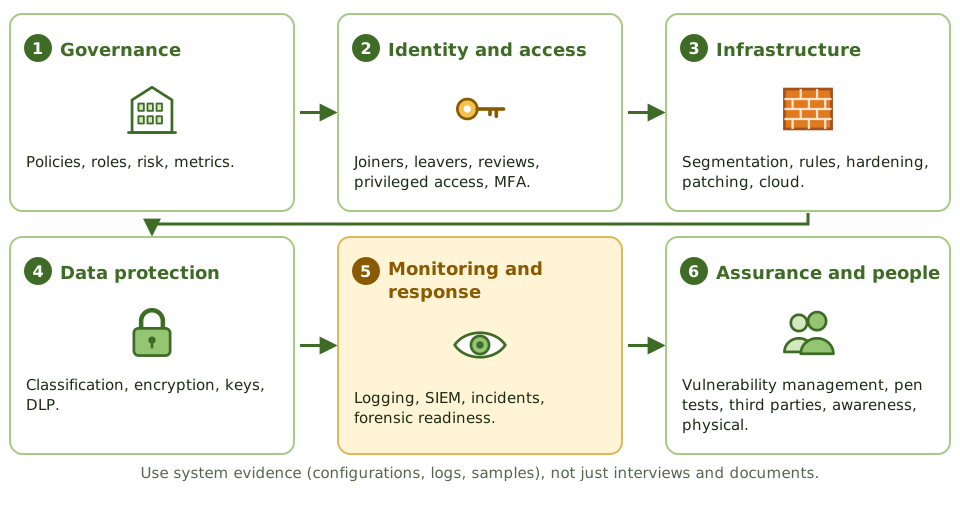
How the exam asks about it
| If the question asks… | Answer |
|---|---|
| Primary purpose of a SIEM | Collect and correlate events to detect incidents |
| Why time sync matters | Events across systems can be lined up |
| Protecting logs from admins | Central storage they can't change |
| Logs collected, never reviewed | Ineffective detective control |
| Strong sign of tampering | Logs cleared or logging switched off |
| Best evidence in a security audit | System evidence and configurations |
Key takeaways
- ✓Logs provide accountability and support detection and investigation, but only if they capture the right events and are reviewed.
- ✓Key events: logins and failures, privileged actions, access to sensitive data, changes to security settings, and log tampering.
- ✓Logs must be protected from alteration and deletion, especially by the administrators whose activity they record.
- ✓Time synchronisation (NTP) across systems is essential to correlate events.
- ✓A SIEM collects, normalises and correlates logs from many sources to detect incidents and support investigations.
- ✓Retention periods follow legal, regulatory and investigative needs.
- ✓Auditing security: start from policy and risk, test controls across governance, identity, network, endpoint, data and monitoring, and verify through evidence rather than interviews.
Exam traps
- !Logs that nobody reviews are not a detective control.
- !Storing logs on the same server they describe lets an attacker or administrator erase them.
- !Logging too little misses incidents; logging everything without filtering buries them.
- !Logs containing sensitive data need protection themselves.
- !Without accurate timestamps, events from different systems can't be reconstructed.