Topics in this domain
- IT Service Management
- Hardware Components and Architecture
- Operating Systems
- OSI Model
- TCP/IP and Common Protocols
- Network Devices: Switches, Routers, Gateways
- LAN/WAN Topologies
- Database Models and DBMS
- Database Controls and Normalization
- Asset Management
- Configuration Management
- Job Scheduling and Batch Processing
- Incident Management
- Problem Management
- Change Management
- Release and Patch Management
- Service Level Management
- Capacity and Performance Monitoring
- End-User Computing
- BCP Lifecycle
- Business Impact Analysis
- RTO, RPO, MTD, SDO
- Recovery Strategies
- Alternate Sites: Hot, Warm, Cold
- Backup Types: Full, Incremental, Differential
- Backup Storage and Rotation
- DRP Contents
- Testing BCP/DRP
- High Availability, RAID, Insurance
- Auditing BCP
Database Models and DBMS
Organising data
A filing system can take different shapes. A family tree, where each folder sits inside exactly one parent folder. A web of cross-references. Or a set of spreadsheets that refer to each other by ID number. Databases use the same ideas.
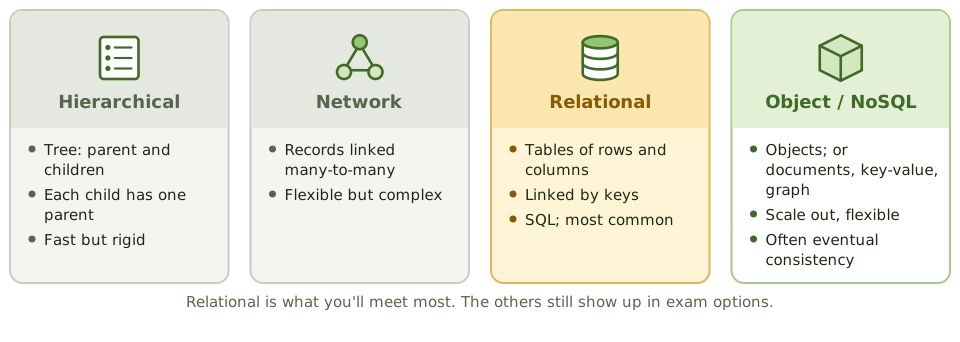
| Model | How data is organised | Characteristics |
|---|---|---|
| Hierarchical | A tree of parent and child records | Fast for fixed access paths; hard to change; each child has one parent |
| Network | Records linked many-to-many | Flexible but complex to maintain |
| Relational | Tables of rows and columns, linked by keys | By far the most common; SQL; the DBMS enforces integrity |
| Object-oriented | Objects combining data and behaviour | Suits complex data such as multimedia or CAD |
| NoSQL | Documents, key-value pairs, columns or graphs | Scales out easily; flexible structure; often “eventually consistent” |
NoSQL databases often trade strict consistency for scale, so integrity controls may have to live in the application instead of the database.
Relational basics
- Table: rows (records) and columns (fields).
- Primary key: the unique ID of each row, like a customer number.
- Foreign key: a column that points to a primary key in another table, like the customer number on an order.
- View: a virtual table showing only selected rows or columns. Views are an access control: give a user a view that hides salary columns, and they simply can’t see salaries.
- Stored procedures and triggers: code inside the database that enforces rules or automates actions.
What the DBMS does
A database management system (DBMS) provides:
- the three SQL language types (below)
- security and access control
- concurrency control (locking, so users don’t overwrite each other)
- integrity enforcement (keys, constraints)
- backup, logging and recovery
- the data dictionary / directory system (DD/DS): metadata describing every data element, structure, relationship, owner and access rule. Unauthorised changes to it can corrupt or expose data, so it’s restricted and logged.
The three SQL languages
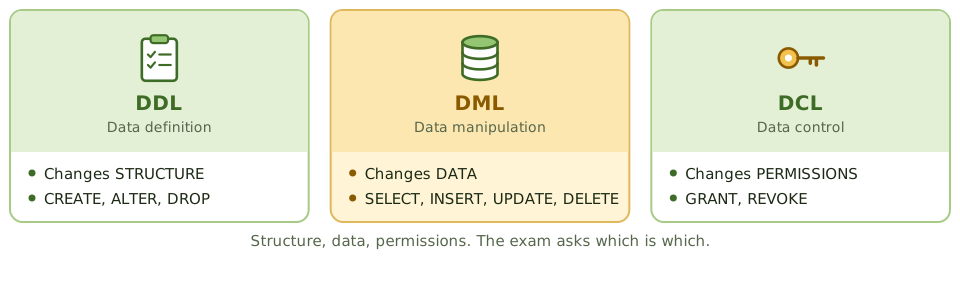
- DDL (data definition) changes structure: CREATE, ALTER, DROP.
- DML (data manipulation) changes data: SELECT, INSERT, UPDATE, DELETE.
- DCL (data control) changes permissions: GRANT, REVOKE.
Three-schema architecture
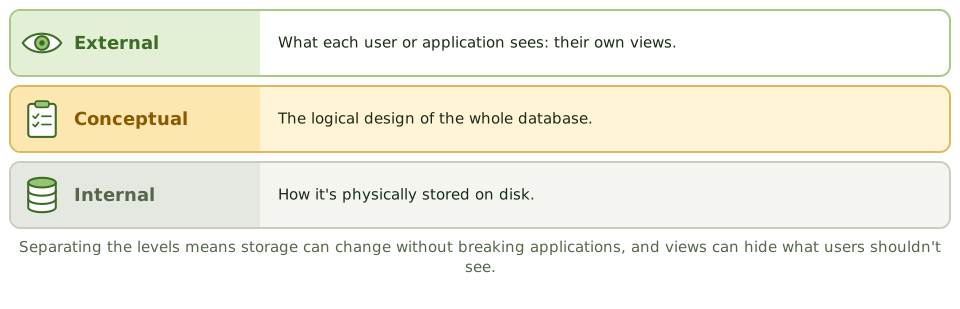
- External: what each user or application sees (their views).
- Conceptual: the logical design of the whole database.
- Internal: how it’s physically stored.
Keeping the levels separate means storage can change without breaking applications (data independence), and views can limit what each user sees.
Watching the DBA
The database administrator (DBA) maintains structures, performance, backup and recovery, and often access. That’s a lot of power: a DBA can change data directly and skip every application control.
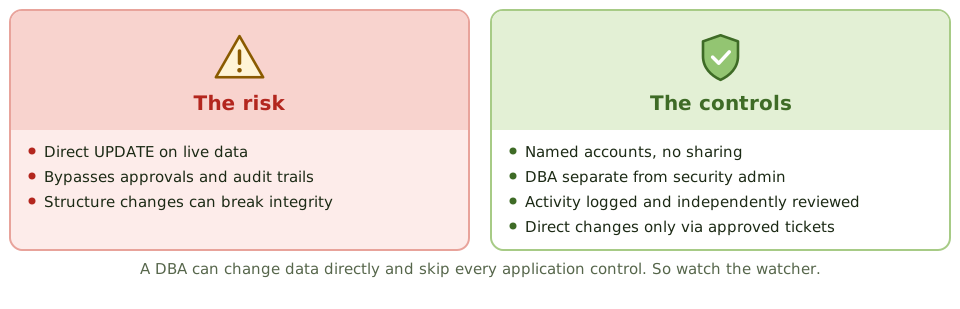
- separate DBA and security administration duties where possible
- named DBA accounts, no shared logins
- DBA activity logged (especially direct data changes and structure changes) and independently reviewed
- structure changes through change management
- direct data fixes only through approved tickets
Example. On a manager’s verbal request, a DBA runs an UPDATE statement directly on the payments table to “fix” a vendor’s bank account. The application’s approval workflow for bank detail changes is skipped entirely. Database activity monitoring should flag direct changes to that table for independent review.
How the exam asks about it
| If the question asks… | The answer is usually… |
|---|---|
| Language used to grant permissions | DCL (GRANT, REVOKE) |
| Repository of metadata about the database | Data dictionary / directory system |
| Database feature restricting what users see | Views |
| Main risk from DBA access | Direct changes to data bypassing application controls |
| Most common database model | Relational |
In short
- Database models: hierarchical (tree), network (many-to-many links), relational (tables with keys), object-oriented, and NoSQL (document, key-value, graph, column).
- Relational databases organise data in tables of rows and columns, linked by primary and foreign keys.
- A DBMS provides data definition (DDL), manipulation (DML) and control (DCL) languages, plus security, concurrency, backup and recovery.
- The data dictionary/directory system holds metadata: definitions, structures, relationships and access rules.
- The three-schema architecture separates the external (user views), conceptual (logical) and internal (physical) levels.
- The DBA has powerful access to data and structures; their activity must be logged and independently reviewed.
Exam traps
- DDL changes structure (CREATE, ALTER, DROP); DML changes data (INSERT, UPDATE, DELETE); DCL grants rights (GRANT, REVOKE).
- Database views can restrict what users see, acting as an access control.
- Unauthorised changes to the data dictionary can corrupt or expose data; restrict and log them.
- NoSQL databases often trade strict consistency for scale; integrity controls may sit in the application instead.
Slides
Click the slide and use the arrow keys. F toggles full screen.
Organising data
A filing system can be a family tree (each folder inside exactly one parent folder), a web of cross-references, or a set of spreadsheets linked by ID numbers. Databases use the same ideas.
The relational model, tables linked by keys, is by far the most common.
The three SQL languages
What the DBMS does
The database management system handles security and access, locking so users don't collide, integrity rules, backup, logging and recovery.
It also keeps the data dictionary: the metadata describing every field, structure, relationship, owner and access rule. Changes to it need restricting and logging.
Watching the DBA